
Default Save Location of Classifications
-
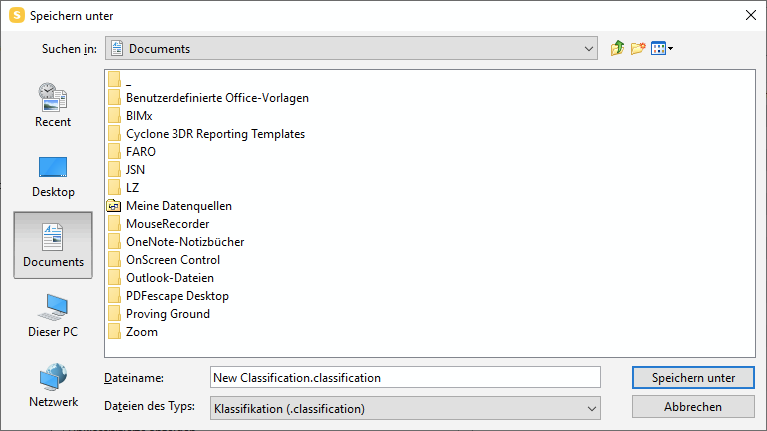
Even if the root path is specified the save dialogue on windows always opens in the default “Documents” location.
Is there any way to change this? One little helper is to put shortcuts in there for faster navigation, but it’s still a bit annoying and as the “Recent” tab in windows is a joke I am curious if there are any other creative ideas to deal with this.
-
An address bar and favorite locations (like Revit / AutoCAD) would save us a lot of time.
-
@JSN said in Default Save Location of Classifications:
Just a hint, when you know/copy/type the folder path into the existing file name bar then you kind of can use it like an adress bar. This could speed up the process in some cases but it’s of course not really a joy to browse.
That is often the way I do it when there isn’t an adress bar at the top. However, this deletes the text that is previously there as the name of the thing you want to save. So still not favourable.
-
Please … make the whole explorer stuff better.
Not just only like the example use case of this topic but also opening of ressources. Also when i have open two different projects with different file paths wher I am constantly loading and saving the explorer remembers the paths and it’s a real pain to navigate trough the explorer all the time. I know to certain extinct Drag and Drop is ante portas and I hope this makes life easier but currently it’s horrible. Having shorcuts in the documents folder is a workaround but not a really satisfying one as the file locations change very often.




Copyright © 2025 Solibri Inc. | Powered by NodeBB