
Issue elements report - presentation
-
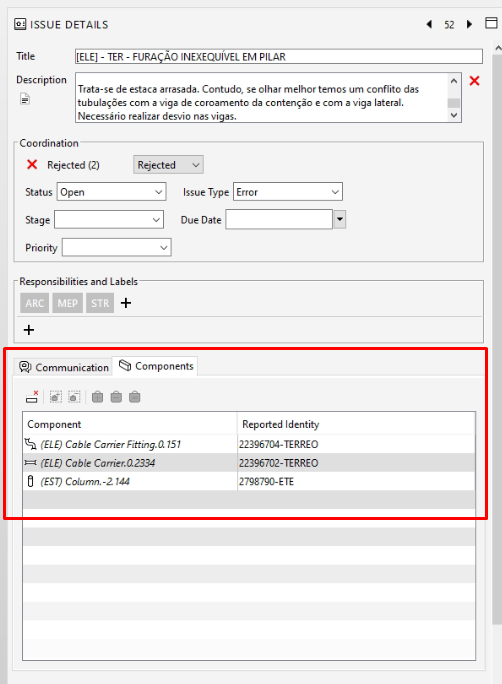
I would like to know if it is possible to create a report or extract the information from “inside the issue”. I run the rules, create the slides and see the elements that are present in the issue, but I would like to know if it is possible to extract these values.
I know that it is possible to configure the information that I will see (going to configuration - presentation), but the big question is whether it is possible to extract it in some way: in some takeoff, in some classification, in some table.
-
It isn’t possible out of the box, but you can set the components in the results to the selection basket and then do a takeoff selected in ITO to only report those components with that specific issue.
This post touched on this: https://society.solibri.com/topic/1639/adding-issues-to-ito/5
You can also use the Info API to report information and there is an an example using the Info API that reports whether a component has issues:
https://society.solibri.com/topic/1499/ito-export-information-from-issue-tabPerhaps the Custom Hierarchy will help at least in organizing the results in a way through the properties of the components you are interested.
I’d recommend upvoting those other posts and this one requesting this as an enhancement: https://society.solibri.com/topic/1937/issues-to-takeoff/4?_=1686860073424
-
Hi,
I return to the topic to find out if improvements on the critical elements report are in the Solibri plans.
I agree with @le_branquinho.
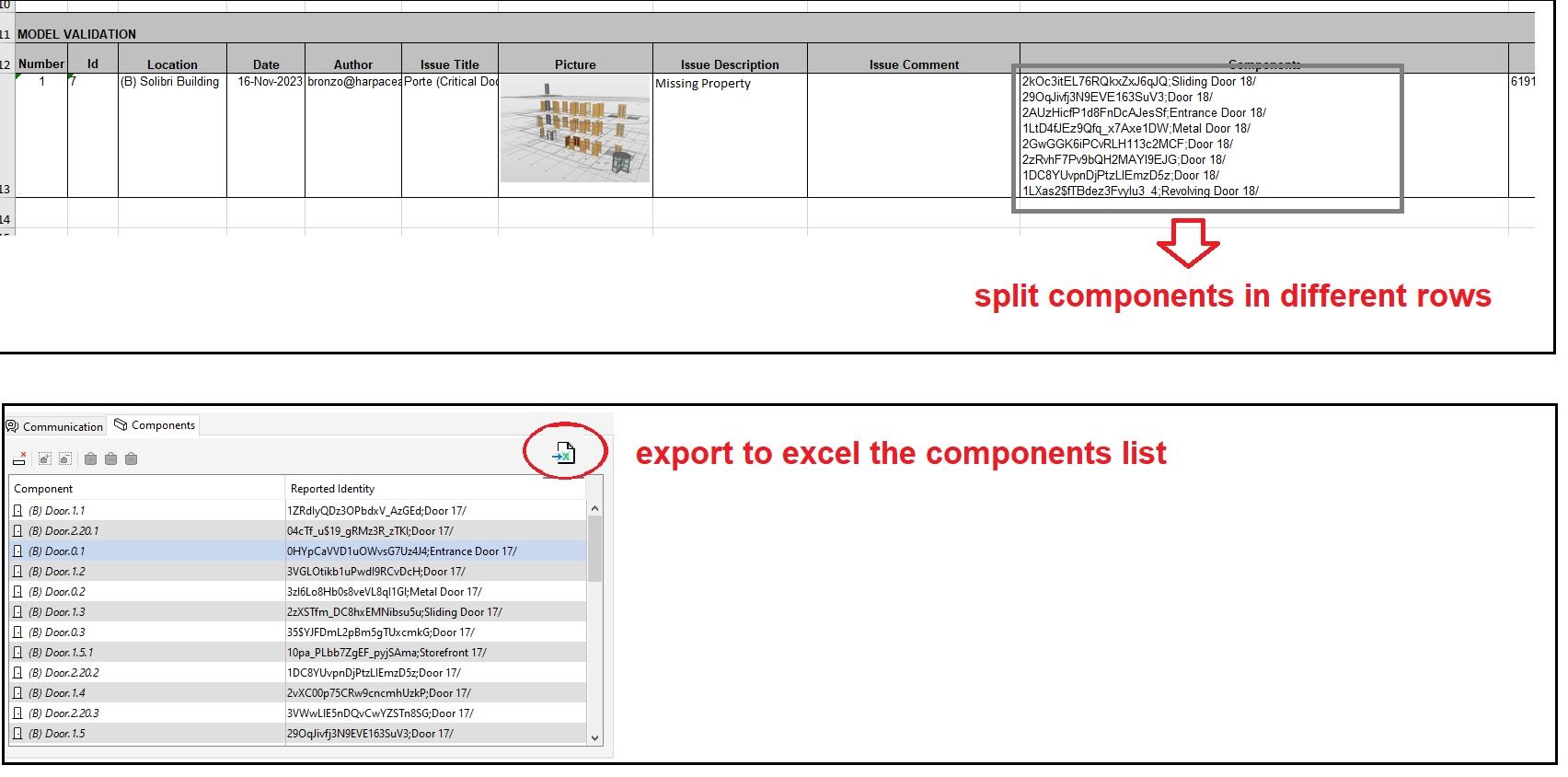
The solution to insert result components in the selction basket is the workaround we now use… but it is not so immediate, there is also the risk that non-critical elements may end up in the selection basket. Surely the “export to excel” function would be more convenient for the user.
It would also be very helpful if there was a choice to export components in separate rows.
This makes the job easier for the BIM Specialist who then has to copy and paste the ID into the authoring software. Unfortunately, not everyone uses BCF report so the excel format is still widely used for communication.


Copyright © 2025 Solibri Inc. | Powered by NodeBB