Skip to content
  • Categories
Collapse
Solibri Society Forum
  1. Home
  2. General Discussion
  3. Components to Be Checked Decomposes logic?

Components to Be Checked Decomposes logic?

Scheduled Pinned Locked Moved General Discussion
3 Posts 2 Posters 615 Views
  • Oldest to Newest
  • Newest to Oldest
  • Most Votes
Log in to reply
This topic has been deleted. Only users with topic management privileges can see it.
  • L Offline
    L Offline
    lraimo
    wrote on last edited by
    #1

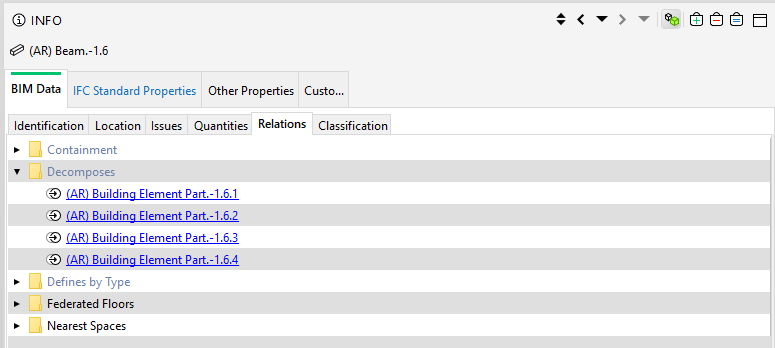
    I have beam that is decomposed of four Building Element Part
    dc6bf4ce-7f54-452b-9767-b7dee6d2fad8-image.png
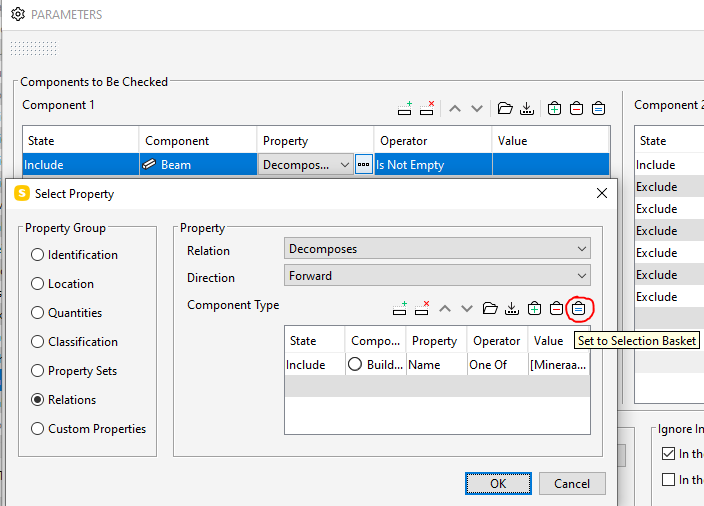
    Would like not take to Components to Be Checked only Building Element Part that name is not “Mineraalvillaplaat värvitud”, but can not get it to work.
    cbe8a5ce-e982-4ea1-bbe0-fadbaf8faa34-image.png
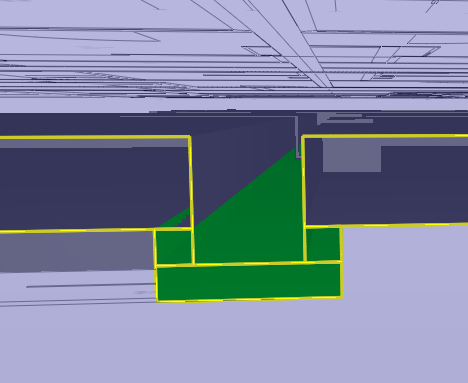
    With Set to Selection Basket button I get Building Element Parts that I do not want
    c970a3a0-7b5c-482b-9a74-3ca708075cc1-image.png
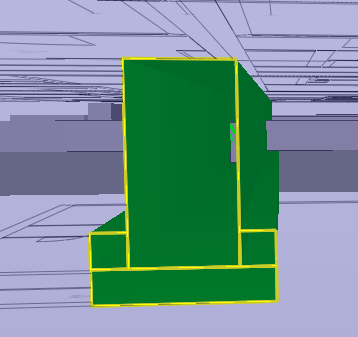
    But with Set to Selection Basket under Components to Be Checked I still get all Building Element Parts of the beam
    390d3e06-9506-468f-a67d-93827e69884d-image.png
    How can I make is work?

    1 Reply Last reply
    0
    • JSNJ Offline
      JSNJ Offline
      JSN
      wrote on last edited by JSN
      #2

      In your filter you still have the beams which takes all parts of it if the criteria matches. Also the Mineraalvillaplaat… You only want the parts which are not having that specific name so you need to change beam to building element parts which have a backward relationship to beams first. Then you can exclude those with that name.


      1 Reply Last reply
      0
      • L Offline
        L Offline
        lraimo
        wrote on last edited by
        #3

        Got it working, but had to use two rows
        9b5a53c1-14ad-4c05-9f25-f3b6259ef7dd-image.png

        1 Reply Last reply
        0

        Copyright © 2025 Solibri Inc. | Powered by NodeBB

        • Login

        • Don't have an account? Register

        • Login or register to search.
        • First post
          Last post
        0
        • Categories