Skip to content
  • Categories
Collapse
Solibri Society Forum
  1. Home
  2. General Discussion
  3. IFC Header Properties in Information Takeoff

IFC Header Properties in Information Takeoff

Scheduled Pinned Locked Moved Solved General Discussion
6 Posts 3 Posters 1.2k Views
  • Oldest to Newest
  • Newest to Oldest
  • Most Votes
Log in to reply
This topic has been deleted. Only users with topic management privileges can see it.
  • L Offline
    L Offline
    lraimo
    wrote on last edited by
    #1

    Hi
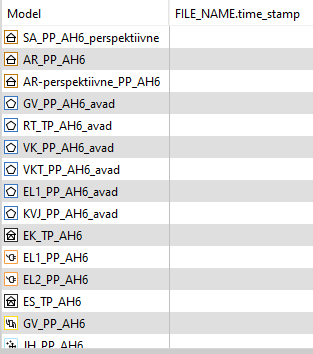
    Is there any way to get IFC Header Properties to Information Takeoff?
    At the moment I can add column, but no data is shown there
    6f0d998f-371d-459a-ab26-1bf37c1b2d47-image.png

    1 Reply Last reply
    0
    • Harmen JorritsmaH Offline
      Harmen JorritsmaH Offline
      Harmen Jorritsma
      wrote on last edited by
      #4

      @lraimo ,
      Use the time stamp in the project, to lcick on the model and look by the info under IF Header Properties --> IFC File Name.

      image.png

      Create a ne Information Take off, select in setting only project!
      image.png

      Add model and the file name as a colum, and done.
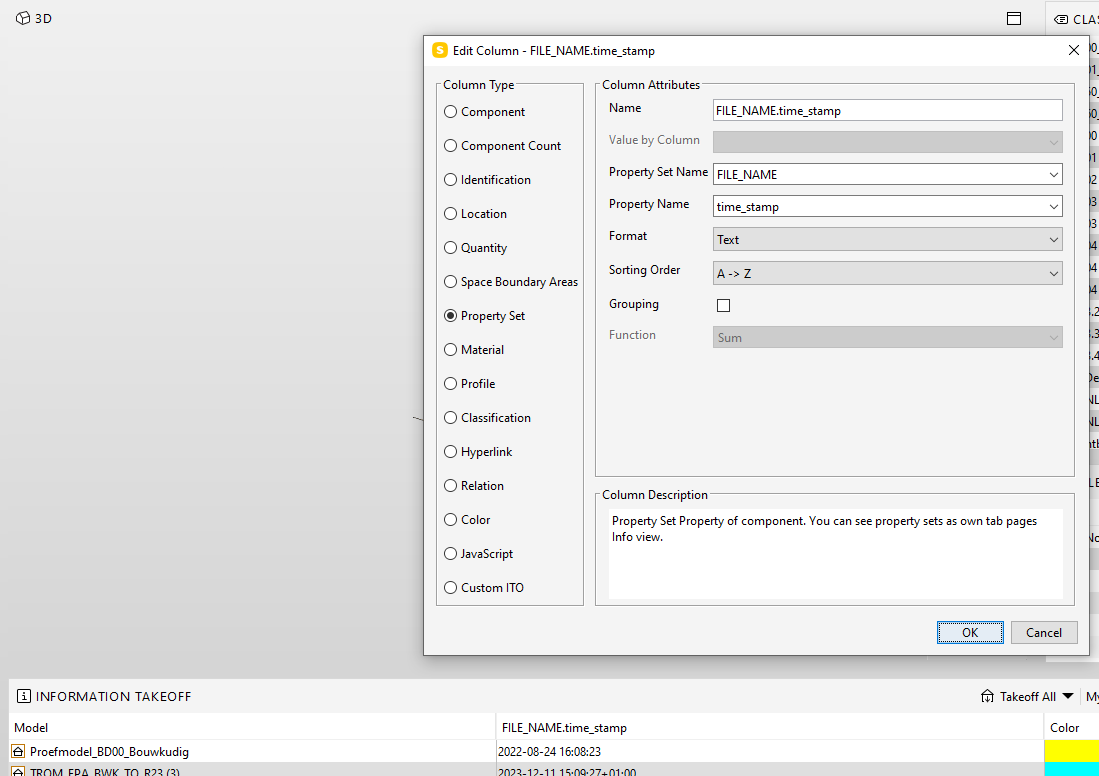
      image.png

      Met vriendelijke groet,
      Harmen Jorritsma

      BIM regisseur Van Wijnen Amsterdam
      Diemerhof 32 | 1112 XN Diemen | KvK 32129744

      020 -36 44 000 | 06-83 15 66 88 | LinkedIn | www.vanwijnen.nl
      Volg ons op Facebook en Twitter

      1 Reply Last reply
      0
      • BvanDalsumB Offline
        BvanDalsumB Offline
        BvanDalsum
        wrote on last edited by
        #2

        yes thats possible, the Time stamp is connected to a model, not a component.
        if you select “Identification/model” in youre first row it schould work

        1 Reply Last reply
        0
        • L Offline
          L Offline
          lraimo
          wrote on last edited by
          #3

          This did not work.
          image.png

          1 Reply Last reply
          0
          • Harmen JorritsmaH Offline
            Harmen JorritsmaH Offline
            Harmen Jorritsma
            wrote on last edited by
            #4

            @lraimo ,
            Use the time stamp in the project, to lcick on the model and look by the info under IF Header Properties --> IFC File Name.

            image.png

            Create a ne Information Take off, select in setting only project!
            image.png

            Add model and the file name as a colum, and done.
            image.png

            Met vriendelijke groet,
            Harmen Jorritsma

            BIM regisseur Van Wijnen Amsterdam
            Diemerhof 32 | 1112 XN Diemen | KvK 32129744

            020 -36 44 000 | 06-83 15 66 88 | LinkedIn | www.vanwijnen.nl
            Volg ons op Facebook en Twitter

            1 Reply Last reply
            0
            • BvanDalsumB Offline
              BvanDalsumB Offline
              BvanDalsum
              wrote on last edited by
              #5

              Timestamp ITO met model.ito
              this should work

              1 Reply Last reply
              0
              • L Offline
                L Offline
                lraimo
                wrote on last edited by
                #6

                Both answers worked. Thanks

                1 Reply Last reply
                0
                • EricE Eric marked this topic as a question on
                • EricE Eric has marked this topic as solved on

                Copyright © 2025 Solibri Inc. | Powered by NodeBB

                • Login

                • Don't have an account? Register

                • Login or register to search.
                • First post
                  Last post
                0
                • Categories