Skip to content
  • Categories
Collapse
Solibri Society Forum
  1. Home
  2. General Discussion
  3. BCF Live Connector view is different than in Communication

BCF Live Connector view is different than in Communication

Scheduled Pinned Locked Moved General Discussion
8 Posts 3 Posters 1.5k Views
  • Oldest to Newest
  • Newest to Oldest
  • Most Votes
Log in to reply
This topic has been deleted. Only users with topic management privileges can see it.
  • L Offline
    L Offline
    lraimo
    wrote on last edited by
    #1

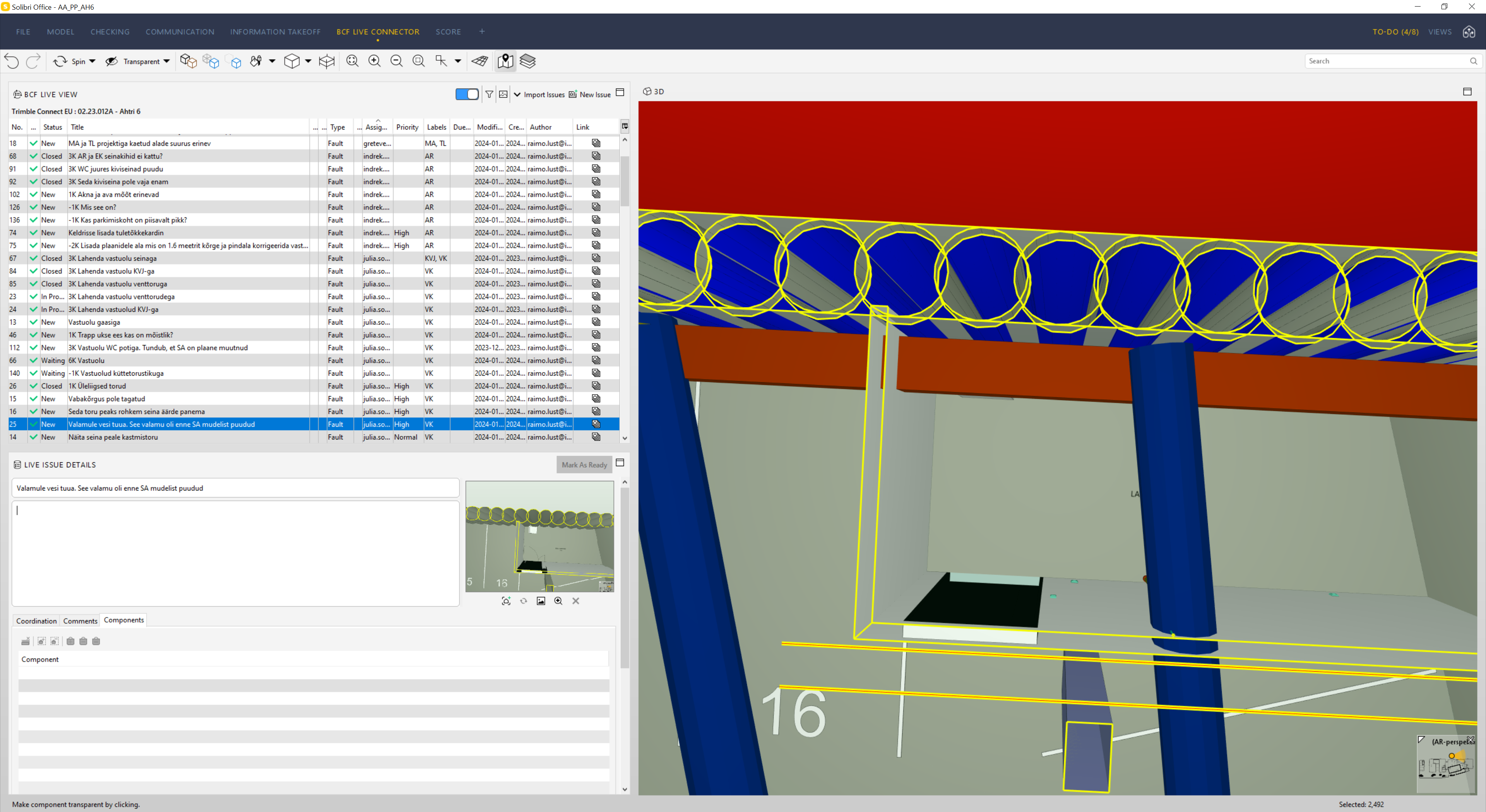
    When I import issues from communication tab issues then sometimes view is BCF Live Connector is different
    For example issue in communication
    29061494-df1a-447a-b9d3-2ccdddb66140-image.png
    Issue in BCF Live Connector
    2f8dcc25-1d7d-4748-805c-15cafe675615-image.png
    In BCF Live Connector view there is shown model that was not turned on in communication tab issue

    paola bronzoP 1 Reply Last reply
    2
    • paola bronzoP Offline
      paola bronzoP Offline
      paola bronzo
      replied to lraimo on last edited by
      #2

      Hi @lraimo ,
      I also noticed the same behavior.

      BCF LIVE CONNECTOR 3D VIEW.JPG
      In fact each time I have to use the selection basket to isolate only the critical components, but this is not a streamlined process because it always requires manual user intervention.

      1 Reply Last reply
      0
      • L Offline
        L Offline
        lraimo
        wrote on last edited by
        #3

        @Solibrians
        Any comments, this is very serious bug

        1 Reply Last reply
        0
        • MattiM Offline
          MattiM Offline
          Matti Solibrians
          wrote on last edited by
          #4

          In BCF (BCF Live Connector) the components are identfied by the IFC Guid. Could it be that there are equal Guids in different models?
          This can be can tested in ITO listing Guids and component counts.

          paola bronzoP 1 Reply Last reply
          0
          • paola bronzoP Offline
            paola bronzoP Offline
            paola bronzo
            replied to Matti on last edited by
            #5

            @Matti-Kannala
            it is not a problem related to the GUID, these are all different… every time an issue is imported into the BCF LIVE VIEW, the entire model is activated in the 3D view, when instead only the elements present in the slide thumbnail should be activated.

            1 Reply Last reply
            0
            • L Offline
              L Offline
              lraimo
              wrote on last edited by
              #6

              @Matti-Kannala
              In my case I did not select any elements when making issue, I used classification (by Short Name) and in BCF Live Connector view there is show also models that I did not select.
              2b69f6ed-4113-4f9e-854f-cb5d502feb0a-image.png

              1 Reply Last reply
              0
              • L Offline
                L Offline
                lraimo
                wrote on last edited by
                #7

                @Matti-Kannala
                Any updates on this matter?

                1 Reply Last reply
                0
                • L Offline
                  L Offline
                  lraimo
                  wrote on last edited by
                  #8

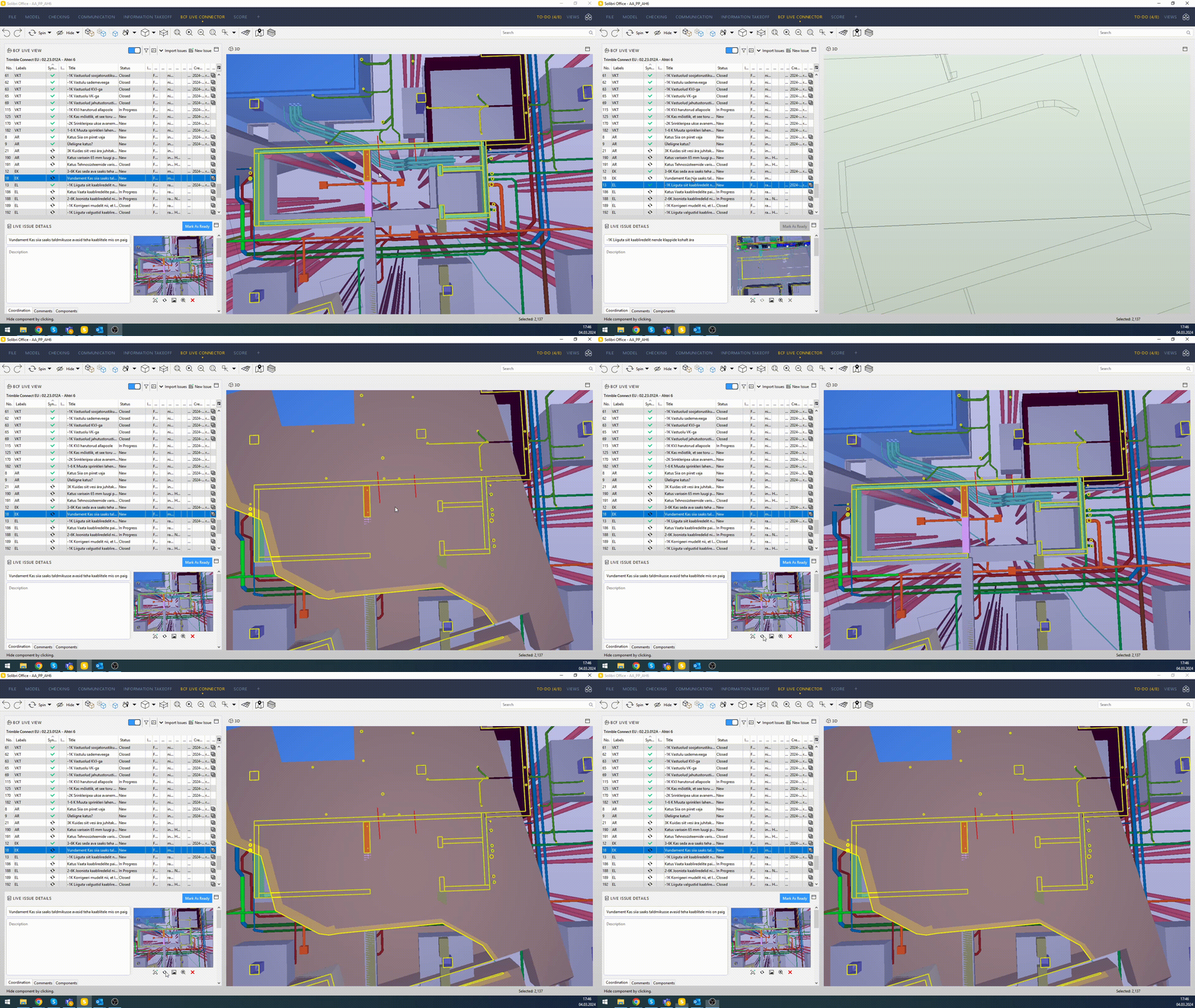
                  There is a serious bug. Sometimes even if I update view in BCF Live Connector then it still comes out wrong
                  2024-03-04 17-46-42.gif

                  1 Reply Last reply
                  0

                  Copyright © 2025 Solibri Inc. | Powered by NodeBB

                  • Login

                  • Don't have an account? Register

                  • Login or register to search.
                  • First post
                    Last post
                  0
                  • Categories