
Report template bug
-
Hello everyone,
I have created the Excel template shown in screenshot, which contains several sheets for the purpose of reporting my evaluations.
The informations in brackets are the attributes (ITOs) that will get extracted from Solibri. For each individual Excel sheet there is only one corresponding solibri evaluation.
For instance:
The evaluation of S_Rohrleitungen_Anzahl 2
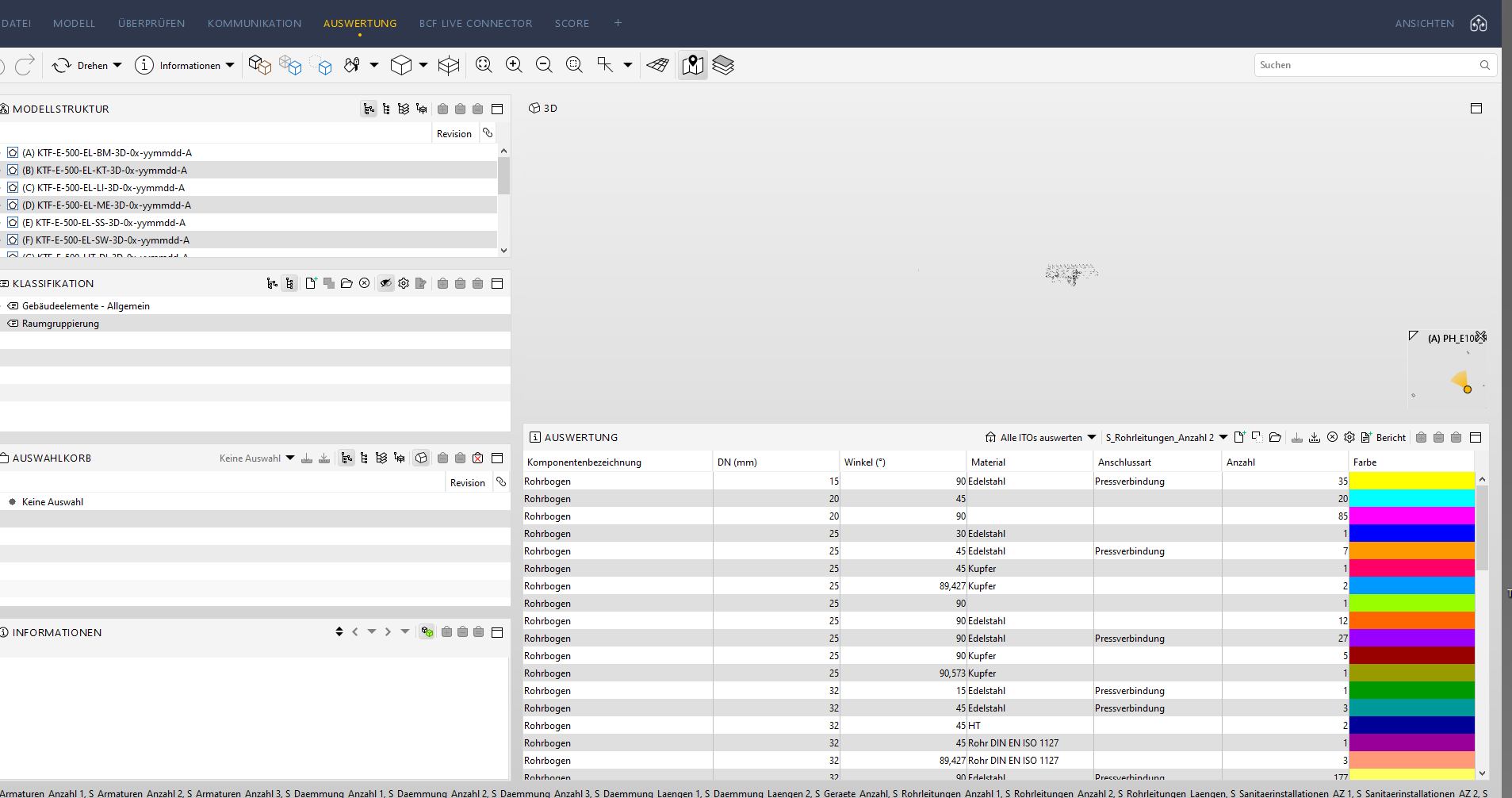
the corresponding report sheet for evaluating S_Rohrleitungen_Anzahl 2 with identical ITOs terms

Till now I have faced no issues reporting an evaluation individually with the template, additionally the report contains the correct information (iTOs).
However it becomes quite problematic whenever I try to report several evaluations at once, resulting into sometimes not having the report printed at all! I have tried multiple times to report different evaluations at once sometimes it works immaculately other times I receive not reports printed. It’s generally very confusing, since I can not recognise any patterns on why the reporting doesn’t work continuously.
I assume a bug is preventing me from being able to report all the selected evaluations with the Excel Template. Or could it possibly be due to the big excel file (about 60 sheets)? . I would really like to understand the underlying problem and would be extremely grateful for any advice regarding my matter!
warm regards,
Faten Toma -
Is every time the same sheets unfilled?
If you report again, is the result sometimes different?
How to fix:- Remove possible white spaces at the end/start of the ITO or sheet.
- Check that the sheet names exactly match with the ITO name.
-
@Matti-Kannala
Hello MattiIt is not the same sheet everytime. Additionally if I report the sheet again I get different result. I have also checked any white spaces prior and adjusted the name of the sheets and ITO name. Unfortunately till now I have not advanced nor have seen any positive results.
kind regards,
Ftaen Toma

Copyright © 2025 Solibri Inc. | Powered by NodeBB