
Combining two parameters from Revit into one cell in an Information Take off
-
In my COBie sheet I have a requirement to produce the Uniclass Classification number + description as the Category. I’m producing my COBie sheets through Solibri.
However in Revit these are two seperate fields, is there a way to do this Solibri side with my Information Takeoffs, rather than getting design teams to create a new parameter to do that in Revit.
Example (Not correct codes)
Uniclass code- Pr_42_53_31
Uniclass Description- Steel beam
Cobie Category- Pr_42_53_31: Steel beamHope this makes sense. Thank you
-
This is exactly what the resources are designed for. Please make sure that you are using the UK resources, set your components in the COBie set up area so that all other classifications only try to classify these components.
(1) The ITO collects data from a Classification (2) (but is renamed Category).
(3) The Classification is one of the ones from the resources called COBie Type - Category - Uniclass 2015
(4) The classification allows you to map the locations for the codes which it then automatically ensures that these are valid values.
(5) These classified components are then passed to the ITO and then automatically into the sheet.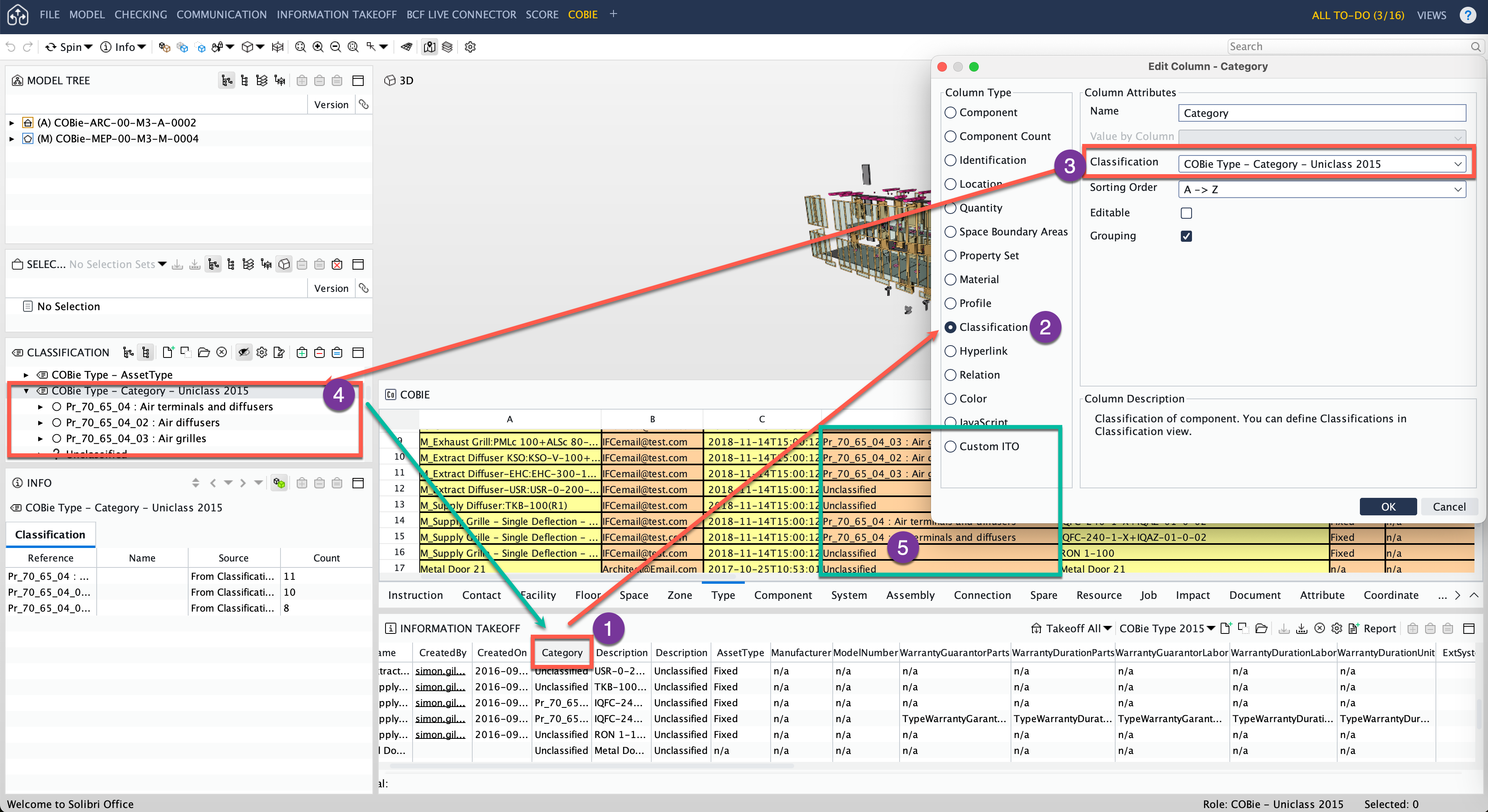
You can change the location of where the classification searches for the values by editing the classification and changing the headers.
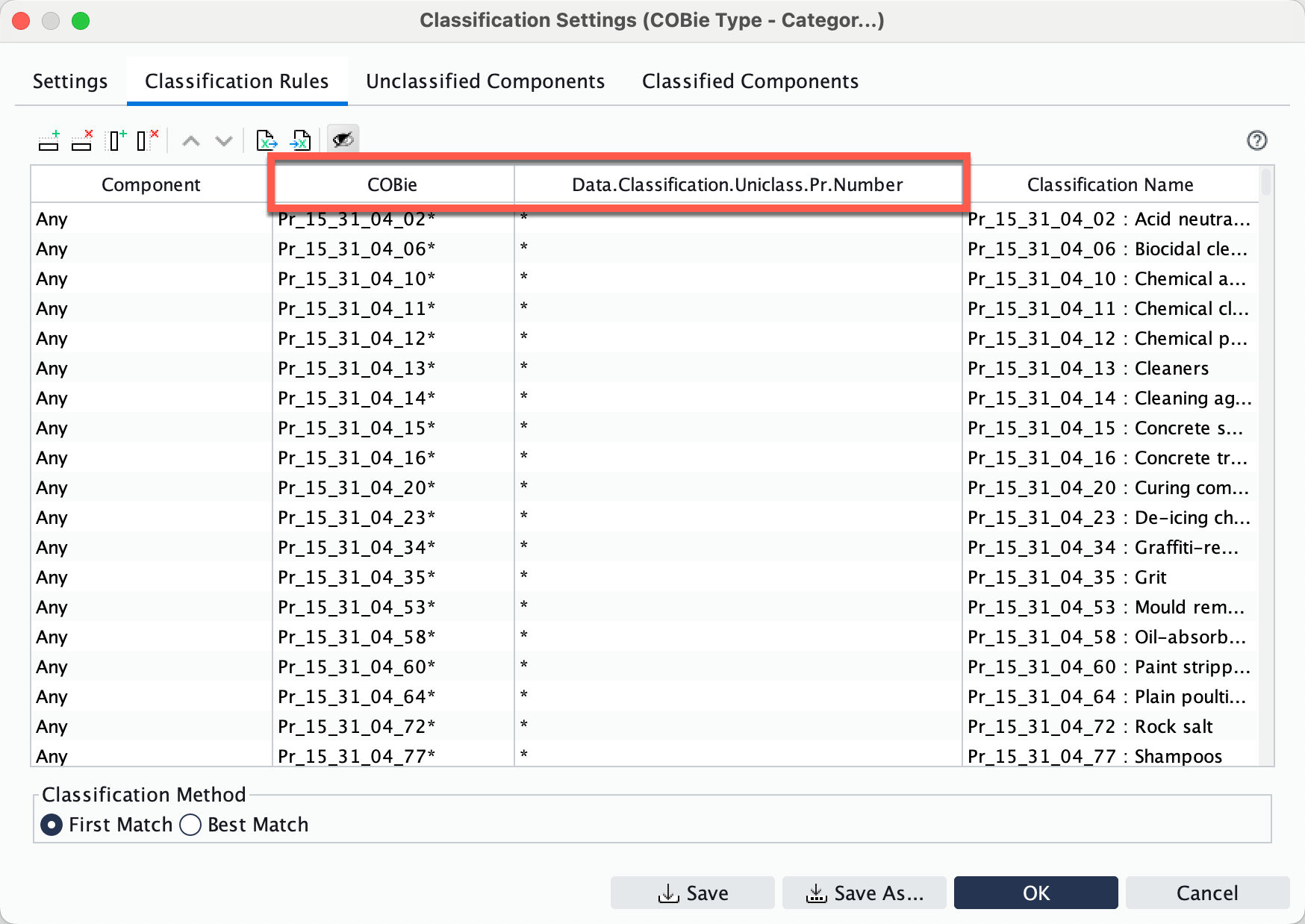
Use the Export sheet to ensure the values do not get corrupted when the locations are changed. The second column references a classification value where as the third column uses a property set. If you change these to different data locations i.e. a classification to a propertyset etc then the values in the that field will all be reverted to * values. Hence exporting the sheet first, change the locations and then you can clear the sheet and re-import from the exported version to keep all the values with the new headers.
If you log into the Solution Center you can change from product to Training and Documentation. Here you will find the COBie reference guide that will help you understand the workflow.
Copyright © 2025 Solibri Inc. | Powered by NodeBB