Skip to content
  • Categories
Collapse
Solibri Society Forum
  1. Home
  2. General Discussion
  3. Solibri Society with bad visability?

Solibri Society with bad visability?

Scheduled Pinned Locked Moved Solved General Discussion
7 Posts 2 Posters 1.3k Views
  • Oldest to Newest
  • Newest to Oldest
  • Most Votes
Log in to reply
This topic has been deleted. Only users with topic management privileges can see it.
  • JSNJ Offline
    JSNJ Offline
    JSN
    wrote on last edited by JSN
    #1

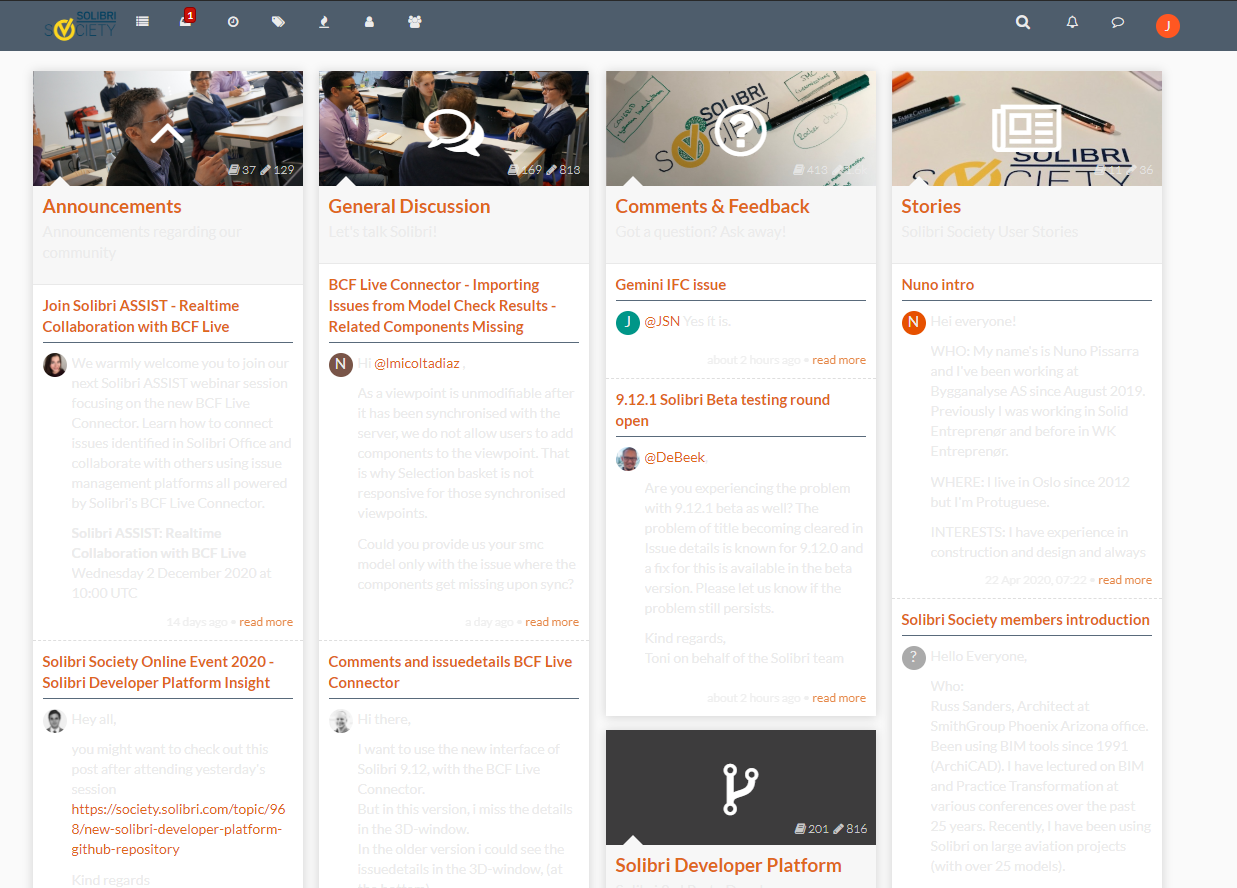
    I am not sure if you are currently changing something on your front end but I hope that this is going away soon. Readability just got really bad …

    ce43bea2-95bc-46de-a1b0-44cee5dfdd74-image.png

    EricE 1 Reply Last reply
    0
    • EricE Offline
      EricE Offline
      Eric
      replied to JSN on last edited by
      #4

      @jsn You’re using the Slate skin, this is why the pages are rendered differently.
      I would recommend you change it back to default, though some other skin might be more of your liking, you just need to try them out.

      • Go to your profile view by clicking the profile icon on right of the top menu bar

      • Select your profile name on the top of the dropdown menu that appears

      • On your profile page, click on the Settings button

      • Select a different skin than Slate with the selector

      • Scroll down to the bottom of the page and click on Save Changes

      • Refresh the page in your browser and enjoy 😉

      1 Reply Last reply
      1
      • EricE Offline
        EricE Offline
        Eric
        replied to JSN on last edited by
        #2

        @jsn Yes, we just performed a needed upgrade of our core app.
        Could you please specify which OS and browser you’re using where this issue is visible?
        Thanks!

        1 Reply Last reply
        0
        • JSNJ Offline
          JSNJ Offline
          JSN
          wrote on last edited by
          #3

          @Eric Google Chrome 64-bit Build 74.0.3x on Win10 Enterprise, but on my android phone it seems to be the same.

          EricE 1 Reply Last reply
          0
          • EricE Offline
            EricE Offline
            Eric
            replied to JSN on last edited by
            #4

            @jsn You’re using the Slate skin, this is why the pages are rendered differently.
            I would recommend you change it back to default, though some other skin might be more of your liking, you just need to try them out.

            • Go to your profile view by clicking the profile icon on right of the top menu bar

            • Select your profile name on the top of the dropdown menu that appears

            • On your profile page, click on the Settings button

            • Select a different skin than Slate with the selector

            • Scroll down to the bottom of the page and click on Save Changes

            • Refresh the page in your browser and enjoy 😉

            1 Reply Last reply
            1
            • JSNJ Offline
              JSNJ Offline
              JSN
              wrote on last edited by
              #5

              @eric said in Solibri Society with bad visability?:

              You’re using the Slate skin, this is why the pages are rendered differently.

              Ah yes, alright seems like it was set to Superhero … I might have changed it a few months ago.
              Anyhow, thx, I have set it now back to default as it seems to have the best compatibility after the update!

              1 Reply Last reply
              0
              • JSNJ Offline
                JSNJ Offline
                JSN
                wrote on last edited by JSN
                #6

                @Eric

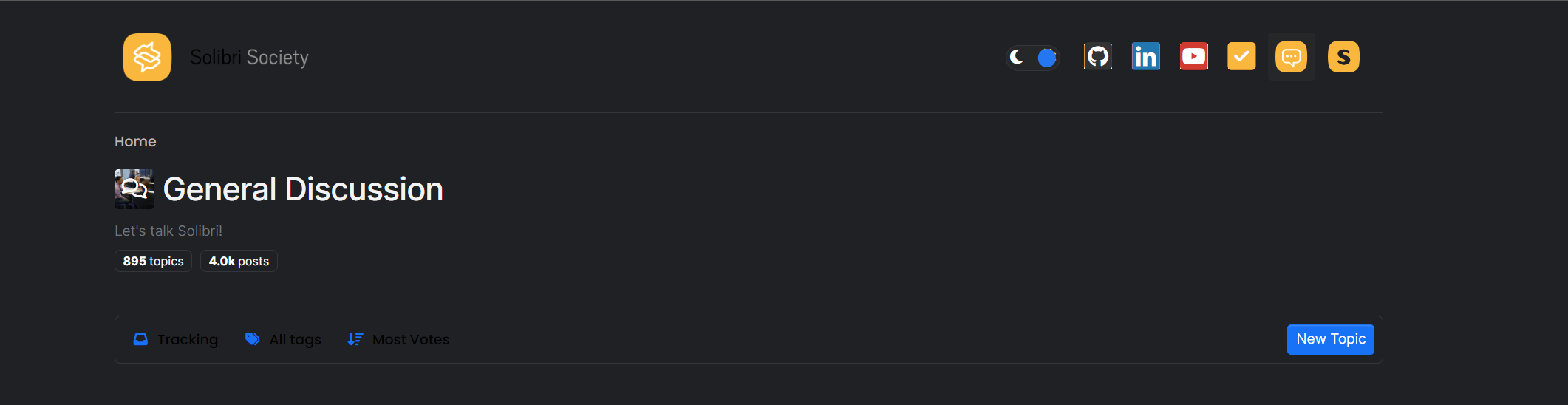
                Coming back to this again as since a while it seems like in dark mode the visibility is messed up again and I am no longer able to change the skin?
                c692e6be-bf5e-4cea-8d8a-955be82cc25f-image.png

                Afaik the skin selection option is supposed to be in the left nav bar so I guess it’s not my fault this time (?) but I am wondering if there has something been changed in the style sheet and dark mode has been left out?
                e095d08e-9ff0-4cc6-828a-1fb3cc2698a0-image.png

                EricE 1 Reply Last reply
                0
                • EricE Offline
                  EricE Offline
                  Eric
                  replied to JSN on last edited by
                  #7

                  @JSN We upgraded earlier this week and this might be related.
                  I’ll see what I can do to make the dark theme better.
                  In the meantime, I’d suggest to use the light one, sorry for the inconvenience.
                  Custom themes were dropped for dark/light mode compatibility reasons.

                  1 Reply Last reply
                  0

                  Copyright © 2025 Solibri Inc. | Powered by NodeBB

                  • Login

                  • Don't have an account? Register

                  • Login or register to search.
                  • First post
                    Last post
                  0
                  • Categories