
Problem with double/tripple Properties in Solibri
-
Hello everyone,
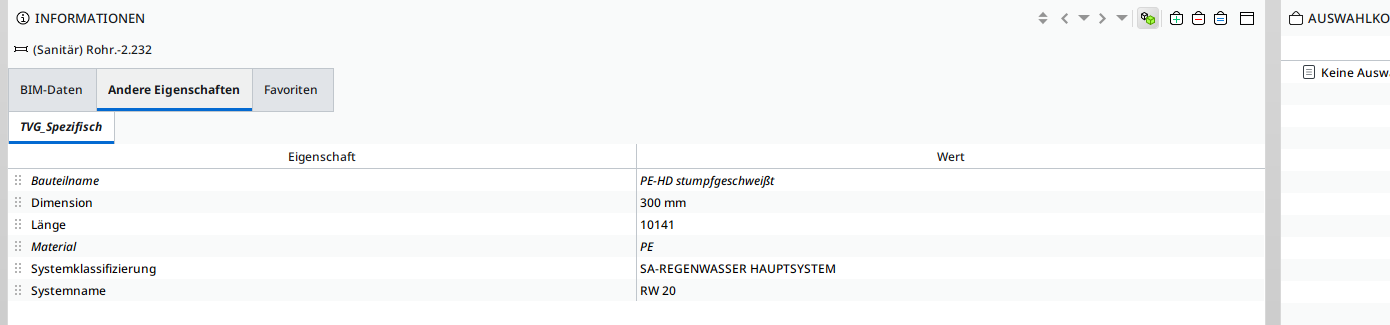
I have just discovered that solibri is not interpreting the properties correctly as they are in the IFC model. We have a custom Pset with with 5 to 10 properties. Solibri is dividing them wildly into two or more sets with the same name.
Here is the example:
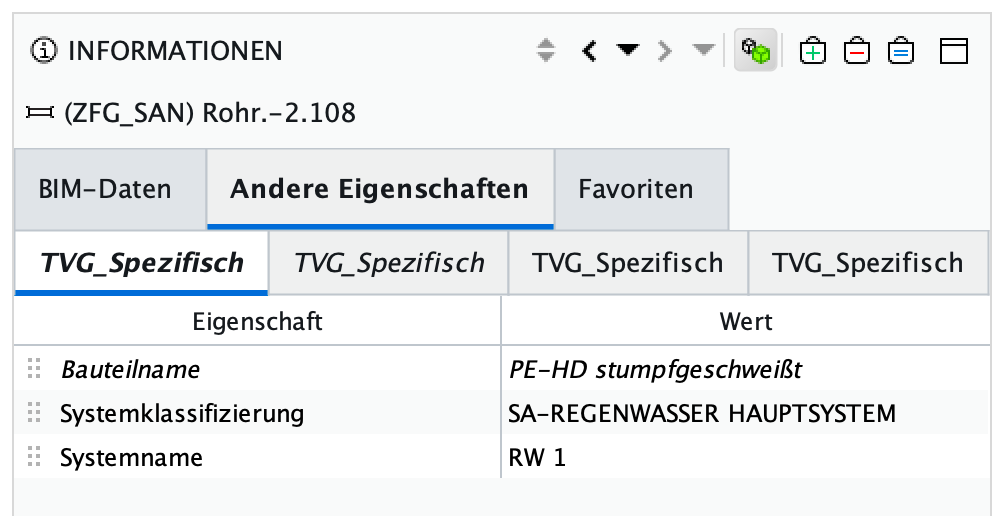
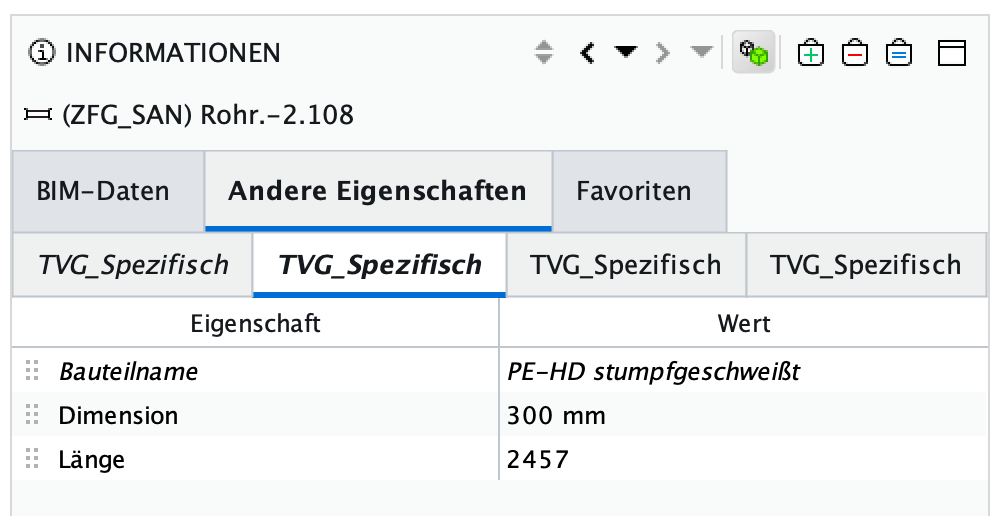
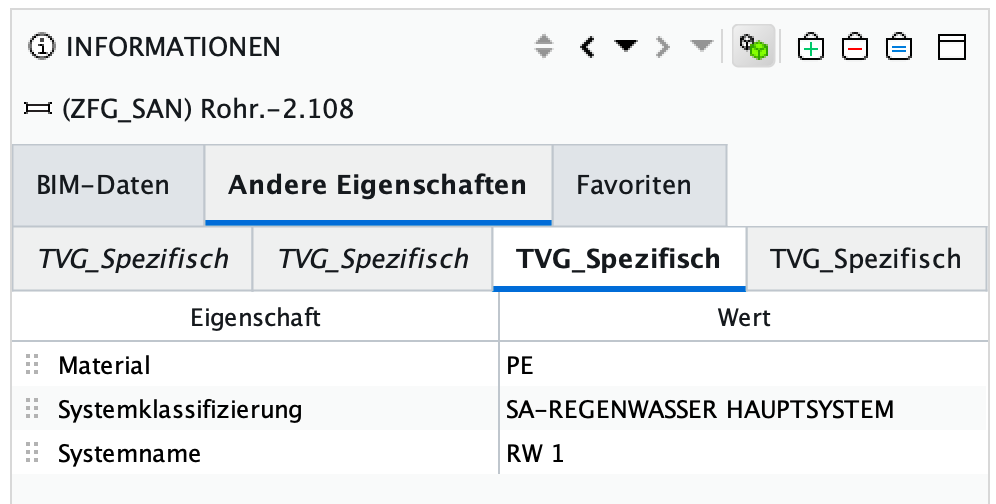
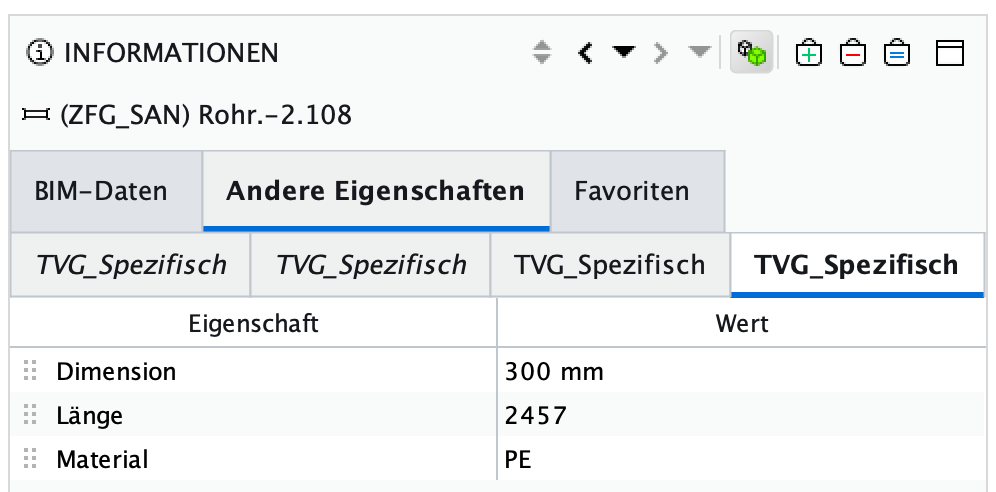
In other BIM Viewers, the information is correctly allocated.
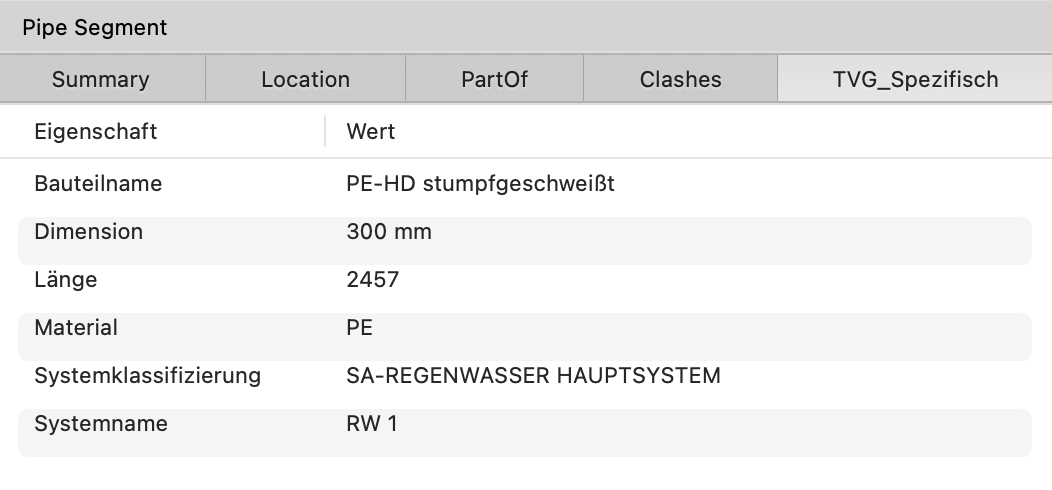
The RuleSet also cannot see the PropertySets and their Properties, and it reports them as missing.
I am currently using Solibri 24.5.0.31 on Mac OS X 14.5 x86_64
Can someone help me with this case before I produce thousands of not valid issues?!?!? -
Hi @agroni
We also faced the same issue here (Revit). In our case, the reason was the way we manage our UserDefinedPropertySets file. As I understand each property set should occur only once in your UserDefinedPropertySets file. For each property set declaration, Solibri shows another tab. We updated our UserDefinedPropertySets file and the problem has been solved.
-
Hi @bariscanpolat
Yes, it is true that this happens in IFC models arriving from Revit. Forgot to mention that
As far as I understand you, the change must be made directly in Revit, or?
Since I am not a Revit user, can you be so kind and maybe add some additional Hints to the explanation. I would then send it to our Revit collegues. Or will a Revit User understand if I instruct him to update the UserDefinedPropertySets.Another thing that I don’t understand is, why BIMcollab Zoom defines it correctly, but Solibri not!
-
Hi @agroni
I will try to explain the situation and the solution below:
Let’s say you have some type properties related to furnishing components that you want to be transferred and you want them to be seen in Company_T property set in IFC. You also have some common type properties, that you want to see in IFC model.For furnishing components your declaration (I don’t know if it is the right word, English is not my native language) starts:
PropertySet: Company_T T IfcFurnishingElementTypeand under this line you declare your properties. But the problem starts with that you also want to see Type Mark parameters for all your element types, that you create another declaration with the same Propertyset name:
PropertySet: Company_T T IfcElementTypeAs I understand in this case Solibri creates 2 tabs, for the same property set. to eliminate this, we managed our UserDefinedPropertySets file in a way that each property set is declared only once.
I hope it will help.
-
thanx a lot @bariscanpolat for the explanation
I will talk directly to our Revit users.
Cheers
-
I remember discussions about those things here …
https://society.solibri.com/topic/1870/multiple-psets-in-solibri?_=1723053434811and here …
https://society.solibri.com/topic/683/italic-font-for-solibri-properties-values/2?_=1619695830473
( I guess it’s the same reason for Psets and Properties)… but it’s good to have raised awareness once again!




Copyright © 2025 Solibri Inc. | Powered by NodeBB