
Monitor setup for solibri
-
Hi, I wanted to ask you what kind of monitor setup you are working on.
I am looking to upgrade my monitor setup. Currently I am working with 3 x 24 inch 1920*1080. Experience is kind of ok. The only complaint is when I move solibri detached panels do not move. This is expected behavior, but somewhat I find myself wanting to move everything together

I am looking towards super ultra wide like G9 and at the same time at several 27 4k. By the way I share my screen a lot. -
I have 2 x 27” QHD landscape monitors and one 27” QHD portrait. But solibri sucks for multi monitor setups. Especially I you use multiple site with different setups. Sometimes i can’t find a sertain window because it is rendered outside the current monitor setup (laptop for example). Only way to fix this is resetting al the windows. So I keep it all on one screen
-
@ArjanPeeters I see this as a win for utrawide.
Overall those detached panels are kind of problematic solution to small screens. I constantly find myself moving all panels to find other panels below.
If there would be a way to check for interferences between panels. perhaps a software that checks for clashes -
Yes ultra wide could be a win for just solibri. But for me, i like to have multiple screens at a glance. So triple monitor is my way to go. I have tested a philips 49" double QHD monitor for a month, but decided against it. Also screensharing in teams is not really good. You have to pick the software to show instead of just sharing the whole screen. And last but not least i have two monitors above each other. I don’t have the width on my desk for a 49" anymore.
-
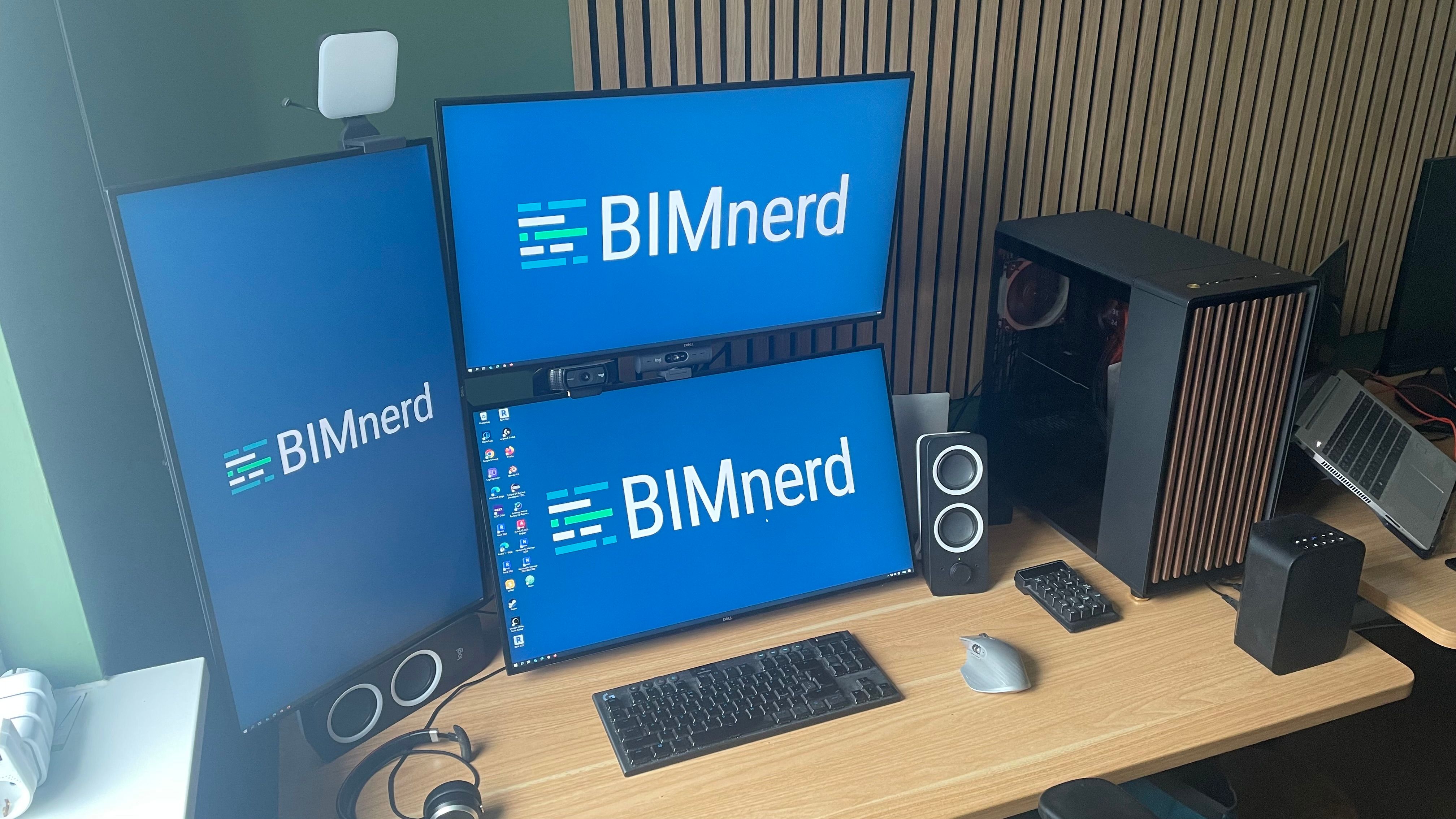
-
@ArjanPeeters that looks awesome. What do you do with portrait monitor?
Does solibri UI look ok in high resolutions? -
I mostly split it in email at the top and teams at the bottom. But also usefull for coding, reviewing pdf, excel with lost of rows, and Navisworks Clash detection.
Copyright © 2025 Solibri Inc. | Powered by NodeBB