
Rule 209 of corridor width
-
I did a test on the rule 209 to check the width of a route. But it seems not work.
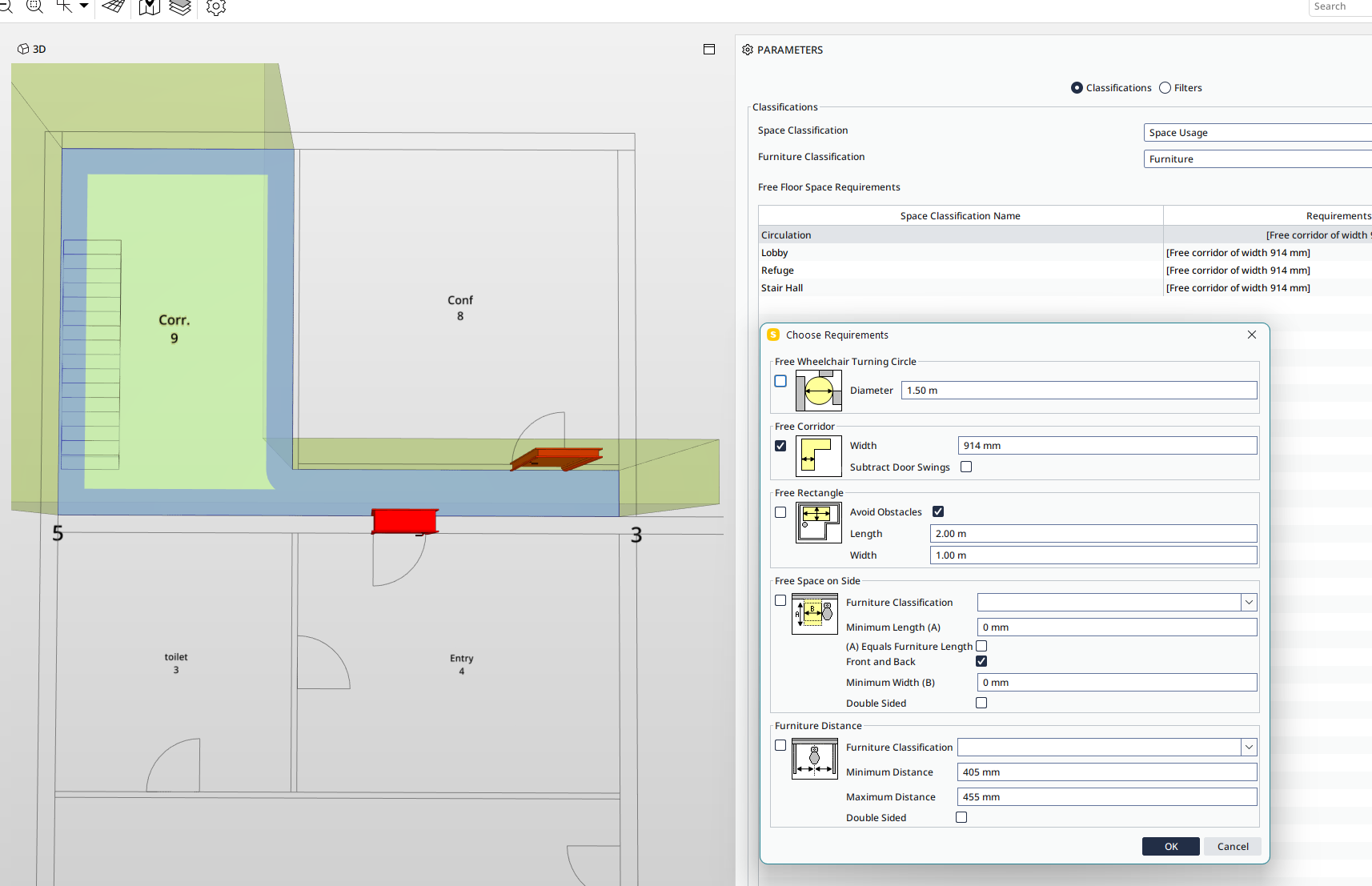
With below example, I made a room with 800mm width route, with circulation classification, using default rule (require 914mm width).But the result did not raise this fail point. (800mm < 914mm)
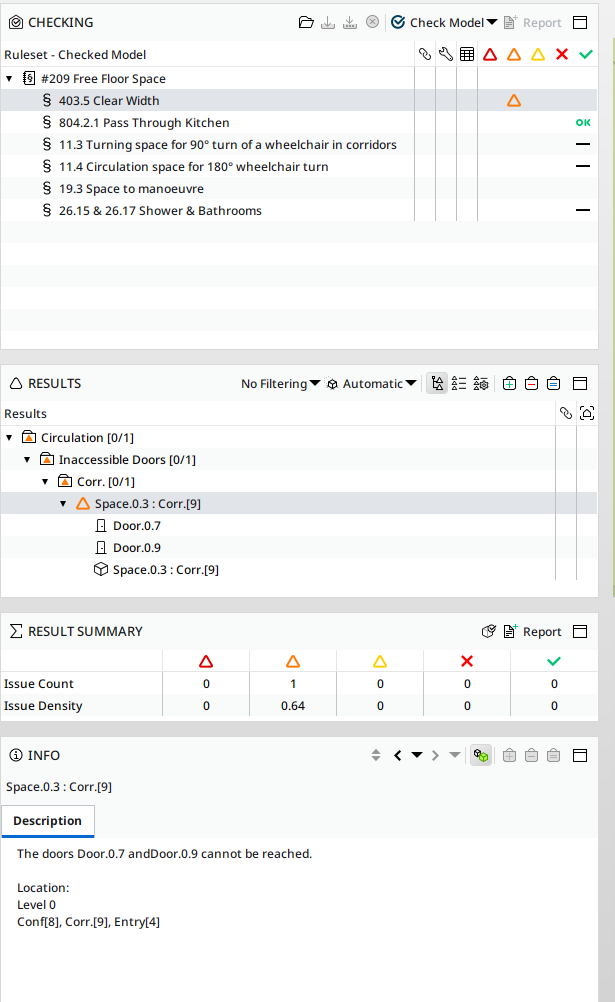
Is there any error in my setting?On the other hand, the checking result stated there are “inaccessible doors” on the both side of the route. What does this mean? Why the 2 doors will be stated “cannot be reached”?
Thank you.
-
@johnsonc The result is that the doors are not accessible because the corridor is too narrow. So the rule worked, and you can see the logic behind it: The blue colored area is half of the set value. If the blue areas overlap, the doors cannot be reached. At least that’s how I interpret the result, but maybe I’m wrong?
-
Thanks for your comment.
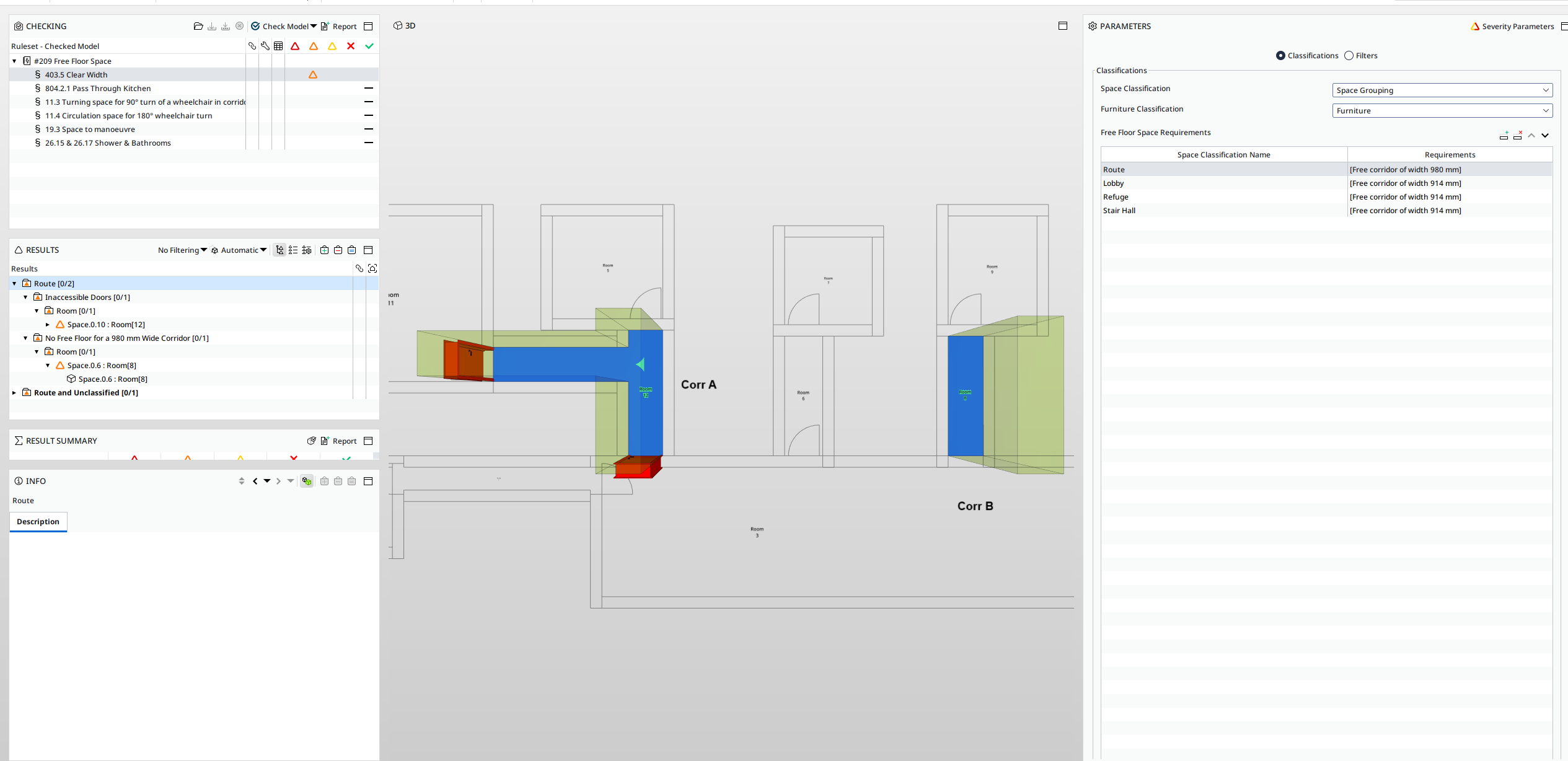
I do some trials to verify this results and shared in below. I made 3 corridors with different widths, now the criteria set to 980mm. From the results:- Result “Inaccessible doors” on left corridor. This is T shaped route with 3 doors, the width of corridor is 900mm. Same as previous example, Solibri raised out inaccessible door instead of width.
However, 2 doors are alerted rather than all 3 doors. If the bottom door can’t be accessed, so as the top door be the same case.
Anyway, there is no mention of “width problem”. - The alert on the right side corridor stated the corridor do not meet width requirement. This meet the intention.
In the meantime, the door of the previous file was relocated, remain corridor width 800mm. But this time Solibri reported as a Pass result. It did not raised a width is not complied.
May be need some expertise from Solibri for more information.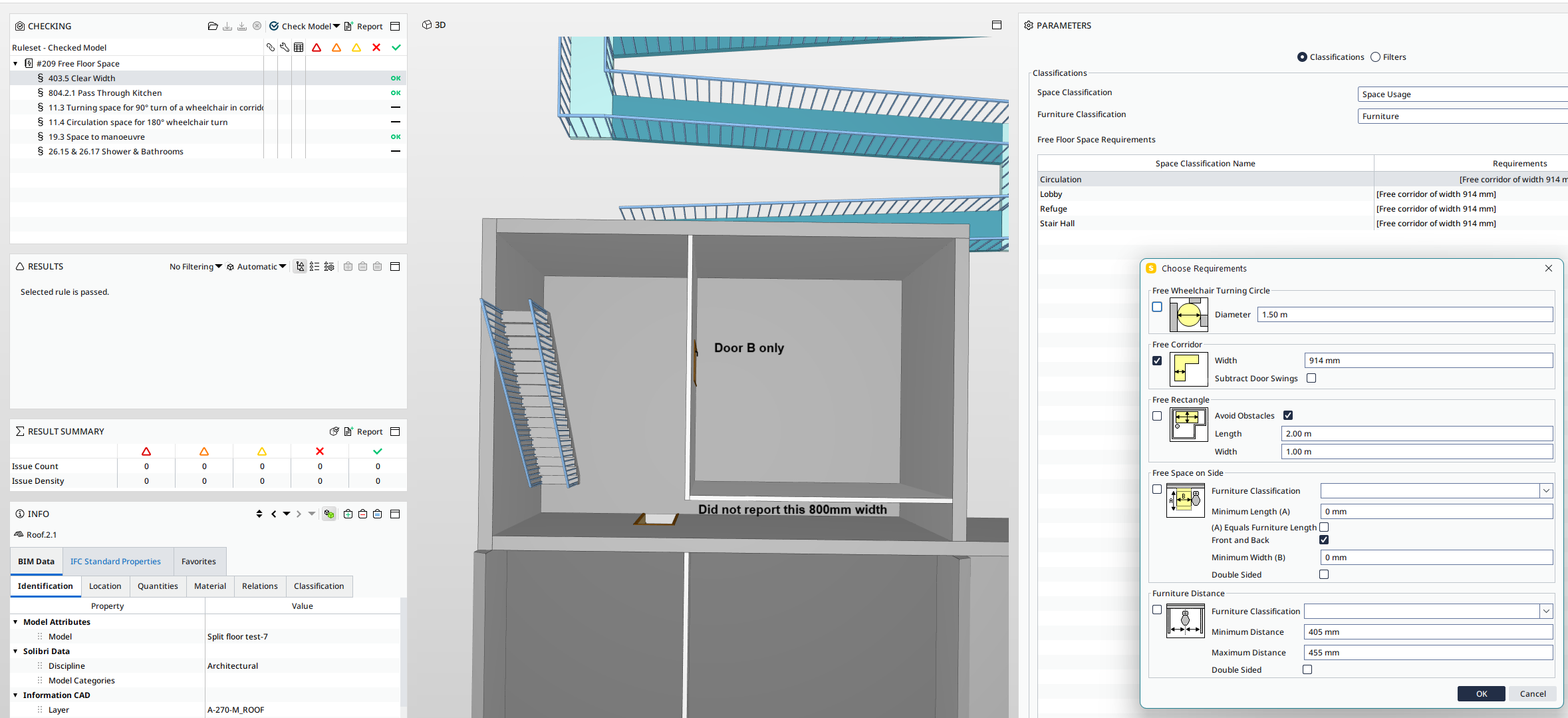
- Result “Inaccessible doors” on left corridor. This is T shaped route with 3 doors, the width of corridor is 900mm. Same as previous example, Solibri raised out inaccessible door instead of width.

Copyright © 2025 Solibri Inc. | Powered by NodeBB