Skip to content
  • Categories
Collapse
Solibri Society Forum
  1. Home
  2. General Discussion
  3. Urgent / Solibri file won't open / Error

Urgent / Solibri file won't open / Error

Scheduled Pinned Locked Moved General Discussion
14 Posts 5 Posters 3.5k Views
  • Oldest to Newest
  • Newest to Oldest
  • Most Votes
Log in to reply
This topic has been deleted. Only users with topic management privileges can see it.
  • agroniA Offline
    agroniA Offline
    agroni
    wrote on last edited by agroni
    #1

    Hi everyone
    Hi @Solibrians

    I am writing this post, since my email written to [email protected] got rejected by the solibri admin.
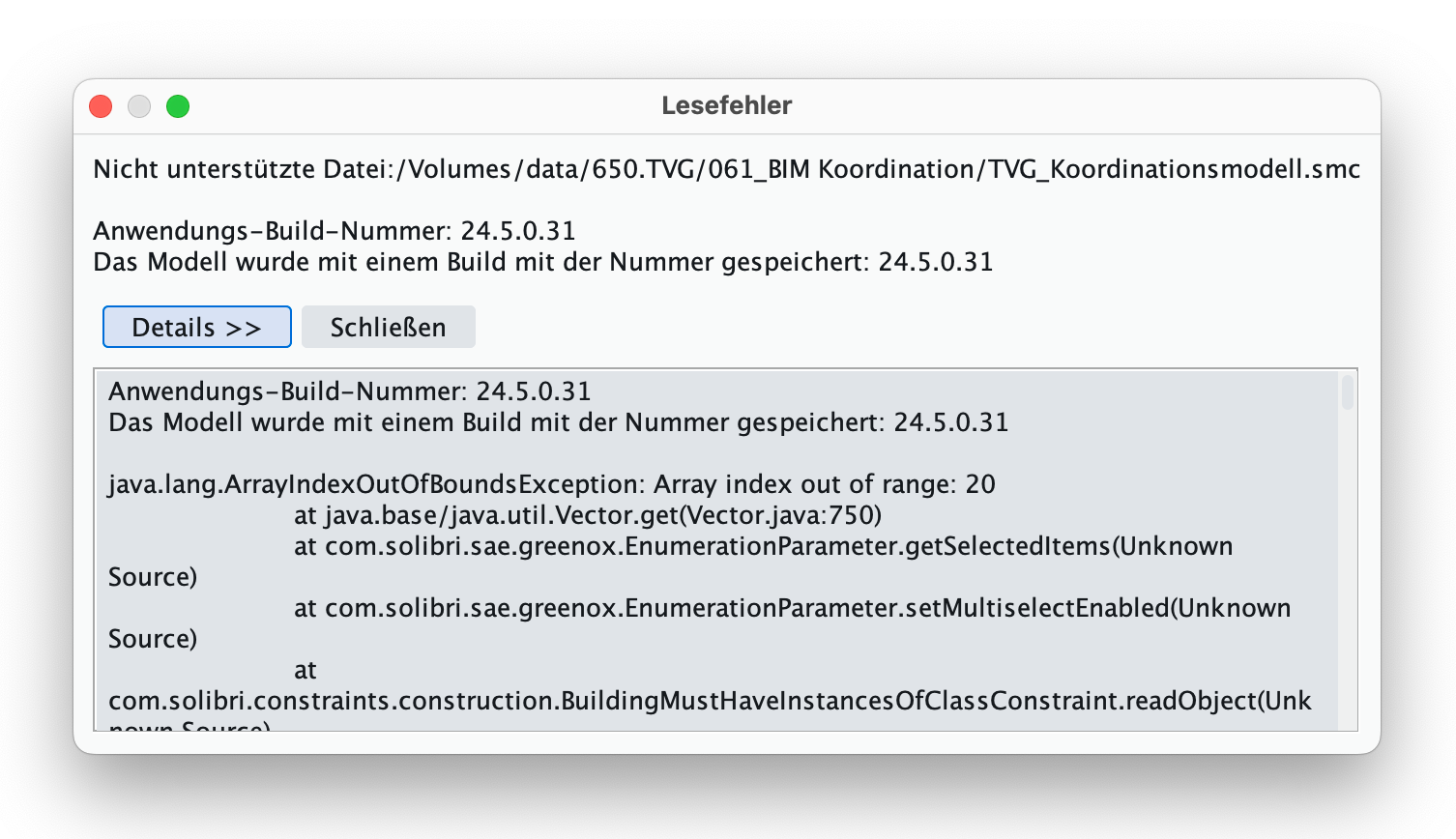
    I am experiencing a problem with my smc file, which since today, I cannot open. Yesterday I saved the file on our server and today I cannot open it anymore. This is the message that I receive:
    55808ac1-a9f7-4880-b59a-3d3b12e5d419-image.png

    Sadly I cannot past the content of the error message, since it is considered also as spam by them forum (the post is being rejected)
    šŸ˜‘
    I have also read the messages from this Post.
    My file seems correct in file size. I have also copied the file locally and still did not work

    I am running Solibri 24.5.0.31, and I did not update it in the past weeks. I am also running MacOS Sonoma 14.7 which I also did not update.

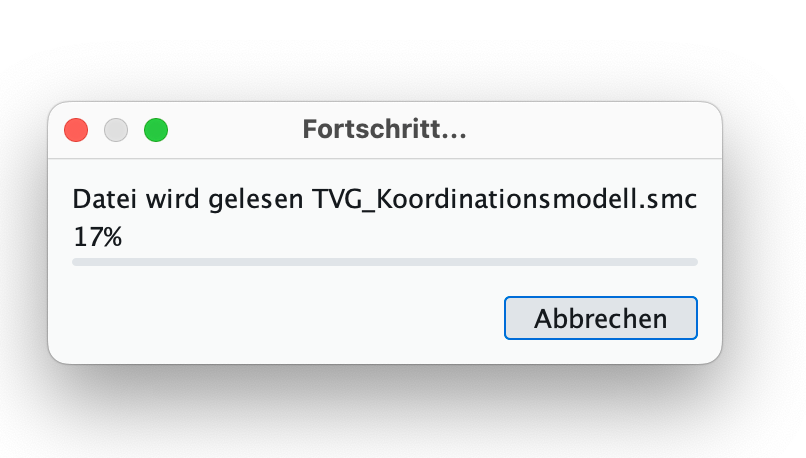
    What is also strange, is the loading bar. It shows the percentage, but the blue bar is not visible.
    7a1aae95-8f7f-49de-b70c-53a4a420e040-image.png

    The file on my server does not look corrupt, since it has the 881Mb as previously.

    I would really appreciate help here since I am very desperate. I cannot work and this was my only file.
    I am very grateful for any tips or hints… šŸ™

    AllesWirdGut Architecture
    www.awg.at

    1 Reply Last reply
    0
    • P Offline
      P Offline
      Pasi Paasiala Solibrians
      wrote on last edited by
      #2

      Is there a backup of the file in the drive? Solibri creates a .bak file. It might be helpful to get at least a previous state of the file.

      agroniA 1 Reply Last reply
      0
      • agroniA Offline
        agroniA Offline
        agroni
        replied to Pasi Paasiala on last edited by
        #3

        @Pasi-Paasiala
        I opened the *.bak file. It is 3h prior to my last save. In the meantime, I did many changes. I understand that the last file, it is not possible to open?
        I am in touch with our IT to see if he could restore a newer version of the file. In this case, I would have just 1h of lost work.

        Could you be so kind and explain the strategy of solibri backup? Or is there documentation for it?

        AllesWirdGut Architecture
        www.awg.at

        1 Reply Last reply
        0
        • P Offline
          P Offline
          Pasi Paasiala Solibrians
          wrote on last edited by
          #4

          The backup is created every time you save a model. In the settings you can control how many backups are stored. The .bak file is always the latest backup. The other ones are earlier.

          1 Reply Last reply
          0
          • MattiM Offline
            MattiM Offline
            Matti Solibrians
            wrote on last edited by
            #5

            The next version is fixing this ā€œEnumerationParameterā€ problem. In case you don’t have a backup Solibri support can help you recover the file.

            1 Reply Last reply
            0
            • RicardoR Offline
              RicardoR Offline
              Ricardo
              wrote on last edited by Ricardo
              #6

              @agroni How are you opening the .SMC file? Is it through a DMS system like Google Drive or Microsoft teams?
              If this is the case, download the file to your desktop and open it from there to see if there is a difference.

              We have this problem on occasion and I think it has to do with our DMS and Solibri not working together properly.

              Also, check if it’s just your system that has this problem with this file, or other computers also.

              If this doesn’t work, I would suggest the .BAK method…

              1 Reply Last reply
              0
              • agroniA Offline
                agroniA Offline
                agroni
                wrote on last edited by
                #7

                My IT was able to recover a file that was only one hour before disaster. Therefore, I am feeling more relieved now. So i just lost a bit over an hour of work… I can live with that.
                Thank you all for your tips

                @Matti
                I am glad to hear about this update šŸ‘

                @Ricardo
                I was opening the file from our office server (via VPN). Then I copied the file locally to my machine and still did not work.
                I assume that while saving the smc file to our server (via VPN) something went wrong. It is hard to tell, since the corrupt file is 869 Mb and the recovered one is 863 Mb. It is obvious that the difference is the lost data.

                AllesWirdGut Architecture
                www.awg.at

                1 Reply Last reply
                0
                • JSNJ Offline
                  JSNJ Offline
                  JSN
                  wrote on last edited by
                  #8

                  We have seen lots of similiar issues where saved files get unusable due to unstable connections or sync issues and you only find out about this later on. This feature request is related to it as well:
                  https://society.solibri.com/topic/3022/option-for-incremental-saving?_=1730295832088

                  I am as well wondering if there might be some kind of checksum save file check established so that the user at least gets notified immediately when the file process fails. Might be complex but probably there are some methods to reduce such moments with heart attack potential for all users.

                  1 Reply Last reply
                  0
                  • agroniA Offline
                    agroniA Offline
                    agroni
                    wrote on last edited by agroni
                    #9

                    hi @Matti
                    I would like to know when the new release is going to be launched.
                    From my last post here, I got the error twice. Clicking very often on Save is not efficient because the saving process takes between 5-10minutes. The file is already 900Mb. This time I was not on VPN connection, but in office when I saved the file the last time today.
                    This ā€œinterruptionā€ is starting to get annoying. It is very inefficient work for the company. 2 steps ahead, 5 steps backwards

                    So, personally I am rellying on this update very much…

                    AllesWirdGut Architecture
                    www.awg.at

                    MattiM 1 Reply Last reply
                    0
                    • agroniA Offline
                      agroniA Offline
                      agroni
                      wrote on last edited by
                      #10

                      one tip that I can give to all experiencing this problem.
                      If solibri crashes during opening of a file with the error message above, what helped (in my case) is to fully close solibri and open it again. Was not expecting this and I found out by accident šŸ™‚

                      AllesWirdGut Architecture
                      www.awg.at

                      1 Reply Last reply
                      0
                      • MattiM Offline
                        MattiM Offline
                        Matti Solibrians
                        replied to agroni on last edited by
                        #11

                        @agroni said in Urgent / Solibri file won't open / Error:

                        I would like to know when the new release is going to be launched.

                        the beta is planned on 27.11.2024 and release in two weeks after that.

                        1 Reply Last reply
                        0
                        • agroniA Offline
                          agroniA Offline
                          agroni
                          wrote on last edited by
                          #12

                          A hint for anyone struggling with this problem.
                          I might have found a way to open these ā€œcorruptā€ files. I just close and open solibri. After this, solibri is able to open the file. I don’t know how this could impact the file but, this is the only way that I am working currently.
                          Maybe it might help you also…

                          AllesWirdGut Architecture
                          www.awg.at

                          1 Reply Last reply
                          0
                          • RicardoR Offline
                            RicardoR Offline
                            Ricardo
                            wrote on last edited by Ricardo
                            #13

                            if that is the case than it’s not solely the file that is the problem, but perhaps (also) Solibri itself?

                            1 Reply Last reply
                            0
                            • agroniA Offline
                              agroniA Offline
                              agroni
                              wrote on last edited by
                              #14

                              so far as I have tested, it seems to me that both are the case.
                              I tested this method also with a file that was clearly missing some Mb. Solibri (after closing/opening) could not open this file. For another file, that seemed plausible in size, this method worked.

                              AllesWirdGut Architecture
                              www.awg.at

                              1 Reply Last reply
                              0

                              Copyright Ā© 2025 Solibri Inc. | Powered by NodeBB

                              • Login

                              • Don't have an account? Register

                              • Login or register to search.
                              • First post
                                Last post
                              0
                              • Categories
