
Switching Build path from lib to API when building rules
-
I’m having an issue trying to setup Eclipse to automatically build any rule into the API folder.
I usually build the rule and find it in the lib folder, but to have it work in Solibri I need to manually move it to the API folder.Reading around the forums it seems to be possible change the build path by modifying one line of the pom.xml file, namely the
<outputDirectory>tag, so that it would look like so<outputDirectory>${smc-dir}/API</outputDirectory>.Trying to build the rule with this parameter, however, results in an Error.
°[INFO] ------------------------------------------------------------------------
[ERROR] Failed to execute goal org.apache.maven.plugins:maven-jar-plugin:3.3.0:jar (default-jar) on project Projection-testing-Rule: Error assembling JAR: Problem creating output file for zip C:\Program Files\Solibri\SOLIBRI\API, C:\Program Files\Solibri\SOLIBRI\API\Projection-testing-Rule-1.0.0.jar -> [Help 1]
[ERROR]
[ERROR] To see the full stack trace of the errors, re-run Maven with the -e switch.
[ERROR] Re-run Maven using the -X switch to enable full debug logging.
[ERROR]
[ERROR] For more information about the errors and possible solutions, please read the following articles:
[ERROR] [Help 1] http://cwiki.apache.org/confluence/display/MAVEN/MojoExecutionException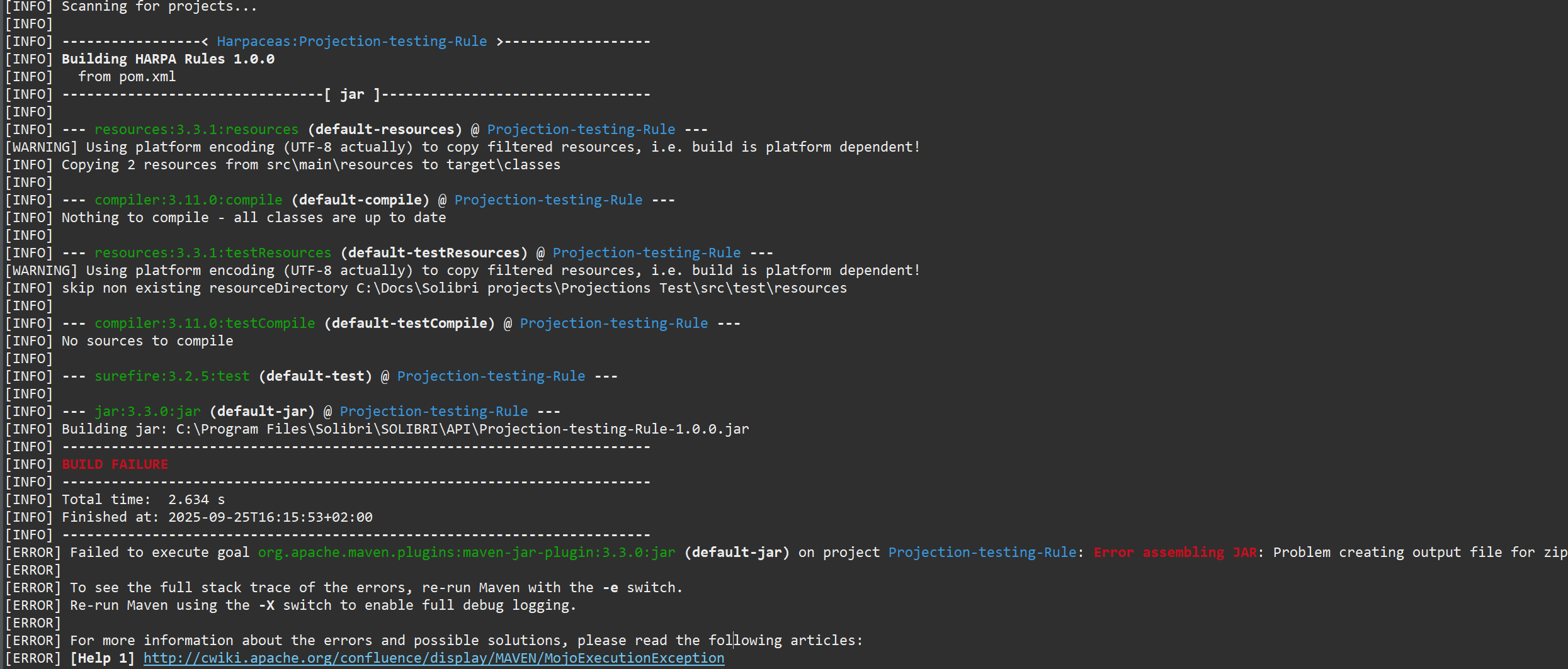
Defining other folders doesn’t work either, the build wants the lib folder as the output directory.
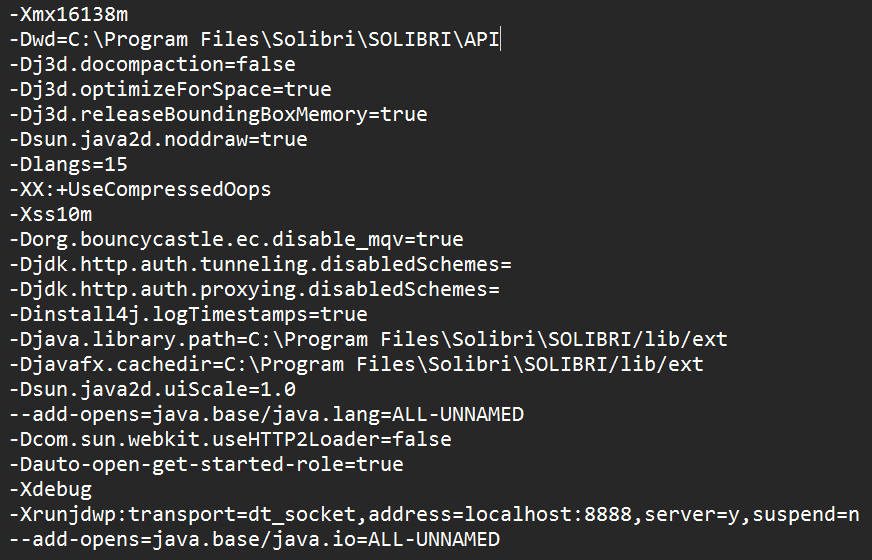
The linked page just says it’s a configuration problem, which isn’t particularly helpful.Changing the vmoptions path yields no results either
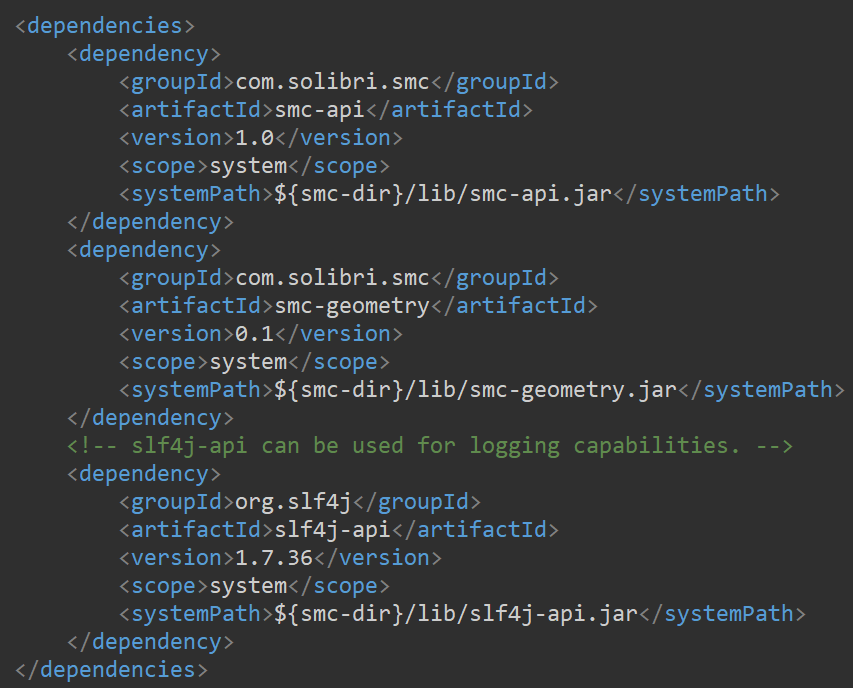
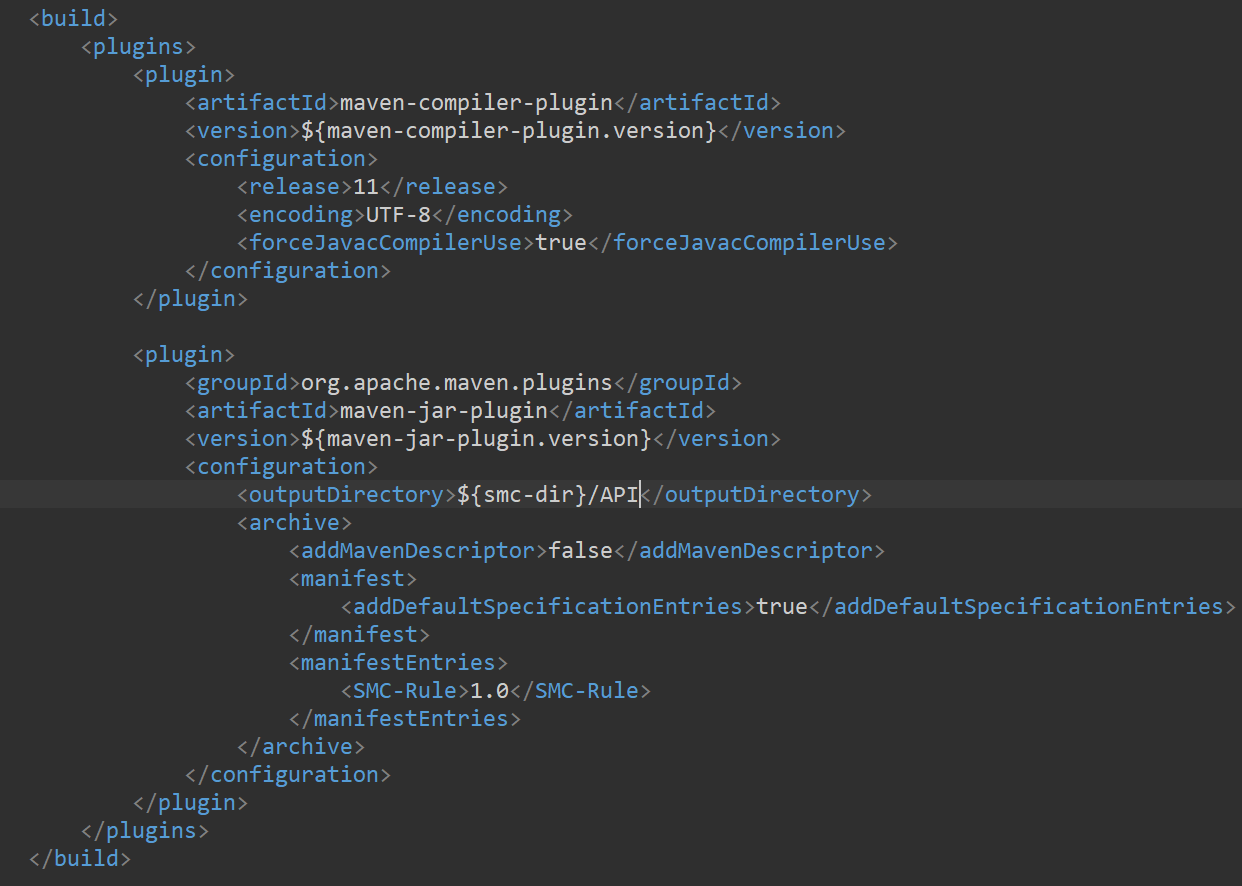
The pom file has been taken from the “Getting Started” example file and has been changed only to specify the rule details. I’ve noticed that the dependencies path can be changed as long as the new path contains the jar files it references.
Am I missing anything?
-
Not sure what you changed but would not alter anything in the vmoptions but solely change the pom.xml
Add a new parameter
<api-dir>C:/Users/Public/Solibri/SOLIBRI/API</api-dir>and use it only for the output but keep the smc-dir as it is to be able to use it for all the dependencies.
<outputDirectory>${api-dir}</outputDirectory>archive> -
Hello, thanks for the reply, I think I solved it.
To give a little more context to what I was doing before, I’ve seen people change the Dwd line (second one) on the vmoption to point directly to the API folder, so that was an attempt I made. I’ve also enabled debugging there but I hope that it’s unrelated to this matter.
Regarding the new parameter, I see you point it to a different folder than I do. Solibri only sees custom rules in the C:\Program Files\Solibri\SOLIBRI\API folder, which means it won’t see them unless they are manually moved to the right path. Coincidentally, trying to build into the right path fails.
By running Eclipse as an administrator I was able to build directly into the API folder. That is the only way I found.
-
@matteo_poli said in Switching Build path from lib to API when building rules:
Regarding the new parameter, I see you point it to a different folder than I do. Solibri only sees custom rules in the C:\Program Files\Solibri\SOLIBRI\API folder, which means it won’t see them unless they are manually moved to the right path. Coincidentally, trying to build into the right path fails.
Actually I have elaborated this here
https://society.solibri.com/topic/3266/rules-not-showing-up-in-solibri-when-following-the-get-started-guide/2
https://society.solibri.com/topic/3266/rules-not-showing-up-in-solibri-when-following-the-get-started-guide/13here
https://society.solibri.com/topic/3148/solibri-24-12-0-beta-round-open/11and here
https://society.solibri.com/topic/3307/setup-pom-xml-for-25-3/8and I guess it’s not good to have another discussion about the same topic here again but in short:
C:/Users/Public/Solibri/SOLIBRI/API… is the location which seems to be working with the default .vmoptions - including rules. Normally there is also no need for Admin Rights to build into this folder.
C:\Program Files\Solibri\SOLIBRI\APIMight work as well, if you change the Dwd value but then it is not global anymore (e.g. if you have multiple Solibri Versions installed).
Finally I am also curious how you are sharing .jar files with your team. I guess one use case for changing the Dwd value might be to have the ressources on a shared location but this comes with risks of corrupt files as we learned the hard way and probably needs adjustmants of the .vmoptions on each machine. Therefore I am curious about stable best practice workflows of other organizations for deploying the packages.

Copyright © 2025 Solibri Inc. | Powered by NodeBB