
Objects Skipped By Clash Detection, No Issues Tab
-
I’ve come across something curious that I only found by chance:
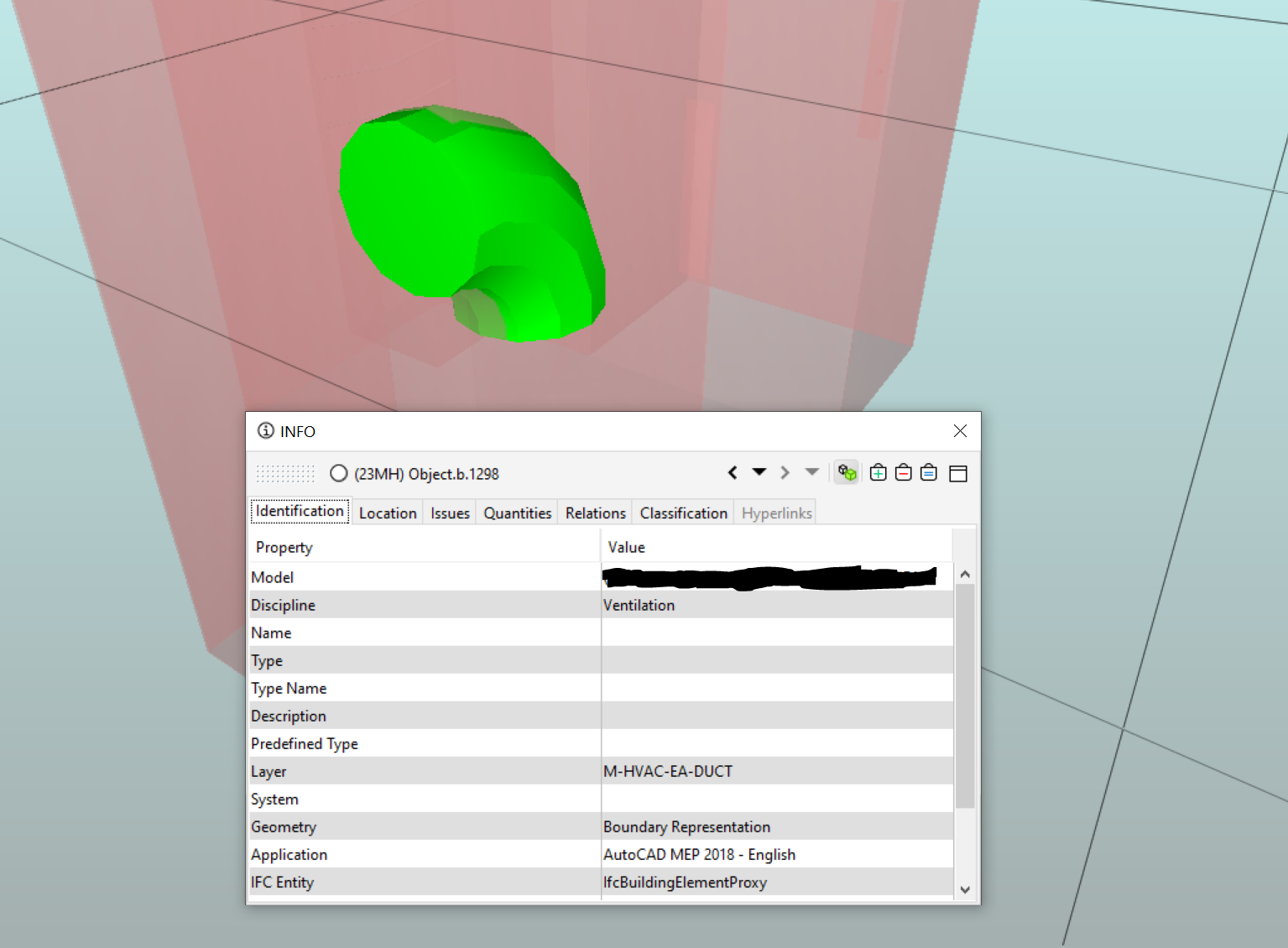
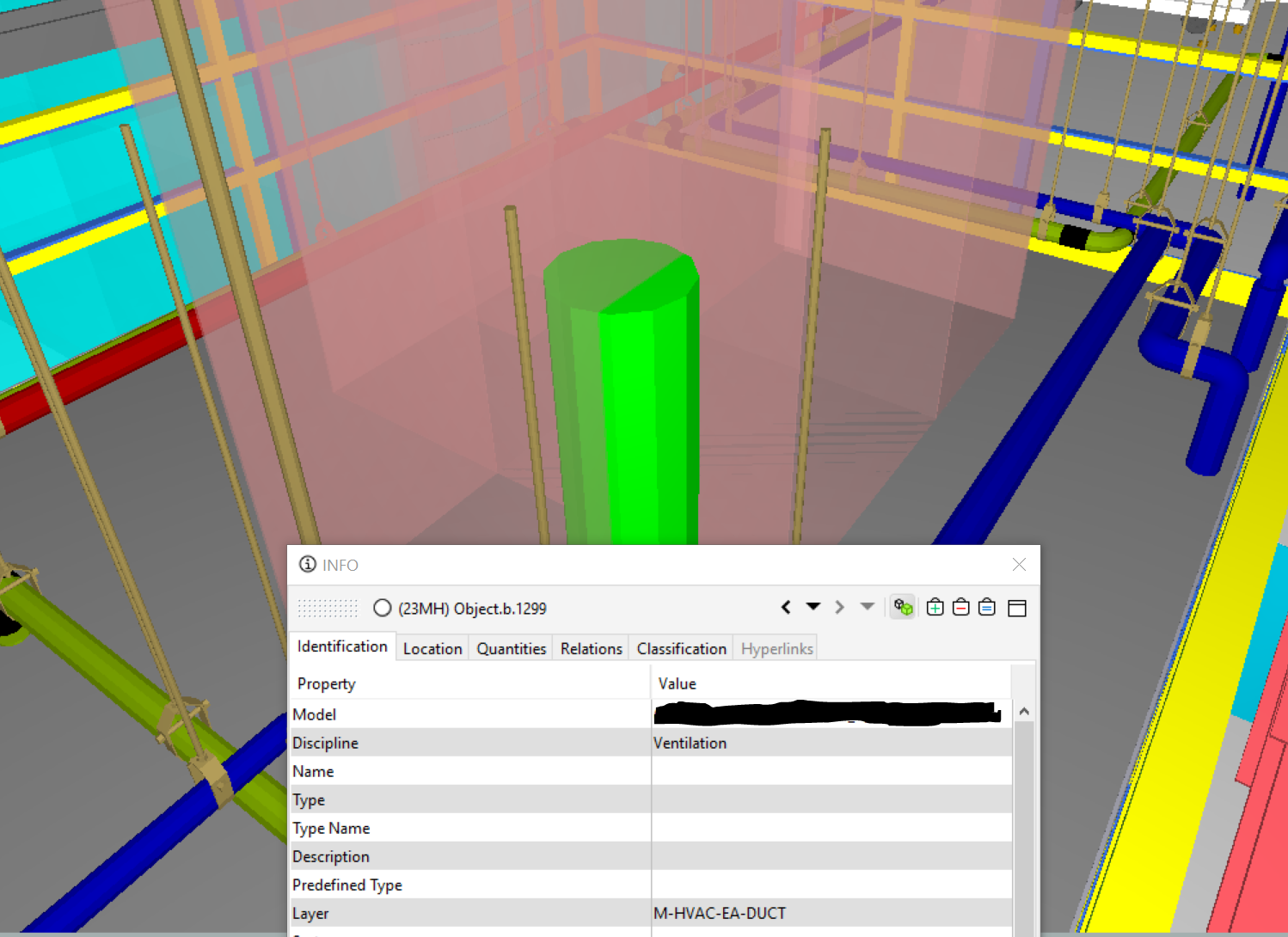
I’ve found a few objects in my federated model that should have a clash but don’t. I’ve noticed that these objects do not have an “issues” tab in the INFO window, and I wonder if this has something to do with it. The models were created in AutoDesk Fabrication, and I wonder if there’s something that was done by the modeler to make the object immune to clash detection? Before the last update, this object was in a clash, so something changed with it in the last week or two. Whatever is causing this, I need to identify it in case there is something else that is being skipped by clash detection.I included a couple of screenshots (the green duct is what’s selected in the second pic).
-
@Matti-Kannala Thanks for your reply. You said check the “rules component filter,” but I don’t know what that is (by that name at least), and the description of making sure the duct is selected doesn’t sound familiar.
I didn’t create the rules used by my company, so I haven’t had much reason to poke around in the deeper settings.
Do you think you could take me back a few steps to first locate that filter?
-
@cburgess said in Objects Skipped By Clash Detection, No Issues Tab:
Do you think you could take me back a few steps to first locate that filter?
- 1 Select the rule instance that has this problem from the ruleset tree in Checking view.
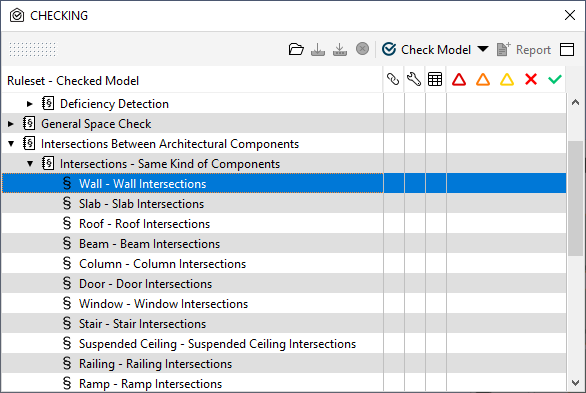
- 2 Right click to open popup menu and click “Rule Parameters”
- 3 In the rule parameters of the rule #1 Intersection Rule (Clash Check) there are two filter parameters which defines two groups of components to check. Please click “=”-button of the filter parameter.
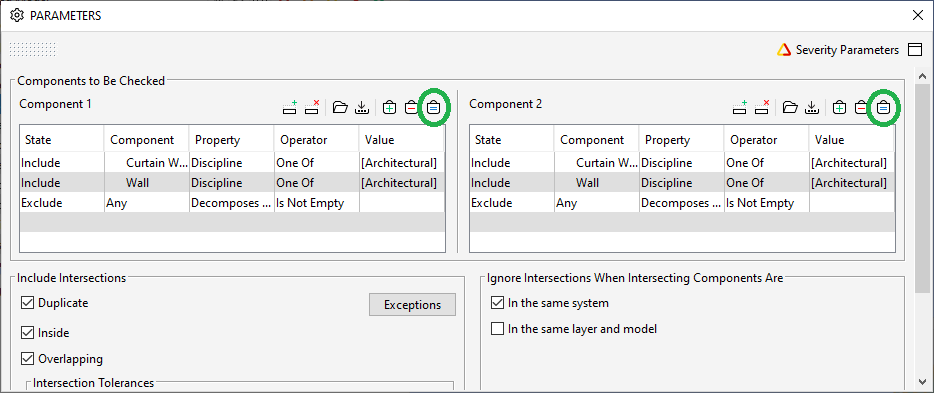
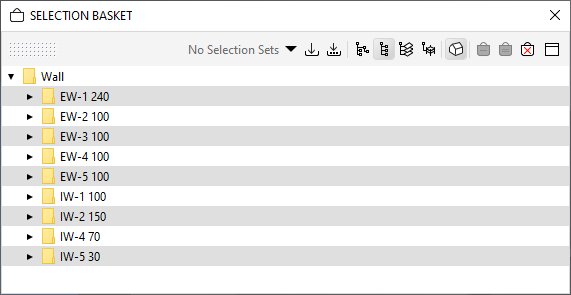
- 4 Open “Selection Basket”-view and verify that the ducts are added.
If the ducts are NOT in the selection basket they are not part of filter and not checked.
-
@marchi You’re right, it can be easy to have filters accidentally applied. That’s not the case, however. I’m filtering models on different levels of the structure, but I’ve made sure these components are assigned to the appropriate level and area (we have an Area A, B, and C in the project).
Obviously this is not an AutoDesk Fabrication forum, but is it possible that there is something about the way an .ifc file can be created from another program that would allow/cause it to be ignored by the checking? (the model was created in Fabrication.)
And do you think the absence of the “Issues” tab in the object’s info window has anything to do with this?


Copyright © 2025 Solibri Inc. | Powered by NodeBB