
Component Comparison - Identify components only with GUID - Not working correctly?
-
Hi
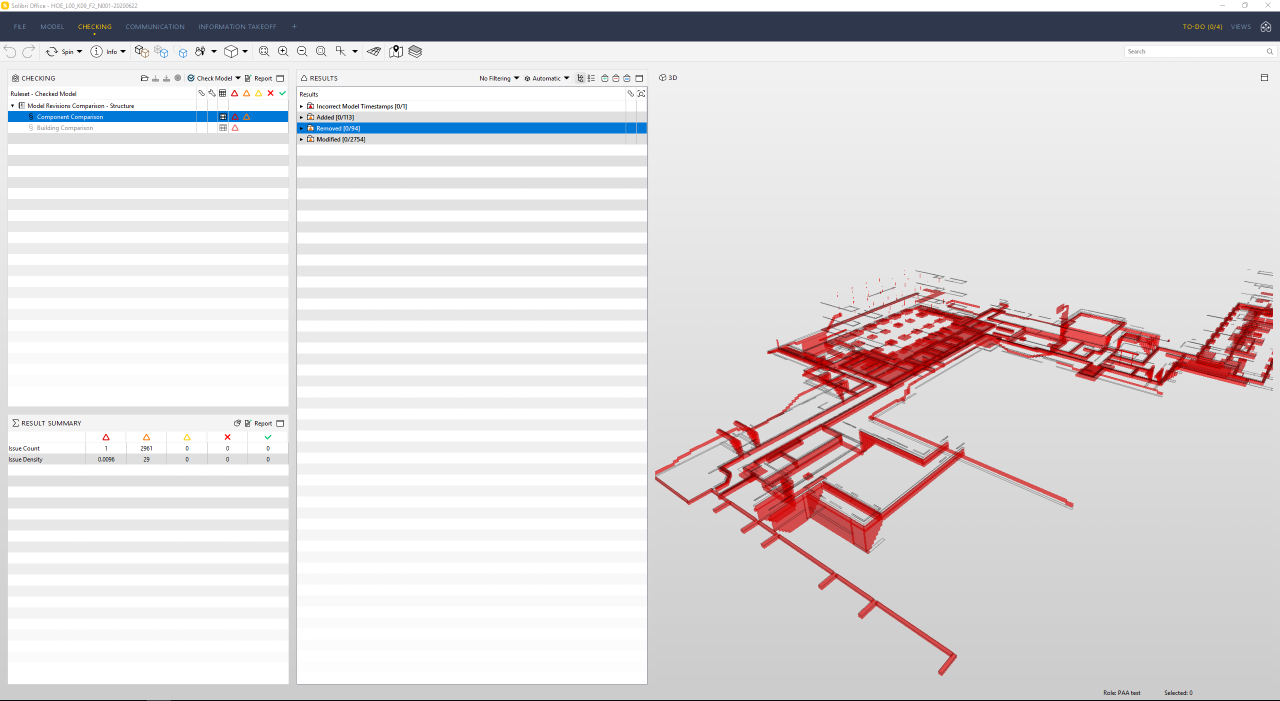
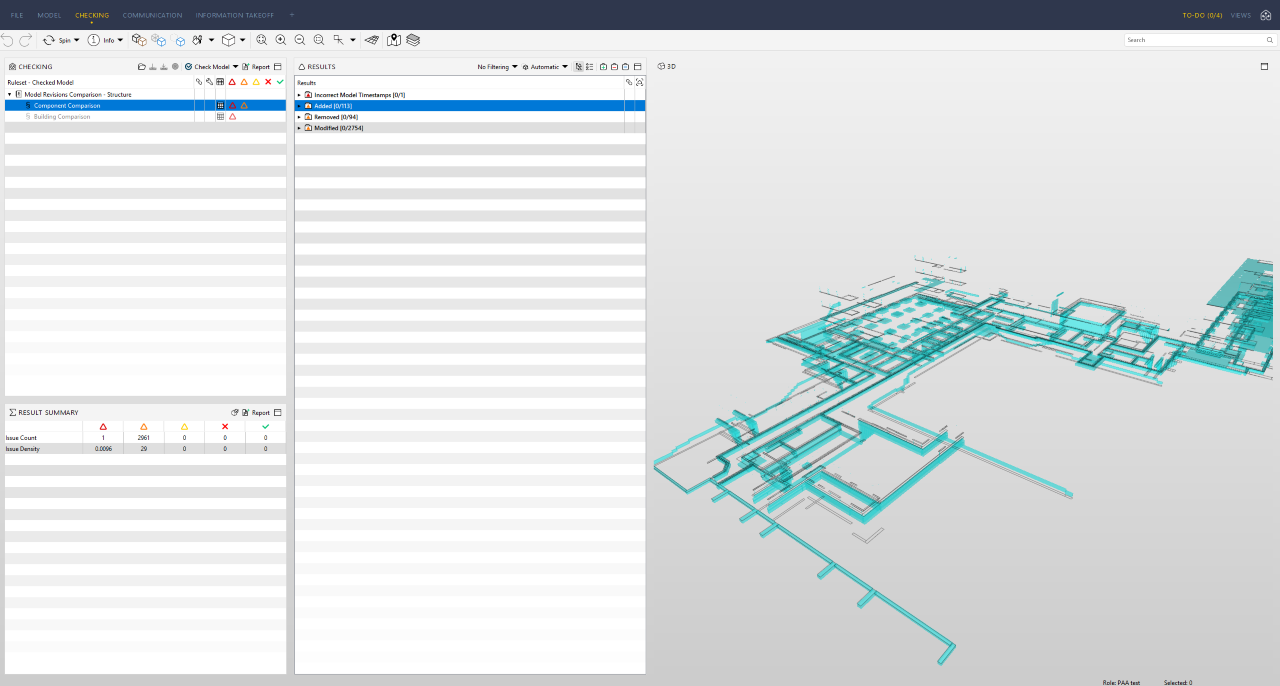
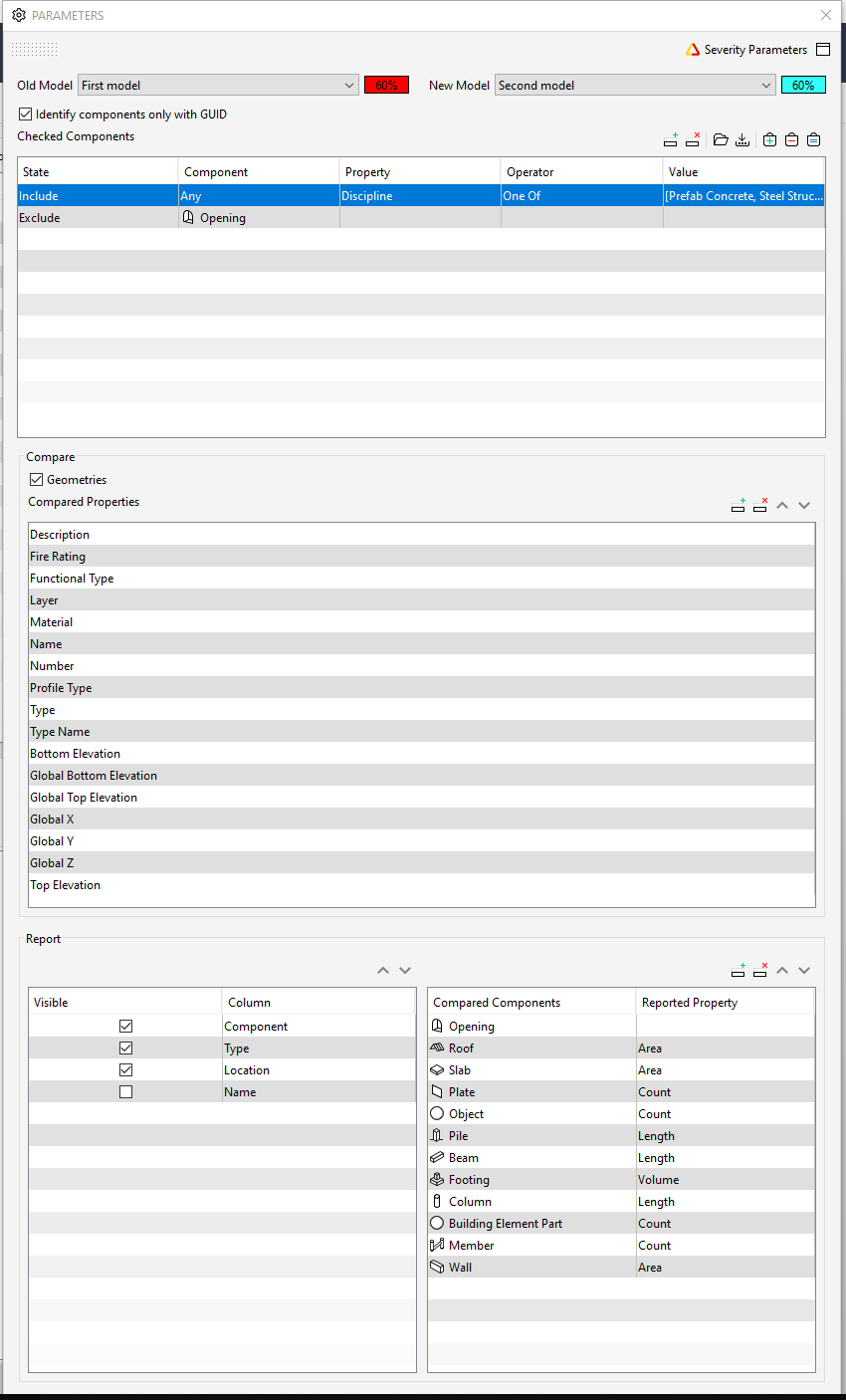
I have issue with the SOL/206/2.2 - Component Comparison, the box “Identify components only with GUID” is not working as expected.
The results and rule parameters, can be seen in the screen dumps under.
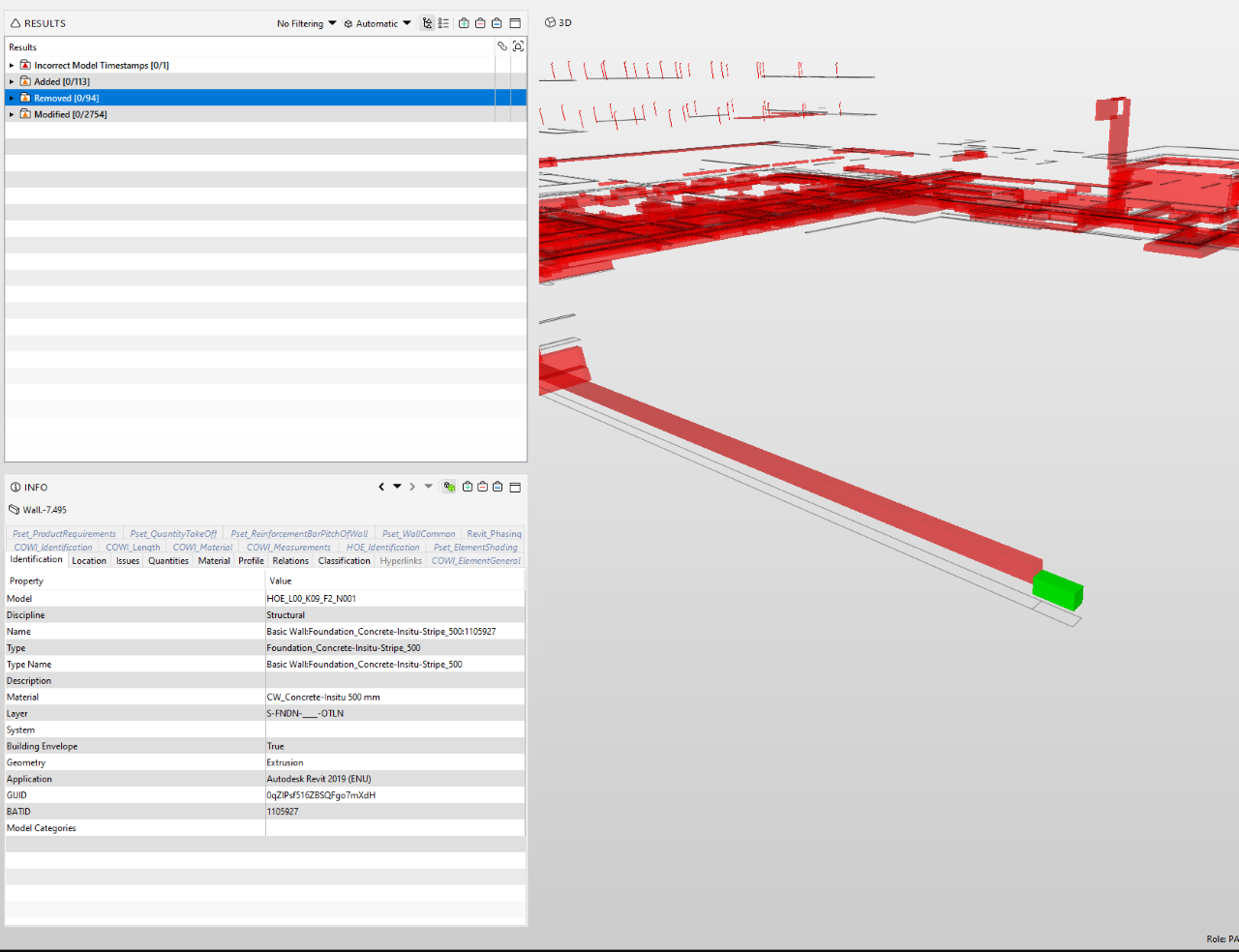
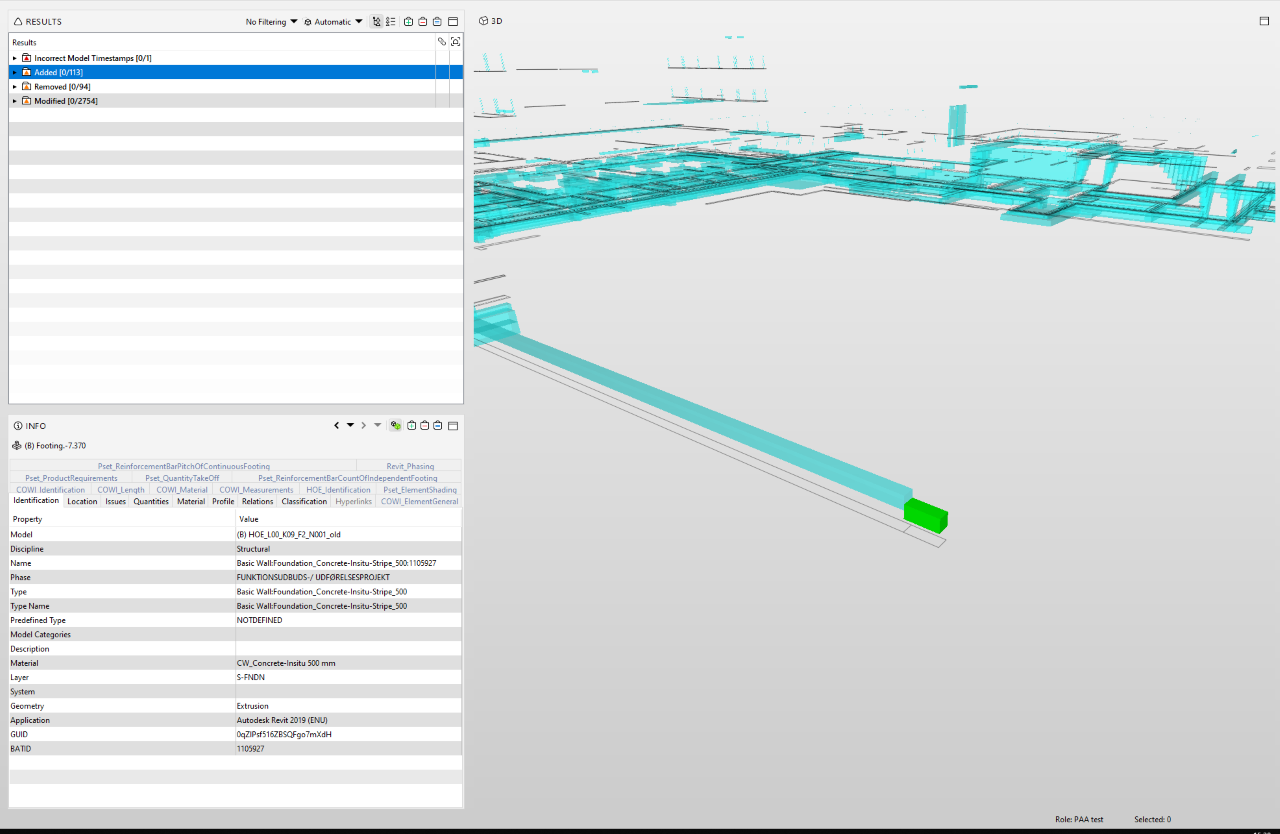
Components with the same GUID, are shown as Added/Removed, but I would have expected them to show in the “Modified” folder.What am i missing?
-
Hey Mats,
it’s only a guess – but in the first screenshot the highlighted element is a wall, in the second it is a footing. So for me it seems ok that a wall is removed and a footing added.
But I can also understand that you expected that the components are only identified with GUID, not the entity. Try to remove some properties from the compared property filter.
-
Hi Julia and thank you for your answer.
The type has changed, but the GUID is stil the same.
I have tried to delete everything from the compared property filter, other than GUID, but stil get the same result.Would it be possible to use another rule or go behind the API to see how it works?
-
Hi Mats,
with components that changes their types: for me the report settings kind of make it hard for solibri to act like you want it to – for walls the area should be reported, for footings the volume. Have you tried to thin out the settings for report? If that doesn’t work maybe a Solibrian could tell how the rule is supposed to work.
Based on your question whether there is another rule: What exactly do you want to check or have reported?
-
Changing the report settings does not change the result, even when I change the reported value, so both reports volume.
I would like the report to show me what have changed based on the GUID value. It does not matter that much if it is a footing or a wall, i’m mostly interested in the quantities. We are using a custom classification to identify what kind of object it is.
-
@JMann Your quess was right.
I checked from the code that when the rule #206 searches the matching component by the GUID it also requires the component type to be same. The matching component search fails because there is a change from footing to wall .
I add this to our database. We could add a new result type for changed component type.
-
@Matti-Kannala would be helpful if this is fixed. We use this a lot and we do not allways control the way models are exported to IFC. It would be handy if a change in Enitity shows up in comparions, but not allways.
If the only change is a change in entity, then I think it is better it does not show up when you only look for changes in geometry or quantities. Do not know if that is possible…
-
@Matti-Kannala that would be a great feature.
What would be the time frame for adding it as a feature to rule #206? Or is it another way to work around it now? -
Hey Mats,
if you only want to check the quantity (e.g. volume) you can try the rule #234 as a workaround:
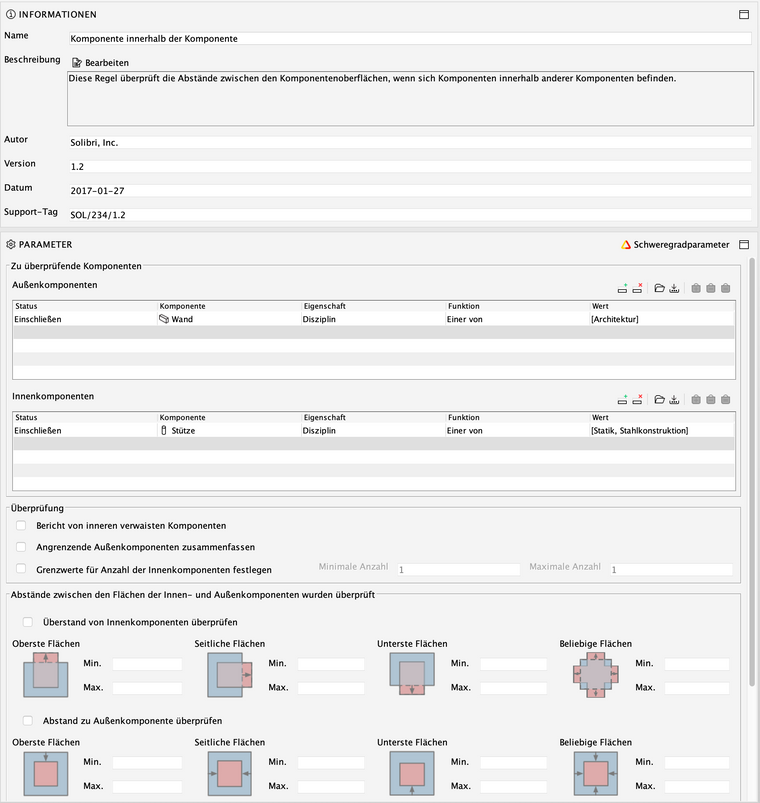
The rule is created to check whether e.g. reinforcement is located in a wall correctly. But I use this rule for a lot of different checks, whether the inner component is located in an outer component. Maybe is not a perfect solution for your case – but suitable until the new function is added to #206. I would activate both checks and set “0 mm” to “Max.” at “Beliebige Flächen” = “any surface” (sry for not changing the language for the screenshot – I’m in the middle of a check).
Hope that works!




Copyright © 2025 Solibri Inc. | Powered by NodeBB