Skip to content
  • Categories
Collapse
Solibri Society Forum
  1. Home
  2. General Discussion
  3. BCF Live Connector, Settings

BCF Live Connector, Settings

Scheduled Pinned Locked Moved Solved General Discussion
7 Posts 3 Posters 1.0k Views
  • Oldest to Newest
  • Newest to Oldest
  • Most Votes
Log in to reply
This topic has been deleted. Only users with topic management privileges can see it.
  • K Offline
    K Offline
    Katrin
    wrote on last edited by
    #1

    Hello,

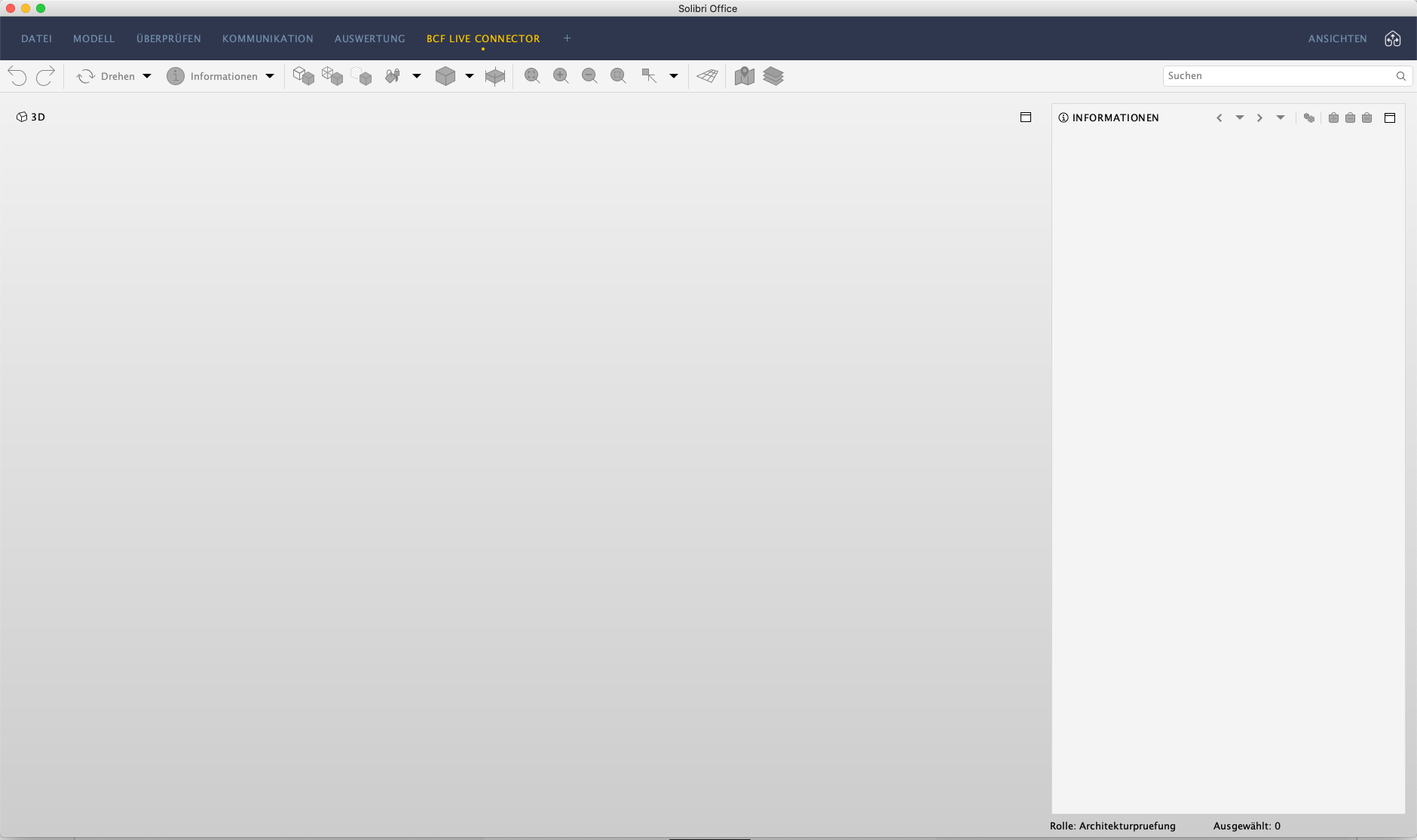
    I can no longer select a connector under Settings and BCF Live Connector. The only choices I have are the following:

    Bildschirmfoto 2020-11-19 um 10.10.12.png
    Is there a master setting where I can select the server?

    Katrin

    1 Reply Last reply
    0
    • tonigyllenbergT Offline
      tonigyllenbergT Offline
      tonigyllenberg Solibrians
      wrote on last edited by
      #4

      Hello @Katrin,

      It seems that for some reason the BCF Live view as well as the Live Issue Details views have been reset. They can be added (and arranged and removed) as any other views; simply open the views selection and add the appropriate ones to your layout:
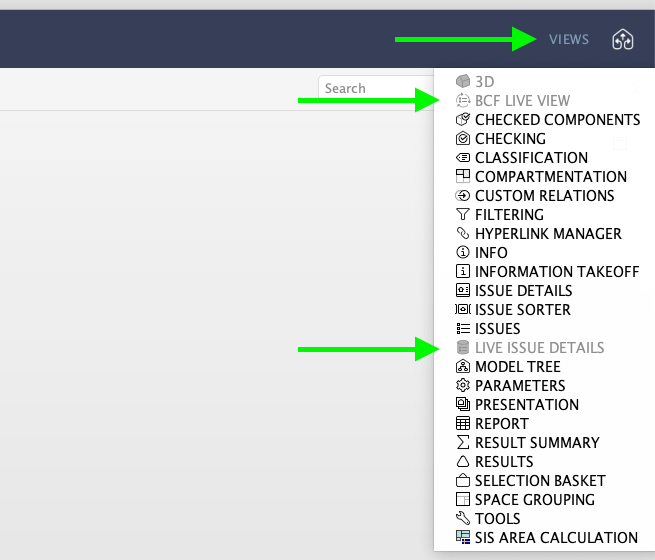
      Screenshot 2020-11-19 at 12.14.42.png

      Kind regards,

      Toni on behalf of the Solibri team

      1 Reply Last reply
      0
      • tonigyllenbergT Offline
        tonigyllenbergT Offline
        tonigyllenberg Solibrians
        wrote on last edited by
        #2

        Hello @Katrin!

        The server and project selection dialog is available in the BCF Live View, by simply turning the connection on. Please see the insights page for some more general information.

        Kind regards,
        Toni on behalf of the Solibri team

        1 Reply Last reply
        0
        • K Offline
          K Offline
          Katrin
          wrote on last edited by
          #3

          This is what I get on the BCF Live View:

          Bildschirmfoto 2020-11-19 um 11.07.53.png

          1 Reply Last reply
          0
          • tonigyllenbergT Offline
            tonigyllenbergT Offline
            tonigyllenberg Solibrians
            wrote on last edited by
            #4

            Hello @Katrin,

            It seems that for some reason the BCF Live view as well as the Live Issue Details views have been reset. They can be added (and arranged and removed) as any other views; simply open the views selection and add the appropriate ones to your layout:
            Screenshot 2020-11-19 at 12.14.42.png

            Kind regards,

            Toni on behalf of the Solibri team

            1 Reply Last reply
            0
            • K Offline
              K Offline
              Katrin
              wrote on last edited by
              #5

              Thank you, that was the solution !!

              RicardoR 1 Reply Last reply
              1
              • RicardoR Offline
                RicardoR Offline
                Ricardo
                replied to Katrin on last edited by
                #6

                @Katrin said in BCF Live Connector, Settings:

                Thank you, that was the solution !!

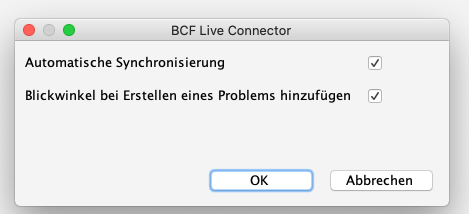
                Do you have multiple versions of Solibri installed next to each other?
                I experience that the BCF live views are removed when I used an older version of Solibri in between.
                1 Reply Last reply
                0
                • K Offline
                  K Offline
                  Katrin
                  wrote on last edited by
                  #7

                  Yes, I have two different Versions installed.
                  But now I know how to fix it 🙂

                  1 Reply Last reply
                  0

                  Copyright © 2025 Solibri Inc. | Powered by NodeBB

                  • Login

                  • Don't have an account? Register

                  • Login or register to search.
                  • First post
                    Last post
                  0
                  • Categories