
New Presentation From Excel File
-
Has anyone of you ever created a new presentation from the excel file? What’s your workflow about it?
Mine is as follows:
1- exporting Solibri presentation by using “CoordinationReportTemplate”
2- opening report in excel and editing the details (new comments, issue status, etc …)
3- creating a new presentation from this excel file.I think this option is very useful for communicating with people who are not yet Bim experts at the moment. However I have found some difficulty in converting Excel-Solibri values, as shown in the image below: “presentation name”, “picture”, “number slide” are values that do not exist in the list.
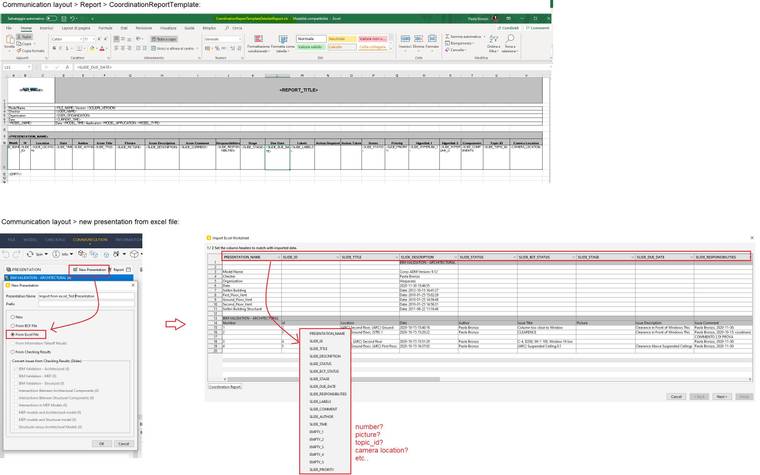
I was wondering if there is a “CoordinationReportTemplate” designed to work with excel, ensuring a match between the data exported from solibri and those imported from excel…or if there is a way to customize the column headers recognized by Solibri.
Thanks in advance to everyone .
Paola

Copyright © 2025 Solibri Inc. | Powered by NodeBB