
Comments and issuedetails BCF Live Connector
-
Hi there,
I want to use the new interface of Solibri 9.12, with the BCF Live Connector.
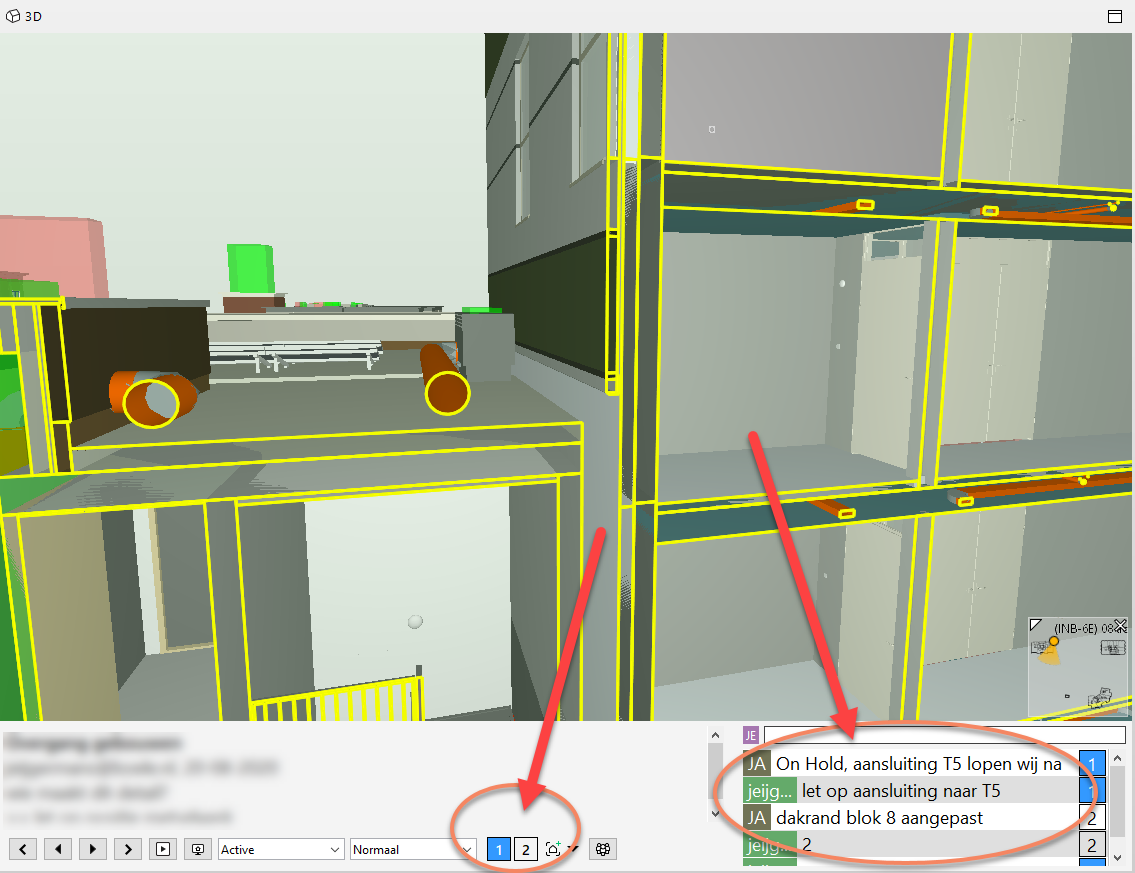
But in this version, i miss the details in the 3D-window.
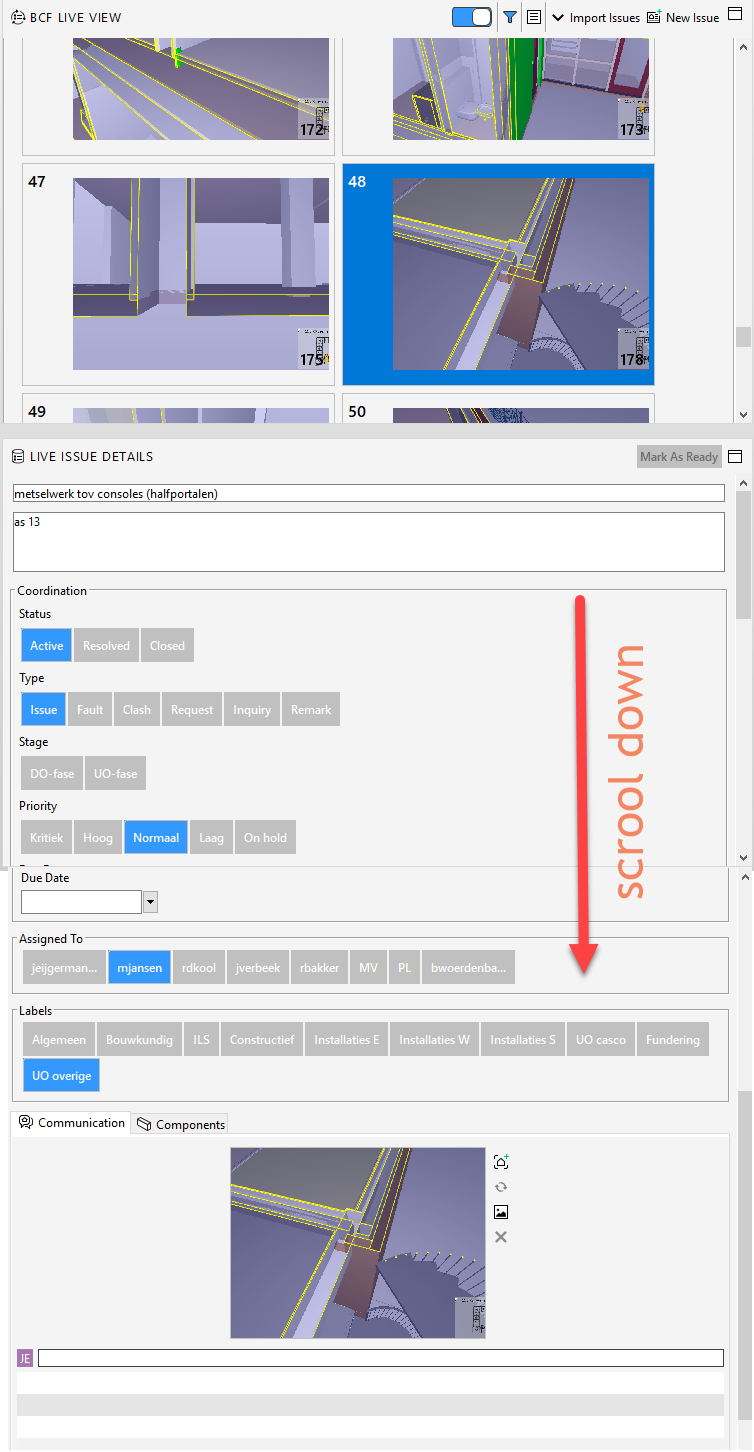
In the older version i could see the issuedetails in the 3D-window, (at the bottem)I can see the issuedetails in the “Live issue details”-window, but i have to scroll down.
Also is the coordination in this window much bigger (Labels, Assigned to, Type, Priority, etc)If i want to see the comment on a issue, i have to scroll down.
It’s the same, if there are more slides on a issue.Can the issuedetails come back in the 3D-window?
It will help a lot.Or am i the only one with this “problem”?
-
@johane the only work-around I have found is to undock the Live Issues Details" panel and place on a second monitor. This will allow you to see everything at once without the need to scroll. I use a laptop with two external monitors when I’m in the office and I have a custom layout saved for office and another for home (1 external monitor at home).

Copyright © 2025 Solibri Inc. | Powered by NodeBB