
Rule 226 - Clarification
-
Can someone please explain the Rule 226?
What I am trying to do?
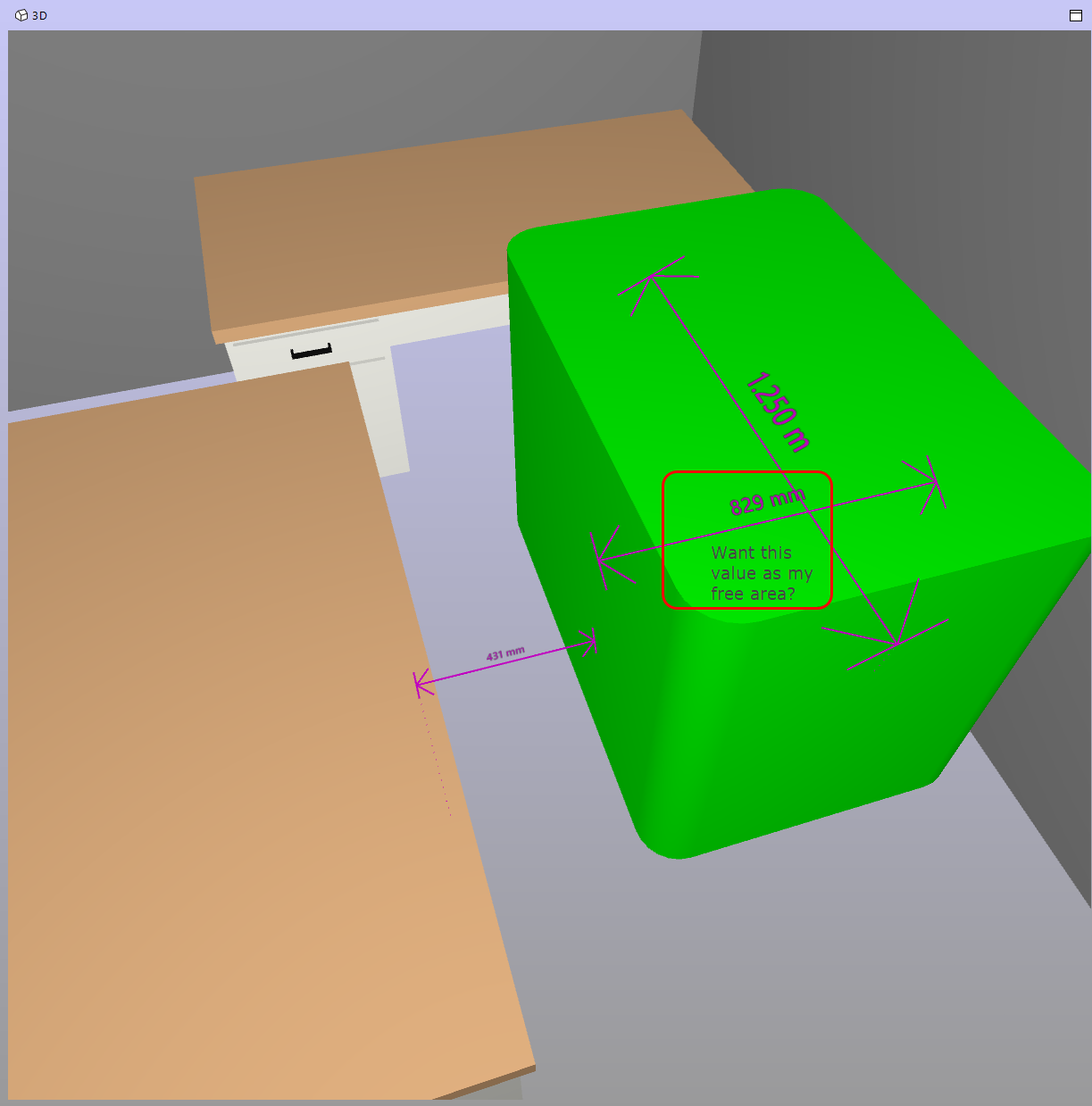
What I found so far?
https://solution-help.solibri.com/help/smc/9.9/en/html_sol_226.htm
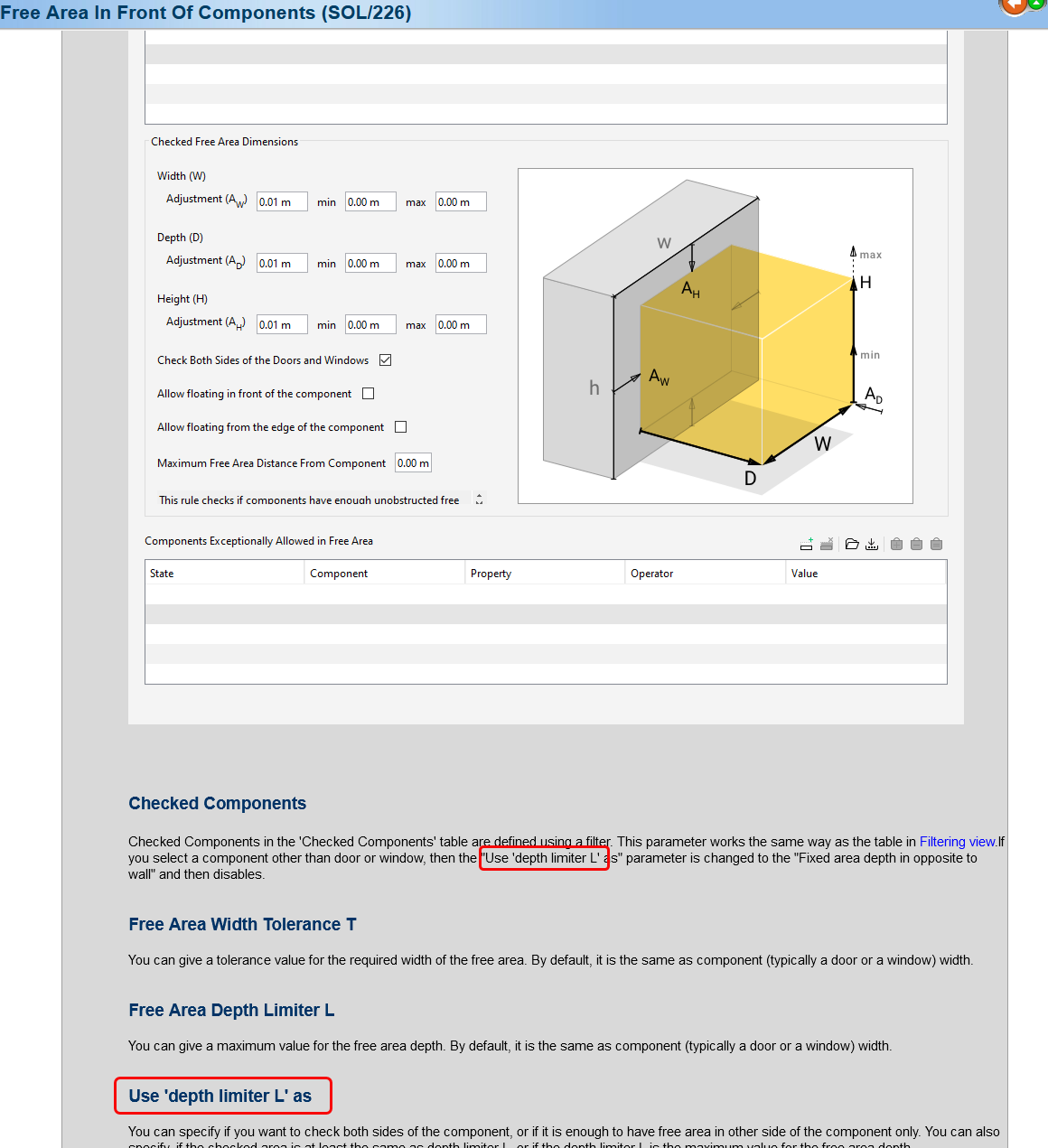
I don’t understand what they mean by Depth limiter L.
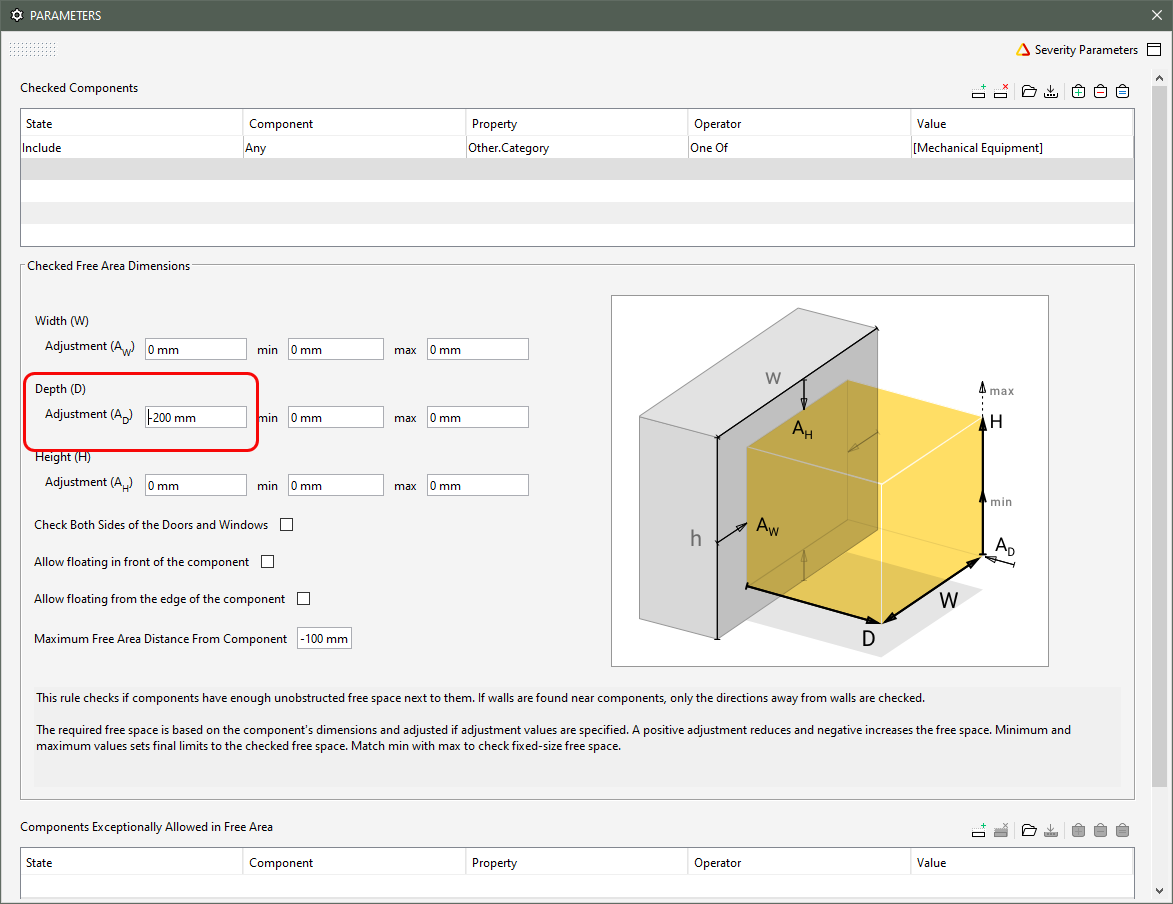
What I did with it
What I got
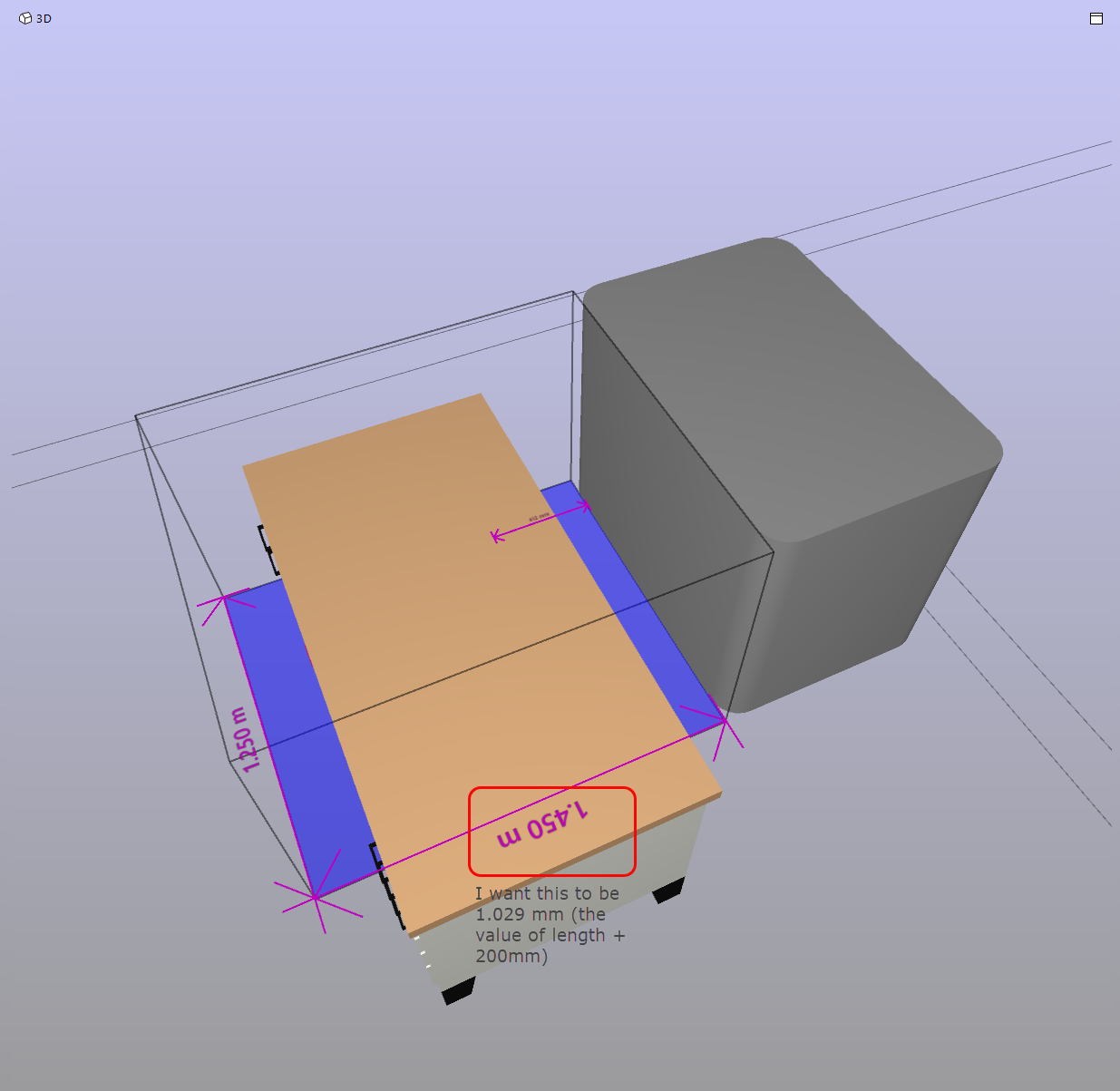
Can someone please help me with it? How does this rule identify length and width?
-
That’s indeed poorly explained.
I have not used it a while but I once created some notes for me to remember how it works and it basically should be like the following:
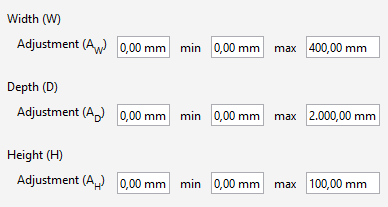
The first value (row) is always giving the Limiter - let’s ignore it for a second.The second and the third values define the basic bounding box range. So if you define here nothing or 0 then e.g. the component Width is taken.
If you do not use the limiter, than it makes sense to just work with min or max values.
If you however, want to set an offset, or a tolerance then you us the limiter values and now min and max makes sense. E.g. You set the width to 0 and the limiter to 500 (or -500) then the bounding box will change accordingly.
So for the Height this would mean, you set a Limiter of (+) -100 to lower (or raise) the bounding box accordingly and then give it a maximum height to specify it (and not just use the component height).
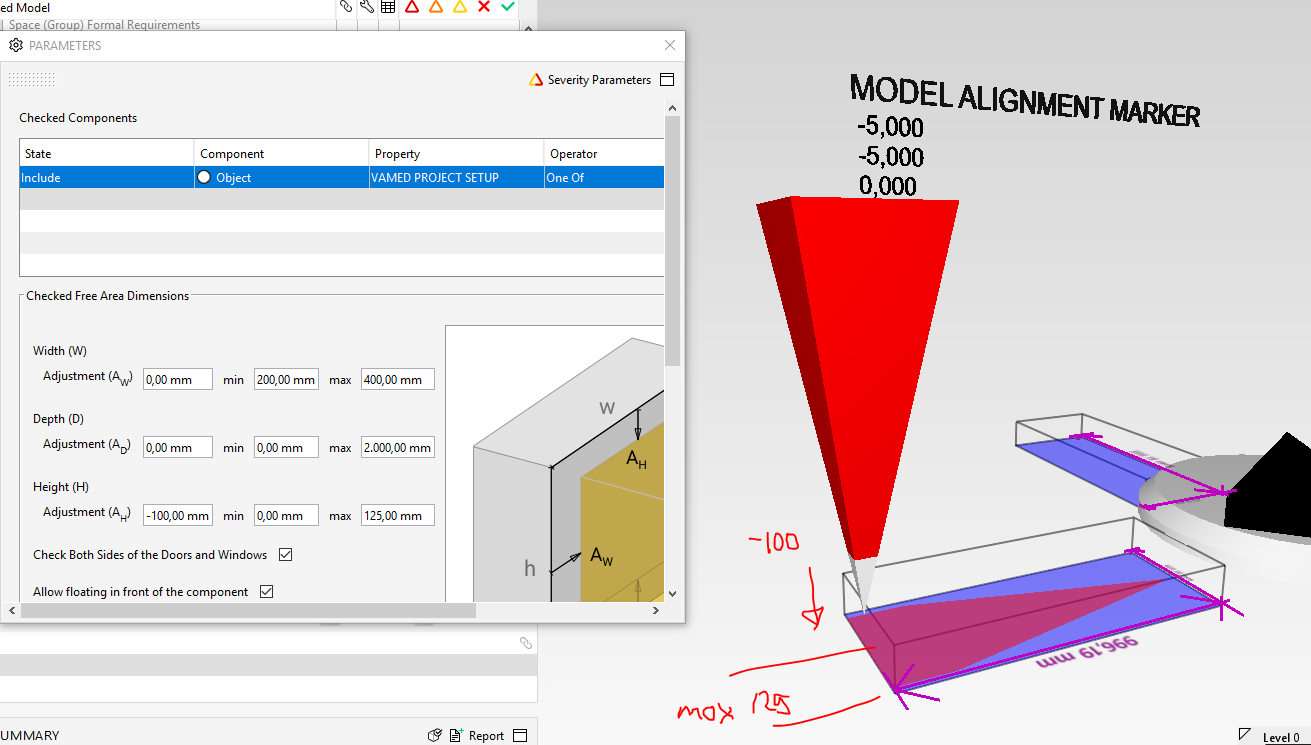
If you would use on the other hand the following settings for the mentioned example above, then rule would be passed, as the object is about 966m away and due to the limiter setting it “jumps” 999mm forward and checks the remaining 999 to 2000 mm.

So the rule is not that simple, and actually it is very easy “to mess it up by yourself” when you type in non-logic values, and then there is no warning sign or error message. Combined with the poor documentation, wrong translations (e.g. german) this is something which should definitely be improved. I am even not sure if my interpretation is fully correct, but with this information in mind you should be able to play around a bit and find out which settings suits your needs best.
Edit:
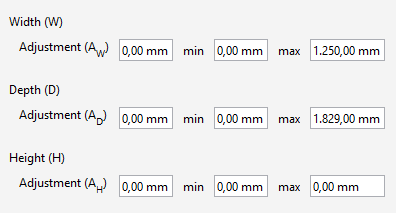
So for your given example, the following should do the job if I understood correctly.

Copyright © 2025 Solibri Inc. | Powered by NodeBB