
Defined Type Check
-
Hello everyone,
does anyone know a way to check that the attributes have the correct “data type”?
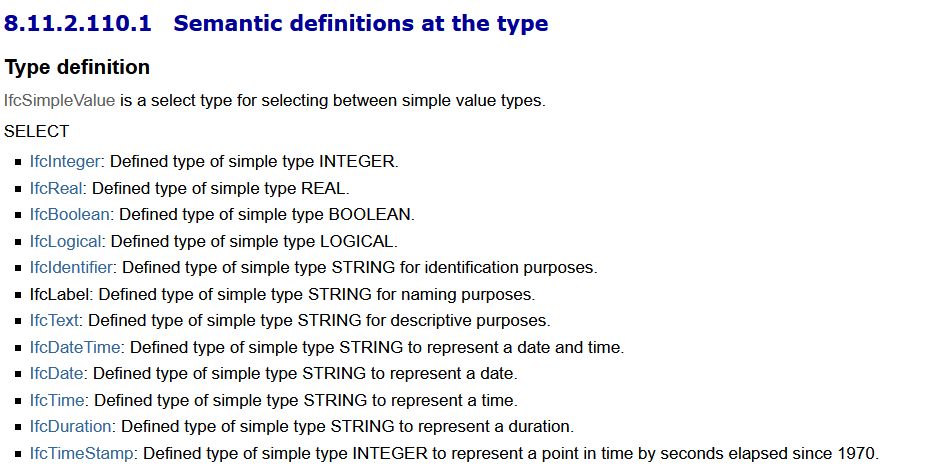
For example checking that the “Cost” Attribute is an IFCREAL and not an IFCTEXT.
Below the reference of the Building Smart page:
Thanks!
Paola -
I wonder why would you want to check the semantic definitions in an IFC Structure?
The difference of saving that Cost as an IfcReal vs IfcLabel, is that with IfcReal it will always be a Real Number, whereas in an IfcText of IfcLabel it could be an alphanumerical value.
Nonetheless it is not excluded that an IfcLabel for the CostProperty could be correct.My suggestion would be to use SOL/230/1.1 and to check if the Property Cost is a decimal value >0. All deviating values with letters or other characters should be reported as an error. In this case you should not care if that property is an IfcReal of IfcLabel, as long as the numbers fit
-
Hi @agroni !
I agree with you that it is not excluded that an Ifc Label for the CostProperty could be correct, but if I want to check the Cost is > 0 and the Bim Specialist assigns an attribute IfcLabel to the element when in Solibri I use the #230 or #203, checking will still report the error:
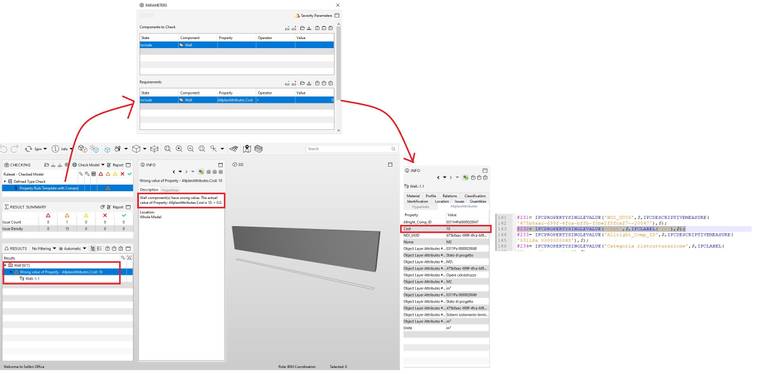
the error does not appear if the attribute is exported correctly as a number:
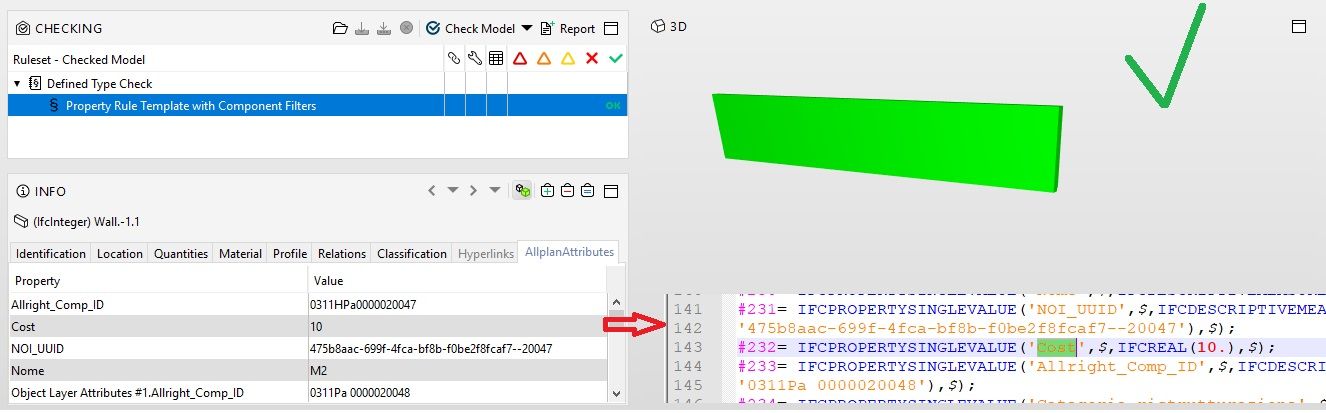
This shows that the rules secretly analyze the “defined type” attribute. It would be useful if it was also reported in the result’s description or or that there was a specially programmed rule.
-
@paola-bronzo said in Defined Type Check:
I agree with you that it is not excluded that an Ifc Label for the CostProperty could be correct, but if I want to check the Cost is > 0 and the Bim Specialist assigns an attribute IfcLabel to the element when in Solibri I use the #230 or #203, checking will still report the error:
#230 is a diva and does not work sometimes - try it with #203 as it seems to be more robust and should work for labels too.
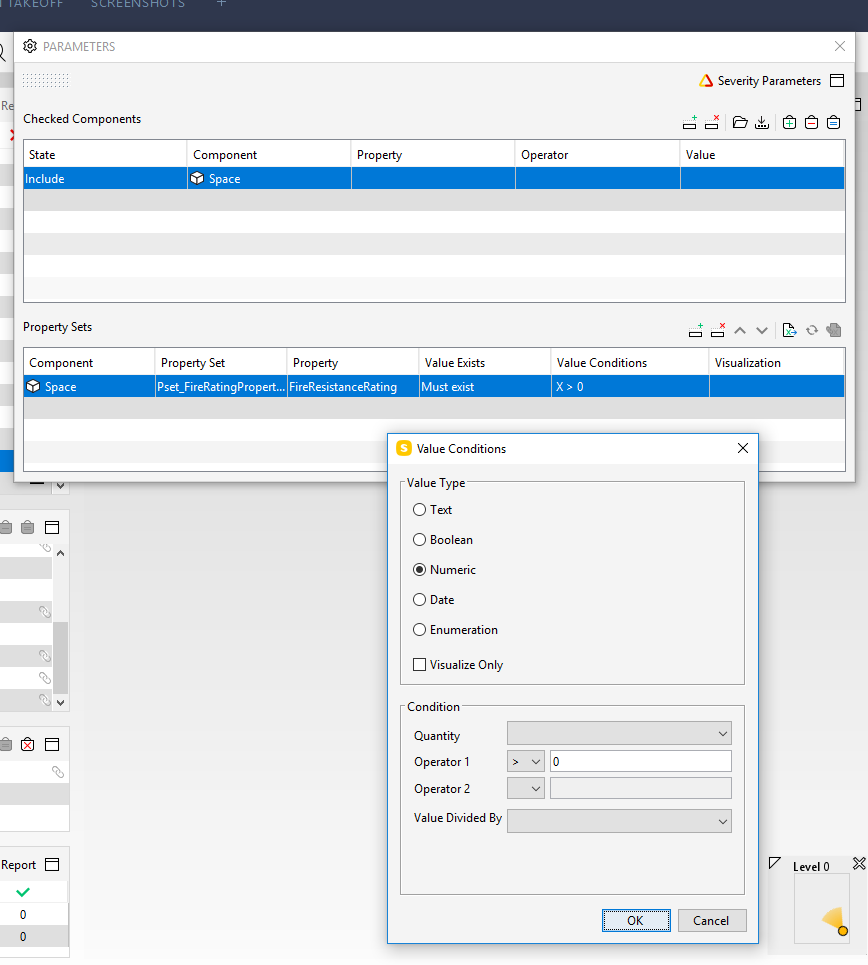
However, take care that you really have a numeric vlaue like “200” and not "200 " with invisible blank spaces.
-
Thanks @JSN for your suggestion.
Here https://society.solibri.com/topic/1116/import-excel-worksheet-rule-203 I have just reported an anomaly about it. -
@agroni said in Defined Type Check:
I am curious in which instances in your opinion does the #230 not work???
Well, the example from Paola above demonstrates it - it seems to me that this rule does not work and I just even tried it to test again - with the same result and I don’t see any mistake in this quick example.
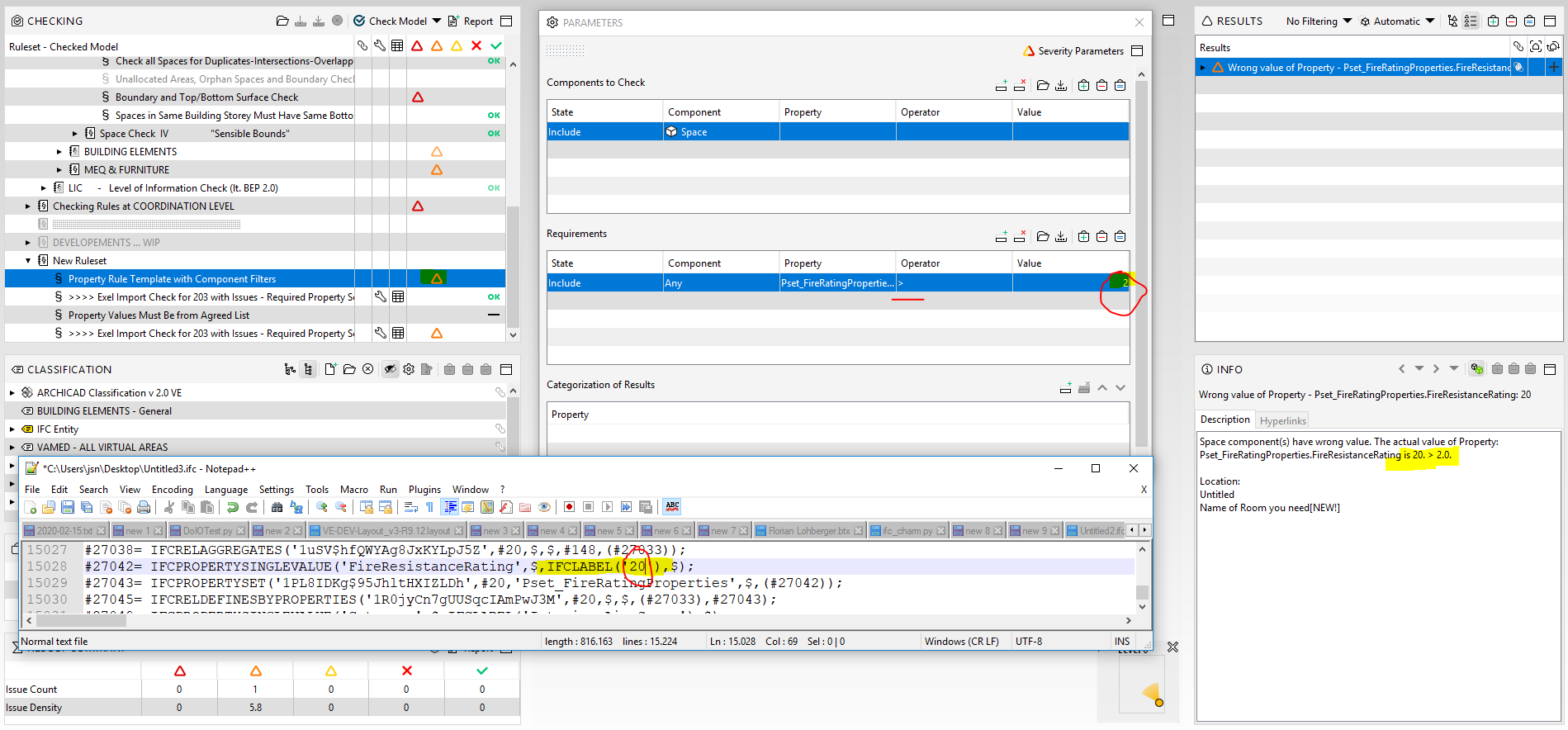
But then again, I am pretty sure I have also used it as you described it and ran into the same weird results a while ago - searching for alternatives for such use cases I now always rely on #203 as I lost my faith in #230 in that specific context.



Copyright © 2025 Solibri Inc. | Powered by NodeBB