
BCF Live View - existing issues losing markups
-
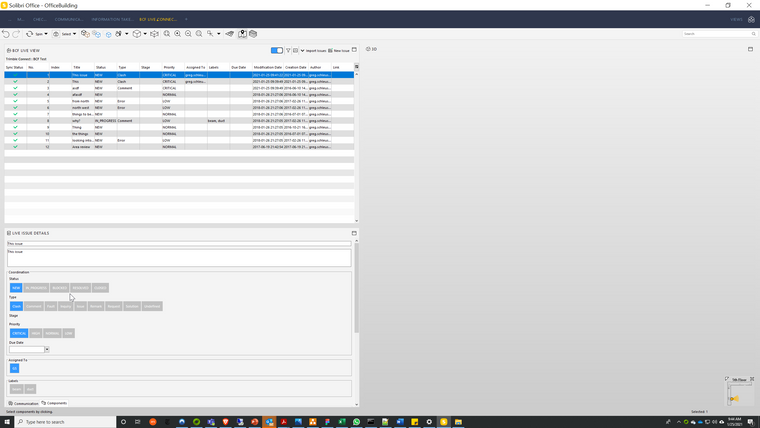
When existing issues i.e. created prior to using the 9.12 upgrade, are imported to the BCF LIVE VIEW dialog, the markups are disappearing. If these issues are selected in the previously used Presentation the markups are present. If the issues are selected in the LIVE ISSUE DETAILS dialog the markups are present. However they are not present if the issues are selected in the BCF LIVE VIEW dialog. It appears that the markups need to be added again and a new viewpoint created for them to look like they should. This requires considerable work, when you have multiple issues to work with. As the new workflow has moved away from using Presentations, and the Issue Sorter does not work with the new workflow, this is going to mean lots of rework for existing issues. Is this something that was considered before the upgrade?
-
I set up a view from the Checking Results, with the orientation and displayed elements that I need, the markups added to identify the clashes and the section plane switched off. When I add that to the BCF LIVE VIEW as an issue the markups all turn red and the section plane is switched on. If I select another issue and then go back to the newly created one the markups are still visible. However, if I then sync that issue with BIM Track and then reselect the issue in the BCF LIVE VIEW dialog, the markups have disappeared in the view window. They are still visible on the viewpoint in the LIVE ISSUES DETAILS dialog and they are the original colour. Also the issue uploaded to BIM Track looks as it should. The problem is that when the same issue is selected in the BCF LIVE VIEW dialog the result in the main view is no markups.
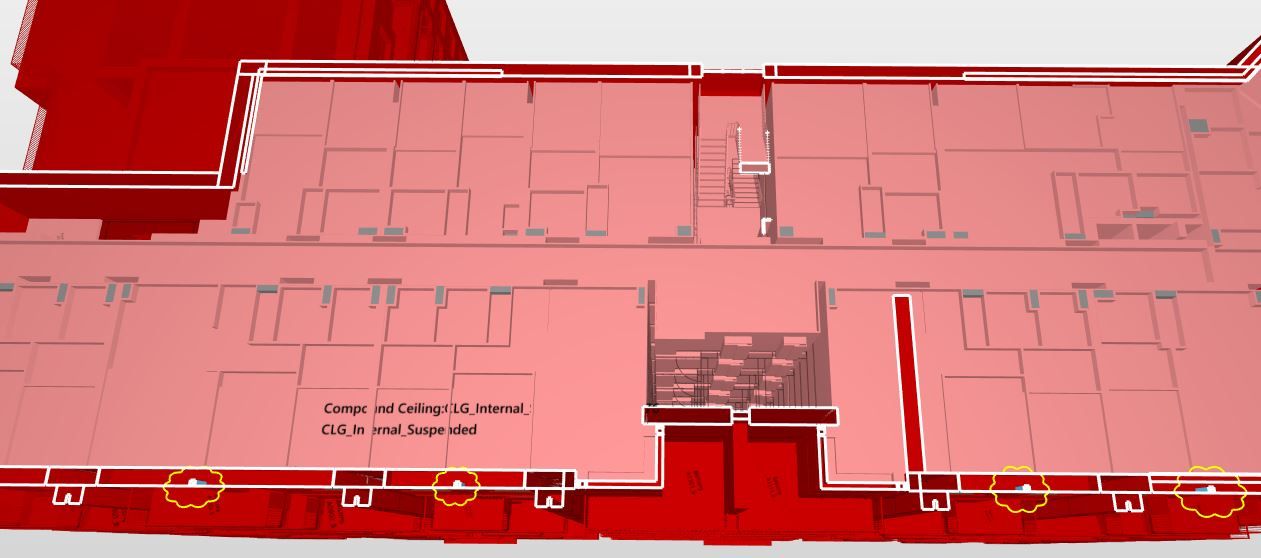
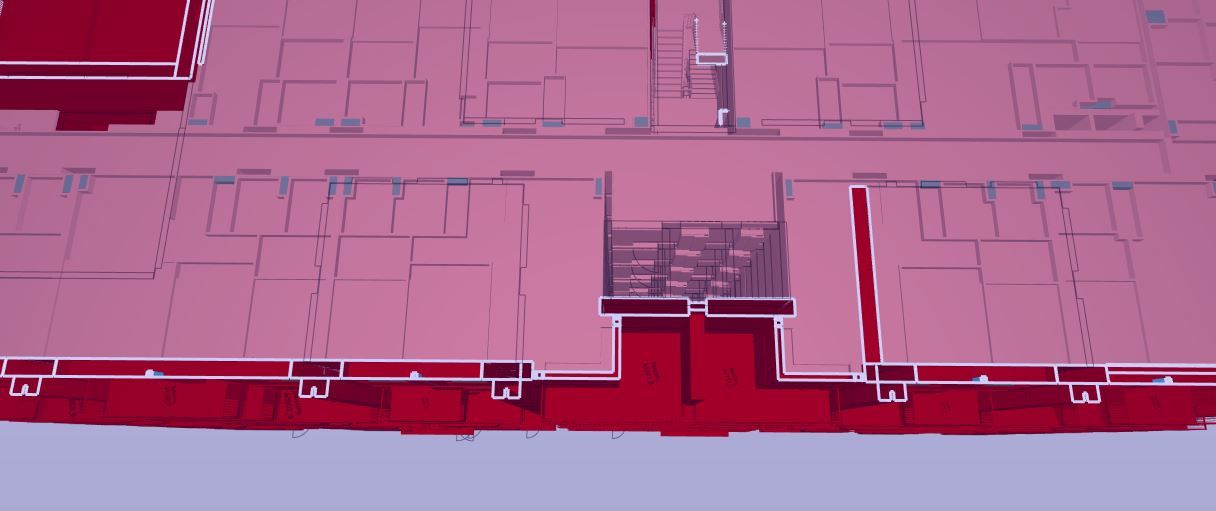 I have uploaded two images - one is the correct image from the checking results and the other is how it looks when selected in the BCF LIVE VIEW dialog
 -
@lhoward said in BCF Live View - existing issues losing markups:
When I add that to the BCF LIVE VIEW as an issue the markups all turn red and the section plane is switched on
Lines
BIM Track might not support markup lines. We will double check that with the BIM Track developers. I just tested and also lost the markups with BIM Track. For some other servers they remain. The color set in Solibri is lost. Solibri stores the markup colors internally. BCF API stores only the coordinates of the line segments. The color will be lost in BCF sync. The color might change but the lines should remain in the sync.
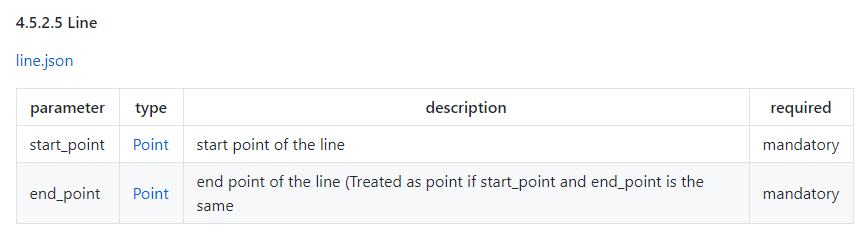
https://github.com/buildingSMART/BCF-API#4525-lineSections
Solibri stores the section plane visibility internally. BCF API stores only the location and direction of the section plane. The visibility will be lost in BCF Synch. I’m investigating if we could store the current visibility as user state and the the user would not need to hide manually planes all the time. The last visibility state would be used in BCF Live and then the visibility would be correct in most cases.
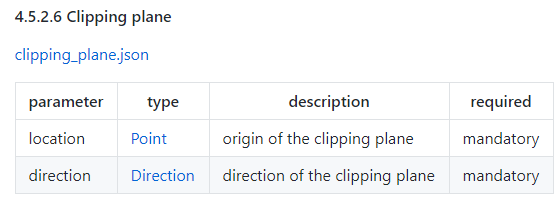
https://github.com/buildingSMART/BCF-API#4526-clipping-plane -
@matti-kannala said in BCF Live View - existing issues losing markups:
BIM Track might not support markup lines. We will double check that with the BIM Track developers.
We confirmed that BIM Track initial BCF implementation is not supporting markup lines.
-
Hello Matti, thanks for looking into this. BIM Track is showing the images with markups, when they are synched from Solibri. The problem is that the markups disappear when we import the same issues to Solibri and navigate through the issues using the BCF LIVE VIEW dialog
-
I think it pretty straight forward given the way I think Live View works. BIMTrack shows the images with markups that Solibri Publishes to it. But when in Live view Solibri shows the live model which has lost the 'line work" in the markup when saved to BIMTrack. Its like the Data is “washed” of all the stuff BIM Track doesn’t support and Solibri is showing you that result.
Its a perfect example of two concepts that we seem to get wrong all the time in AEC and makes interop hard.
-
Copies of Data that don’t retain the actual source data but morph it into a platform that can decide what it cared to keep vs having to completely store the source data in an imputable way
-
Week implementation standards that allow software to say one thing and do another
-
-
That does seem to be the reason for this issue but the main problem is that the Live issues do not link to Presentations anymore and so we do not have a way of switching between issues and seeing them displayed with the markups. This is what we would do when presenting issues in coordination workshops and we need to be able to show the markups. We are unable to even create temporary presentations, as when you import a BCF from BIM Track into a Solibri presentation, not only does it lose all of the markups, but all of the spaces are switched on as well, rendering the images useless. This does not seem to be a BIM Track issue, as the same BCF file imports fine to BCFier and the images are correct with all markups. It is only when it imports back to Solibri that the markups disappear and the spaces are on. The synchronisation process is much better now and has eliminated many of the previous issues we had between Solibri and BIM Track but we need a way of displaying the issues accurately, now that we are unable to use presentations
-
@lhoward BIMTrack is doing a lot better then Trimble Connect it seems.
It removes the elements, and the viewpoints/ports and thus certainly the markups or sections.

Copyright © 2025 Solibri Inc. | Powered by NodeBB