
Show, Classify relations betwen elements TO Excel
-
@89jaka Hi! Try to answer.
You need to open Information Takeoff feature and use Classification view.
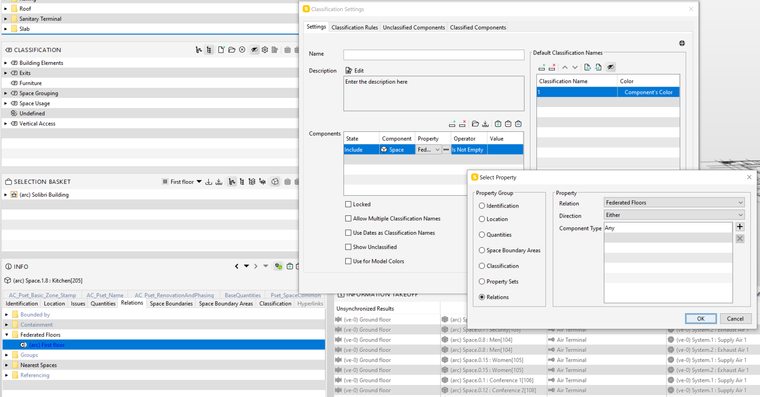
When you create New Classification, you need to include components, and in properties you need to choose Relations Property Group. In Relation field you need to choose necessery relation, also direction field (either, for example) and component type. I use Any, by default.
In operator field you must choos “is not empty”.
Next, in classification rules you need to change or add new column and choosing filtering property, e.g. Federeated floors in Location Group.Try to show in screenshot below. Good luck!
Copyright © 2025 Solibri Inc. | Powered by NodeBB