
Opening component dossen't clash verticaly with wall component
-
Hey Everyone
I’m running into an odd issue.
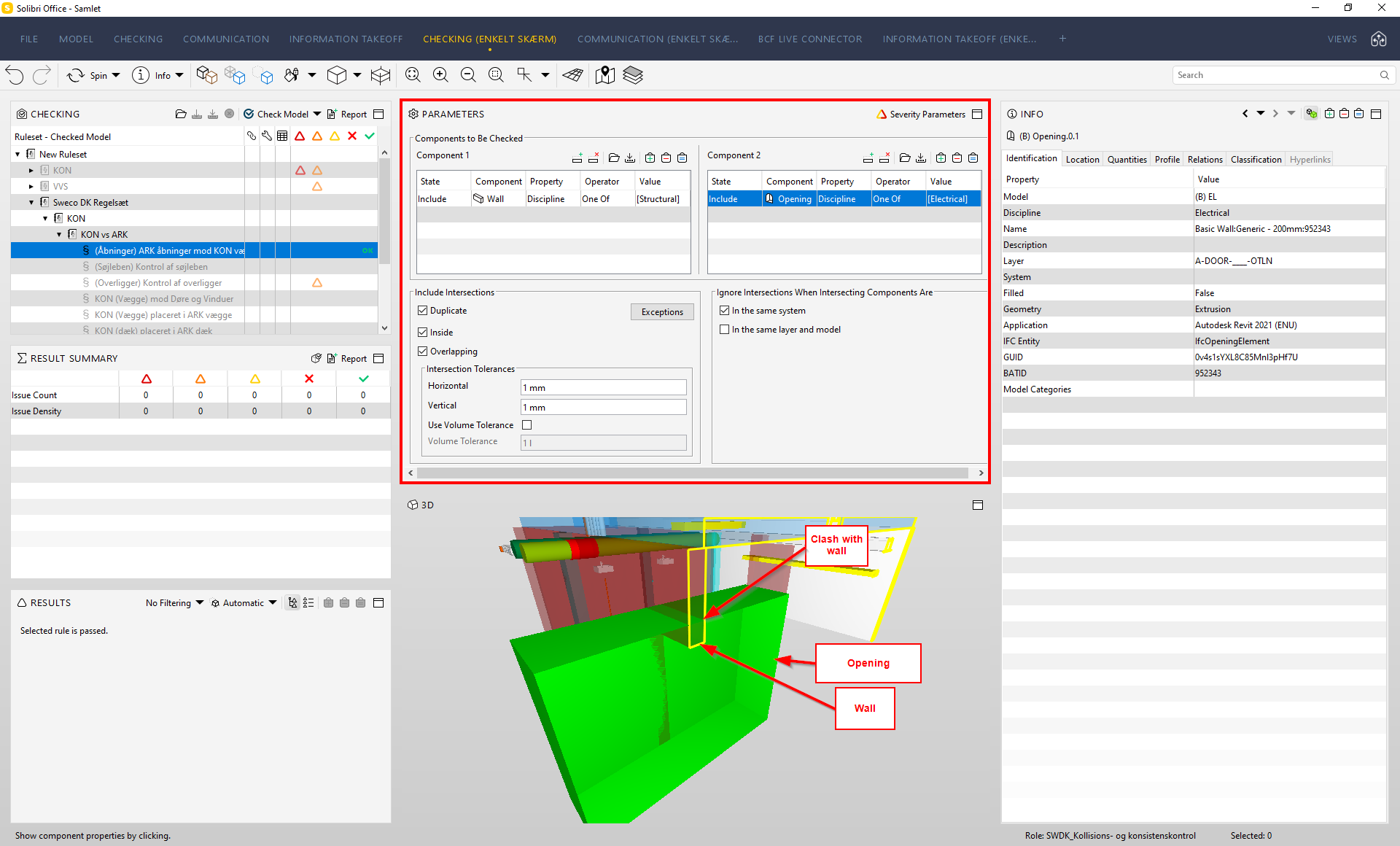
Apperently Solibri dossen’t detect a vertical clash between an opening and a wall component. It works with a horizontal clash.
In my mind, I have the parameters set up correctly.Has anyone had the same issue, or do I have the wrong setup?
-
Hi
Yes I have tried it. No matter what I do, I can’t make it clash vertically. -
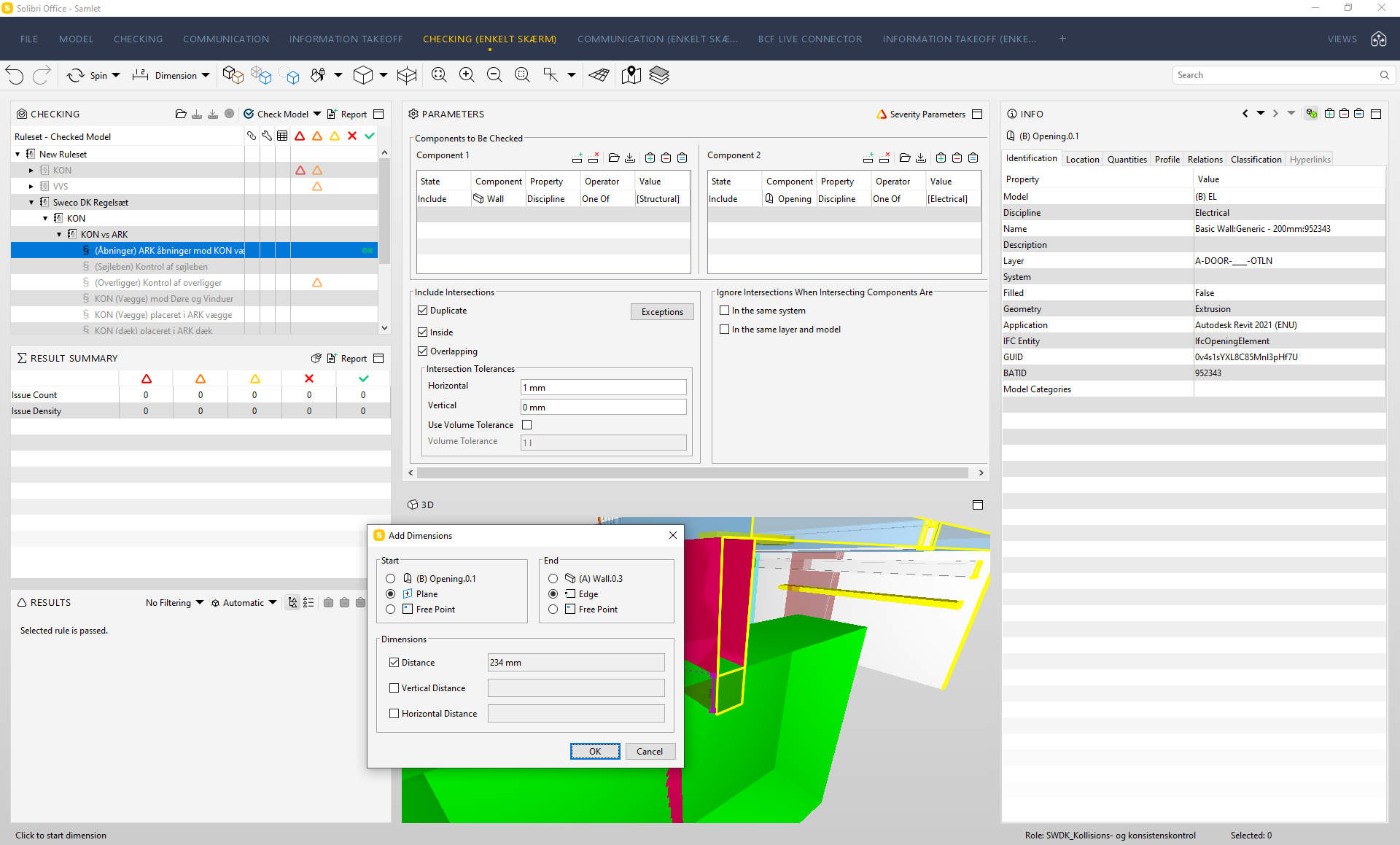
I have 234 mm of overlap between the wall and the opening and I have tried setting the vertical tolerances to 0.
Is it possible that openings behaves differently than other objects in solibri? This clash should be pretty strait forward to detect, but for same reason this doesn’t seam to be possible.
-
I have a general question, that might maybe resolve your problem.
Why is the Electrical engineer/contractor delivering an Opening? Isn’t that the case of the designer/contractor to create the opening in the wall? The wall is not a part of the electrical model, hence the opening belongs to an architect. As far as I know, the Opening has a relation to a wall.
The documentation of the IfcOpeningElement in IFC2x3 also states that:
An IfcOpeningElement has to be inserted into a building element (all subtypes of IfcBuildingElement) by using the IfcRelVoidsElement relationship.I assume, since the electrical engineer is modeling extruded geometries and appending the IfcOpeningElement entity, it is missing the relationship to a wall and not being correctly identified as an opening.
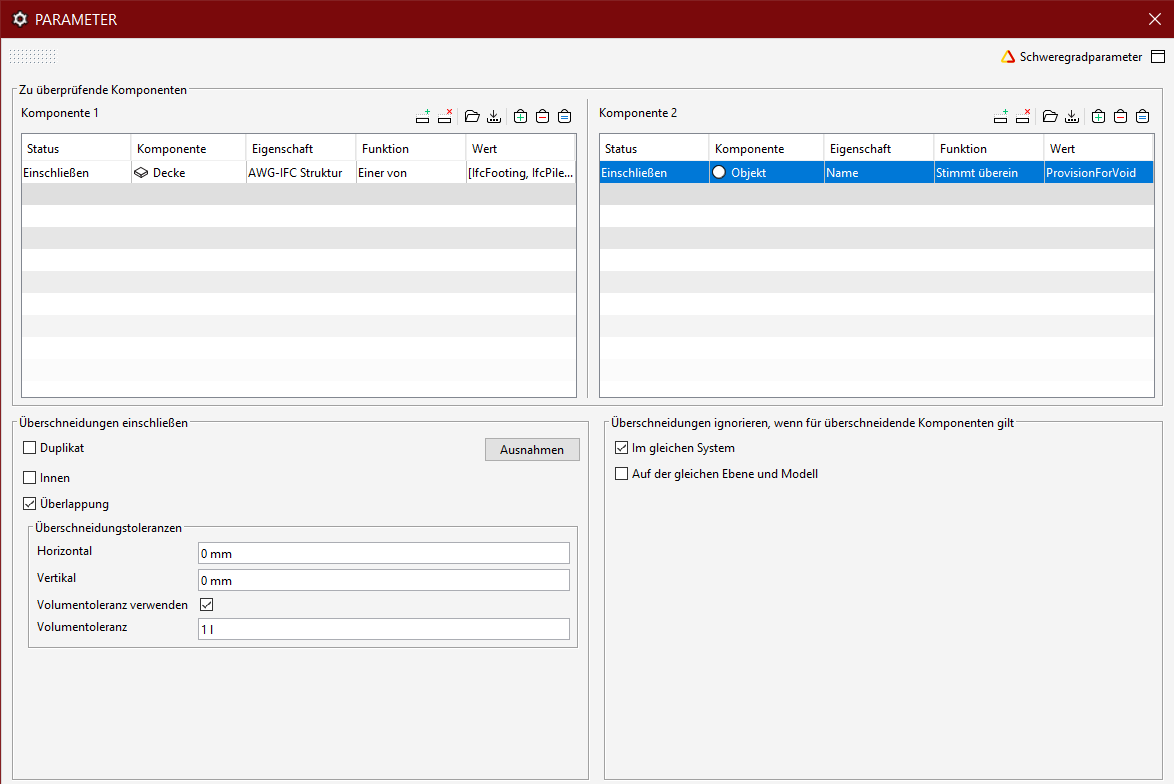
What we do in such workflows is to append an IfcBuildingElementProxy with an IfcDescription ProvisionForVoid, that are beeing delivered by the electrical engineer. The archictect, on the other hand, cuts walls and slabs and generates and IfcOpeningElement. Therefore you coud use the same rule, but instead of having and “Opening”, simply put an Object with a name “ProvisionForVoid”. Offcourse that the electrical engineer need to reclassicy his openings as and IfcBuildingElementProxy.
-
You are correct @agroni, the Electrical discipline should not provide an opening. Only a request for one, like a Provision For Void object.
I only put the opening in the Electrical model for my test project that I use, to test my rulesets. I din not make an architectural model for that
My problem still persist for an opening with an architectural discipline. This is a project, that I would have used the ruleset on.
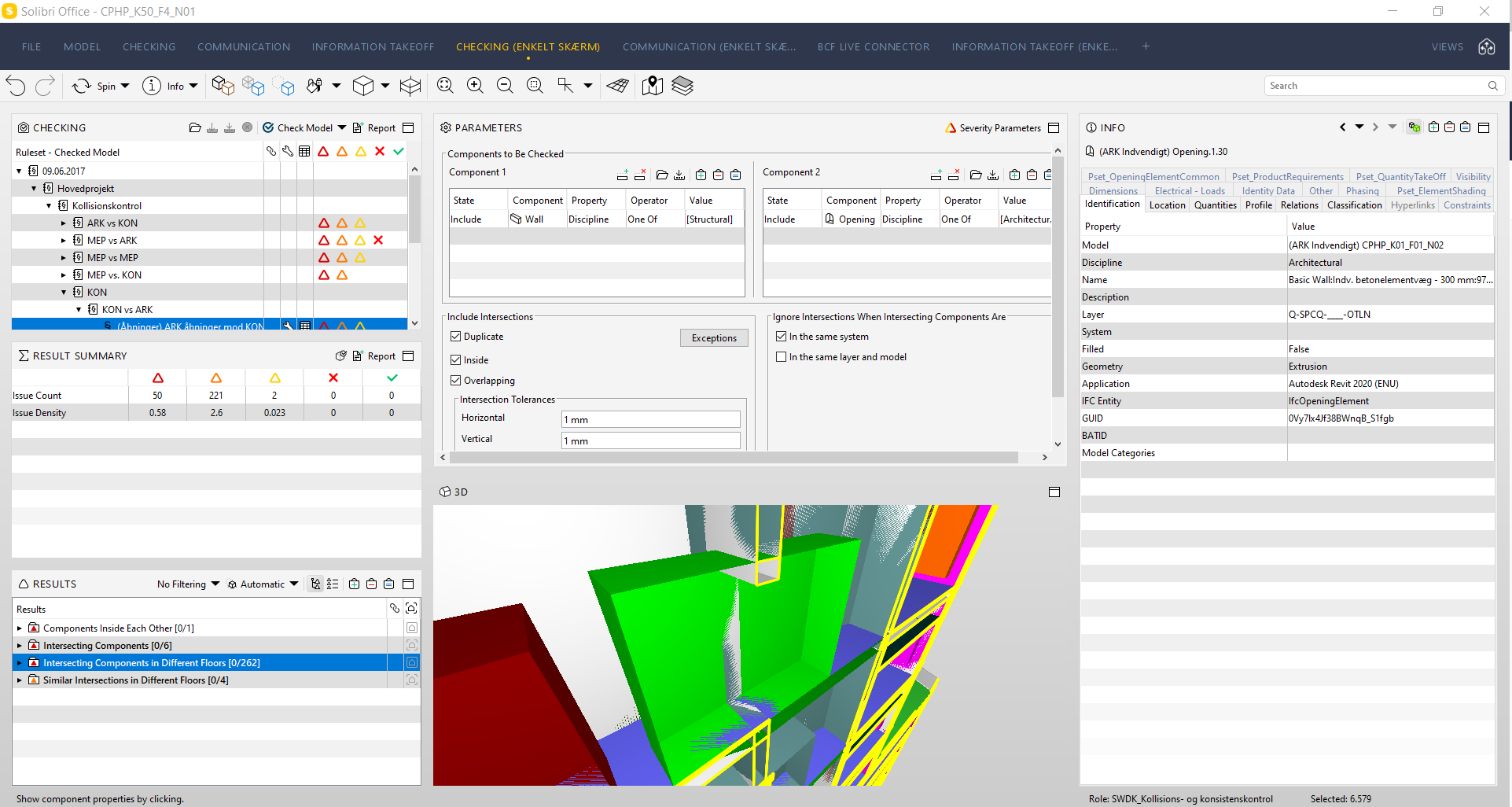
I still can’t think of any setting or parameter that I can change, to make it work.
-
I believe that your test is not valid, and here it is why:
An opening is always a part of a wall, meaning that it performs a boolean operation on that wall. Because of this, the IfcOpeningElement will never collide with a wall (or slab), hence it will sit exactly in the opened geometry. You cannot separate the geometry that cuts the wall and the opening itself. The thickness of the opening can be either exact as the wall thickness or more. In this case, I don’t really know what defines this bounding box geometry.If in any case the IfcOpeningElement is bigger than the true opening, then I would check the validity of it in the IFC Schema. So far I didn’t have any case of an openig geometry being bigger than the opening itself.
With which BIM Authoring tool did you generate the model with the opening?
-
I’m using Revit as my BIM tool.
I think you have misunderstood my problem. The opening is part of a wall. Both in the Electrical model and the architectural model in my previous screenshot.
Both the wall and the opening is then linked together with the construction model, with also contains a wall with an opening.I then wanted to put together a rule that looks for an intersection between the opening from one model and the wall in another model.
The rule works for intersections in the horizontal plane, but not for the vertical plane and I don’t know what I must do to make it work. -
I tried to reproduce the issue as similar to what I saw in your screenshots; however, the electrical opening that clashes vertically up through the structural wall is still found in my tests:
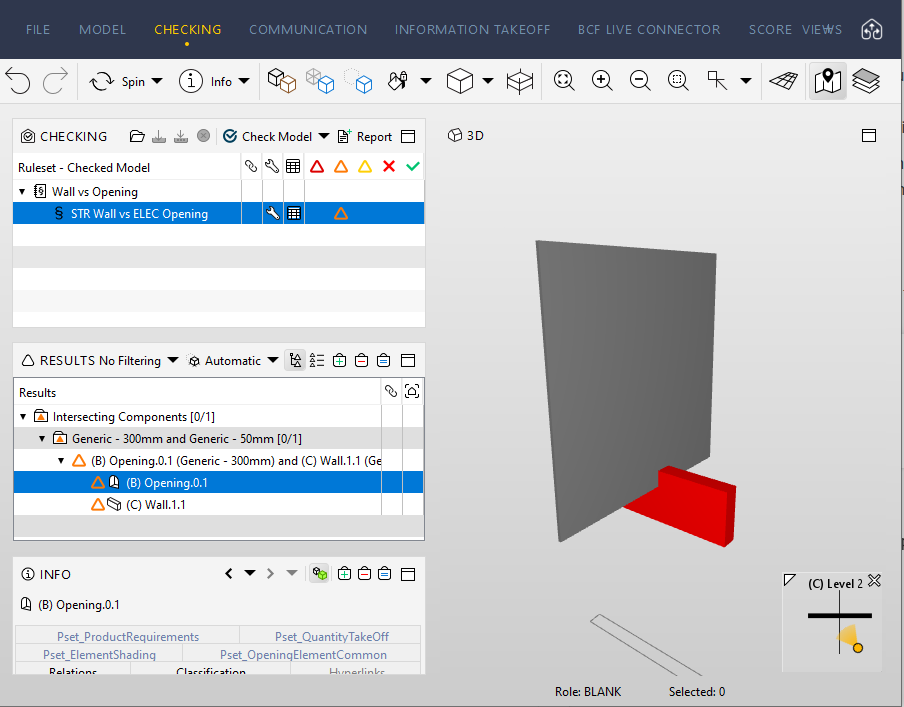
I set my parameters and disciplines the same as your rule parameters:
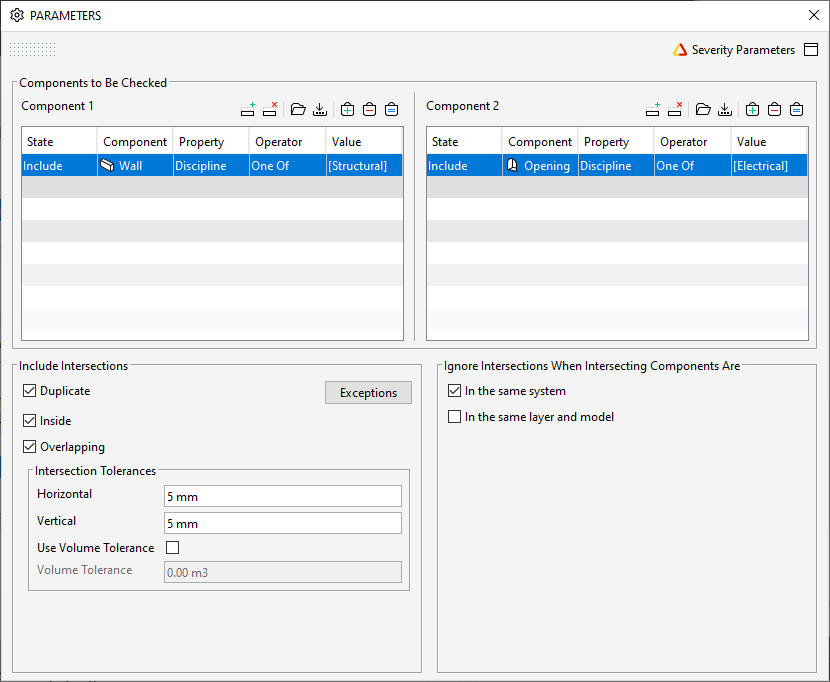
If you load your structural and electrical IFC models in this SMC does the opening then clash with the wall?
If you save out the cset from this smc and load it into your SMC to test your files, does they clash with your files?
Here is my test file with the cset: STR_Wall_Vs_ELEC_Opening.smc



Copyright © 2025 Solibri Inc. | Powered by NodeBB