
IfcExportType and IfcObjectType
-
Hey @KarlF,
IfcExportType does not exist in the IFC Schema but it was introduced by Autodesk to represent the mapping of their internal components into the IFC entities. The result is that entities from Revit will be translated into specific IfcEntities in the IFC File. This can be found in Solibri as “IFC Entity” and corresponds with the entities specified in the IFC Schema
Could you give an example for IfcObjectType? As such it doesn’t exist in the IFC Schema, but I can imagine that it can be various things, as the term type is used in various places:
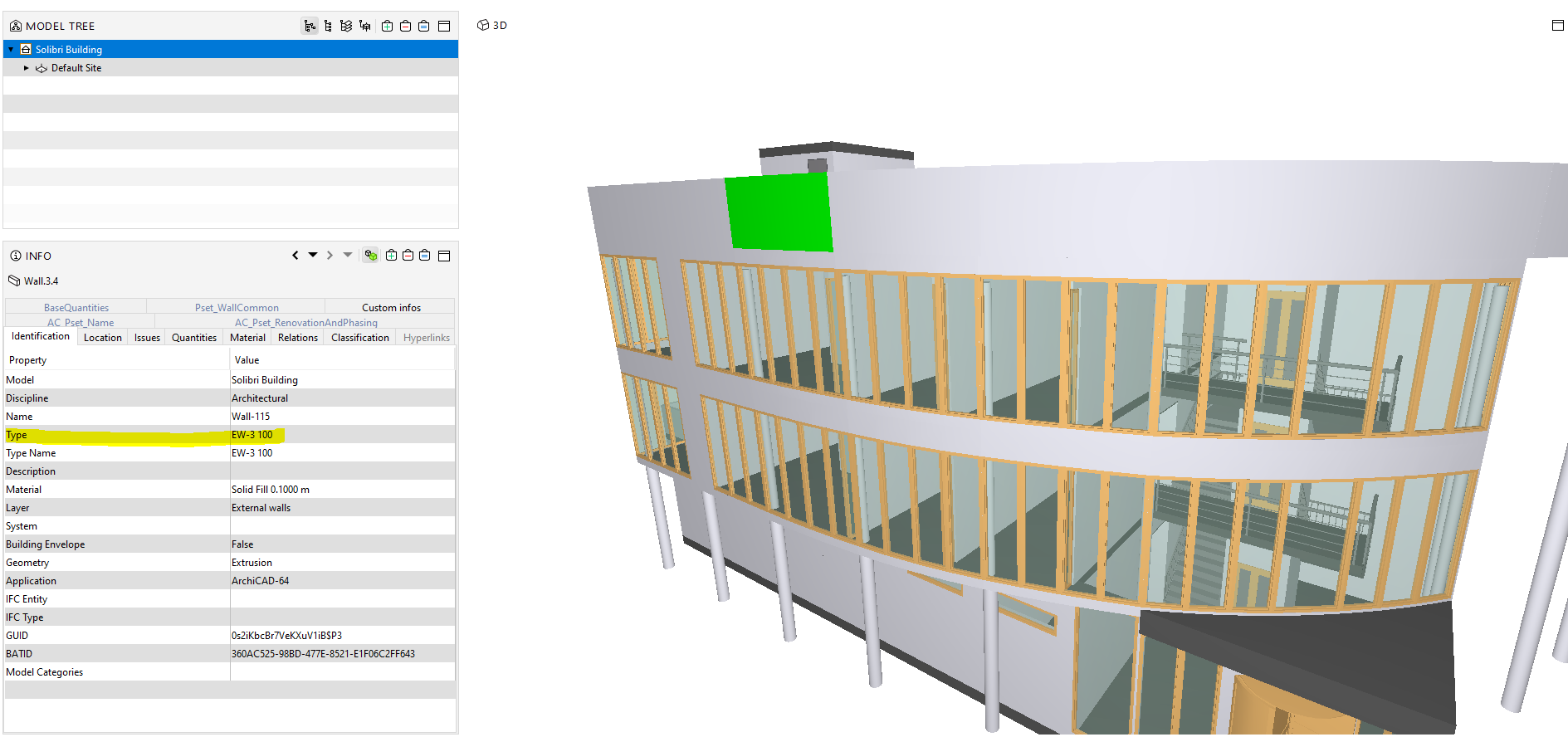
- an entity can be linked with a relation (IsTypedBy) with an IfcType which specifies characteristics for multiple entities. An example taken from Solibri Building.ifc:
#376958= IFCWALLTYPE('1pfXAbp$yZdlNqlOCVMxbW',#15,'EW-3 100',$,$,$,$,
'73A612A5-CFFF-239E-F5F4-BD831F5BB960',$,.NOTDEFINED.);
As @chris was already writing, this can be found in Solibri here:
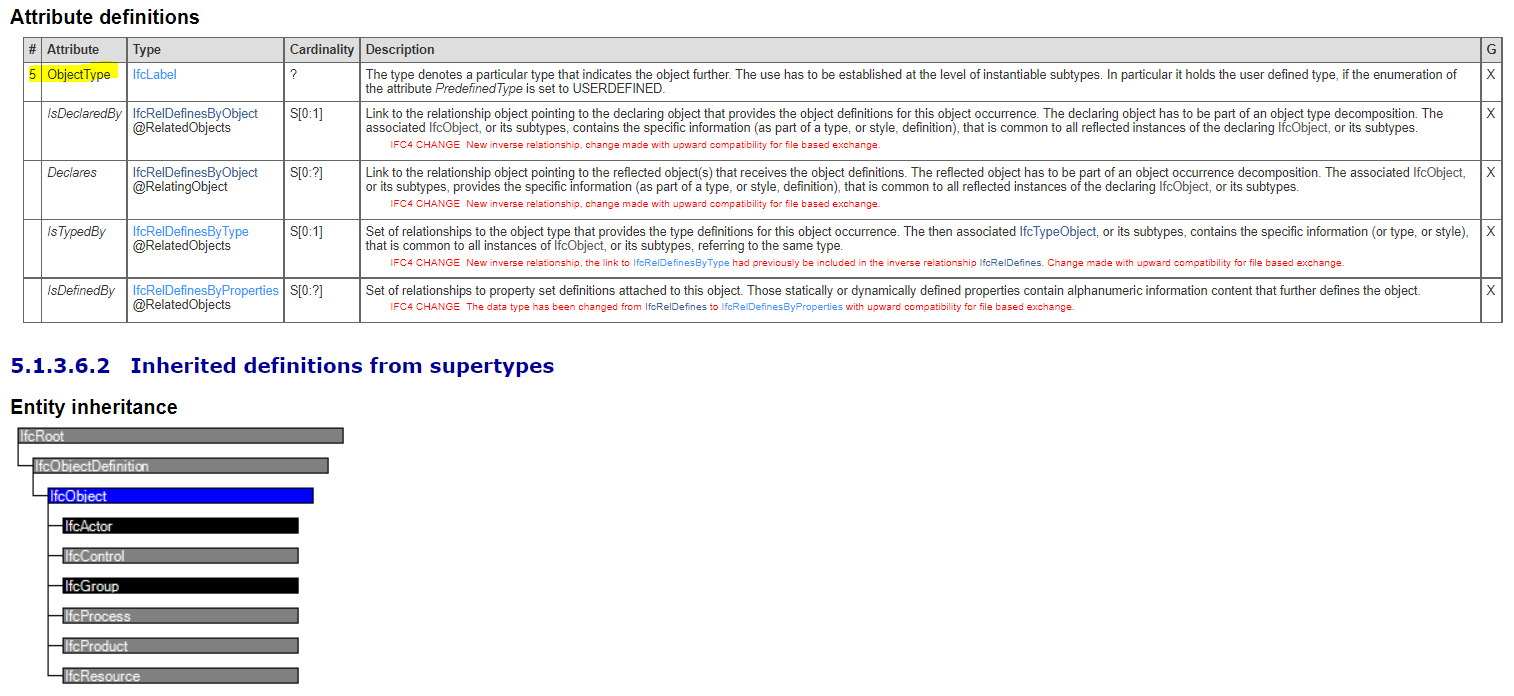
- the attribute “ObjectType” (introduced with IfcObject) :
denotes a particular type that indicates the object further. The use has to be established at the level of instantiable subtypes. In particular, it holds the user-defined type, if the enumeration of the attribute PredefinedType is set to USERDEFINED.
There are also other options as IFC has many ways to represent these things … So if you can give a specific example we should be able to find what you are looking for

Cheers
Cornelius -
@cpreidel Thank you for the detailed response. It clears things up. About 5 minutes after posting I had realised what info was going where. I typically use Archicad and understand the flow of data from there, but Revit is a different beast.
In regards to the IfcObjectType, it was something I read about in the new Autodesk IFC guide and I was then testing out a workflow to see if it could be used as an attribute field to map a Project ID to a building mass (I am simply wanting to have each of our work packages as building masses, and need to be able to identify independently by project code).
But once I worked out what was going where from Revit, I decided to create a shared parameter for ‘reference’ and override the default. So ended up with what you see in the image.
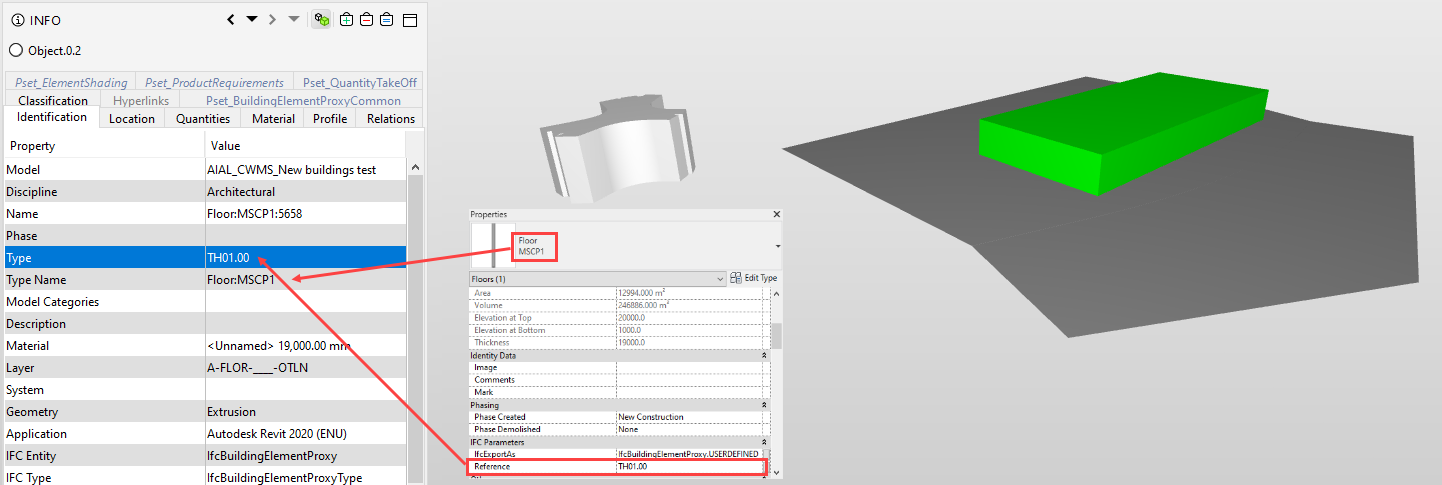
Now I will put the ifc to GIS and use the type reference to link data inputted via GIS web app to the building masses.
Thank you,
Karl -
It would be great if you could hover your mouse over an attribute heading and have the source location appear as a help feature.
@chris In regards to the ElementType…I had been thrown off by Autodesk’s use of IfcObjectType in their IFC Guide. So was a bit confused for a minute. All sorted now.
Cheers,
Karl -
@karlf said in IfcExportType and IfcObjectType:
Now I will put the ifc to GIS and use the type reference to link data inputted via GIS web app to the building masses.
Just curious but what’s your workflow/tool for IFC > GIS and which format are you saving to?
-
@jsn Esri ArcGIS Pro. Recent improvements mean that we can bring the IFC straight in. Sometimes we use FME (By Safe Software) to append addition data to the model in GIS.
We also build Esri web apps to make a database that links to the building masses via a Unique ID. , and then can add data by simply filling out fields on a web browser. The IFC then is the source of geometry and GIS manages the data. Just need an ID that matches in the IFC file and the GIS database.



Copyright © 2025 Solibri Inc. | Powered by NodeBB