
Position of Issues (in Slides) and how to filter them properly
-
The following Slide has been created on the level of a single issue which is located on the second level. However the position information is sometimes giving me complete useless information here. Sometimes however it works.
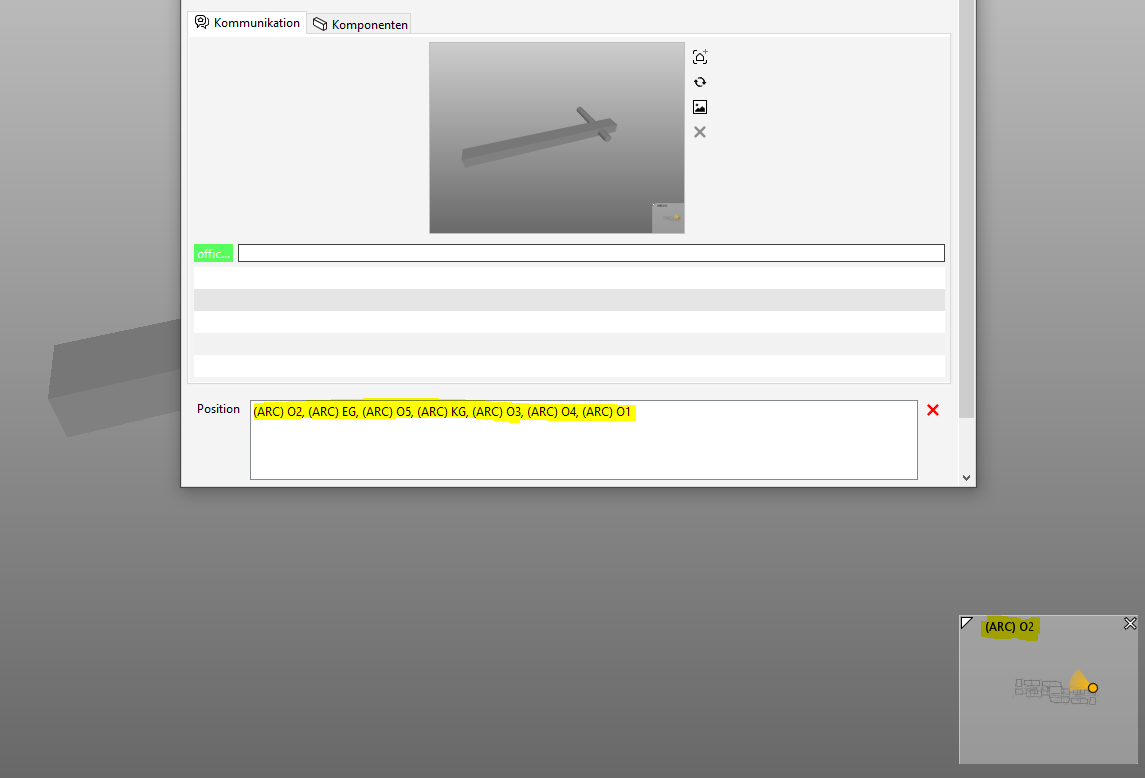
How are those information derived and what’s the suggested workflow to better filter and label the issues by their location? Afaik the most reliable way so far is to either sort it out manually or by creating seperate rules for each building storey which is not really an option. Filtering results kinda works easy but scrolling trough the results is time consuming. Filtering slides (by their position) on the other hand is a rather ardous excercise and as I have experienced also not always giving me the correct results.
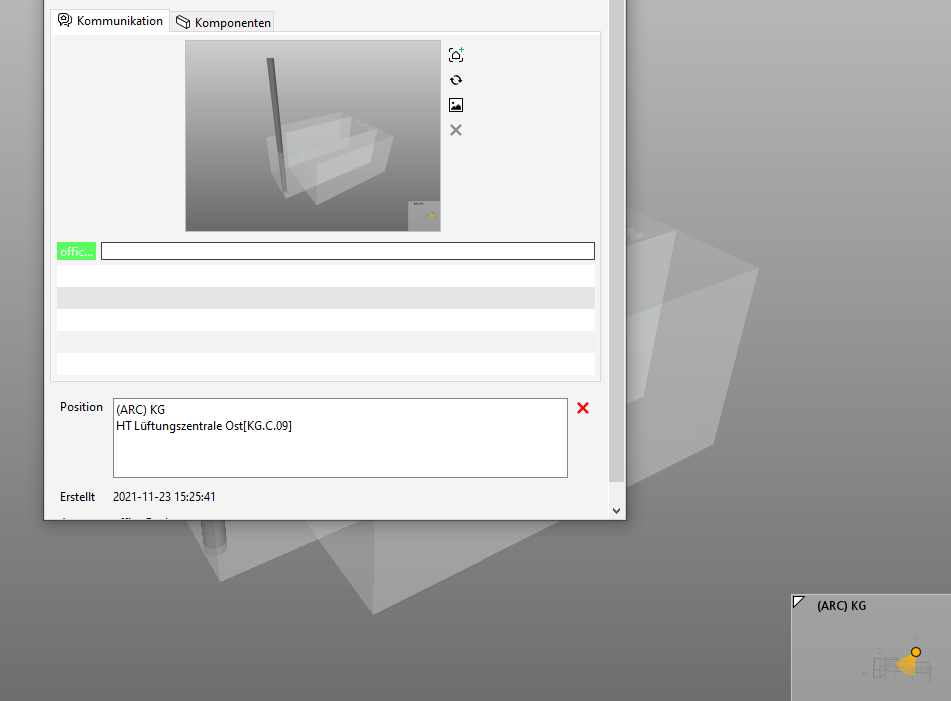
So, I guess this has something to do with the closest spaces but I am not sure. I think at least the level should always be stated correctly.
As you can see there is not just a discrepany between the view position in the navigation map (obviously) but also one between the actual position of the affected components and the given position.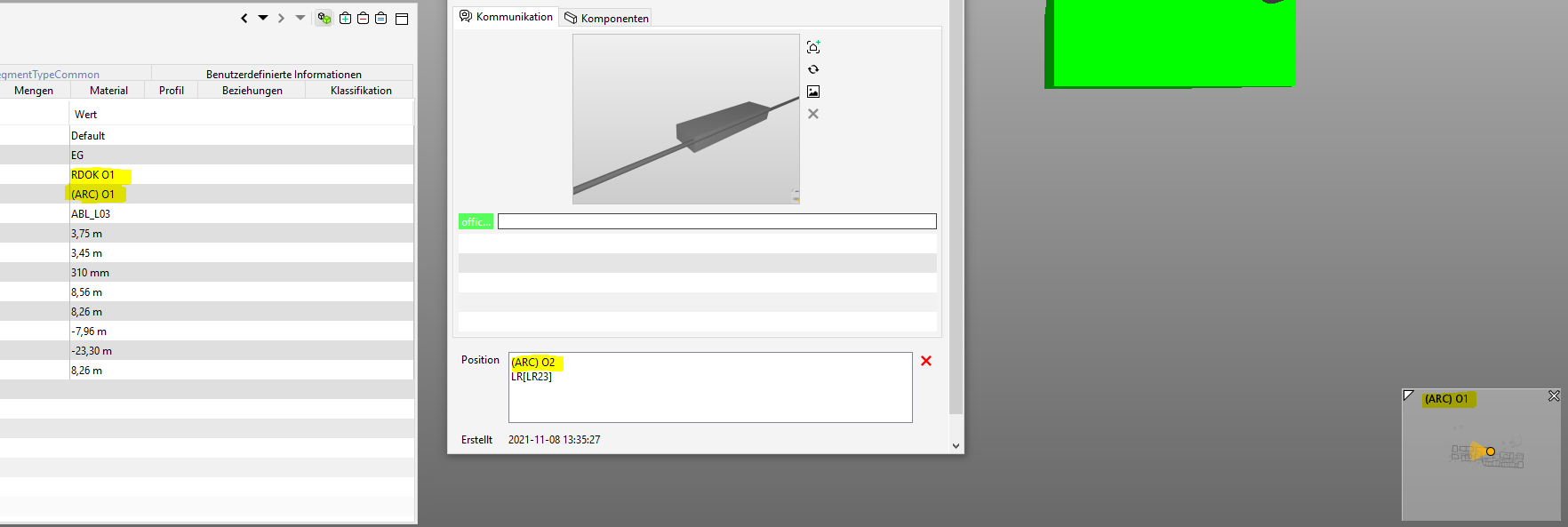
Well, so far I have not found a good workflow to get the desired information in a quick way. Therefore I really want to know what’s the best practice here and how can we idealy automate it in combination with the bcf workflow?

Copyright © 2025 Solibri Inc. | Powered by NodeBB