
Rule 208/3.1 Accessible Door Rule Error?
-
Hi,
I’m running a simple test to check whether the height/width of the door is large enough, but somehow below a certain height, the inefficient door is not listed in the checking result.
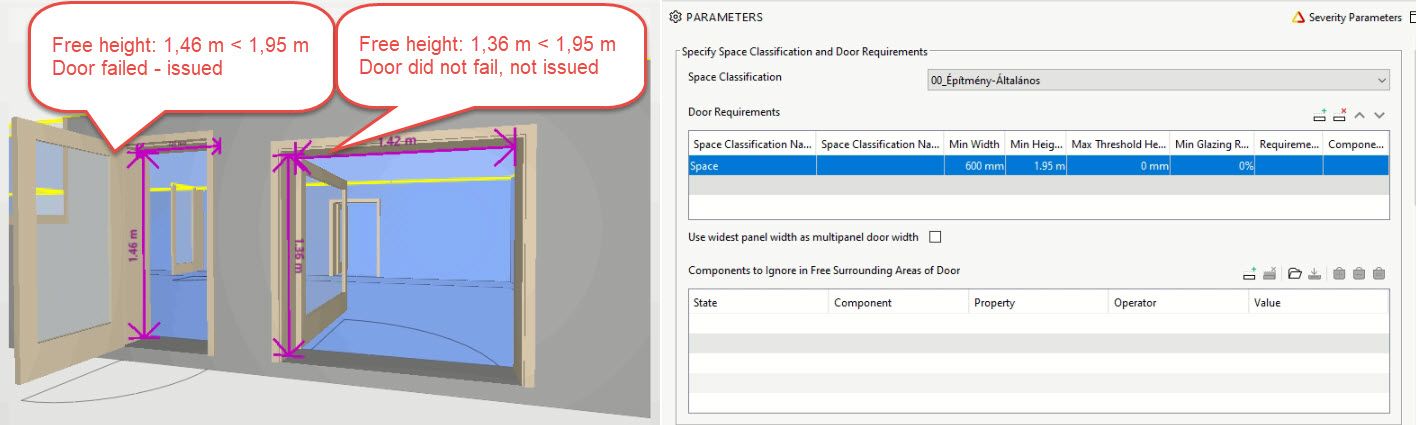
Has somebody faced this issue?
Thanks,
Ilona -
I noticed the same thing on my projects and that is quite painful.
I think that Solibri gets the Height from the Quantities tab (so it is calculated by Solibri).
But sometimes it calculates it wrong and other tabs (like BaseQuantities or Ifc Dimensions coming from Archicad) are more accurate.A possible solution would be able to choose which property we use for the Height and Width.
Maybe Solibri will think about it!
Best regards,
-
@mathieu-farine
Thank you for your answer! As 208 did not seem to work all the way I check it with rule 203 (Archicad Library part p_set_Egress Hight).I compared the available height parameters of the two doors I tested, and I didn’t find anything unusual. Another interesting thing is that the door that was issued has the same Egress Hight as I measure, however, according to the issue the accessible height of the door is different (1,46 compared to 1,48 m).
So where 1.48 is coming from?
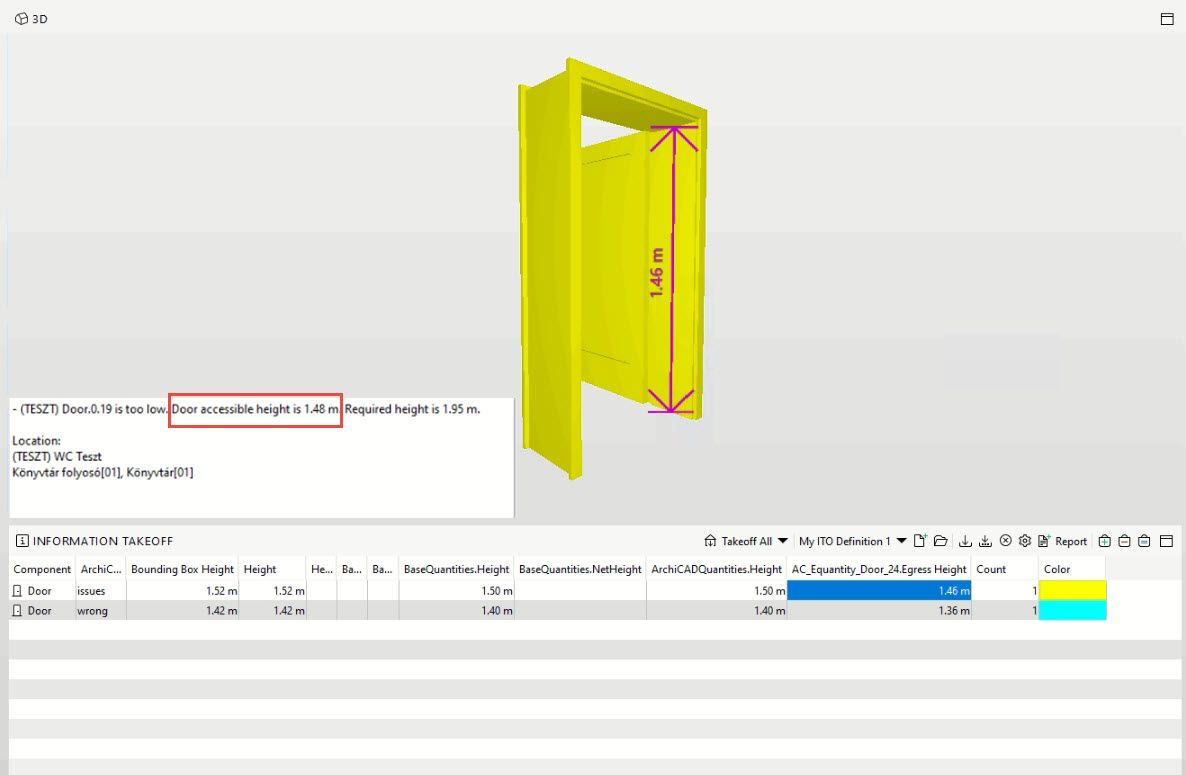
I’m wondering where else rule 208 fails that I haven’t tested…
I would also be interested in results with Revit doors.
-
@ilona-c-t said in Rule 208/3.1 Accessible Door Rule Error?:
@mathieu-farine
Thank you for your answer! As 208 did not seem to work all the way I check it with rule 203 (Archicad Library part p_set_Egress Hight).I compared the available height parameters of the two doors I tested, and I didn’t find anything unusual. Another interesting thing is that the door that was issued has the same Egress Hight as I measure, however, according to the issue the accessible height of the door is different (1,46 compared to 1,48 m).
So where 1.48 is coming from?
I’m wondering where else rule 208 fails that I haven’t tested…
I would also be interested in results with Revit doors.
thanks for the awesome information.
-
I had a deeper dive into the calculation of the door height.
The equation is : Clear Height = Quantities.Height - Frame Thickness - Threshold Height.
If you didn’t specify a frame thickness or it is zero in the parameters, Solibri will look for the IfcDoorLiningProperties.LiningThickness of the door component itself as a Frame Thickness to subtract.
So the problem can arise if your IfcDoorLiningProperties.LiningThickness is wrong. Take for instance the Solibri Building example model with the required clear height set to 3m so every door fails and the door dimension parameters are all set to zero so LiningThickness will be used:
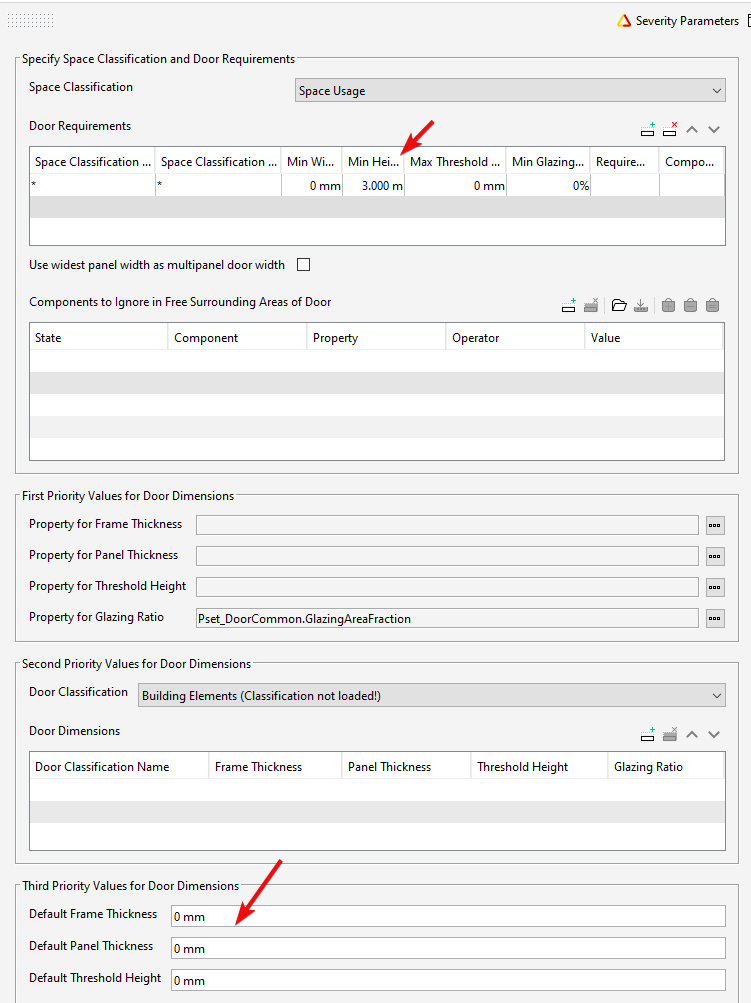
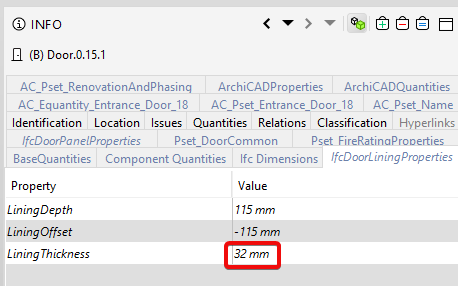
This first result is correctly finding the clear height based on the door lining accurately being reported as 32mm:
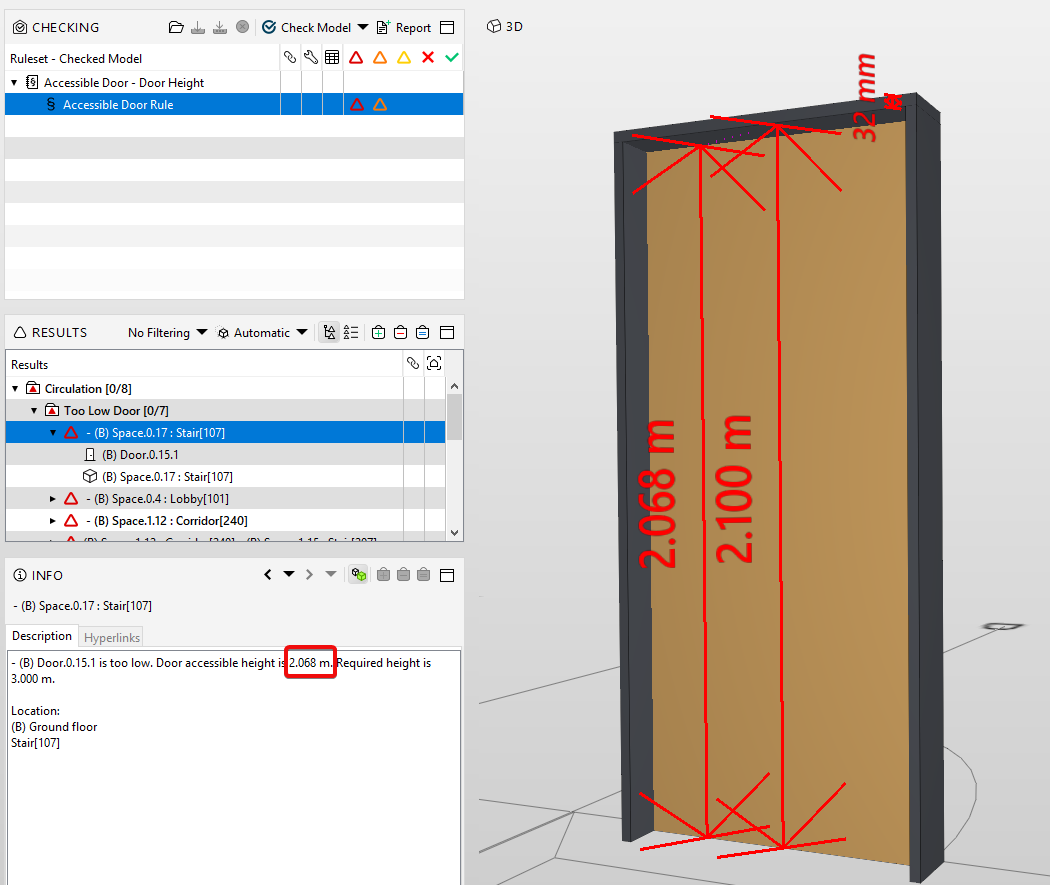
Looking at the lining property it is accurate, and 2100mm - 32mm = 2068mm:
Now look at this misreported clear height that is stated as 2.118m, where when measured it is seen to be 2.068.
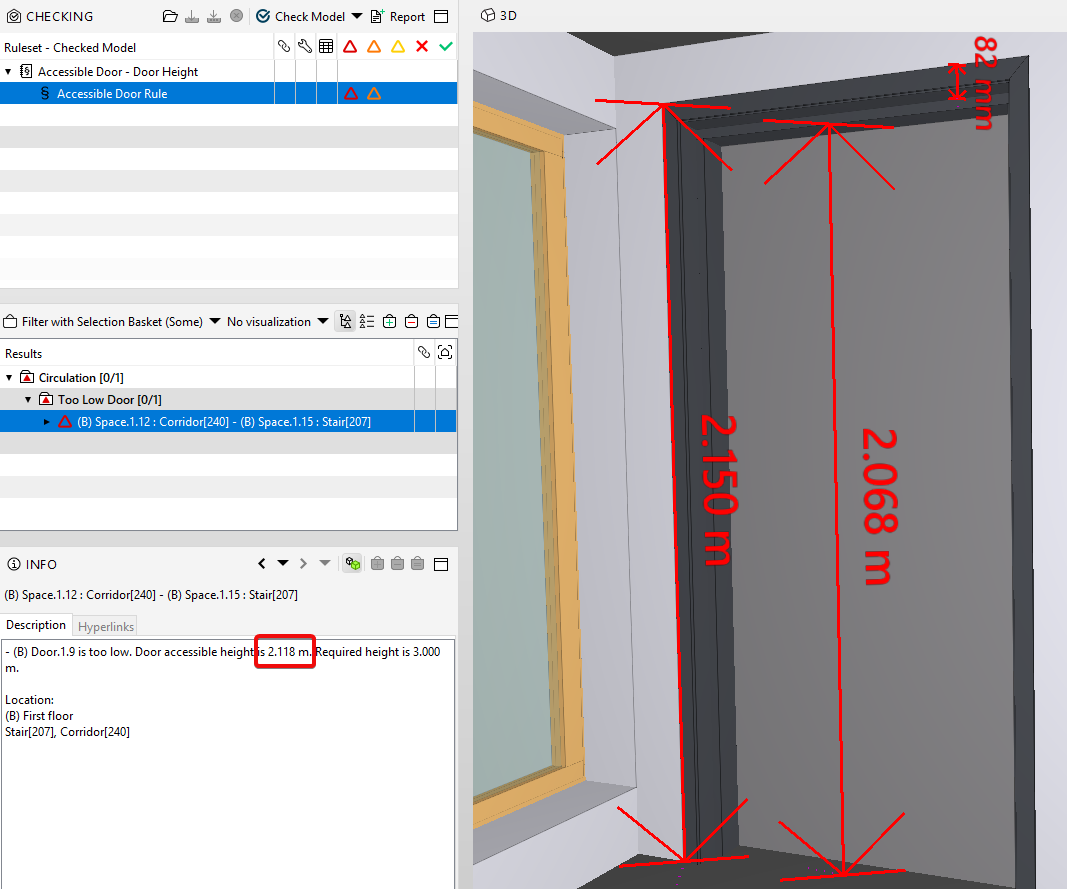
If you again look at the lining thickness, it was incorrectly set as 32mm, when in reality it was supposed to be 82mm:
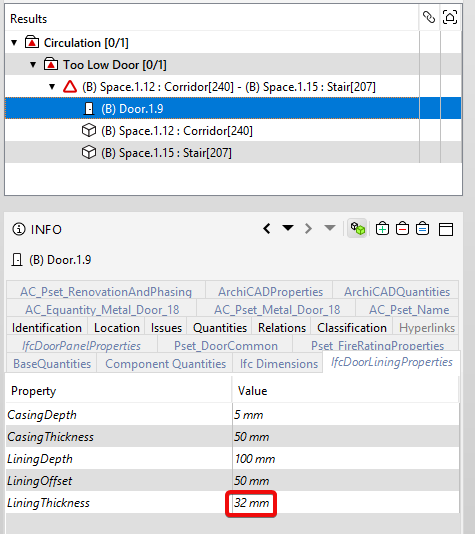
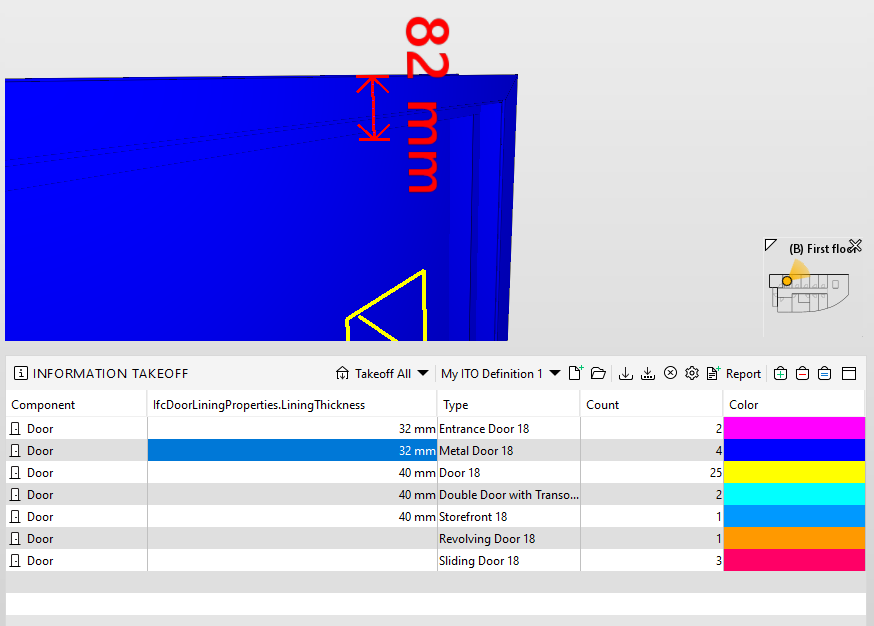
2150mm - 32mm = 2.118m as incorrectly reported.Before running the check, I’d suggest a quick manual check of your lining thickness and other dimensions if you are using them in the parameters of the rule through by using an ITO:

Copyright © 2025 Solibri Inc. | Powered by NodeBB