
View of the components that are missing properties (SOL/203/2.4)
-
Hi,
I created a rule based on SOL/203/2.4 where I want to check that components have particular property sets and those property sets have particular parameters/properties.
The rule itself works good but I have a question about visualization of the results.
For example, I want to check that beams in the model have all 20 necessary parameters.
Solibri shows that there are some missing properties and it also shows the list of missing properties. But when I click on the “Konstruktsioon - 03…” it does not show me only the beams which are missing properties, but it shows me the whole structural model.
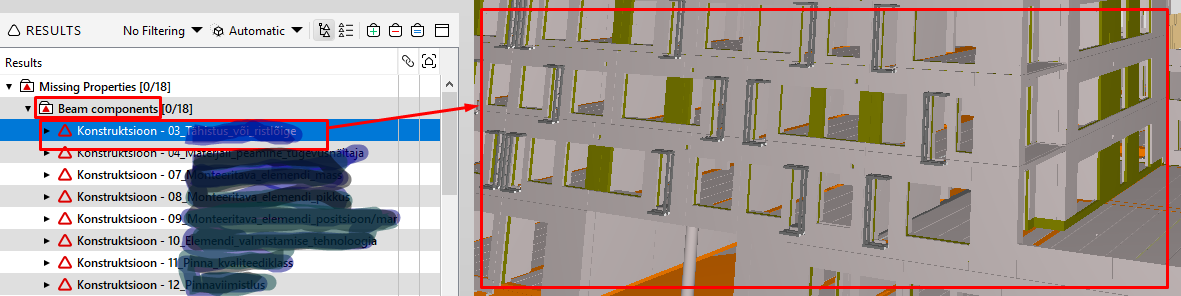
But I would like to see in the 3D view only the componens that are missing some properties, e.g. if all the beams are missing property “Konstruktsioon - 03…”, I would like to see only those beams in the view.
That is why I would like to know is it possible to achieve that somehow? Or is it Solibri limitation and that is not possible?
Thanks in advance! -
Usually, when this occurs, there is no element in the entire model that carries this property/property set. That’s why no element is displayed, but the whole building.
If you want to create an issue with the elements, (1) select all the beams in the selection basket: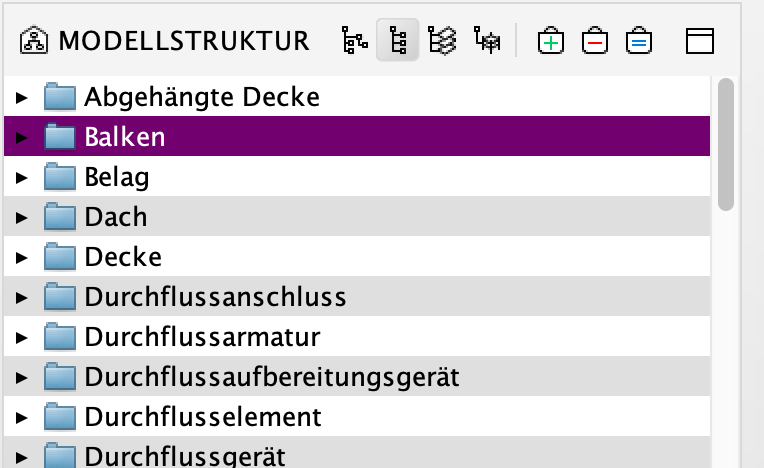
(2) Click on the problem and then create an issue. Then you will have the elements in question visible.
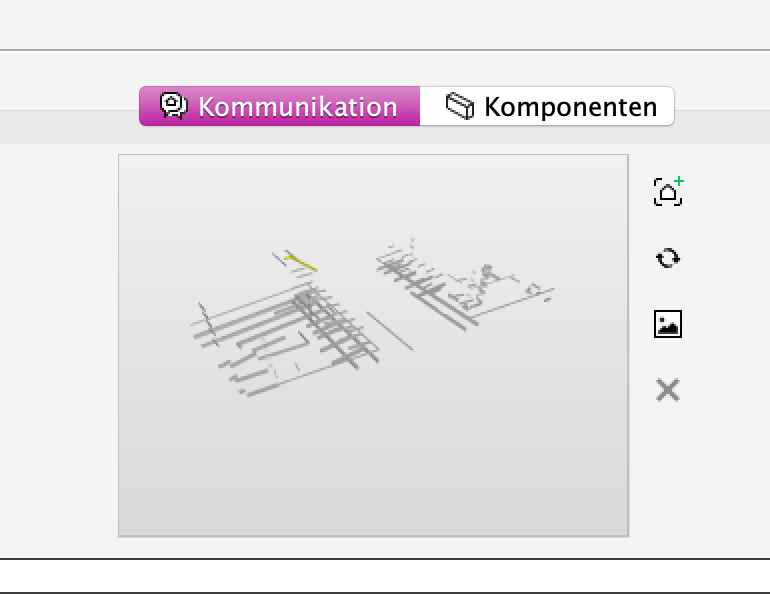
(3) In addition, you can manually add the beams from the selection basket to the component list.
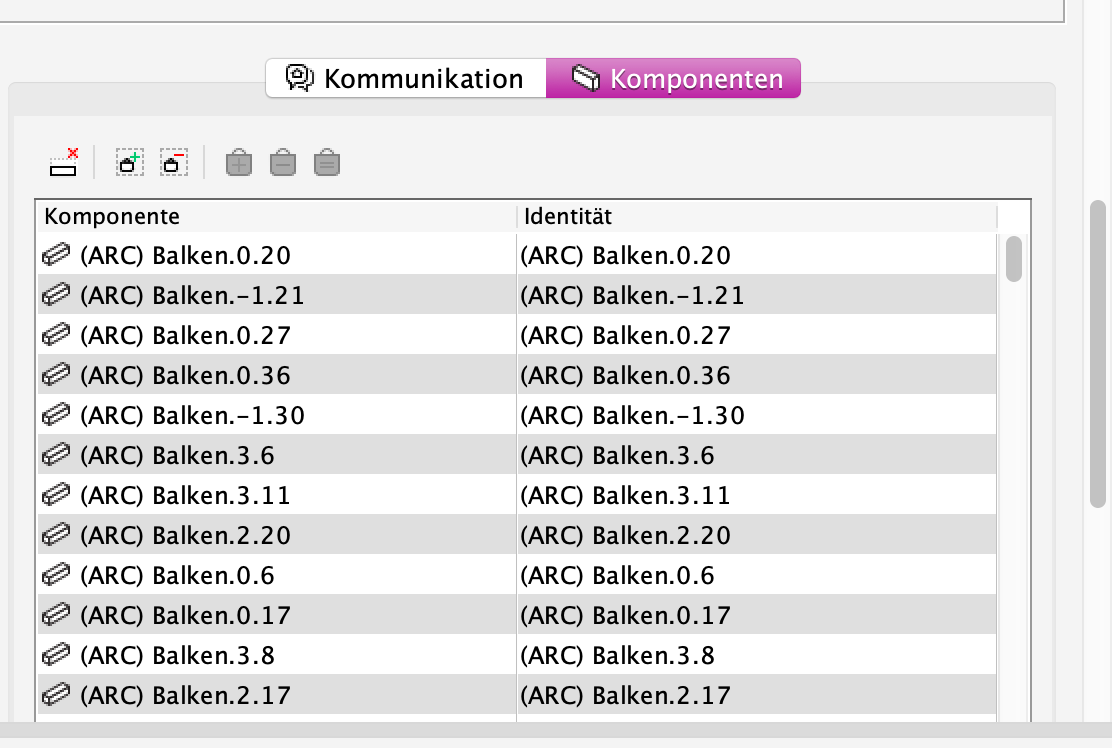
Hope, that helps,
Julia
-
So to sum it up:


1) Rule #203
If you use 203 and the whole Pset is missing, then you do not get this error on element level but just for the whole building as we know already.
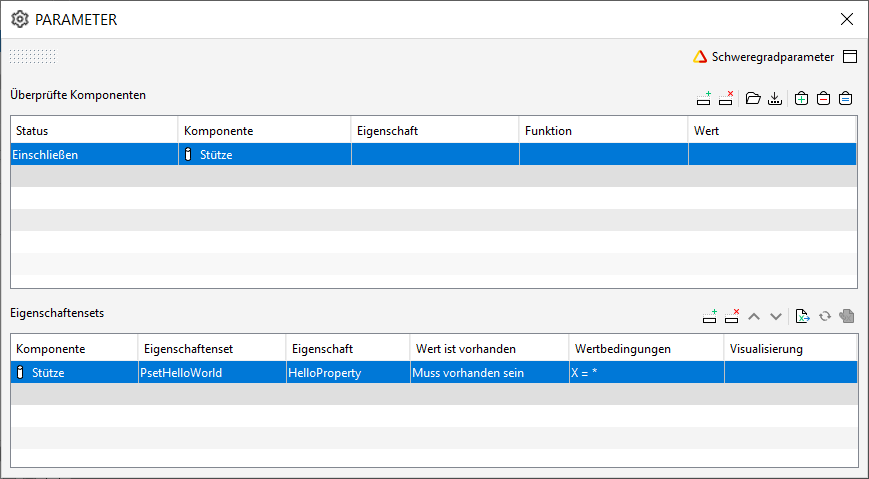
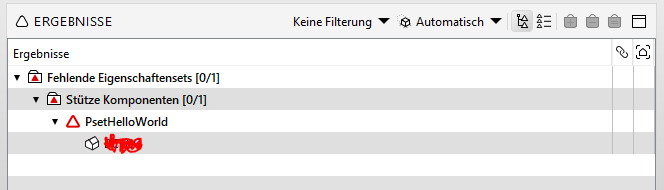
E.g. All 123 columns in my project are missing several properties - as the pset is not exisiting - then I get just one error > which is actually not reflecting the truth.
2) Rule #9
If you use rule 9 the results are indeed correct … however the rule is not so flexible (see other topics) and you cannot import xls lists - which is a must sooner or later.
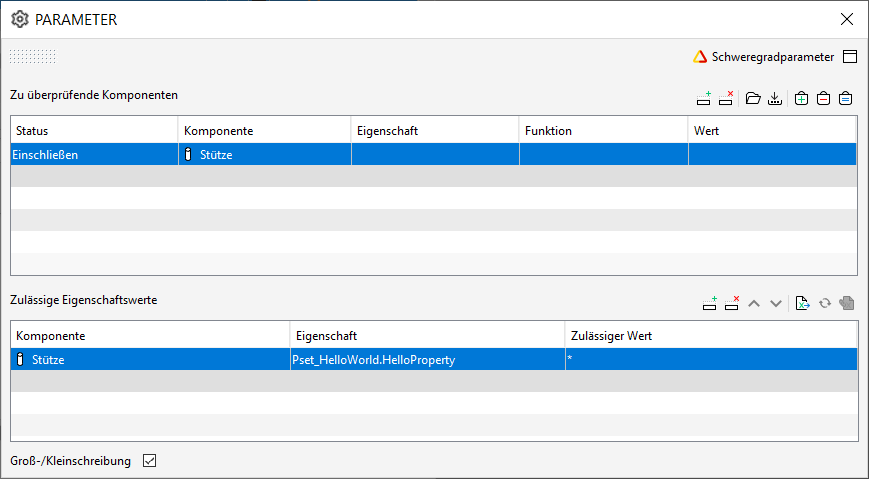
respectively
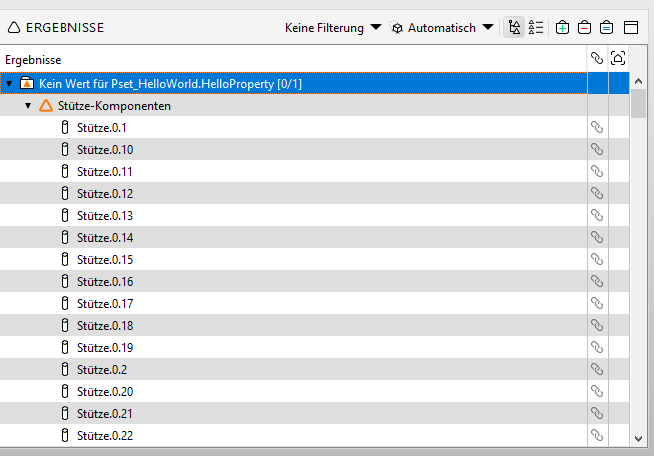
3) Rule #230
When it comes to 230 then you have to be expecially careful as a simple asterisk like I used in rule 9 won’t do the job here - all you would get is “Ok” - altough there are not (fantasy) Psets. Anyhow, with the correct wildcard characters the results are showing as expected - but again, no excel import possible here.
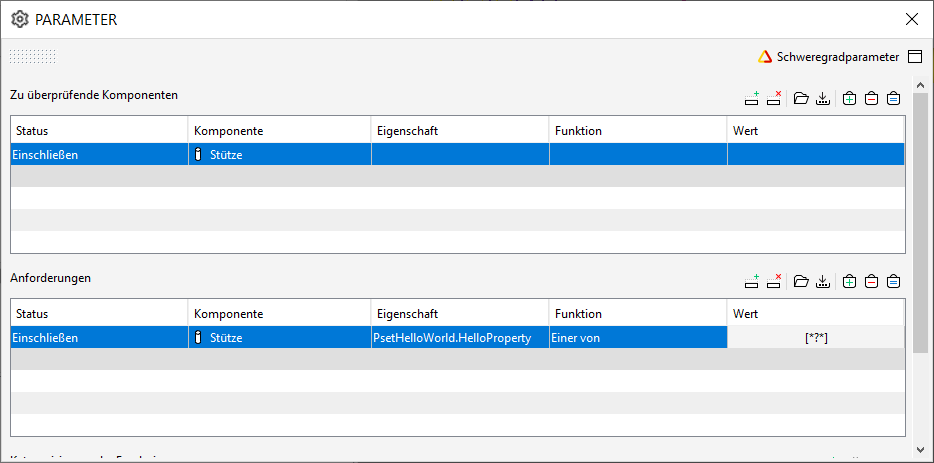
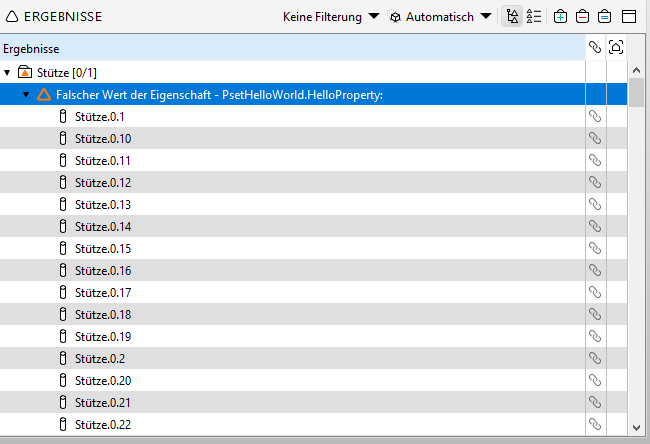
So, can 203 please be fixed (again)?
Edit: It’s not the beta but is this in depth enough for a hoodie

-
 J JSN referenced this topic on
-
J JSN referenced this topic on
-
J JSN referenced this topic on
-
Regarding #203
As an extension to the above mentioned stuff.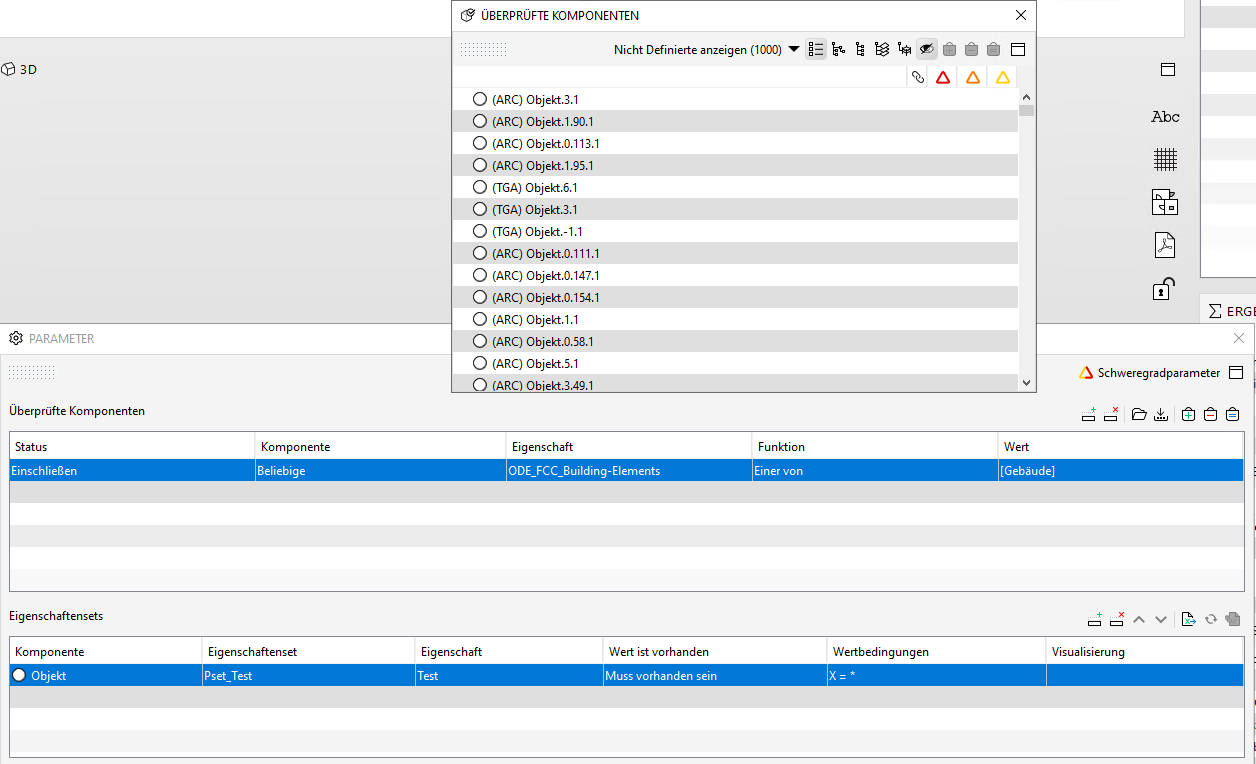
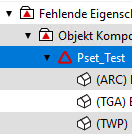
The componentn filter is actually just setup to check for 1 element (an object).
However due to the nature of 203 the error gets tracked on the IfcBuiling level - which is not good for tracking real issue numbers.
But not enough, actually the number in the summary report is also totally wrong, as it ignores the component filter completely and gives you the number of all (of the same) component in the whole file - as long as there isn’t such a property in another model.This is causing so much confusion, and I really would have stopped using this rule long time ago but on the other side it has the most powerful features but it’s worthless if the results are interpreted wrong.
-
Due to the fact that this thread is in my opinion already rather good summing up the shortcomings of the various property checking rules I will add another point here to keep the fragmentation of topics limited - but at the same time I will add another topc in the feature request section.
See here: https://society.solibri.com/topic/1902/a-flawless-property-checking-rule-with-a-full-configurable-import?_=1654094250323
The property requirements are given in tables based on the IFC Entity (+ Predefined Type) - so to keep it short, the result is that the the requirement list is differentiating elements way more precise than the Solibri component mapping does. Moreover sometimes it’s even necessary to use classifications to seperate and group elements even further (or to fix technical export issues of specific software).
So ideally we can simply use the excel import feature and load a long requirement list and check (at least categories) in a bunch.
Unfortunately this is not working out at the moment as this is not supported due to the simply fact that the column “Components” cannot be modified into e.g. a Classification name.#9
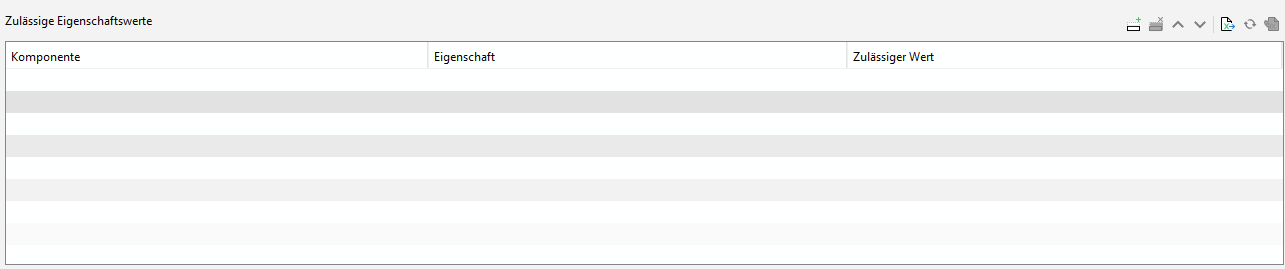
#203
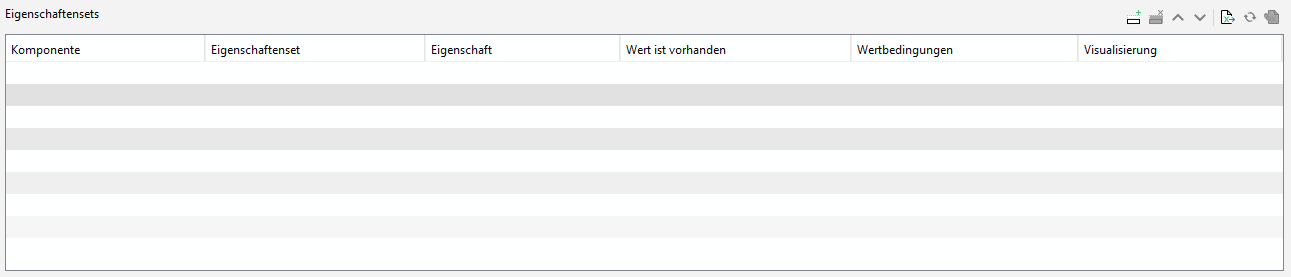
#230

Example: I have a list of parameters for various MEP classification categories (more than 100) and I currently see now way of importing them in just a hand full of rules without having to find out the greatest common denominator of each property first and find out the corresponding filters in laberous working steps before.
So I would have to create at least >100 rules for each category where I can load the applicable properties (0 to 20) simply because it’s not possible to change the component columns. “Any” can’t be used here because obviously not all properties have to be checked for every category.

Edit: To illustrate my destiny: Instead of five rules I have to create more about 300 even when I am using the combined excel import.
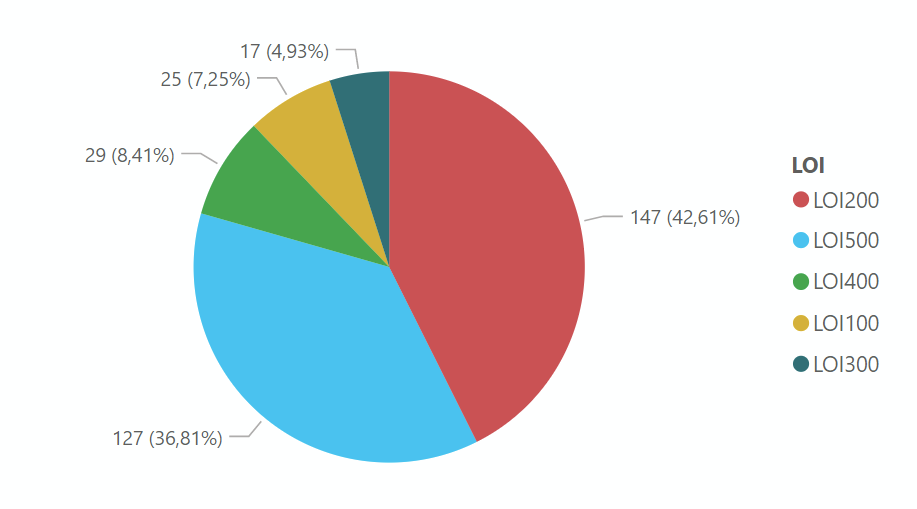
(I guess in the future there is also the chance to speed this up using the xml data of the csetx, but for now I am doomed …)
-
J JSN referenced this topic on

Copyright © 2025 Solibri Inc. | Powered by NodeBB