
How to reduce SMC file size?
-
All the snapshots in the slides and results are stored as PNG image format.
In Full HD resolution on snapshot takes about 200-500 KB. 100 Full HD snapshots can take 50MB and with 4K much more.Some Tips:
- Less snapshots stored
- Capture with smaller 3D view
- Don’t use gradient as background color (10% effect)
- Use smaller thumbnail size (Presentation settings, only minor effect)
-
More Tips:
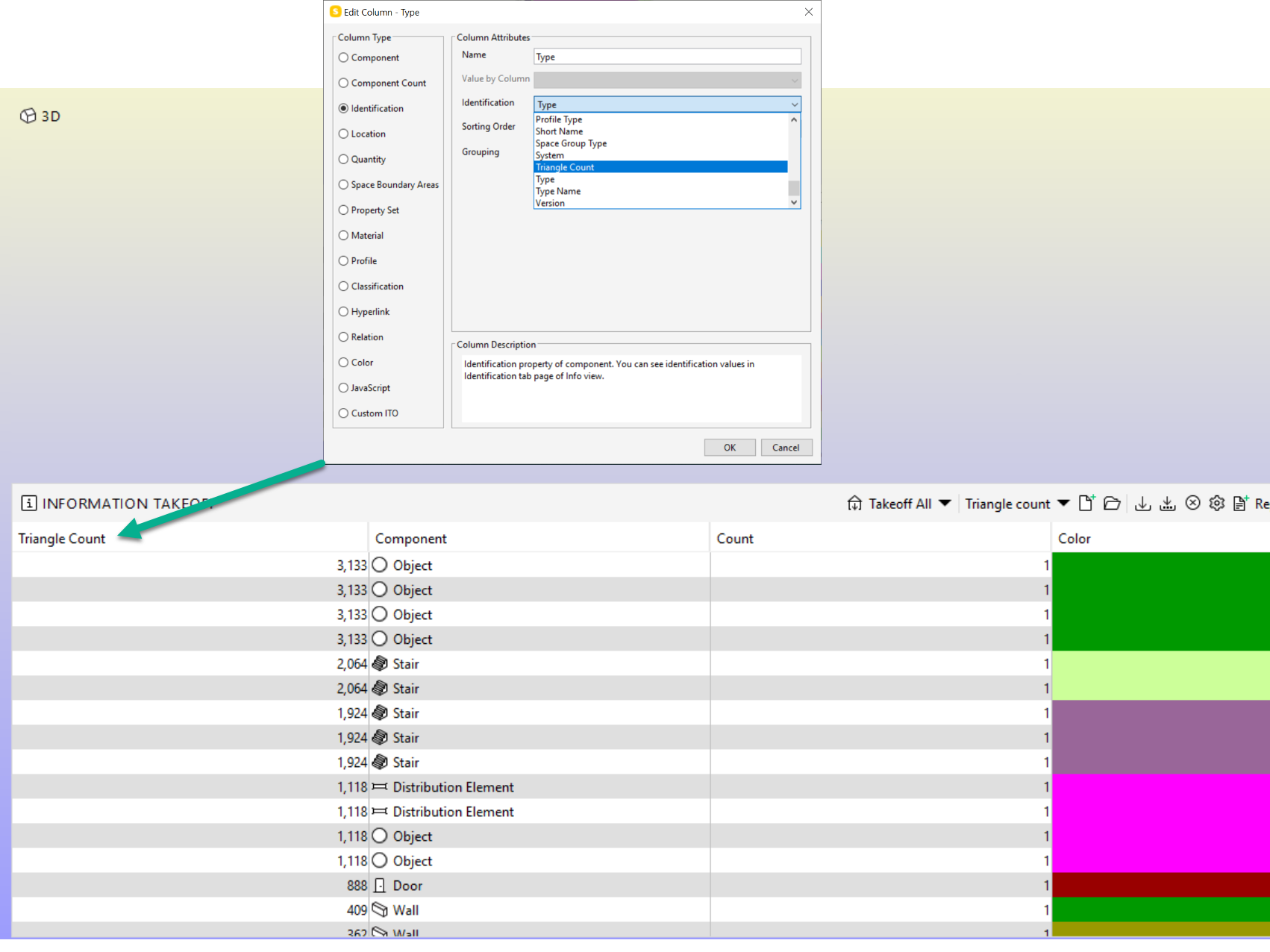
- Don’t export needless components to IFC. Use ITO and Triangle Count column to detect the biggest geometries.
- Don’t import needless IFC property sets (Ignore property sets in IFC Import Settings)
- Optimize the IFC files with Solibri IFC Optimizer (might also affect to the Solibri model size even Solibri is doing a lot of compression)
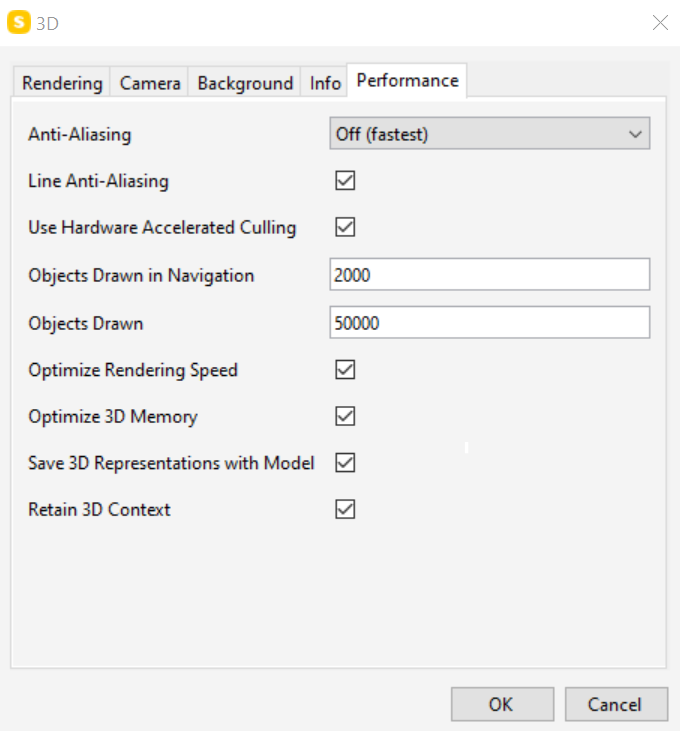
- Turn off "Save 3D Representation with Model). Model opening takes more time. Saving should be faster and the model size will be smaller on disk…
-
@dirkbent said in How to reduce SMC file size?:
meant bij 3D representation
If “Save 3D Representation with Model” is off, then the meshes are generated from parametric geometries are not saved with model (e.g. extrusions is a parametric geometry). When the model is opened again the meshes are generated.
Pros:
- Model size on the disk is smaller
- Saving takes less time
Cons:
- Opening takes more time
-
@Harmen-Jorritsma said in How to reduce SMC file size?:
You can also check the model if it has a lot of lines in it(triangle count)
@Harmen-Jorritsma How do I get an overview from the trianglecount per IFC?
-




Copyright © 2025 Solibri Inc. | Powered by NodeBB