
Multiple Psets in Solibri
-
Got this model here which derives from Revit and afaik the property mapping in this project has been a bit adventurous so far which is resulting in Solibri now showing the Psets of some elements multiple times e.g. here for this slab it has 4x the Pset_SlabCommon …
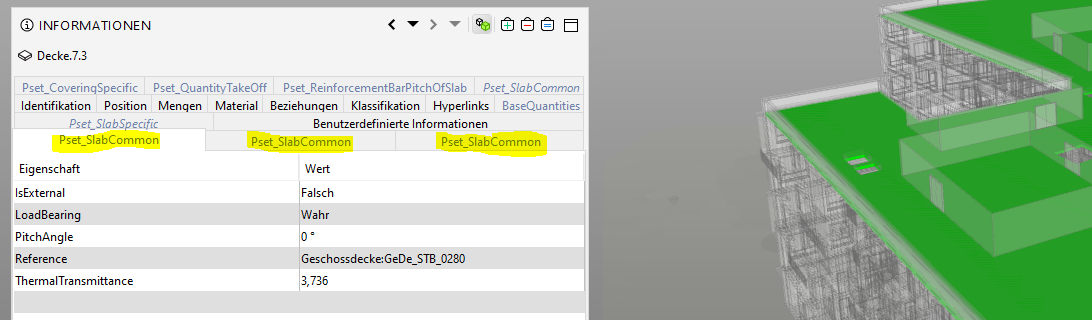
I think there is no danger in having opposite values as the Psets are in principle showing the same values but are having more or less properties attached depending on how and where they have been defined in Revit. However could it be that Solibri for is now having issues in the property checking process as rules may e.g. just take the first Pset or shouldn’t this matter at all?
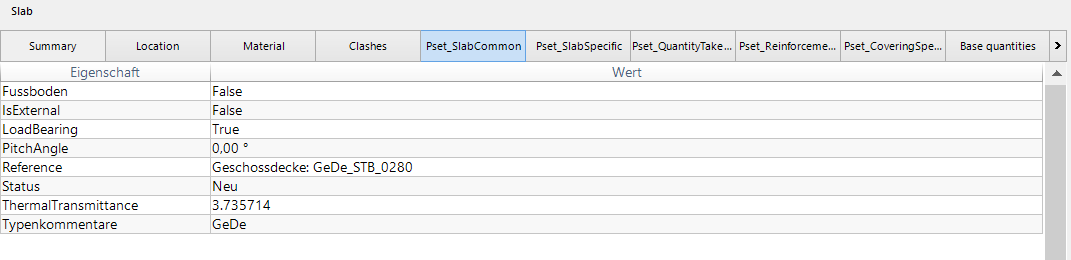
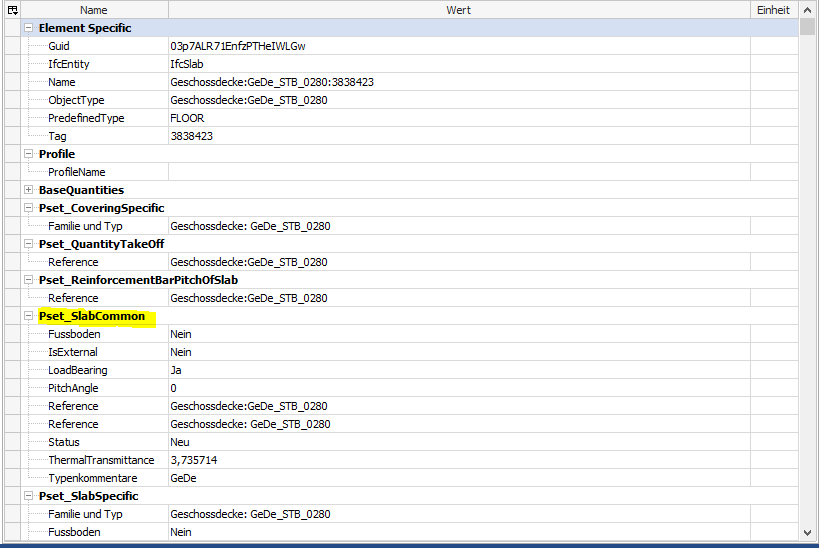
Moreover, in other viewers the Psets are showing no duplicates at all but the greatest common Pset information so I wanted to ask also why this is happening at all and what are the usual strategies to deal with it normally?
-
is it IFC 4?
I had problems reading some Properties from IFC 4, but since SOL is in Ifc4 certification process, guess it should be something else and imports should work fine.
maybe is a “nested” property within a property, that is exported here? I saw it in different software. Personally, I do not have any Revit experience.
-
@marchi said in Multiple Psets in Solibri:
is it IFC 4?
Nope, 2x3
maybe is a “nested” property within a property, that is exported here? I saw it in different software. Personally, I do not have any Revit experience.
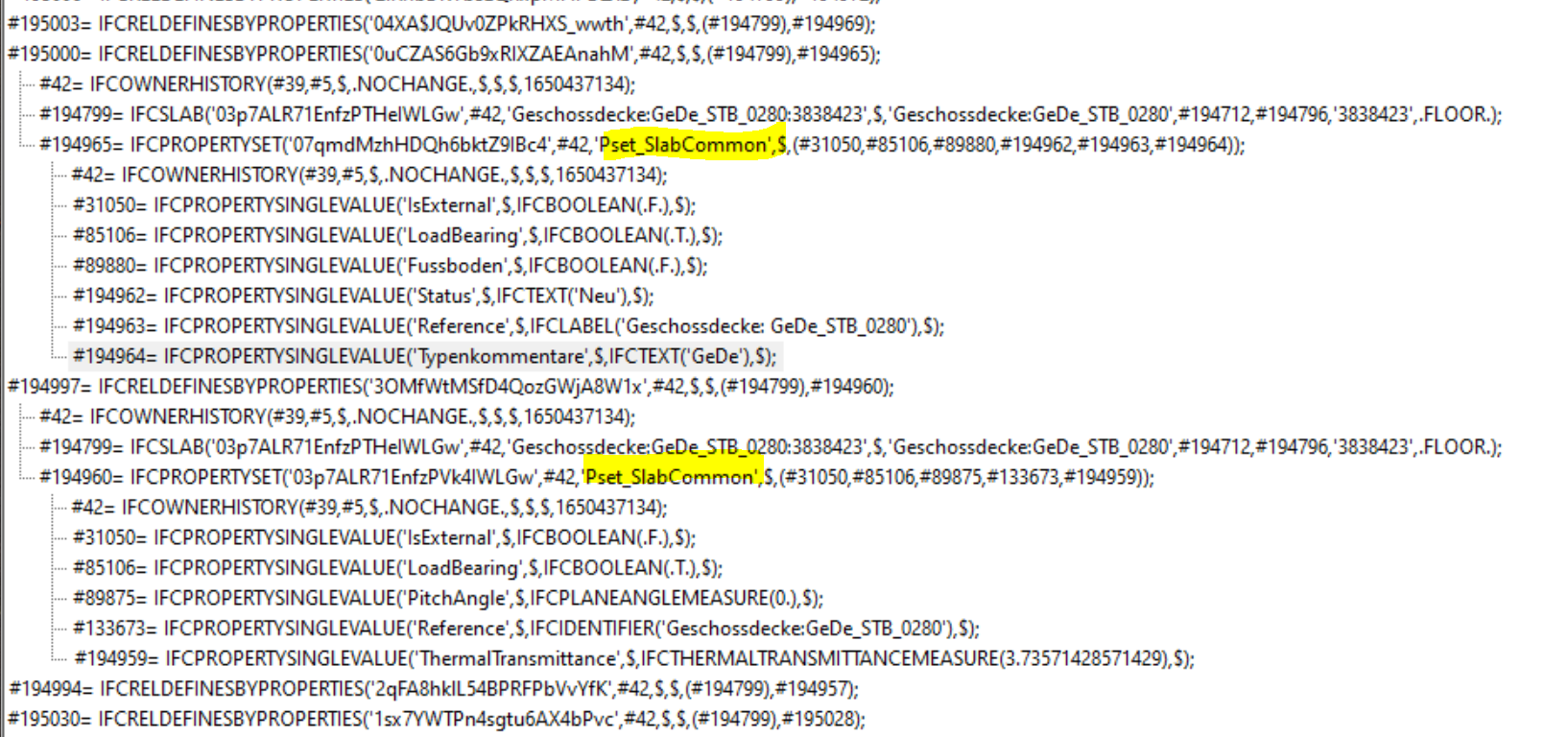
It’s definitely not a super clean one - I am not sure how such a nested property could be created but I guess here it’s a different problem. Also in the file itself it looks a bit different, but I might miss the assignment on the type level here anyhow so not sure if this says anything about the issue:
Personally, I do not have any Revit experience.
Mine is limited as well and I am not the author of this model, all I was told is that the schedules were used for the property assignment - probably that’s leaving some potential for improvements.
However, what bothers me is the fact that only Solibri is having those issues so far and I can’t yet say what this means for the property checks.
-
Hi. I think it could be a problem for you. At least if they would have conflicting values in different sets.
Based on the picture it seems that Revit just exports the propertysets multiple times for some reason.
Solibri supports importing multiple sets with the same name, but I have to say that the UI and checking logic does not work very well then. You could check for the value in a filter and there is no way to know from which set it would try to find it for you.
As they are allowed in IFC, Solibri kind of has to import them.
We could do some of the following:
- Warn when importing these kind of models.
- Discard extras
- Merge the values with some logic (maybe create a list of values if multiple sets contain different values for a set with given name)
- Extend the UI and logic to handle this (Close to impossible, would make logic much more complicated for both Solibri and the user)
-
@lasse-lindqvist said in Multiple Psets in Solibri:
Hi. I think it could be a problem for you. At least if they would have conflicting values in different sets.
That’s my concern, but I have not yet investigated this further so I can’t say if this is really a threat.
Based on the picture it seems that Revit just exports the propertysets multiple times for some reason.
Have you ever made experience with such issues before?
We could do some of the following:
- there are not much arguments against this I would say
- please don’t
- Sounds gut, but raises the question again how to deal with conflicting values?
- can’t imagine really how atm
-
I think that a long time ago, merged such property sets, but then there were complaints that some values were missing, because there were multiple property sets with the same name and properties. Then we put some work to keep the property sets separate, since merging them is hiding a problem. This should be fixed at the source. That is, the software that is exporting the property sets should be configured so that only one property set is exported.
-
@Pasi-Paasiala said in Multiple Psets in Solibri:
Then we put some work to keep the property sets separate, since merging them is hiding a problem. This should be fixed at the source. That is, the software that is exporting the property sets should be configured so that only one property set is exported.
I absoloutely agree with you.
My observation somehow is that only within Solibri this seperation of Psets is happening. So in this case the mapping of the follwing model example is indeed far away from being clean. I also guess it’s good to be able to have the opportunity to track this issue down and to be able to show them this issue within the IFC, but it seems like in other viewers the “correct” value is shown anyhow and that’s where I need more information if this is just a coincidence or if this indeed has something to do with the way related Psets are filtered out better/differently?
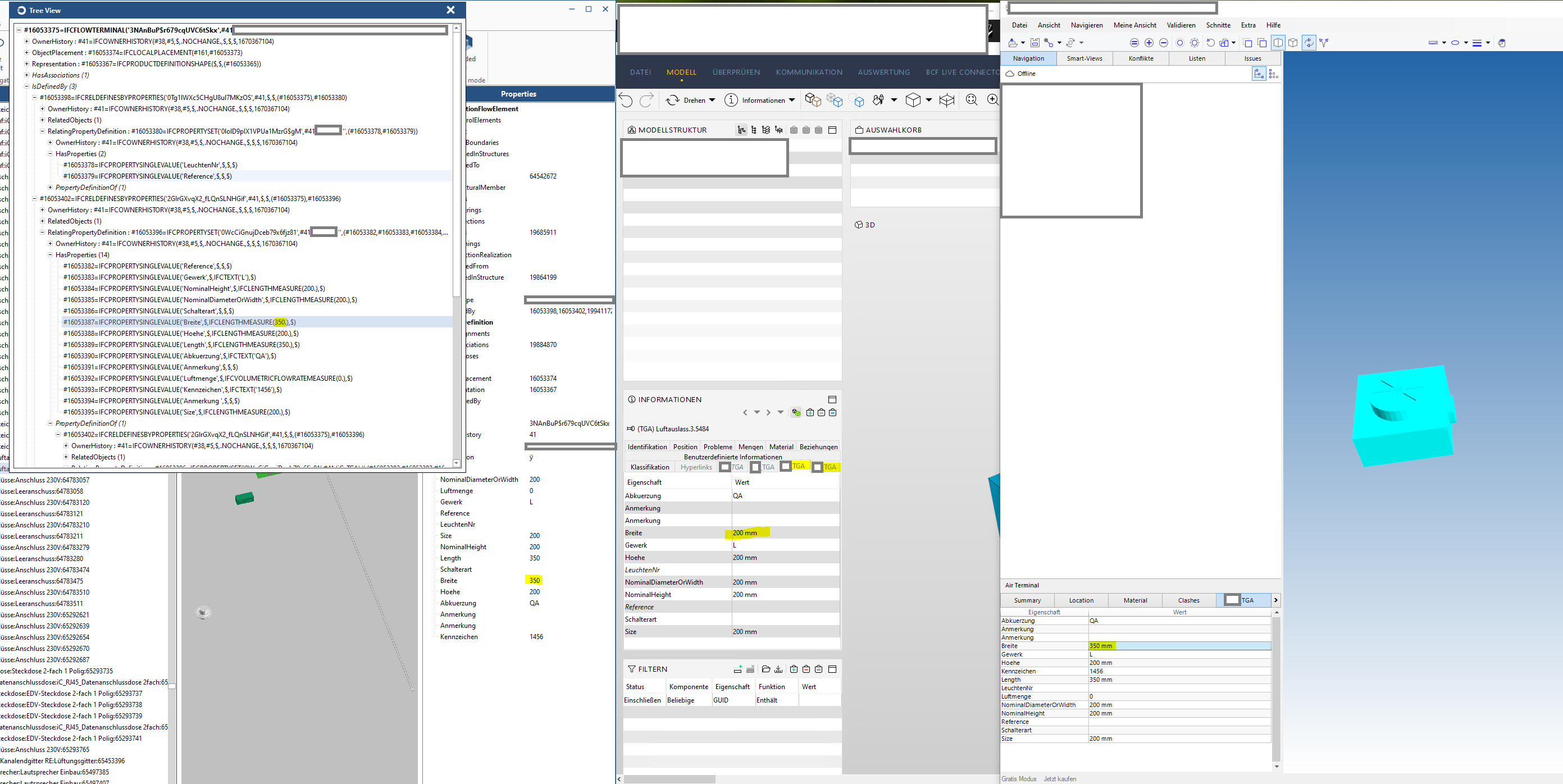
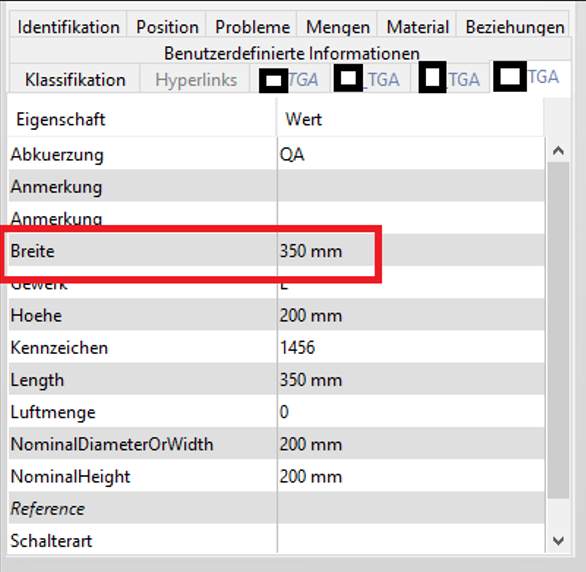
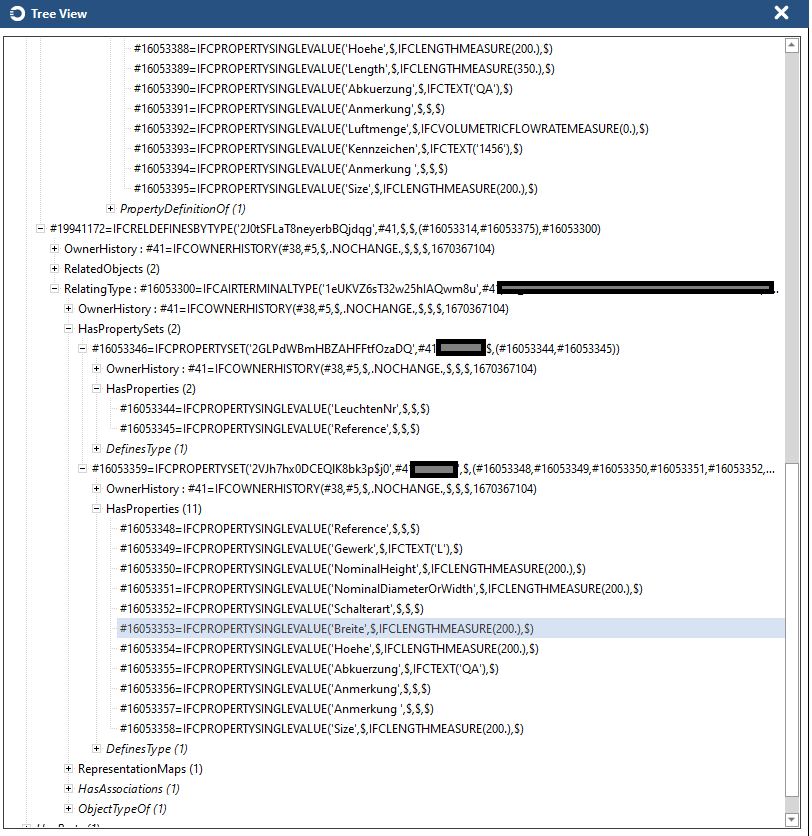
Especially as there are other examples where Solibri shows no values at all for properties in one of the splitted Psets (and marks them as errors of course while checking) cause it “takes the wrong pset”. This is annoying but the bigger issue is the one above with the depiction of wrong values.
-
 J JSN referenced this topic on
-
Hello, is there already a solution to the problem mentioned?

Copyright © 2025 Solibri Inc. | Powered by NodeBB