
Nested Gatekeeper SOL222/226 not working properly?
-
I want to check if all the doors of a space which is next to a specific space (name) should have a certain fire rating. There should be as manual steps in the workflow as possible which means no manual classification or categorization steps. Therefore I wanted to use the power of the gatekeepers but unfortunately this is seems to be dark magic and I am cursed with confusion.
The concept(s) would have been the following
- Rule - Checking the proximity of spaces with #222 -> that works, and I get the specific space next door I am looking for. I include the doors to make sure they get passed on
↳ 2. Rule - Checking now for the doors of this space with either #222 or #226 to get just the doors of the space I want - which works so far the result of this rule can be seen below.
↳↳ 3.Rule - Checking for property with 9/203/230 to check just the doors you can see below - but now the wth moment bumps in as the result I get - is just not correct
a) If I use 226 as second rule It indeed checks the two doors I am looking for, but it simply shows one door as false and one as passed - which is definitely not the case!
b) Is i use 222 as well then it just shows me one door if this space and another one which is a completely different one where I have absolutely no idea where it is coming from as it does not show up in the results - I will add a screenshot probably later on as well for better understanding.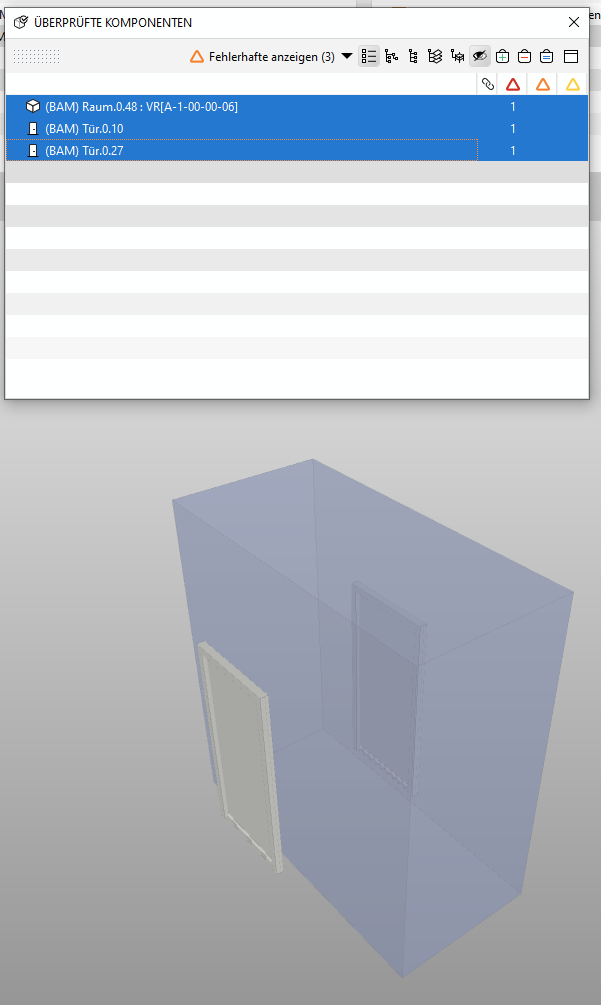
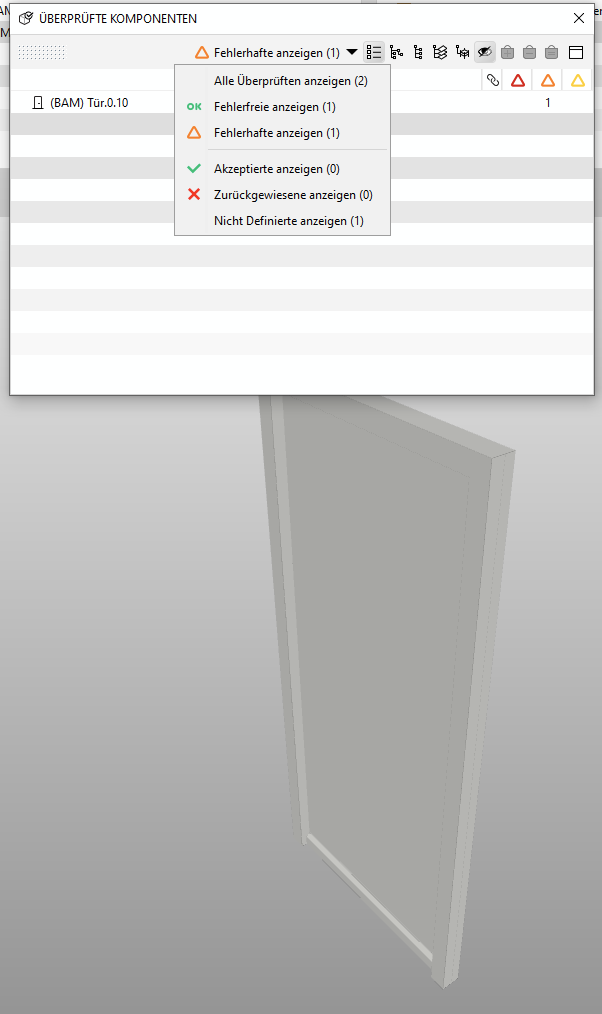
I lost a bit the overview as I have tried out a lot of things to find a workaround but no matter what I do sooner or later I get either fooled by a known issue or one which seems to be a candidate for it.
Probably there is also another way to achieve the desired result out of the box within the given constrains, so I would be happy to hear about it as well!
- Rule - Checking the proximity of spaces with #222 -> that works, and I get the specific space next door I am looking for. I include the doors to make sure they get passed on
-
Update:
Ok, realized that the faulty result is because in the first rule (to check the proximity between spaces) is OK for the door between the two spaces but not OK for the second door in the space … although I include all doors and in the second rule the result is what I need (the two doors as depicted), it is not considered in the last rule as the nested gatekeeper is the problem as it is down there checking all the correct/false results of all the gatekeepers before … forgot that and the misleading info in the results wasn’t helping either (because it shows door one as ok, although it should be not checked!)
So, if I would increase the distance in the first rule it works as now it takes both doors … however, there is a reason why the proximity parameter should be so small and not e.g. 10m because now I also get other rooms of the same type which is not really next door to the space I was originally refering in rule one but also a bit furhter away. If I use another gatekeeper I would probably have the same issue as before.
To sum it up, my problem is not solved.
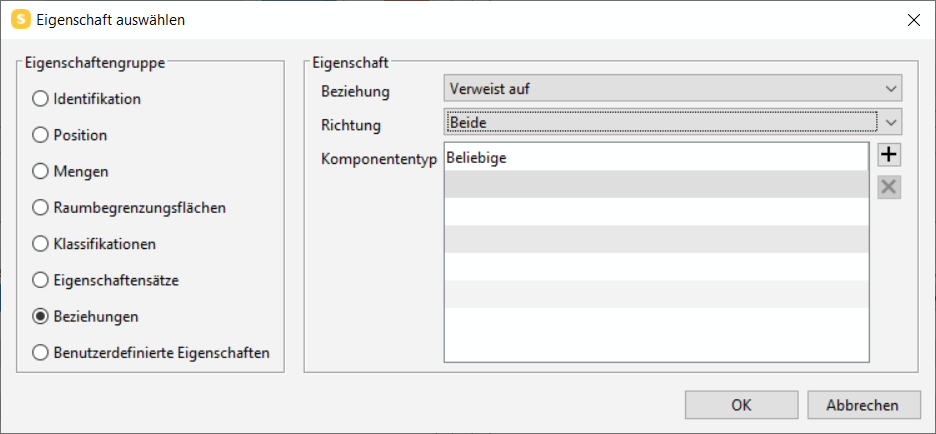
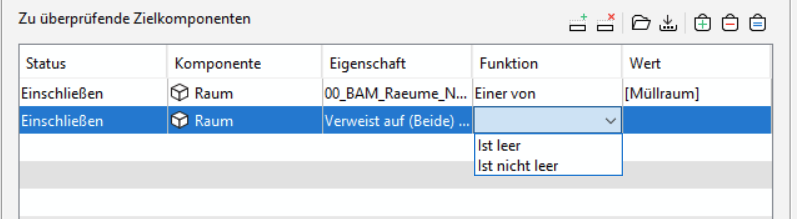
Btw, why can’t I type the space name in the rule filter but just empty/not empty anything in the relationship stuff e.g. next space/refers to (Verweist auf)?
-
@JSN
This sounds somewhat similar to https://society.solibri.com/topic/1904/rule-sol-226-3-1-and-spaces/ except they were finding the comparison between properties rule 231 problematic with the referencing/nearest spaces relations, and you’re finding your check problematic using the component distance rule.Is the Comparison Between Properties rule not able to be used as the parent gatekeeper with the “Referencing” relation to pass specific doors that have a backward reference to the Specific spaces?
Attached is a somewhat similar example of what you describe using the Solibri Building that checks that doors that lead to a security room have to have certain properties that would make them secure.
Solibri Building - Rule 231 Security Doors.smc
Regarding relations in component filters, it only goes as far as to check if a relation of a component to a specific component type (Any/Space/Door/etc) is defined or not. To drill down into the specifics of the relation, you need to use the comparison between property values rule as a gatekeeper.
-
@john-lipp said in Nested Gatekeeper SOL222/226 not working properly?:
Is the Comparison Between Properties rule not able to be used as the parent gatekeeper with the “Referencing” relation to pass specific doors that have a backward reference to the Specific spaces?
Thanks for replying John, some time has already passed so I will try to quickly dive in and explain the problem again.
As I already wrote very briefly in my intro statement the checking constraints are the following:
I want to check if all the doors of a space which is next to a specific space (name) should have a certain fire rating.
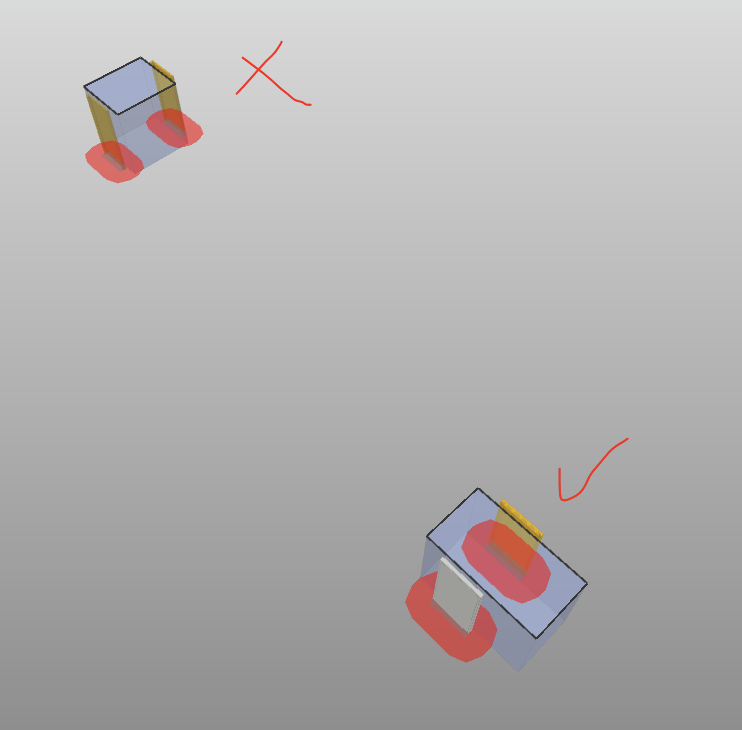
I have now attached a quick sketch to illustrate the issue a bit better.
Context: I have multiple Spaces “A” but only the the doors of the "A Spaces which are also located next to a Space X (has nothing to do with orbital rocket launches or satellites
 must fulfil a higher critera - so just the two blue rectancles marked in blue in this case should be checked.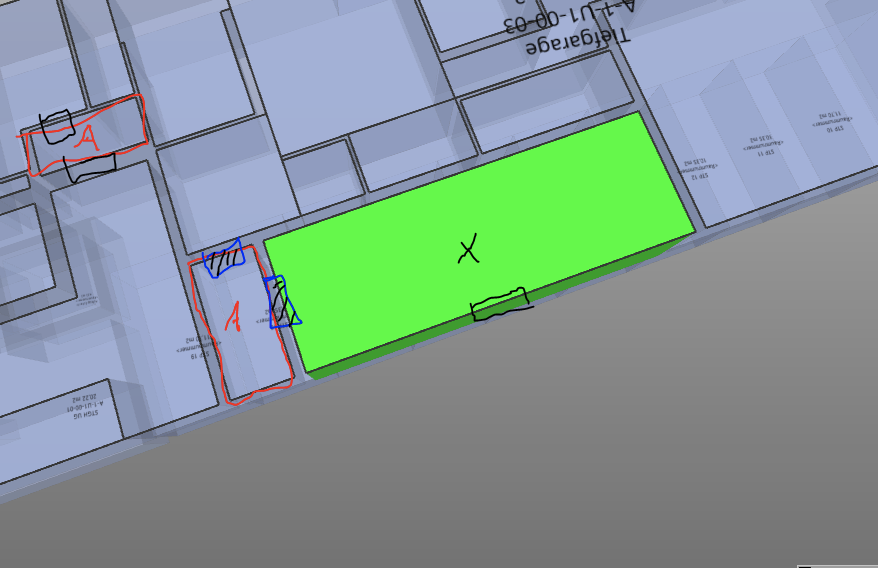
So checking the door between the A and X is easy, but the other one(s) of A which don’t have any connection with X are tricky.
So this use case is one step more complex and afaik #231 won’t help me here much either as the relationship is Doors > Space A <> Space X which won’t give me the desired results as elaborated in detail above.Probably there is another way to do or it’s possible with the existing rules but it seems indeed like rocket science as long as relationships are not available in classifications and the gatekeepers are always all dependent


Copyright © 2025 Solibri Inc. | Powered by NodeBB