
Federated floor hiearchy doesnt work.
-
Hey,
The flooring hierarchy doesn’t work if you use the integrated one
(“2nd” floor shows “-1” floor EL elements):
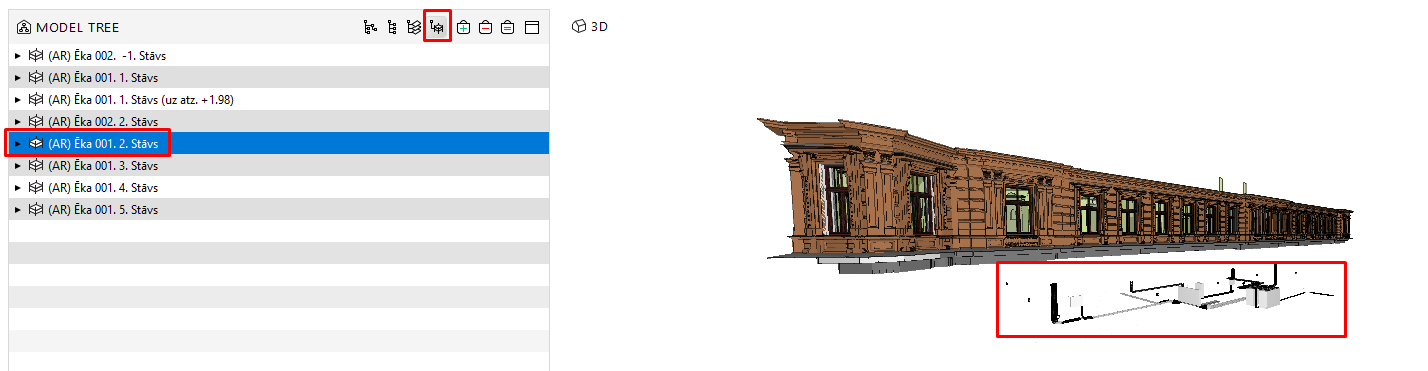
p.s the IFC hierarchy is the same (site and building)
but if I use the manual selection by floors it works well:
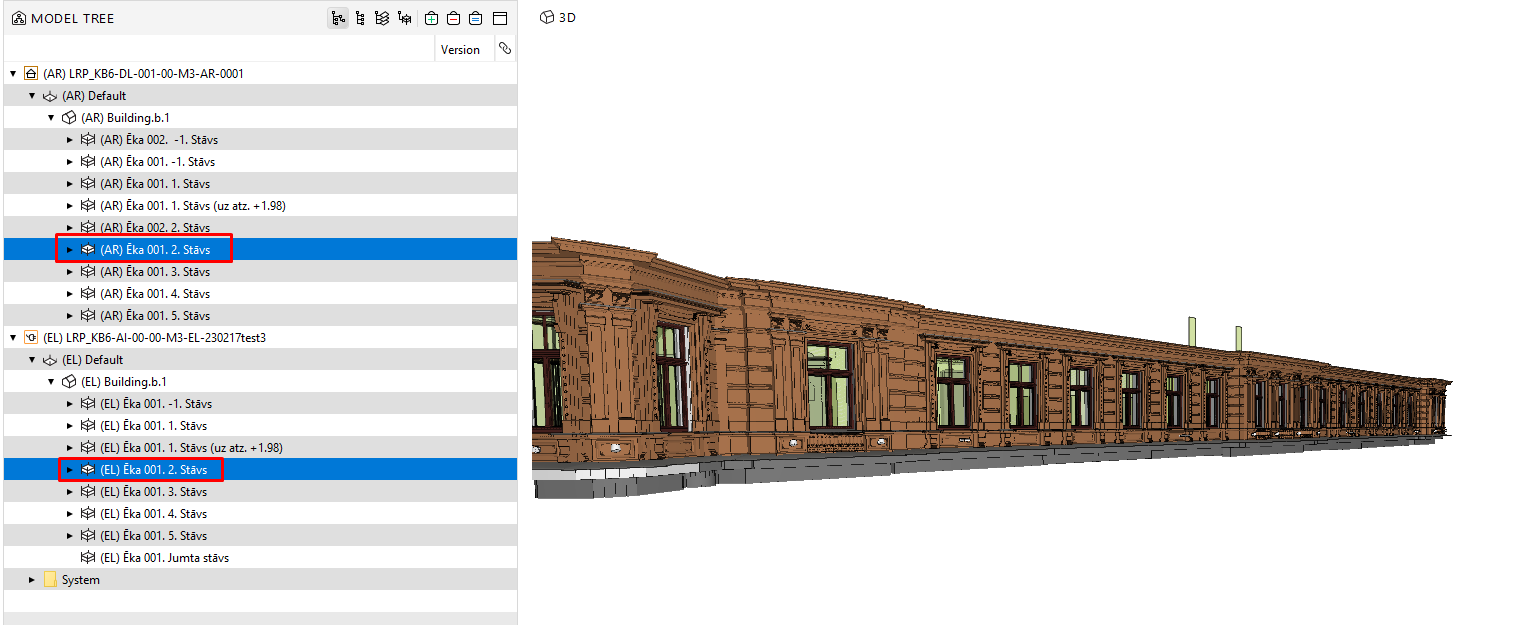
I know it uses Federated floors (property), but why doesn’t it work if the hierarchy/naming is the same?
//and for the levels above, it takes EL elements 2x floors down from the AR model.
*The coordinates are correct, everything is at the right heights as you select them manually.Thanks!
-
@Ingars said in Federated floor hiearchy doesnt work.:
*The coordinates are correct, everything is at the right heights as you select them manually.
Afaik the federation of floors is not based on naming but on the floor heights - is really everything identical? (Global) Bottom/Top floor heights?
-
@Ingars As @JSN said, please check that the floor elevations match. The algorithm doesn’t care about floor names, since typically they cannot be trusted. If you still have problems, you can send email to [email protected] and share your model.
-
Hi JSN,
thanks for the answer

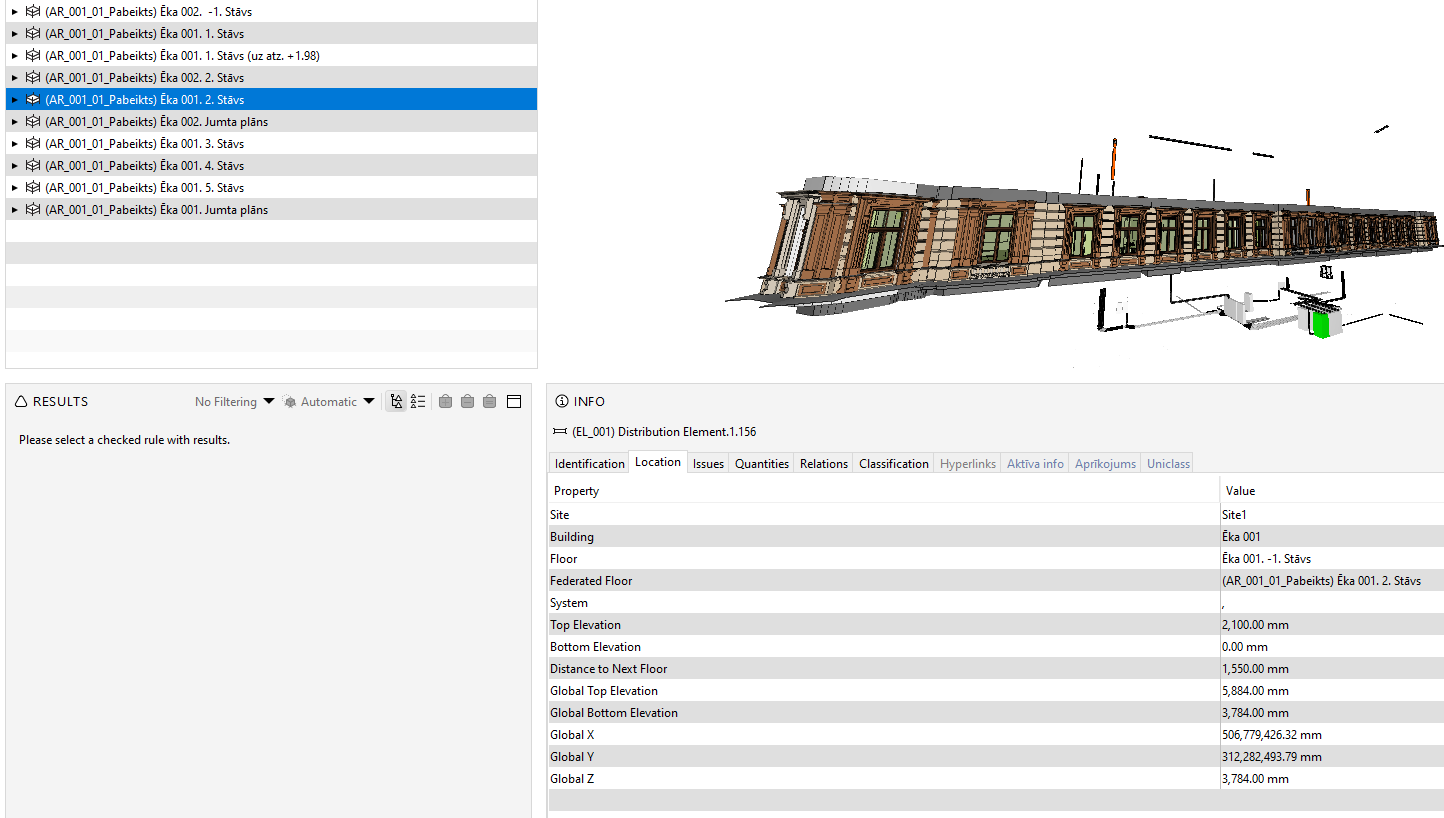
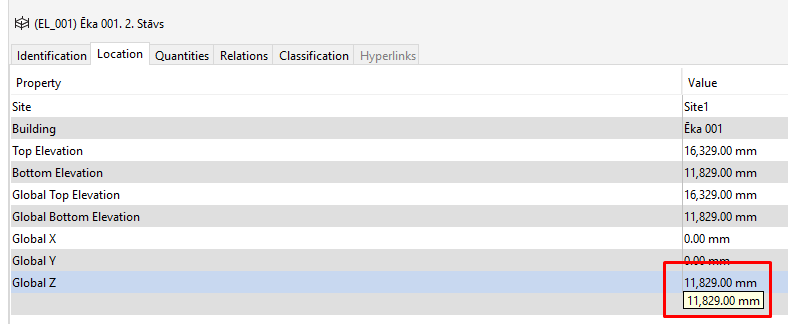
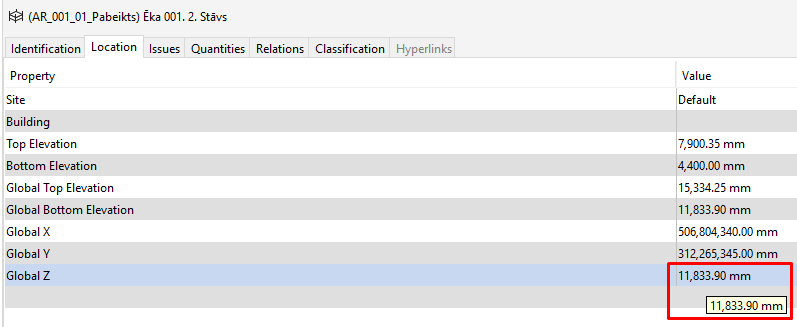
so here are the 2x element locations:
EL-
AR-
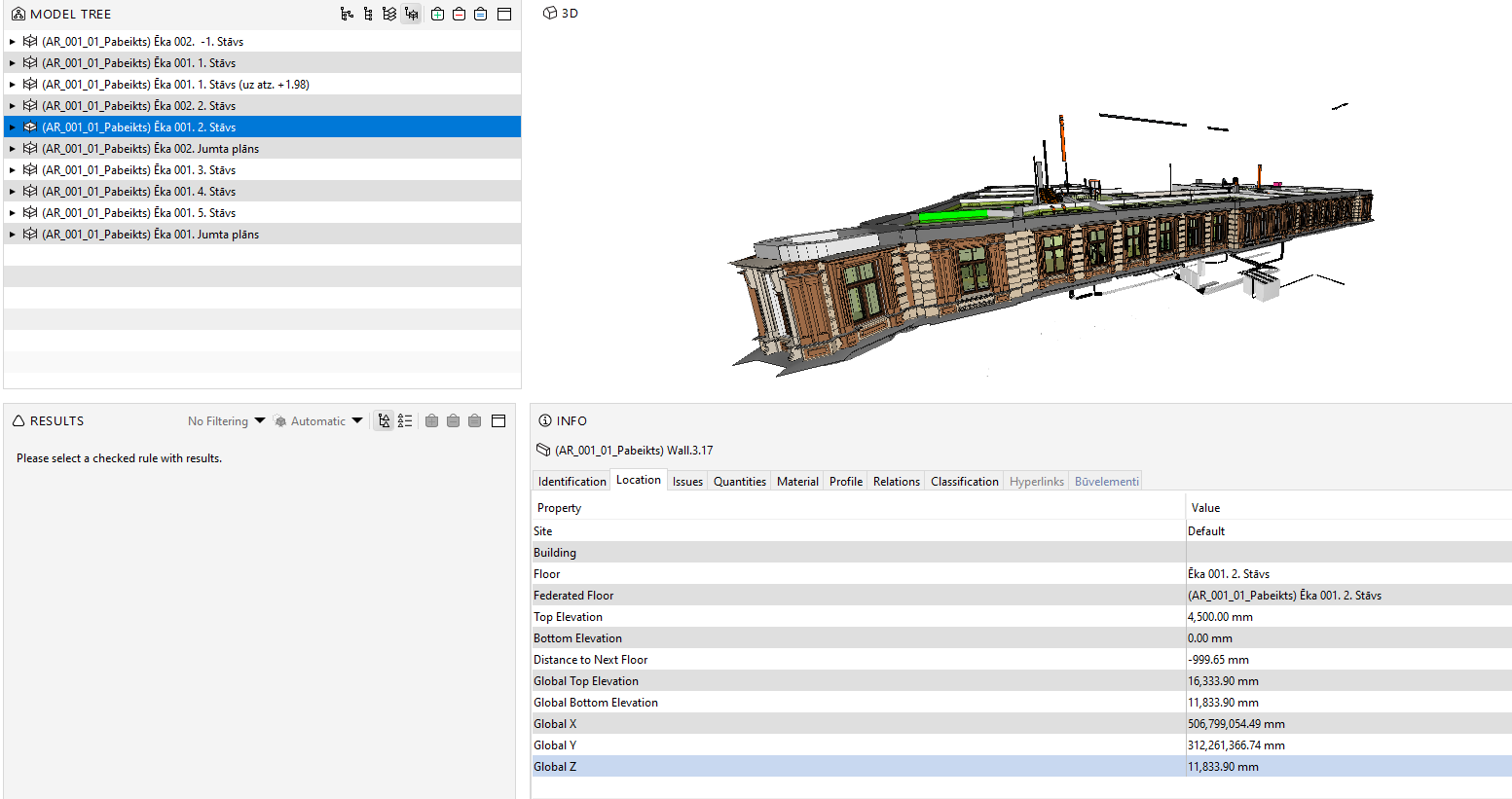
I don’t know how to solve it: the numbers differ its not like they are the same, models align automatically with the correct coordinates.
Can be that a few mm is an issue? *but then again its 2x story difference… 2nd floor shows -1first floor, which is basement.
EL-
AR -
-
Then it partially explains, the level hierarchy is not taken by global coordinates, but by Top and Bottom elevation (properties) (*sea level or project), and the problem might lie inside of different software.
AR model is done in Revit, where is possible to export project coordinates and shared coordinates which include sea level, by defining sea level height - the top and bottom elevation in Solibri will show sea levels.
And EL model is done in CADmatic, and they have set floor heights by project heights.
and there is no such thing as a project or shared coordinates, where the model is set - that’s what you export. (with or without coordinates)And seems that this explains the problem
As Solibri is unifying software maybe would be possible to integrate if there would be a possibility to pick by what the flooring hierarchy is done - top and bottom elevations or global Z elevation
This would solve some problems if the project is already done, for example,
we gonna test, EL gonna set the floor height by sea level and see if this works, or any other solution I will post an answer here.Thanks.


Copyright © 2025 Solibri Inc. | Powered by NodeBB