
How to find Rulesets downloaded from Extensions in the Ruleset Manager
-
Hello,
I am using Solibri in Switzerland and I have downloaded the Swiss Package. I can use the new Rules in the Checking view because I am opneing them from Resources but I cannot find the “.cset” files in my computer (I cannot find the Resources folder in my Solibri folder).
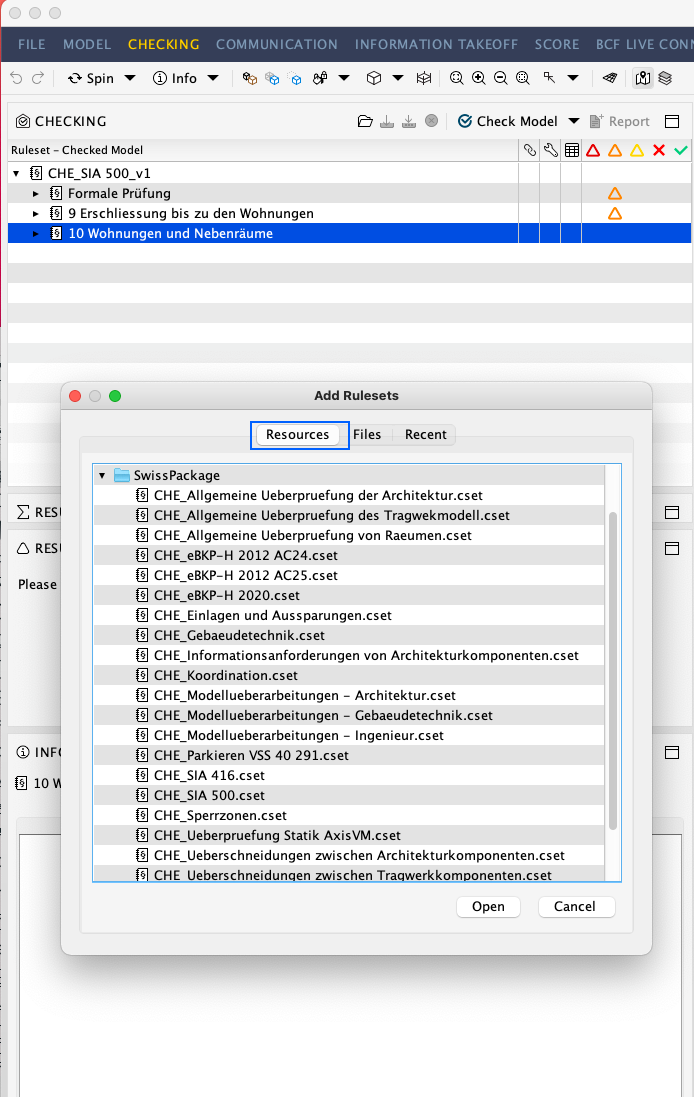
Now, I’d like to manage and modify some of these rulesets in the Rulset Manager but I cannot find the Swiss Extension rulesets (in fact, the folder Rulesets open in Solibri is empty because I have only open rulesets from the Swiss Extension).
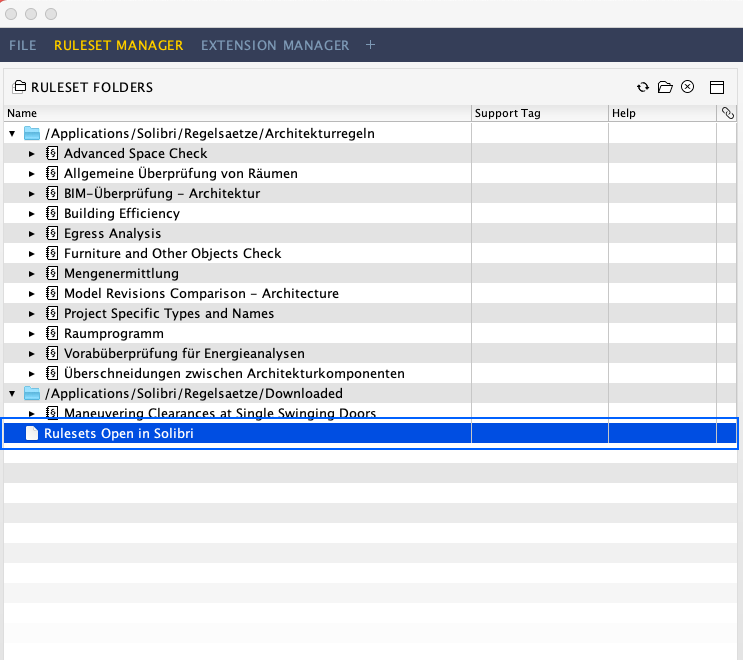
Someone knows where the .cset files from the extensions are installed?
Thanks!!
-
It is generally the case with extensions that the cset files which are provided via them cannot be edited in the Ruleset Manager. You can see this as a limitation, but it also has to do with the fact that adjustments to the rules can only be made available via an update of the extension if the cset files are not individually adjusted by each user.
Please let us know via a support request which cset files you would like to edit individually. We will check how we can provide you with the data in the best possible way.
Best regards,
Philipp from IDC AG (Solibri distributor Switzerland)

Copyright © 2025 Solibri Inc. | Powered by NodeBB