
dRofus - Solibri
-
Hi,
I noticed that the dRofus extension for Solibri is available. Great!
Has anyone tried to use it yet in Solibri 9.13.2.10?
I installed the extension, opened an ifc connected in drofus, but this error comes out: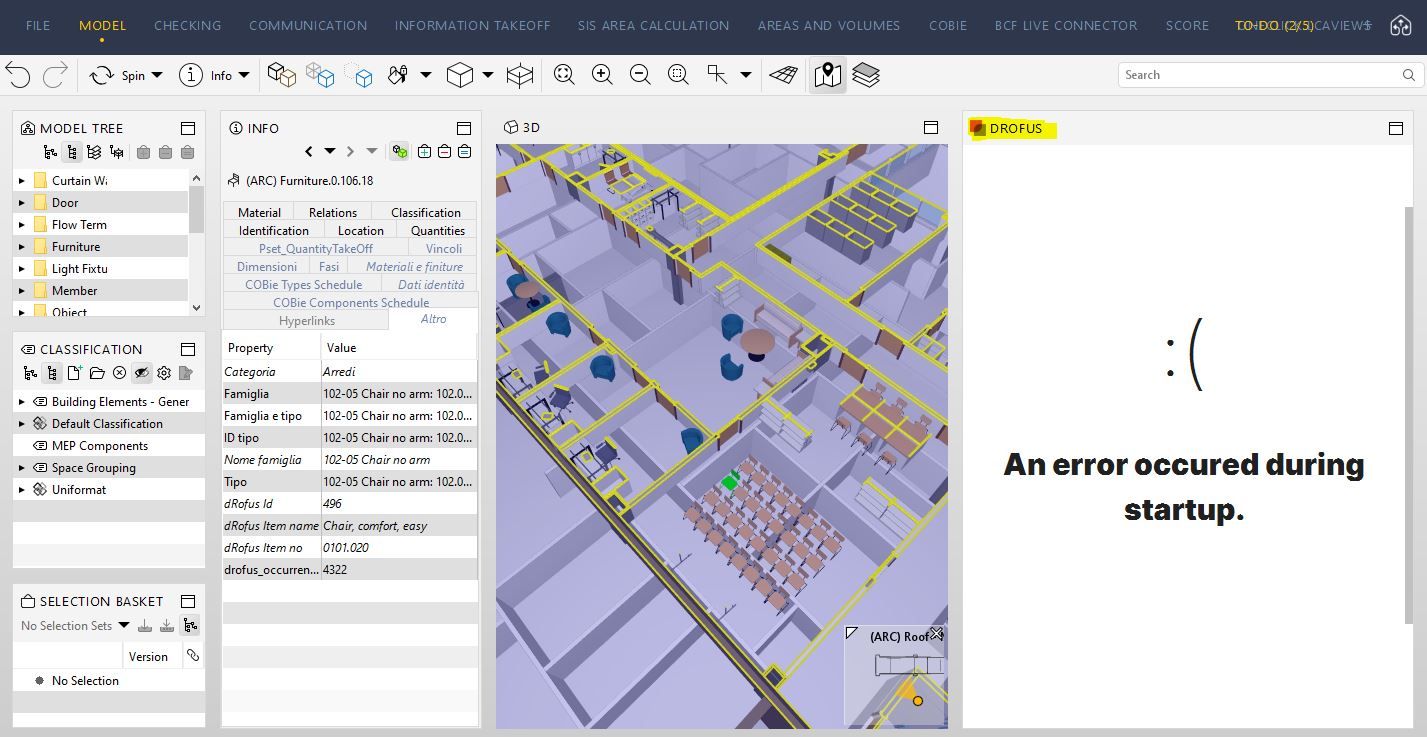
Thanks for your help
Paola -
Hi Paola, could you provide more info? Were you able to login to the drofus database from the extension?
Did you try to click the pop out button on the top right inside the dRofus View?
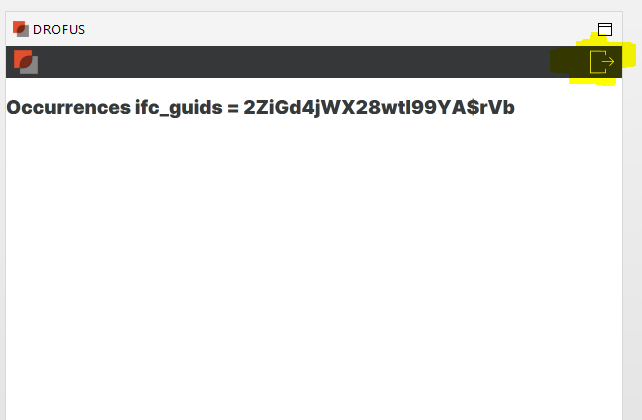
If so, this is a known bug we have if you click that button when no dRofus Data is found for the corresponding Solibri object. It works fine if you choose a Solibri object that has dRofus data linked to it. That button will then open dRofus Web for you in web browser showing you the full view of that dRofus room/occurrence.
-
Hi @sajal-drofus-com ,
I was able to login to the drofus database.
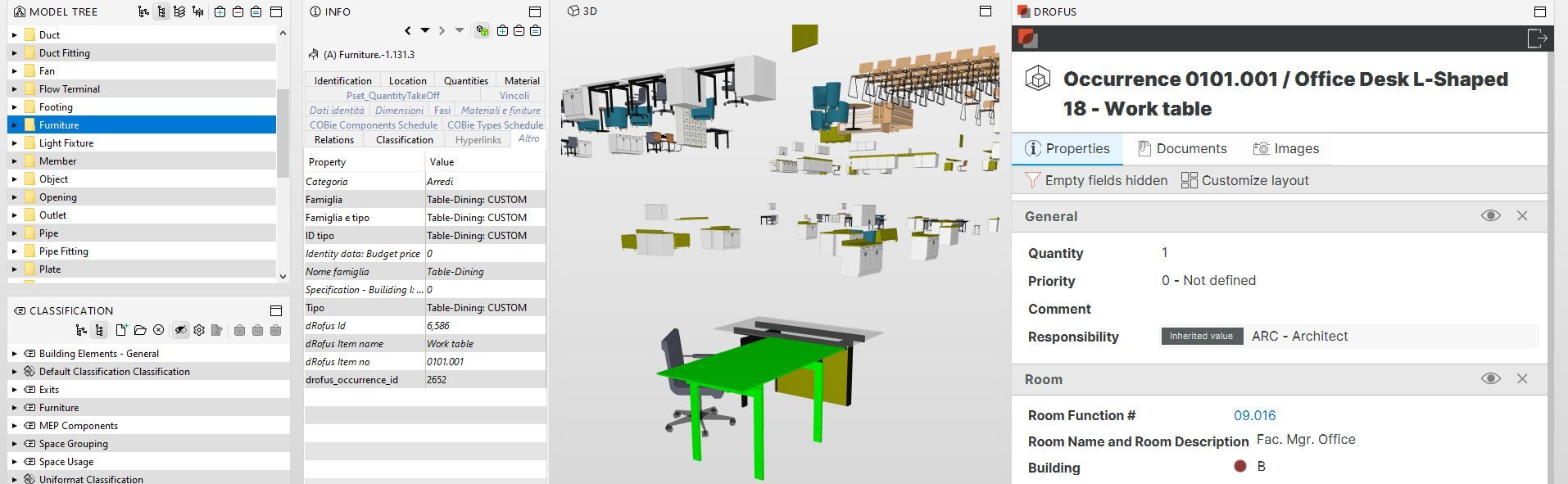
The problem, as you also say, is that when you select an object that is probably not present in dRofus the error comes out. At this point the panel remains blocked and Solibri must be restarted.
-
@paola-bronzo
Yes, that’s a bug we are aware of. You might notice similar “crash” intermittently after you browse inside dRofus extension for a very long time in Solibri. An update is coming that will take care of both the issues together.The extension is in an early stage and we welcome the feedback!
Regards,
Sajal Verma
dRofus AS -
Great! Thanks @sajal-drofus-com !
-
I was happy to hear about this dRofus-Solibri integration. I have also tested it, and like you @paola-bronzo, have experienced some instability. However, I understand that this is to be expected in an early version. I am looking forward to an update and further improvements.
-
Hi @sajal-drofus-com ,
I still have problems with the drofus extension. I insert an image below to better understand the problem: although the key attribute is present both in drofus and in the ifc , in the drofus panel in Solibri I don’t see the information of the selected space but the message “no matching type found” appears… could you tell me why? Thanks a lot! Paola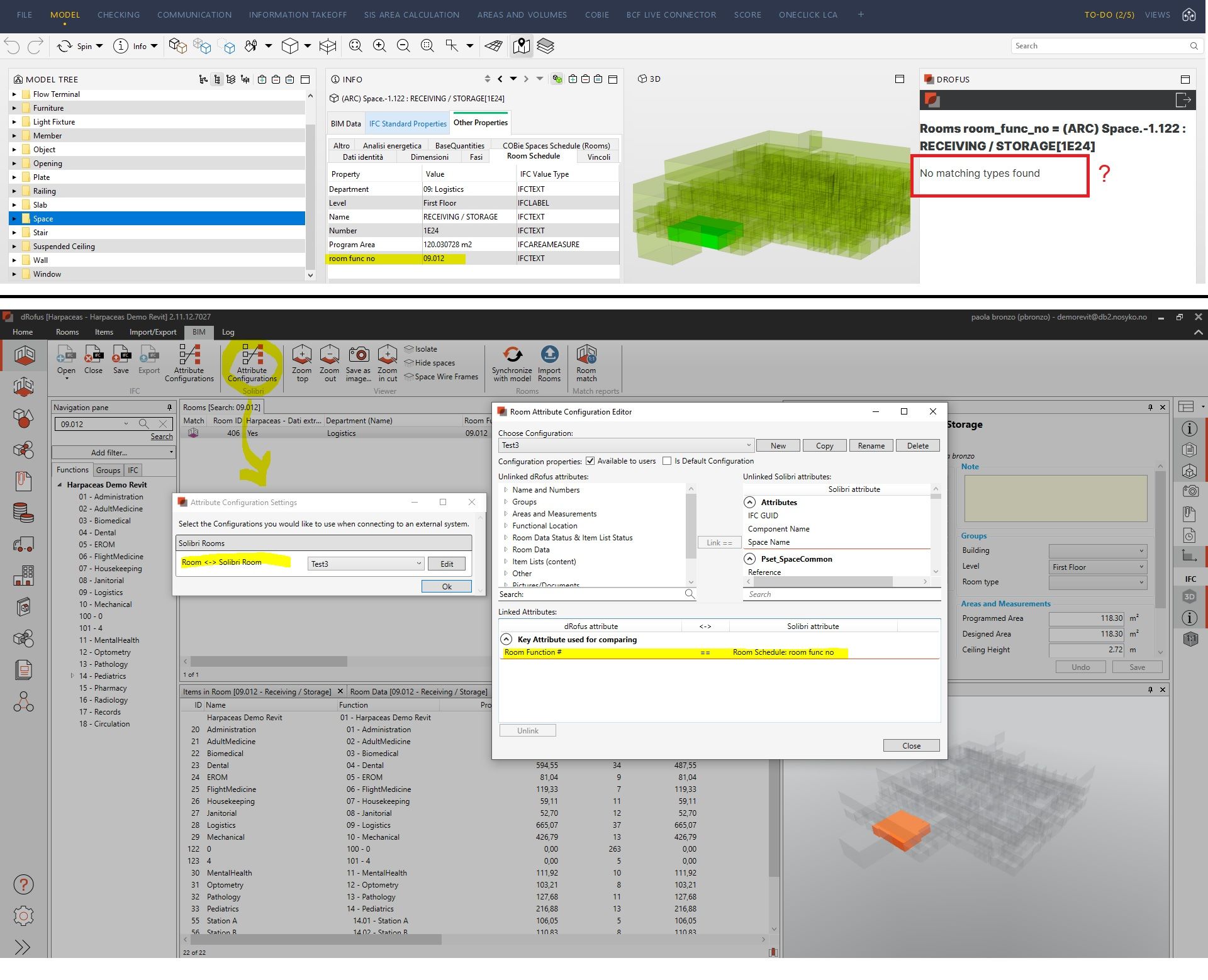
-
Hi @paola-bronzo It looks like you haven’t marked the the configuration to use (named test3) as default. Please check the “Is Default Configuration” checkbox for test3 configuation, or any configuration you want to use, then restart Solibri.
In dRofus Client, you have to mark atleast one configuration as default, and the dRofus extension picks that one. When no configuration is marked as default, the extension uses it’s own “hardcoded” default configuration (Room Func # = Space name from Solibri Properties), and that is what’s happening in your case.
-
Hi @sajal-drofus-com thanks for your precious suggestion. Now my configuration is the “default configuration” and the link works.
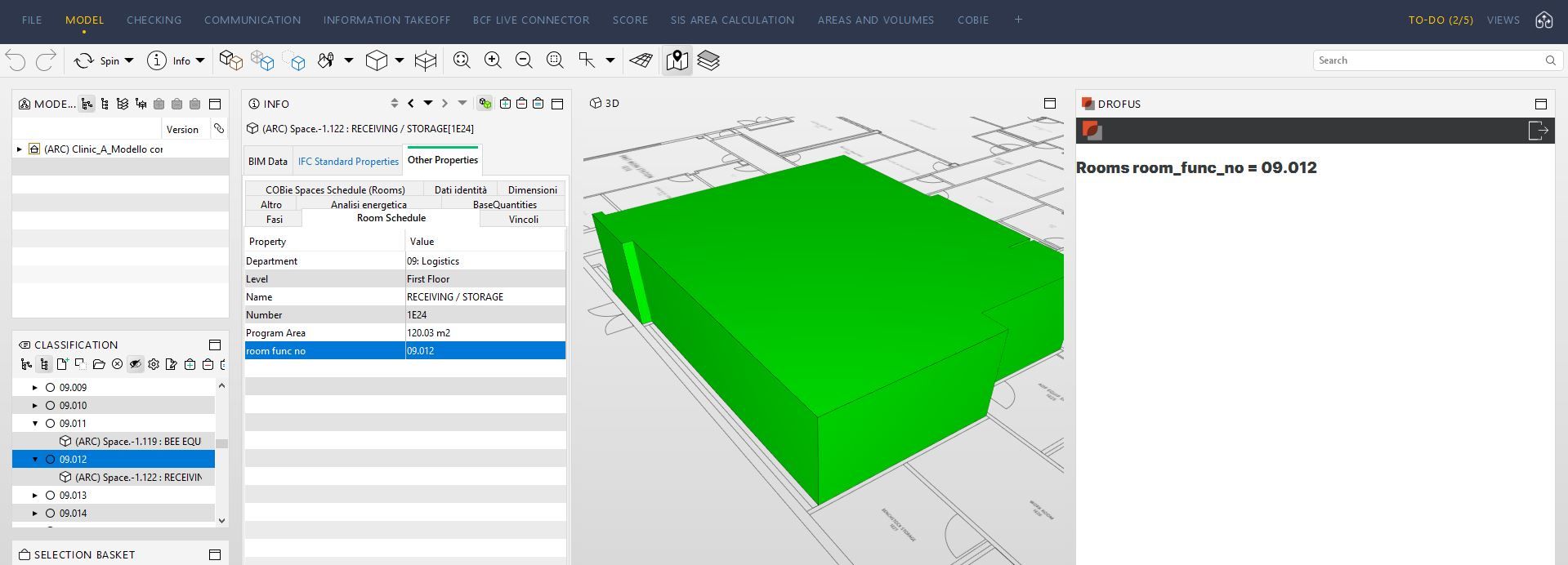
But I still don’t see the whole properties panel.

Copyright © 2025 Solibri Inc. | Powered by NodeBB