
Material Information - Thickness not shown correctly?
-
A few questions regarding material information …
Example: This wall is a composite …
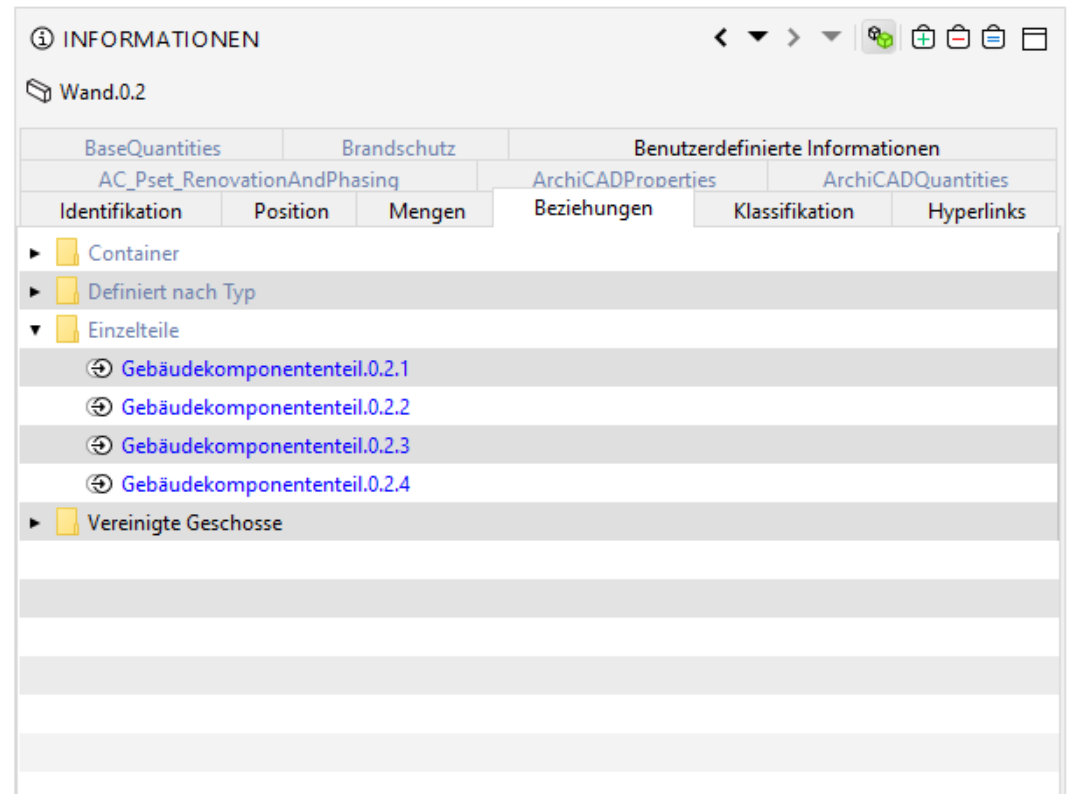
… so in the wall element itself are no information about materials shown when it’s a composite …
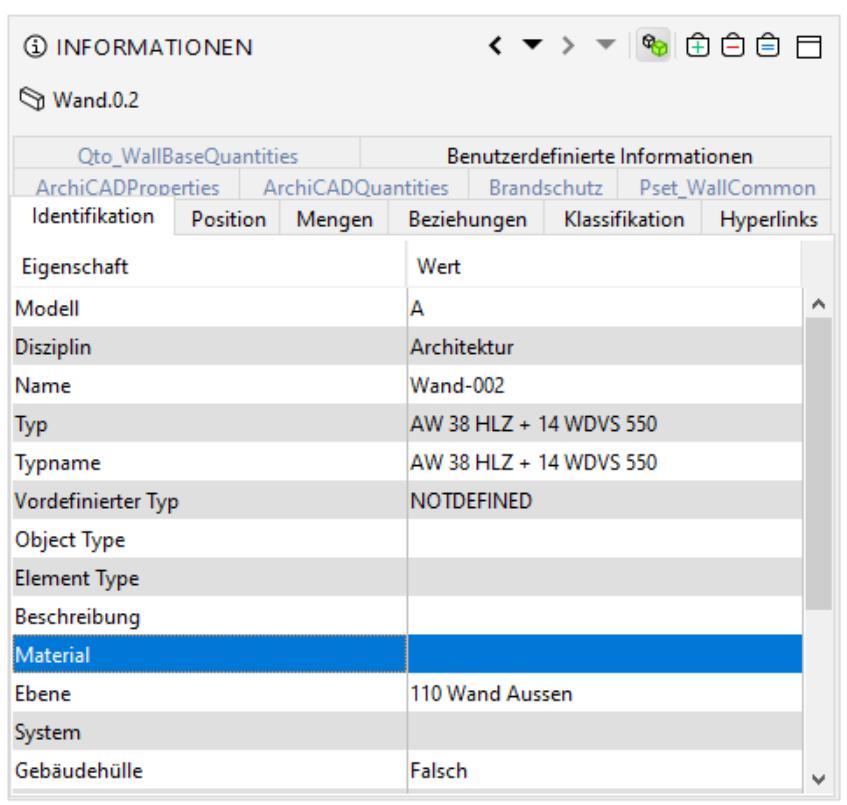
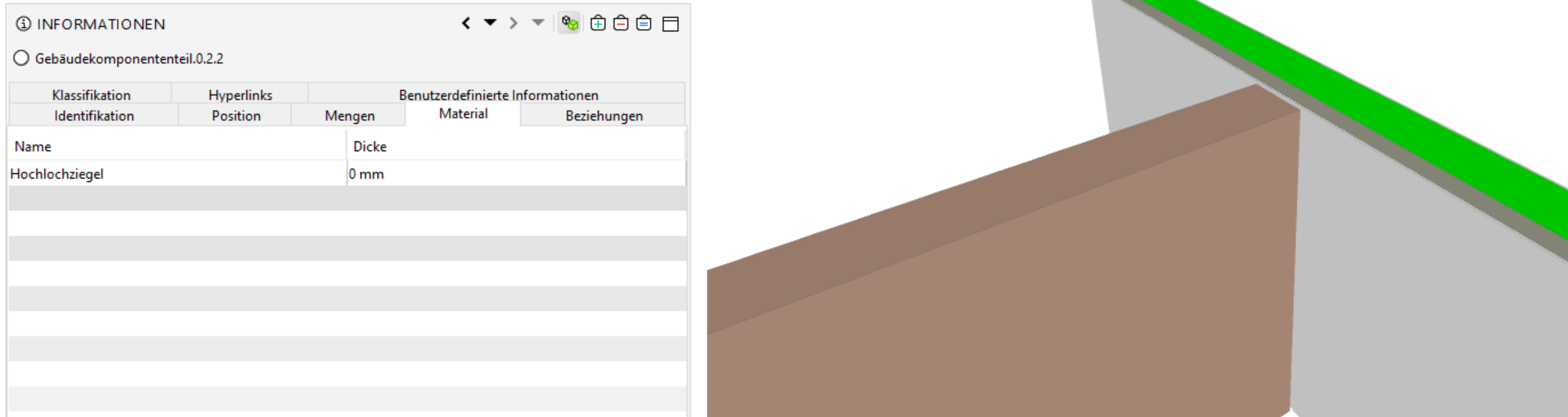
… whereas its parts have information, but the thickness is not correct …
… and Graphisoft says it’s not their business …
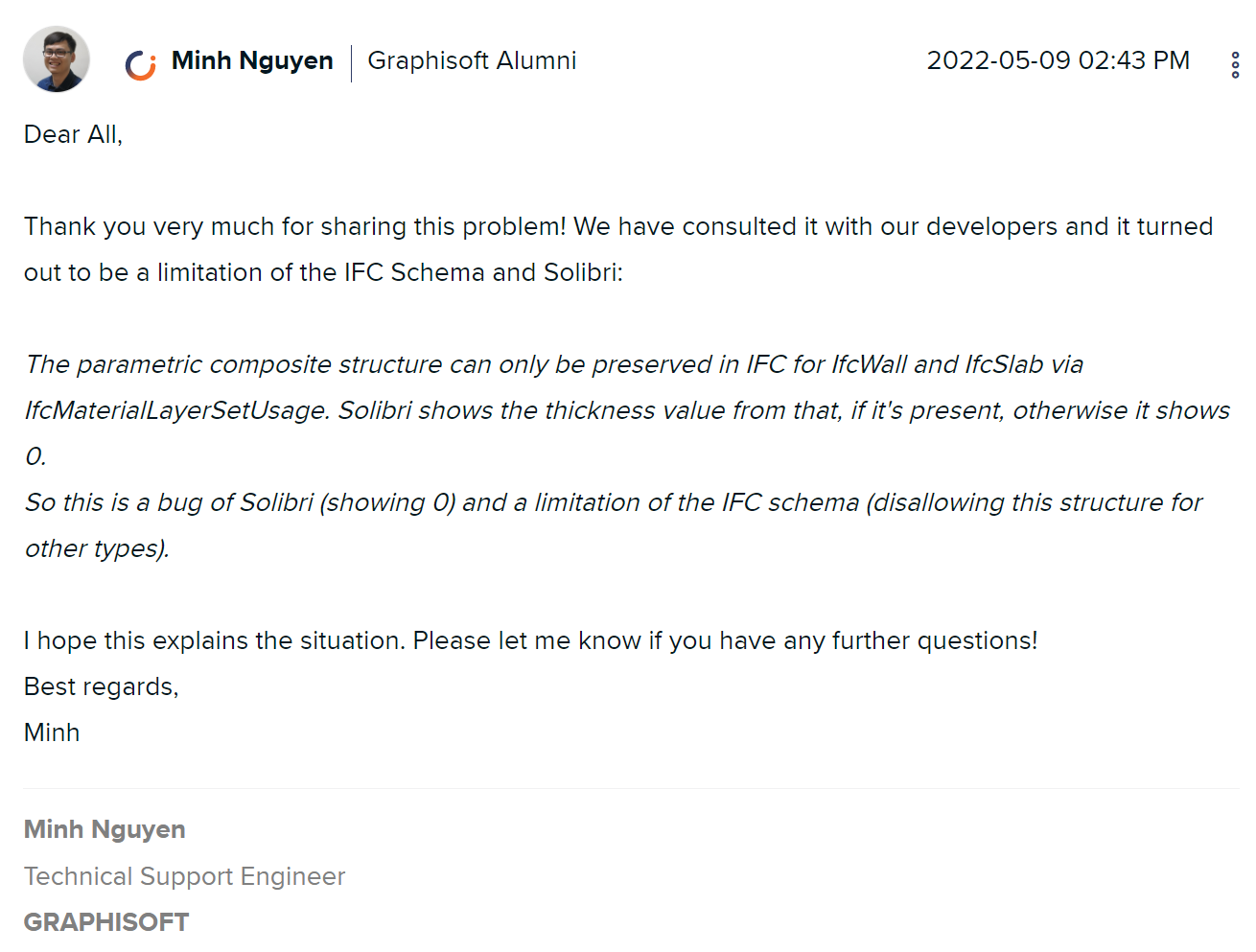
https://community.graphisoft.com/t5/Collaborate-forum/Material-thickness-ifc/td-p/331470
… but I doubt it as this is not only happening for composites but also single layered AC elements …
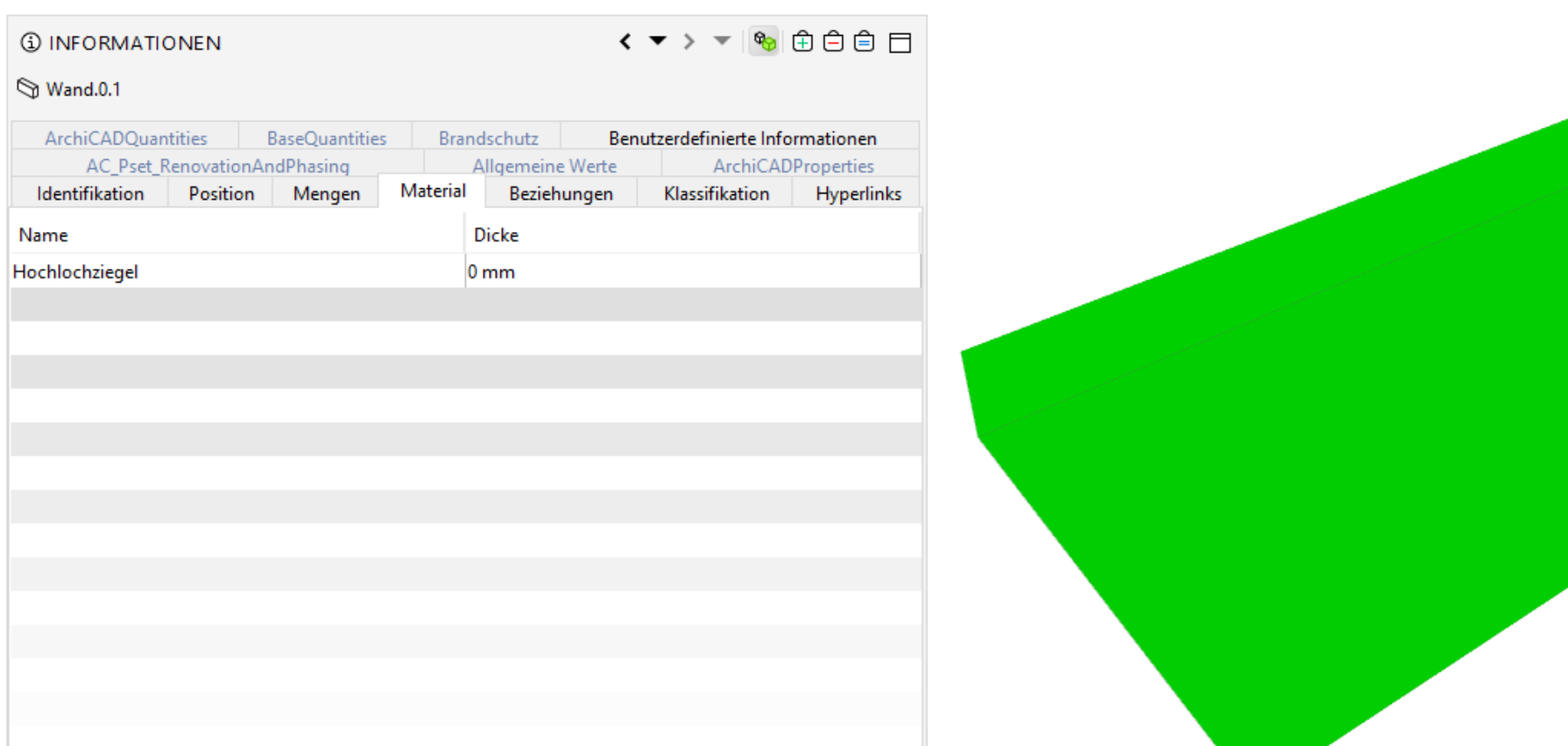
… whilst for other models e.g. here exported from Revit this seems to work fine. However I have to add here that this is not solely limited to AC created files but also happening with other authoring tools e.g. Vectorworks.
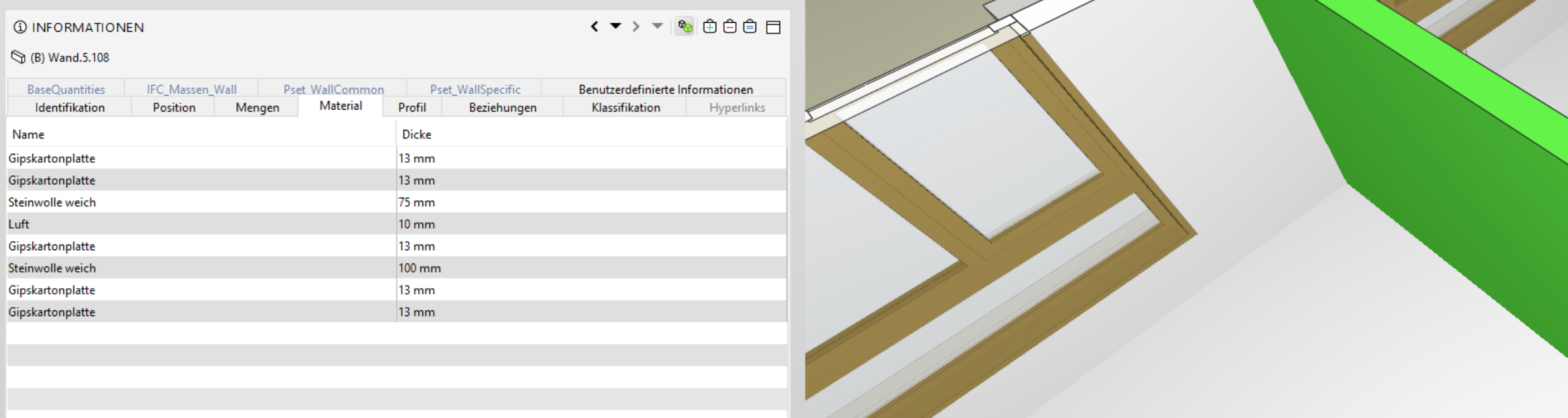
So, what’s the matter here?
Why are there materials with zero thickness? Is Minh correctly informed?
Is it intended that the parent element has no information about material (neither in infos nor in ITO) when parts are present? Btw. if I do not export elements with parts, then indeed all materials are showing … and I guess it seems like there is also another thing still present -> 0 thickness is not refleced in the concatenate String which might be hard for filtering, but that’s a different story ->
https://society.solibri.com/topic/475/pset-identification-material-change-separator-character

I have not yet worked with the api/custom infos yet as this might be a workaround anyhow but as long as the thickness values are not present this is pointless but what’s the intended bevahiour here anyhow - is this consistent between the various models from different software? Or in other words, is it on purpose that composites show no “Material” info when they are split up? I guess it’s good for filtering so that when material is empty you get the hint that there are building element parts, but does it make sense?
And, finally, does Solibri currently make a difference between IFC Schema when it comes to material? https://society.solibri.com/topic/1153/import-material-properties-ifc-4-vs-ifc-2x3/3
-
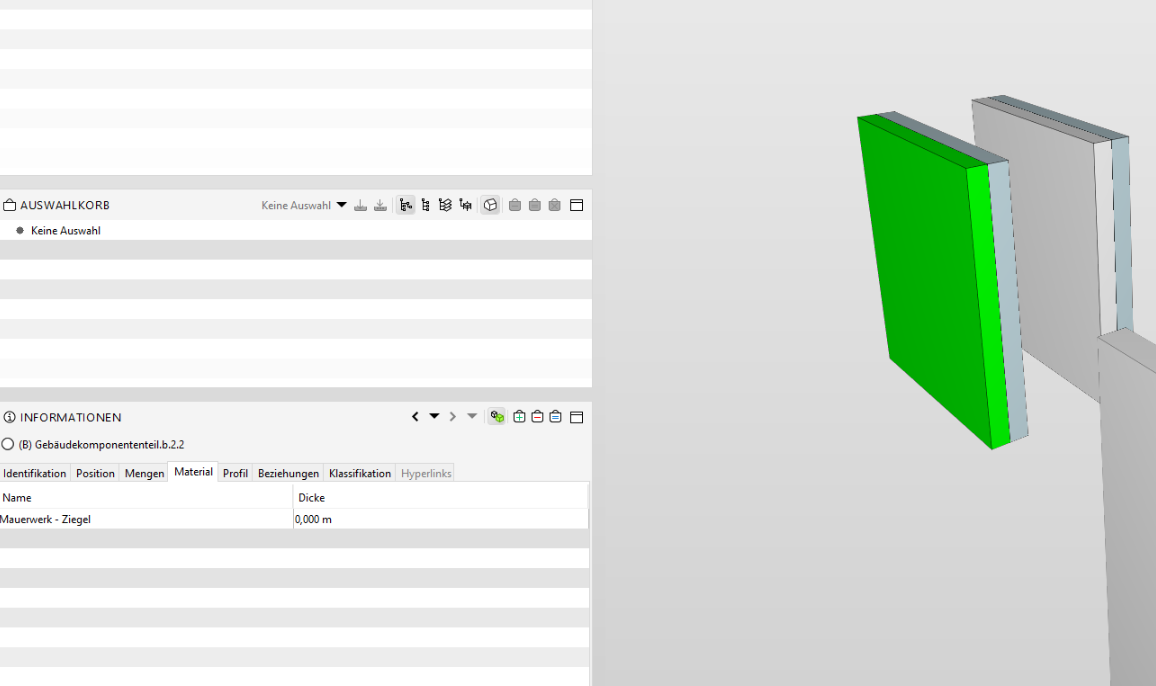
Plus I am curious why those Material information of this IFC generated by Revit are not shown either …
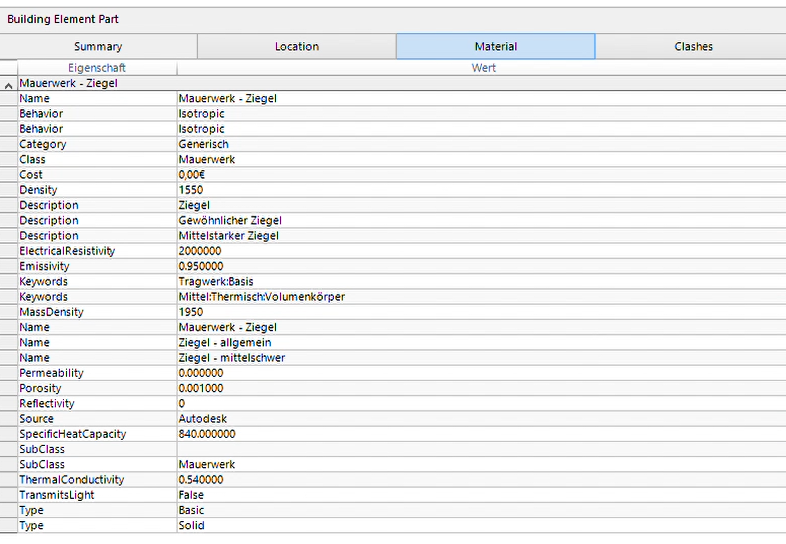
… but their thickness information is not valid either.
-
I tried to collect the wishes. Was there more in this topic to fix?
Info view should show empty for IfcMaterialLayer with NULL ($) thickness (now 0mm)
ITO column should show empty for IfcMaterialLayer with NULL ($) thickness (now 0mm)
Info view should show special character separated material list for composite objects (now empty)
Add setting for changing the material list separator (now comma is used) -
@Matti-Kannala said in Material Information - Thickness not shown correctly?:
I tried to collect the wishes. Was there more in this topic to fix?
Well, first of all the thickness should be depicted correct

Fun fact, just got a model that was created by AC26 and indeed this seems to work - but have not been able to get this working so far. Will investigate this further as currently I am not sure how this was achieved (> see Edit #2)
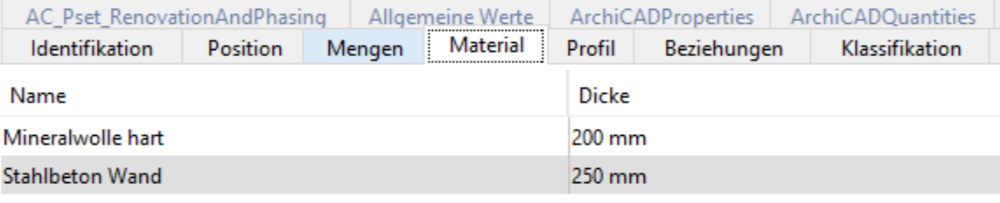
However, in this case the model is not containing building element parts, so thickness is nice, but if the volume is of cource more precise so if this could be derived though I would put this on the wishlist as well.
Edit: Regarding settings and units I am also curious if it would be possible to be able to set the unit the thickness is then shown as currently (like in many other cases) the unit could change within one element from mm to m which makes it more difficult to e.g. post-use ITO data.

Edit 2: Ok, I realized that Solibri seems only shows the thickness correctly if the Geometry Conversion in Archicad (or Revit) is set to Extrusion -> so BREP does not work with Solibri, can you confirm/elaborate if this is due to the technical limitation?
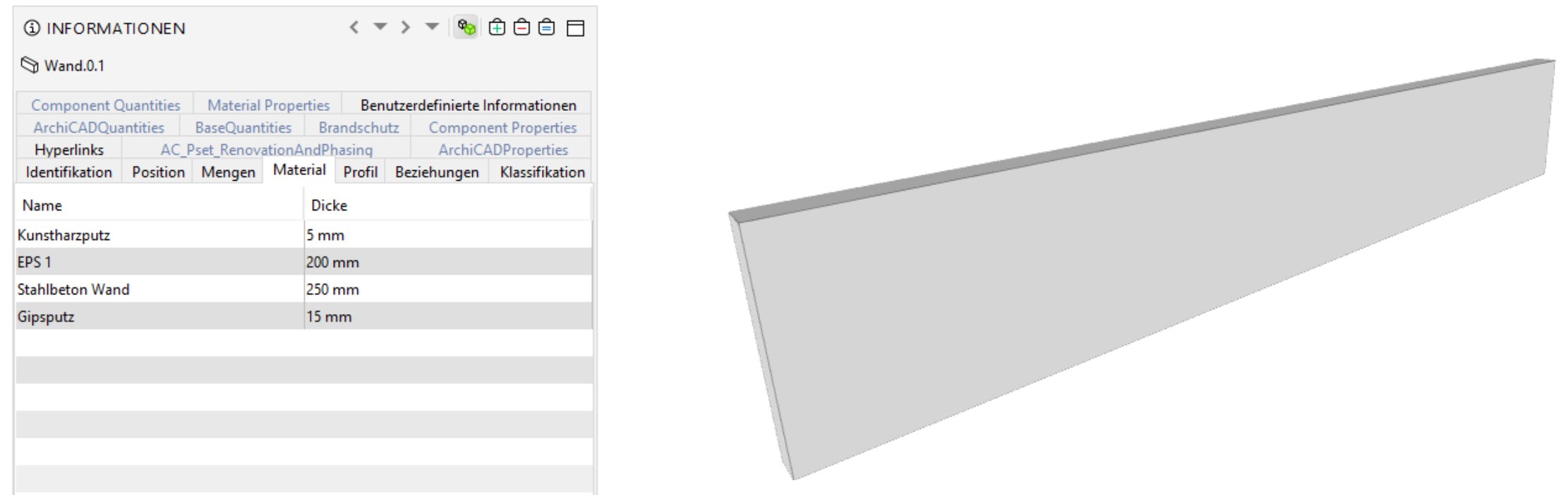
At least that’s what makes the most sense to me now …

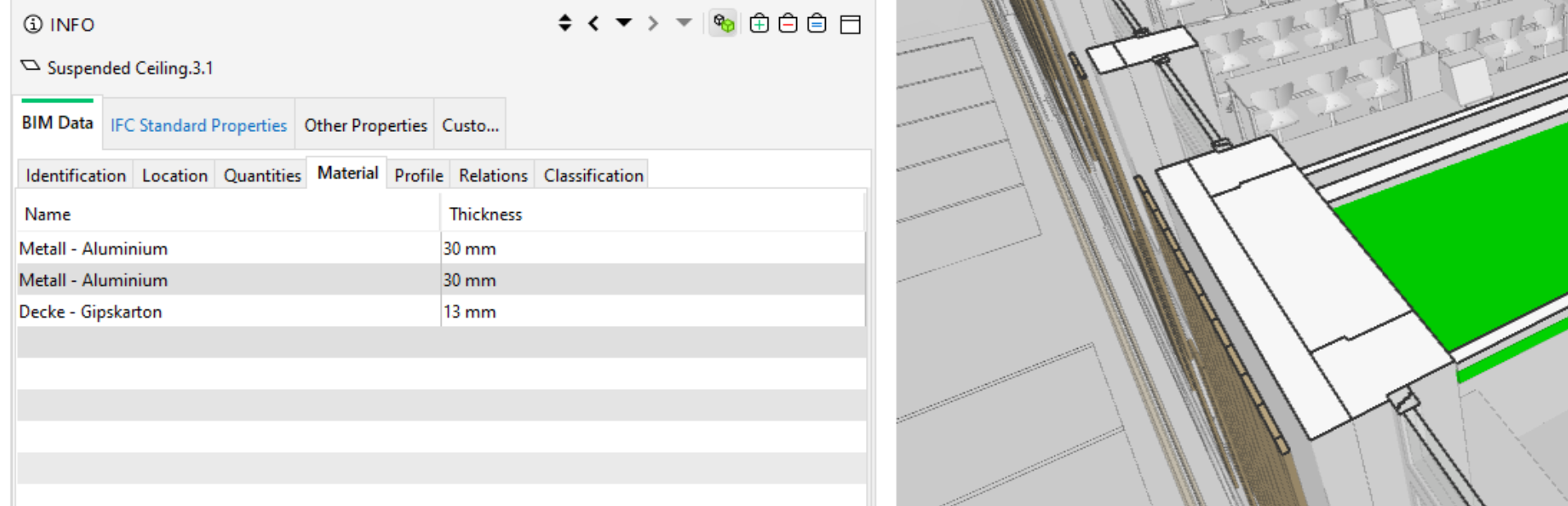
vs

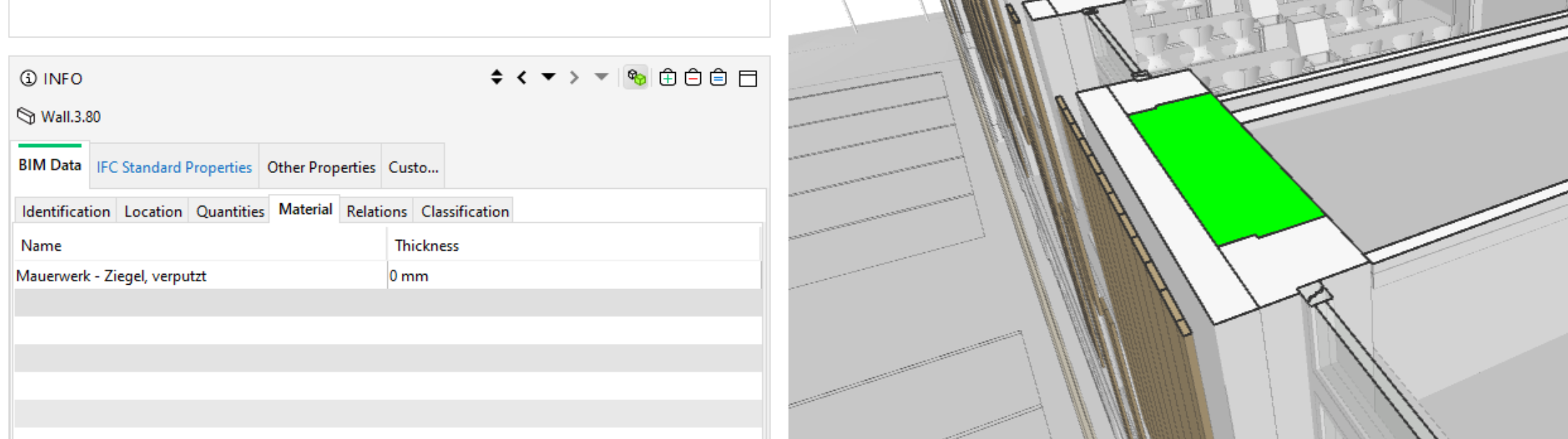
However, when looking again on the example file provided recently, then this is not really making sense, as the part seems to be created as an Extrusion an is still not showing information correctly

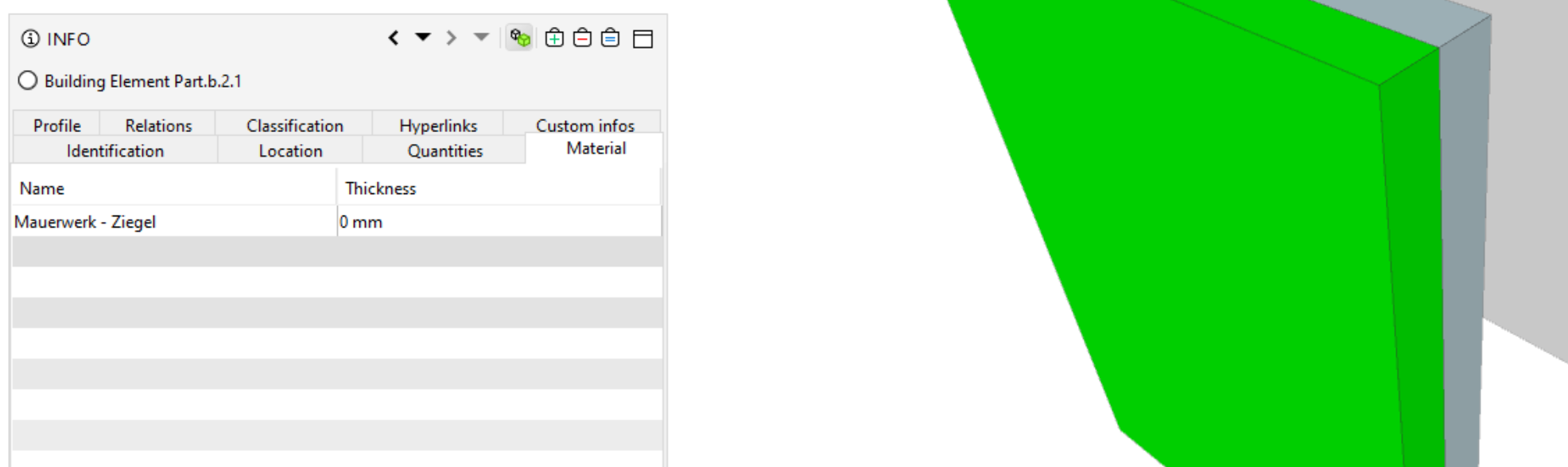
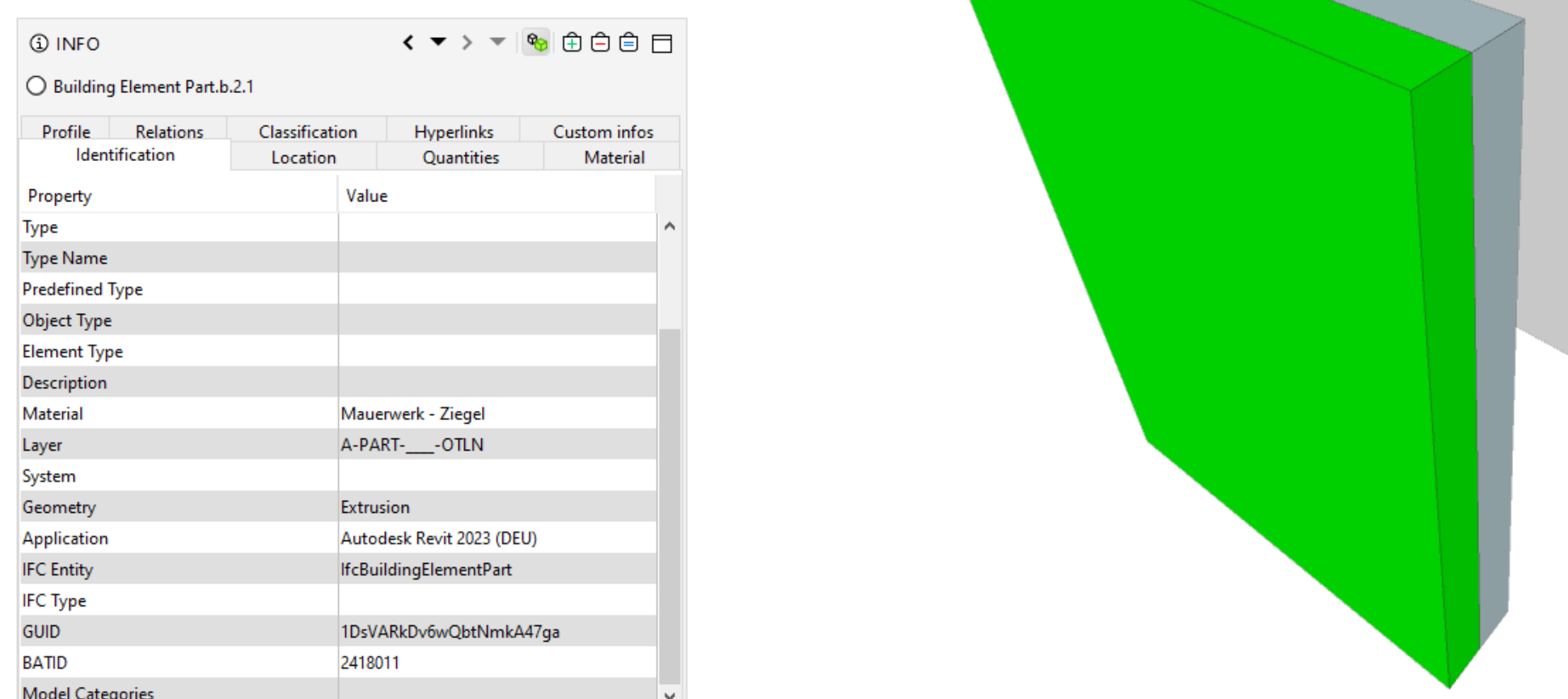
So in that case 0 is confusing, but at least I know now that I have to filter those elements by their geometry type. However it would be still super useful if the volumes of the relevant layers could be extracted as an alternative - although I guess it might be the smarter approach to demand and work with building element parts … just thinking out loud and looking forward to your insights.,
-
BREP does not work with Solibri, can you confirm/elaborate if this is due to the technical limitation?
I can confirm that AdvancedBreps are being worked on, but
However, when looking again on the example file provided recently, then this is not really making sense, as the part seems to be created as an Extrusion an is still not showing information correctly
it can actually be both at once, separate bugs. Thanks for input.
-
 J JSN referenced this topic on


Copyright © 2025 Solibri Inc. | Powered by NodeBB