Skip to content
  • Categories
Collapse
Solibri Society Forum
  1. Home
  2. General Discussion
  3. cheking

cheking

Scheduled Pinned Locked Moved General Discussion
3 Posts 2 Posters 631 Views
  • Oldest to Newest
  • Newest to Oldest
  • Most Votes
Log in to reply
This topic has been deleted. Only users with topic management privileges can see it.
  • O Offline
    O Offline
    oussama BIM
    wrote on last edited by
    #1

    1.PNG 2.PNG

    hello guys
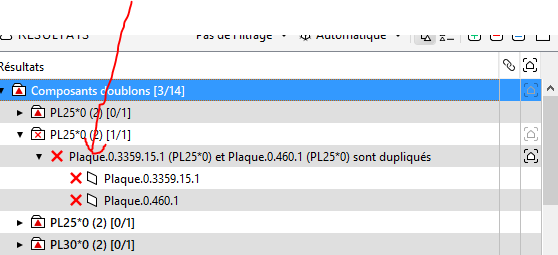
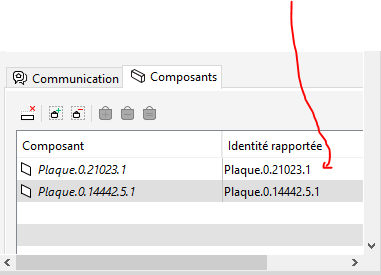
    i did the cheking and i want to know how to put the real names or types of the elements in the presentation because it will be very difficult for the others to know wich element im tralking about with such a tag : plaque.03359.15.1
    please help me out im in intership
    thank you

    1 Reply Last reply
    0
    • AnilA Offline
      AnilA Offline
      Anil Solibrians
      wrote on last edited by
      #2

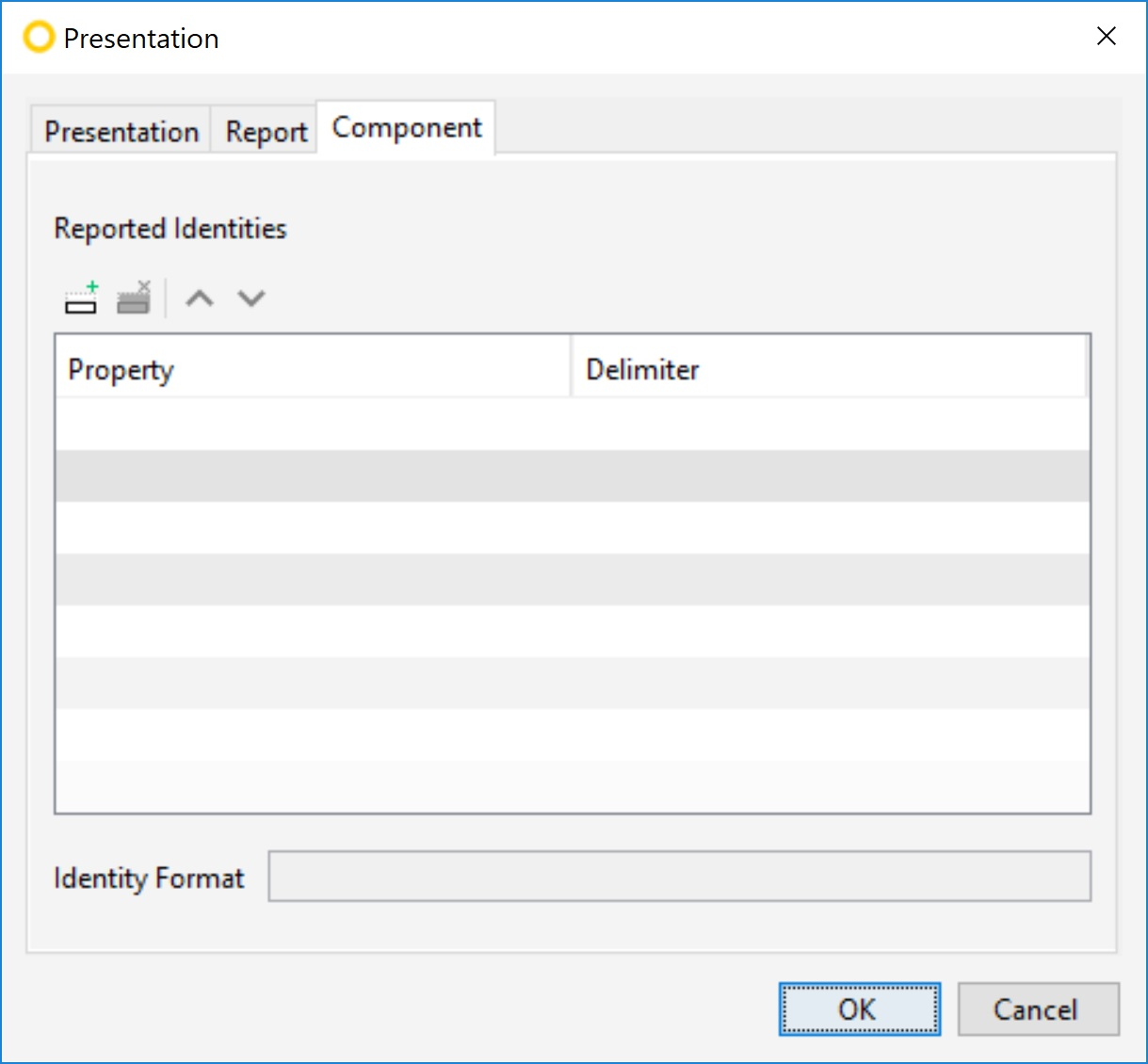
      Hi @oussama-BIM , you can change the reporting identity through presentation settings. To access the settings, go to Solibri’s File>Settings>Presentation.

      On the Component tab, you can select the component identification properties used in the Coordination report. You can select a list of properties to report and a delimiter between those properties.
      5629aaef-7327-4d73-b03e-cc26f66d9460-image.png

      Br,
      Anil

      1 Reply Last reply
      0
      • O Offline
        O Offline
        oussama BIM
        wrote on last edited by
        #3

        thank you so much sir you saved my life
        have a great week

        1 Reply Last reply
        0

        Copyright © 2025 Solibri Inc. | Powered by NodeBB

        • Login

        • Don't have an account? Register

        • Login or register to search.
        • First post
          Last post
        0
        • Categories