Skip to content
  • Categories
Collapse
Solibri Society Forum
  1. Home
  2. General Discussion
  3. Compartmentation

Compartmentation

Scheduled Pinned Locked Moved General Discussion
5 Posts 2 Posters 1.1k Views
  • Oldest to Newest
  • Newest to Oldest
  • Most Votes
Log in to reply
This topic has been deleted. Only users with topic management privileges can see it.
  • M Offline
    M Offline
    Mohammadi
    wrote on last edited by Mohammadi
    #1

    Hi every one
    Thank you for your cooperation
    it was much useful for me

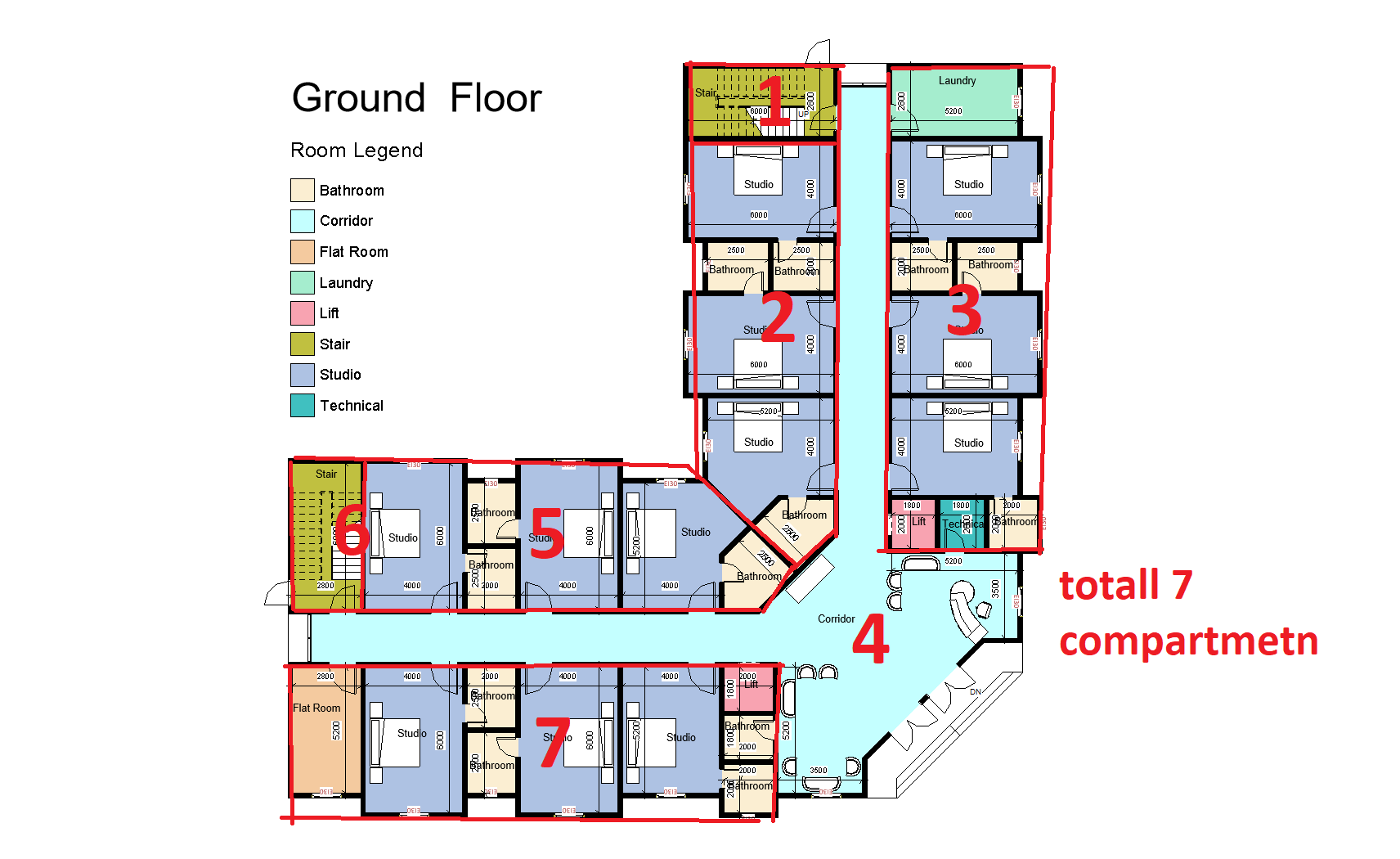
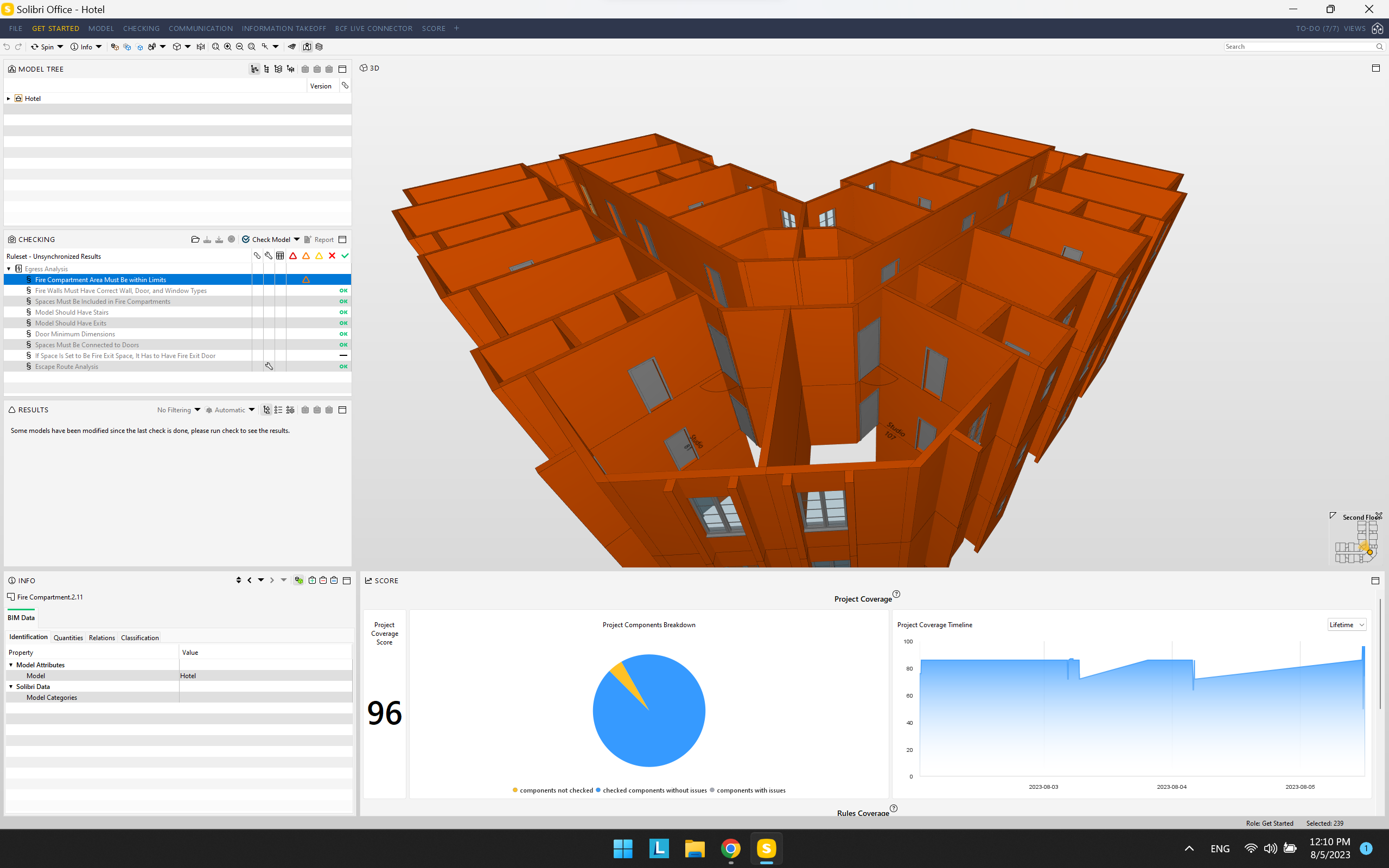
    I need to have compartment like following image but when i create it throgh selection basket after selecting related walls to be fire compartment, the whole building become on compartment.
    if any one help me step by step.
    also if any one has commend on my compartmentation area in terms fo architecture.
    e95a6ecf-ee03-4a62-9923-17820d63917b-image.png

    49b22ee2-ad26-4a2d-ba16-855b5c291ae0-Screenshot 2023-08-05 121048.png

    1 Reply Last reply
    0
    • M Offline
      M Offline
      Mohammadi
      wrote on last edited by
      #2

      I WILL BE GRATEFULL IF ANYONE HELP

      1 Reply Last reply
      0
      • P Offline
        P Offline
        Pasi Paasiala Solibrians
        wrote on last edited by
        #3

        @Mohammadi
        Here’s a way to do fire compartment with selected walls. I’ve chosen four walls.
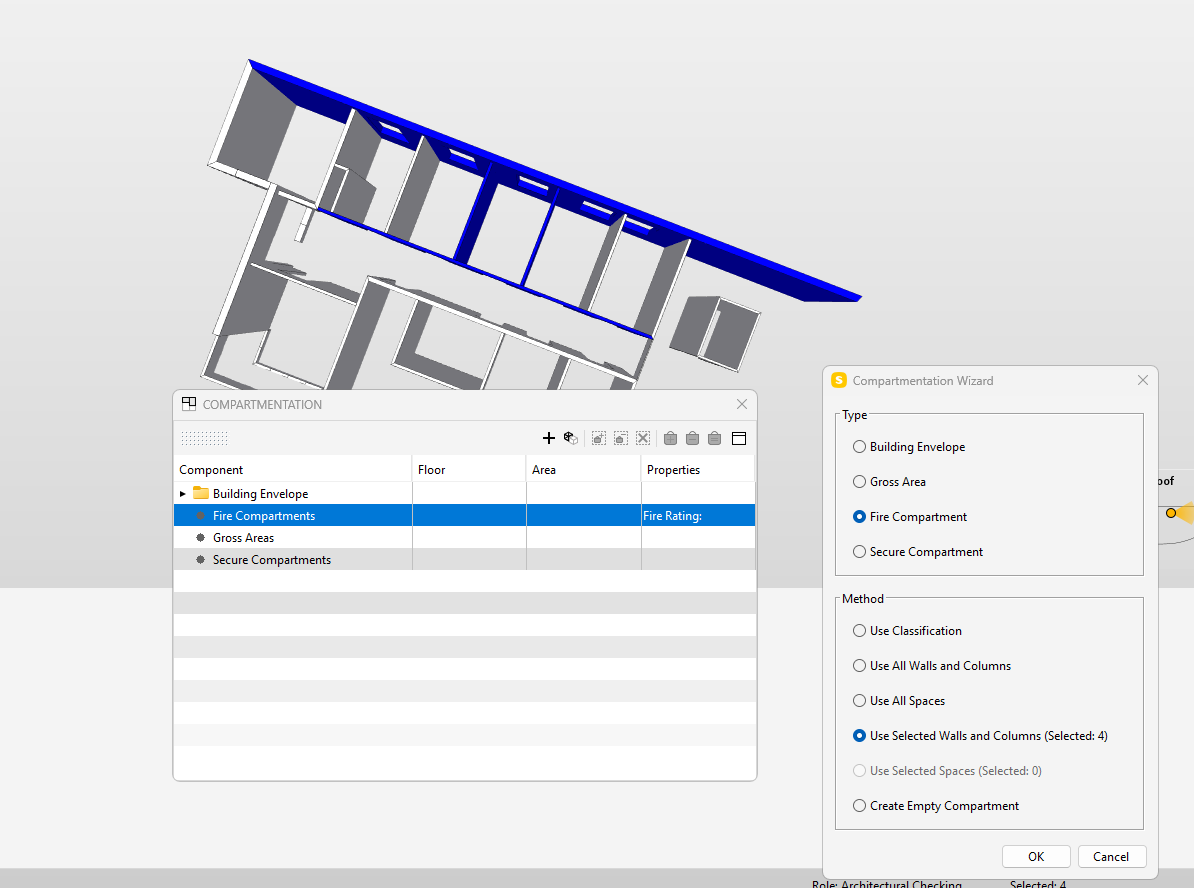
        image.png

        Hope this helps.

        M 1 Reply Last reply
        0
        • M Offline
          M Offline
          Mohammadi
          replied to Pasi Paasiala on last edited by
          #4

          @Pasi-Paasiala
          Hi thank you for your reply
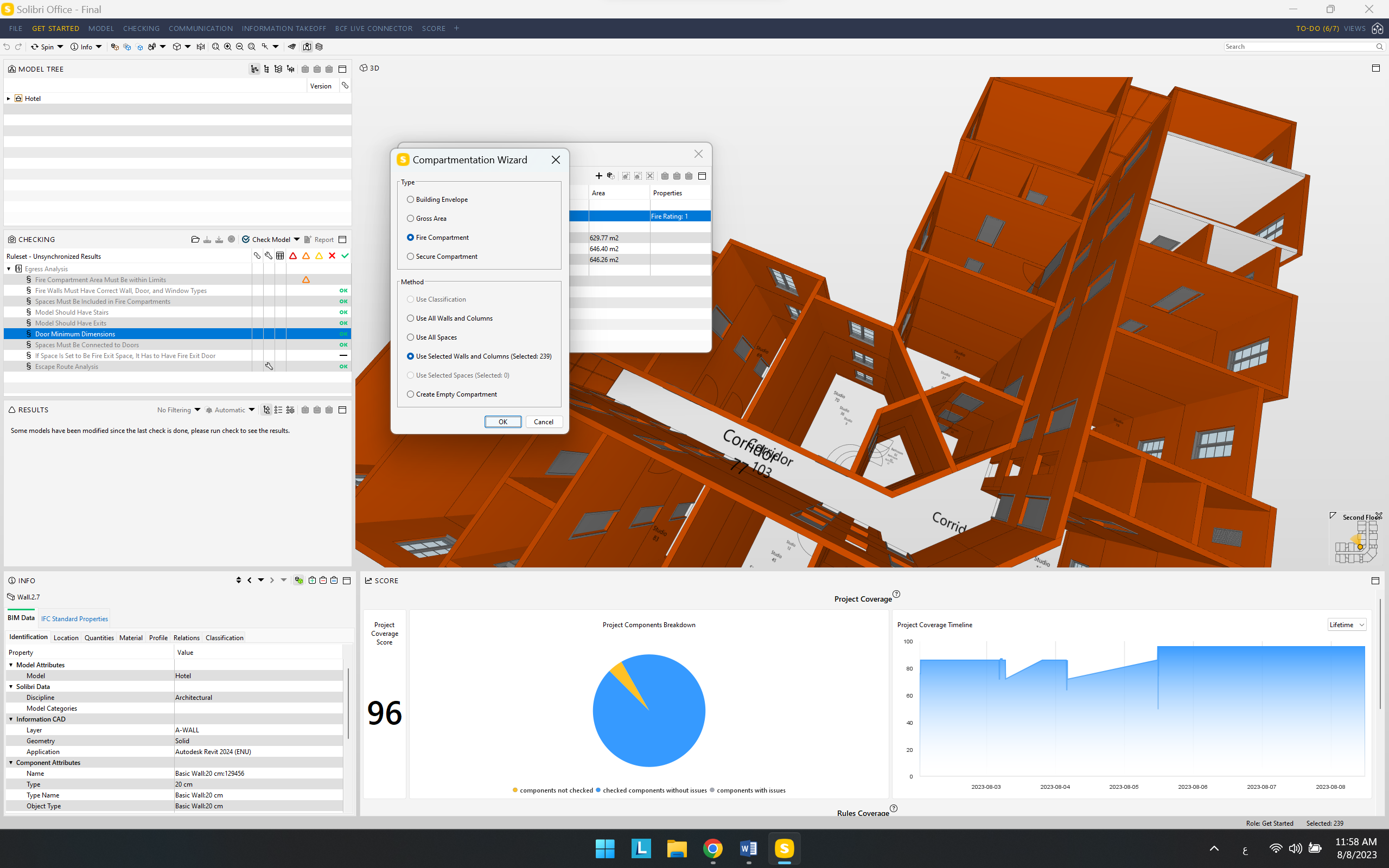
          when i choose selected wall, 239 wall are choosing
          602958e6-2099-4425-87e4-6041457d802a-image.png

          1 Reply Last reply
          0
          • P Offline
            P Offline
            Pasi Paasiala Solibrians
            wrote on last edited by
            #5

            @Mohammadi Please clean your selection basket first. You can clean it either in Selection Basket view or in 3D’s popup menu (Selection Basket/Empty Selection Basket).

            1 Reply Last reply
            0

            Copyright © 2025 Solibri Inc. | Powered by NodeBB

            • Login

            • Don't have an account? Register

            • Login or register to search.
            • First post
              Last post
            0
            • Categories