
BCF Live Connector Presentation
-
Hello,
when I do my model check with Solibri and create presentations from the results and afterwards import the presentations to the BCF Live Connector, they are “connected”:

Is there a way to link issues afterwards as well?
Best regards
Alex -
Hello, thanks for your response. Yes I have unchecked this option.
Can you please describe, how I can link an existing issue on the server with an issue from my presentations? -
You cant’t link a issue in Solibri with a issue in BIM Collab.
You can make a BCF report in BIM Collab and load this in Solibri. Than you have an linked issue between Solibri and Bim Collab.
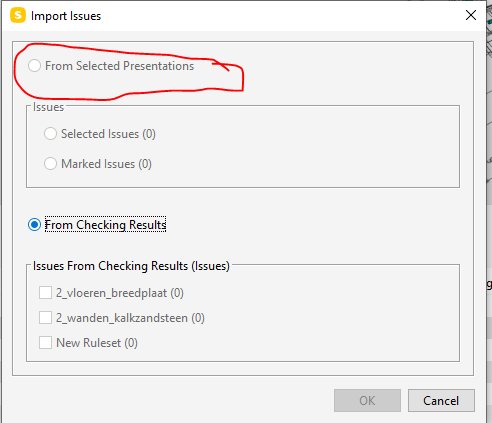
The snapshot shows a issues created in de ruleset.
When you create new issues in the ruleset you have to use the presentation section in Solibri.When you import the issues from the ruleset you get them from the presentaion
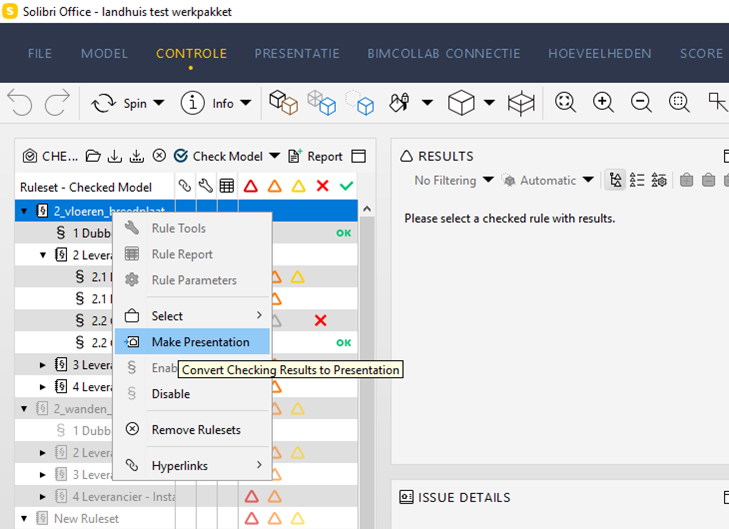
Wou can create the presentation form the ruleset by clicking the right mouse button en the create presentation.
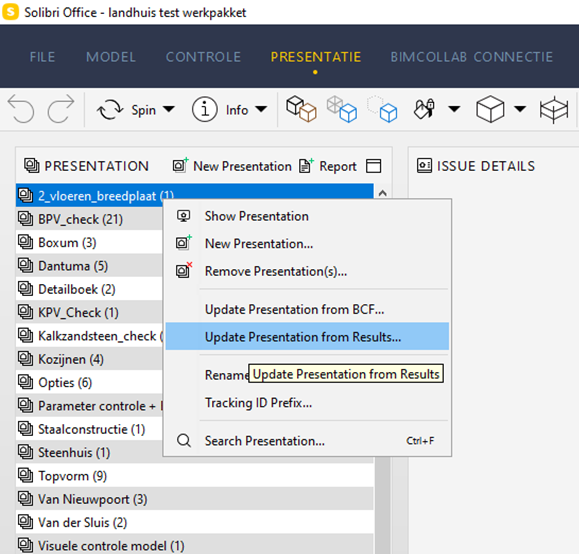
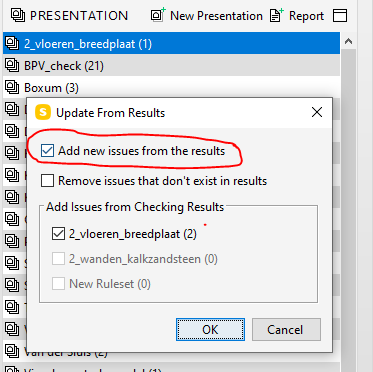
When you create new issues in the ruleset, you can update the presenmtation with the results from the ruleset.
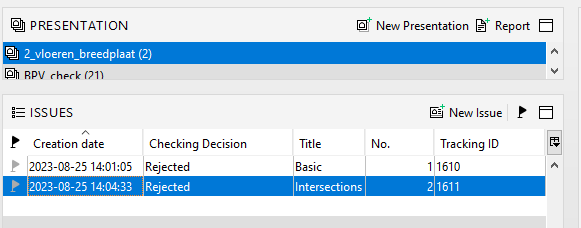
Select the new issues in the presentation witch you want to sent to BIm Collab.
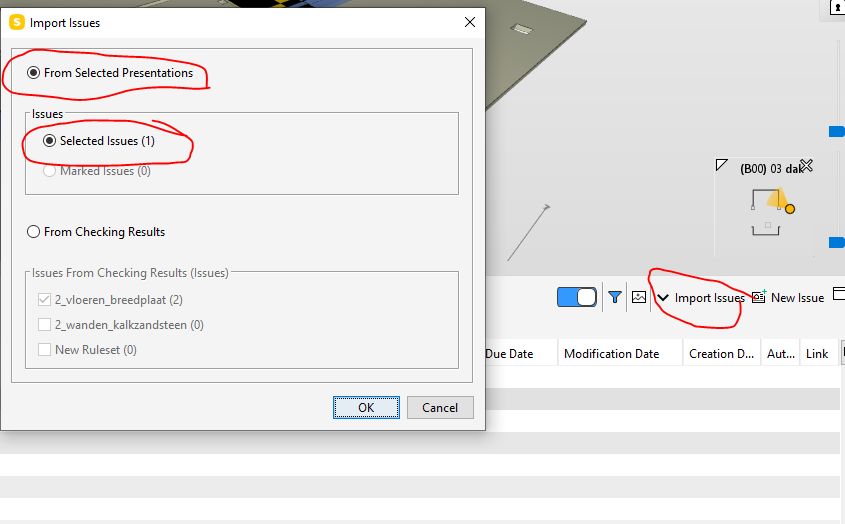
Import the seleted issues in BIM Collab
You see in the BCF Live Vieuw the issues. The triangle shows that this issues coms from the ruleset, imported via presentation.


Copyright © 2025 Solibri Inc. | Powered by NodeBB