Skip to content
  • Categories
Collapse
Solibri Society Forum
  1. Home
  2. General Discussion
  3. MEP : vertical elements and partition walls: no clashes detected

MEP : vertical elements and partition walls: no clashes detected

Scheduled Pinned Locked Moved General Discussion
8 Posts 3 Posters 1.2k Views
  • Oldest to Newest
  • Newest to Oldest
  • Most Votes
Log in to reply
This topic has been deleted. Only users with topic management privileges can see it.
  • A Offline
    A Offline
    Adriano Faria
    wrote on last edited by Adriano Faria
    #1

    Hi everyone,

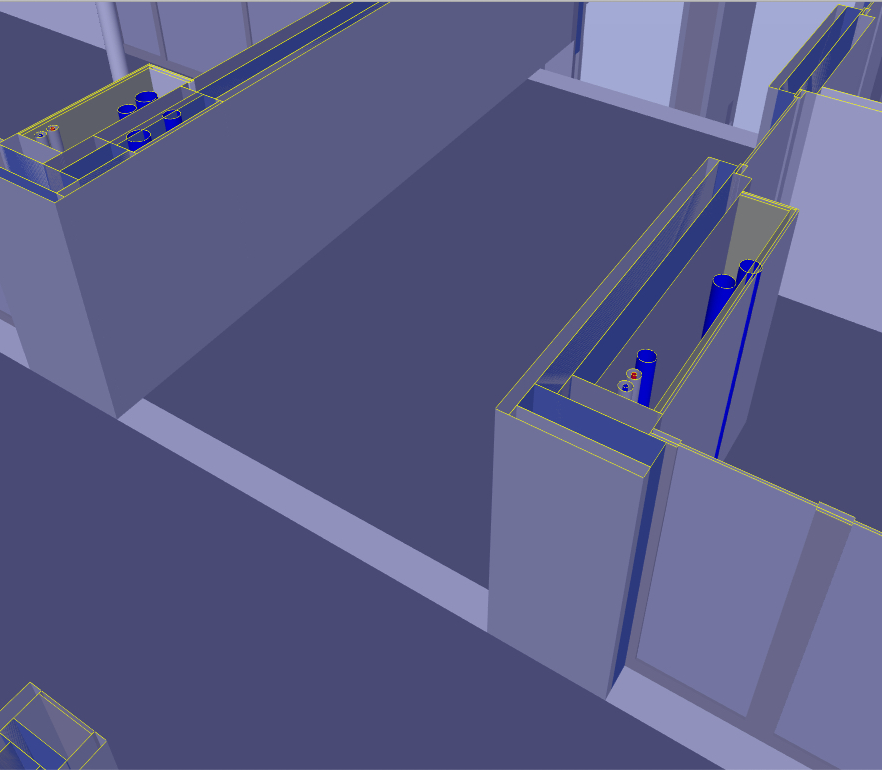
    I am checking MEP vs ARC and I get clashes between partion walls and horizontal MEP but not vertically.
    Please take a look at the image: the cases shown are not detected even though I have not touched the base ruleset.

    Any ideas?
    Thank you in advance.image_2021-01-18_153049.png

    Adriano Faria
    LRS Architectes - BIM Coordinator

    I 1 Reply Last reply
    0
    • I Offline
      I Offline
      InaTofalvi
      replied to Adriano Faria on last edited by
      #2

      @adriano-faria How does the ruleset setting look like?

      1 Reply Last reply
      0
      • A Offline
        A Offline
        Adriano Faria
        wrote on last edited by
        #3

        Hi,
        We use the french version but even if you dont’ speak the language I believe is understandable.
        I would expect this to be the rule that is supposed to find the mentioned clashes.
        On each side there is an exception based on the “short names” of a few models. ARCSTR is not the full Architect model is only the structure part of it.
        I also unchecked exceptions on the exception palette (except for lights, but that is not relevant).

        I don’t have an extensive experience on model checking but it seams to me that is rule is simply not showing clashes on a vertical axis but only when piping is horizontal.

        Thank you advance for any comment you might add.
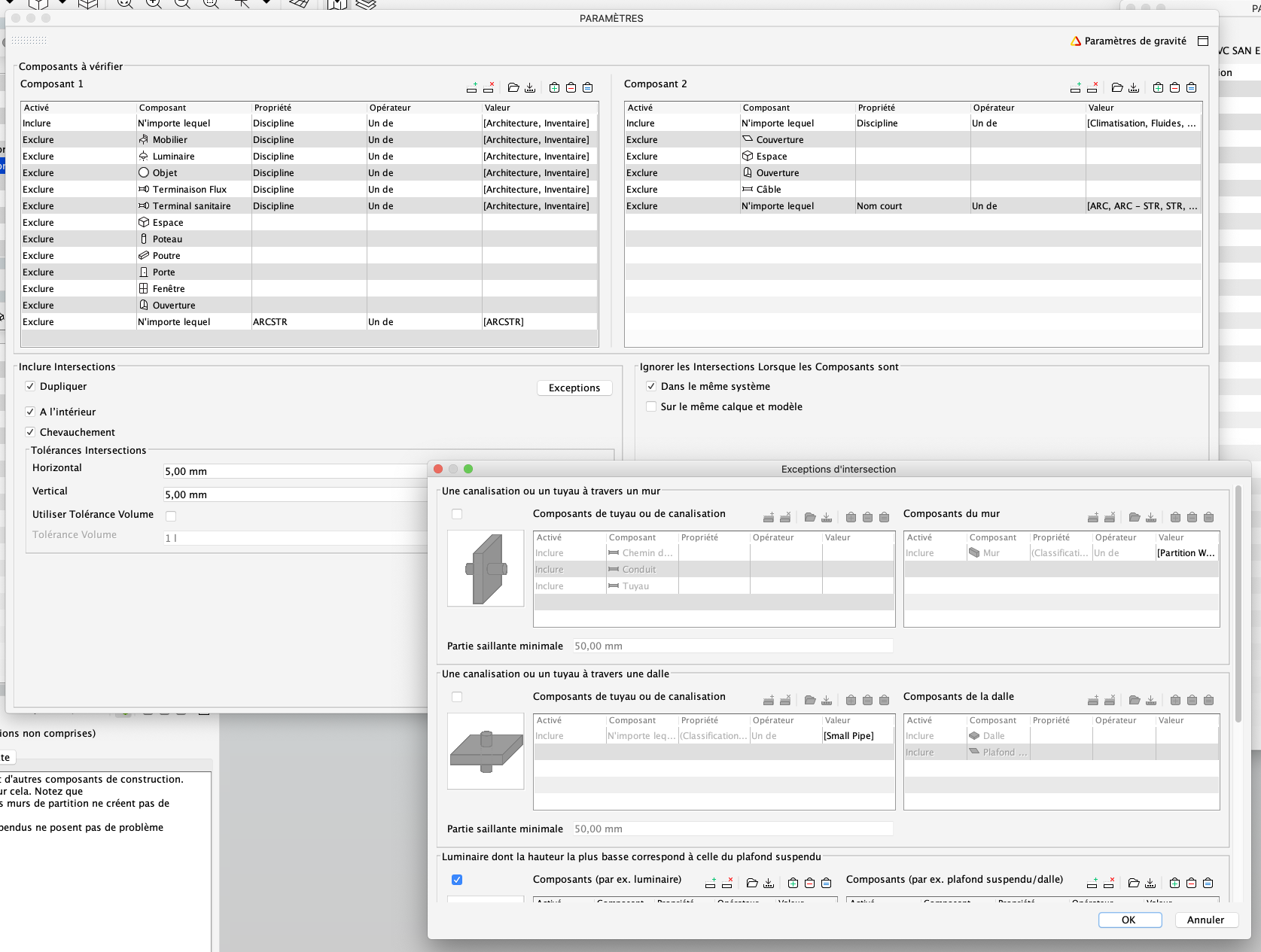
        image_2021-01-20_081350.png

        Adriano Faria
        LRS Architectes - BIM Coordinator

        JSNJ I 2 Replies Last reply
        0
        • JSNJ Offline
          JSNJ Offline
          JSN
          replied to Adriano Faria on last edited by
          #4

          @adriano-faria

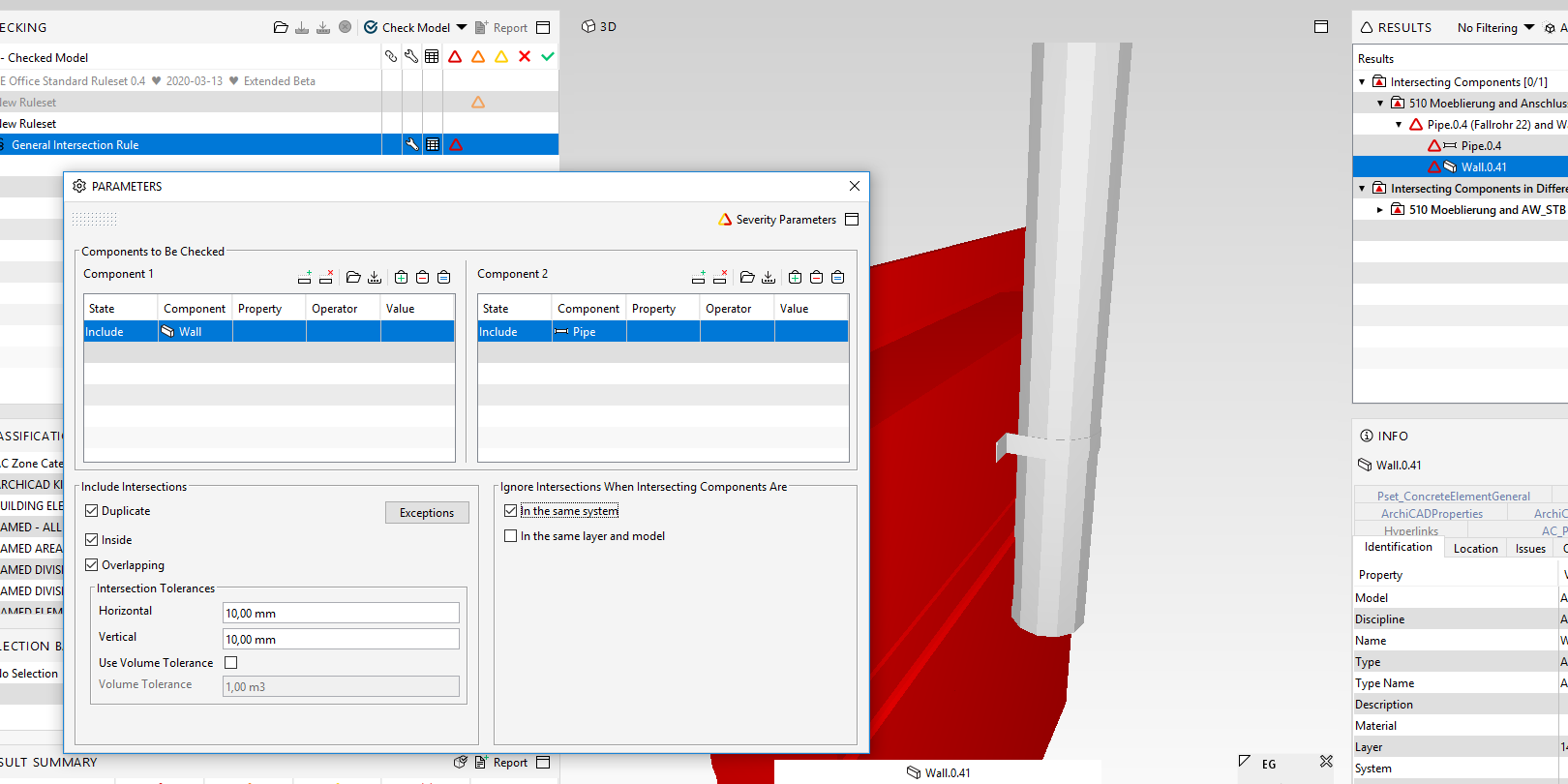
          It is indeed not that easy with a french screenshot. However, have you checked your filter are indeed working - I guess yes as horizontal collisions are detected, right?

          Did you try to change the tolerances?
          Are the components in the same system might this be the problem?
          Did you try the rule with a slim test model?

          It should actually work,

          8246c0cb-acf7-42aa-b760-efe1186dbf57-image.png

          1 Reply Last reply
          0
          • I Offline
            I Offline
            InaTofalvi
            replied to Adriano Faria on last edited by
            #5

            @adriano-faria I understand anyway 😃
            Okay, so the pipe that clashes in your picture, is it a pipe or a covering? Cause I can see that the covering is exkluded in your ruleset setting.

            A 1 Reply Last reply
            0
            • A Offline
              A Offline
              Adriano Faria
              replied to InaTofalvi on last edited by
              #6

              @inatofalvi Thanks for your feedback. It’s not under Covering, it’s ifcFlowSegment ifcPipeSegmentType

              …

              I am pretty sure it’s something so obvious and right in front of my eyes…

              Adriano Faria
              LRS Architectes - BIM Coordinator

              I 1 Reply Last reply
              0
              • I Offline
                I Offline
                InaTofalvi
                replied to Adriano Faria on last edited by
                #7

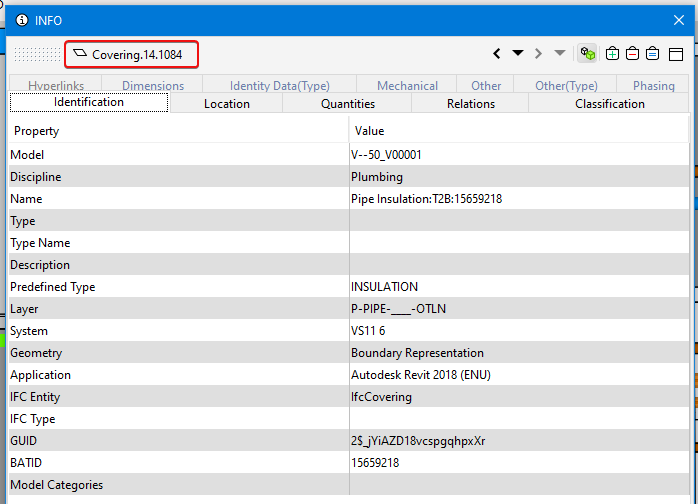
                @adriano-faria I can’t be. The component name can’t have that data.
                Click on the item that clashes and see what component it is.Covering.png
                A 1 Reply Last reply
                0
                • A Offline
                  A Offline
                  Adriano Faria
                  replied to InaTofalvi on last edited by Adriano Faria
                  #8

                  @inatofalvi It’s a pipe not a covering. When I add the contents of “components 2” of the rule into the basket (=) I see all the pipes, including those not identified as clashing with the walls . It’s almost as if the rule only checks horizontally.

                  Adriano Faria
                  LRS Architectes - BIM Coordinator

                  1 Reply Last reply
                  0

                  Copyright © 2025 Solibri Inc. | Powered by NodeBB

                  • Login

                  • Don't have an account? Register

                  • Login or register to search.
                  • First post
                    Last post
                  0
                  • Categories