
SOL/208/1.3 - checking the clear width of doors
-
Good evening,
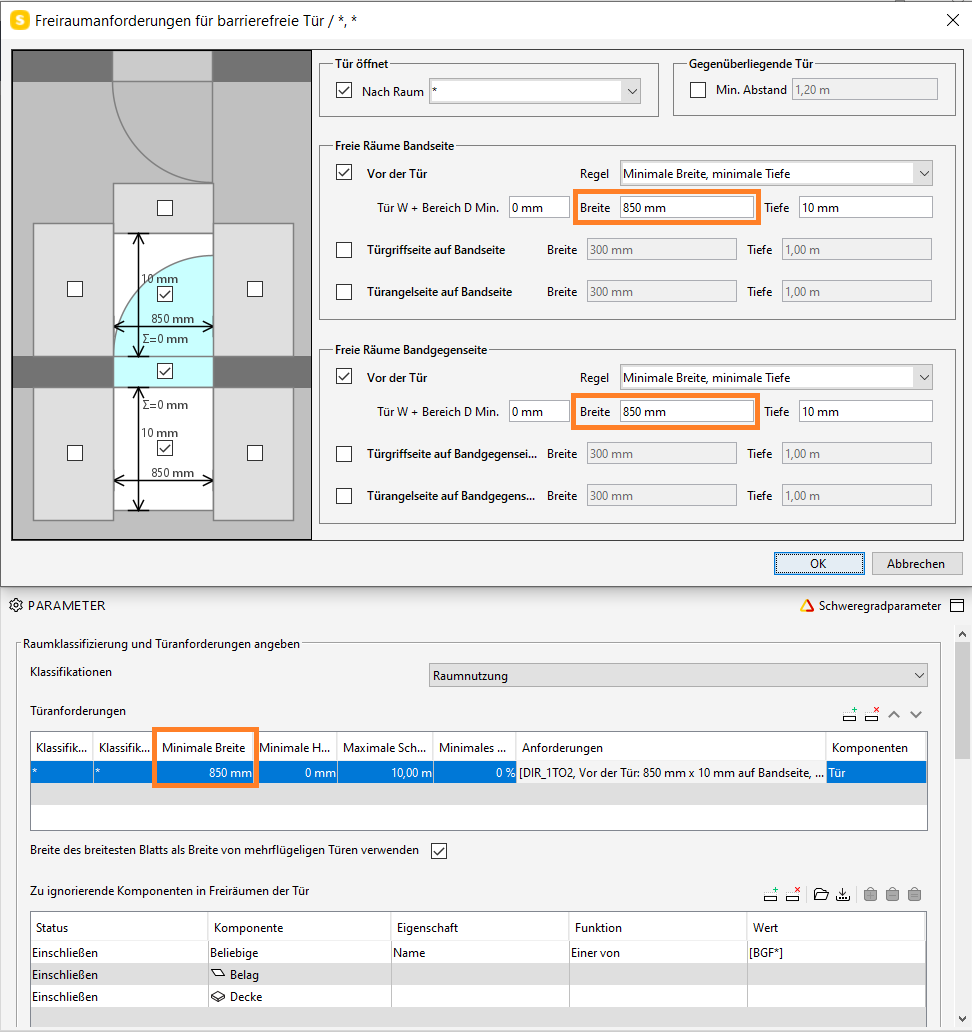
as you can see in the first picture i intended to check the traversable clear width of door-components, setting the minimal requirement within the rule at 850mm…
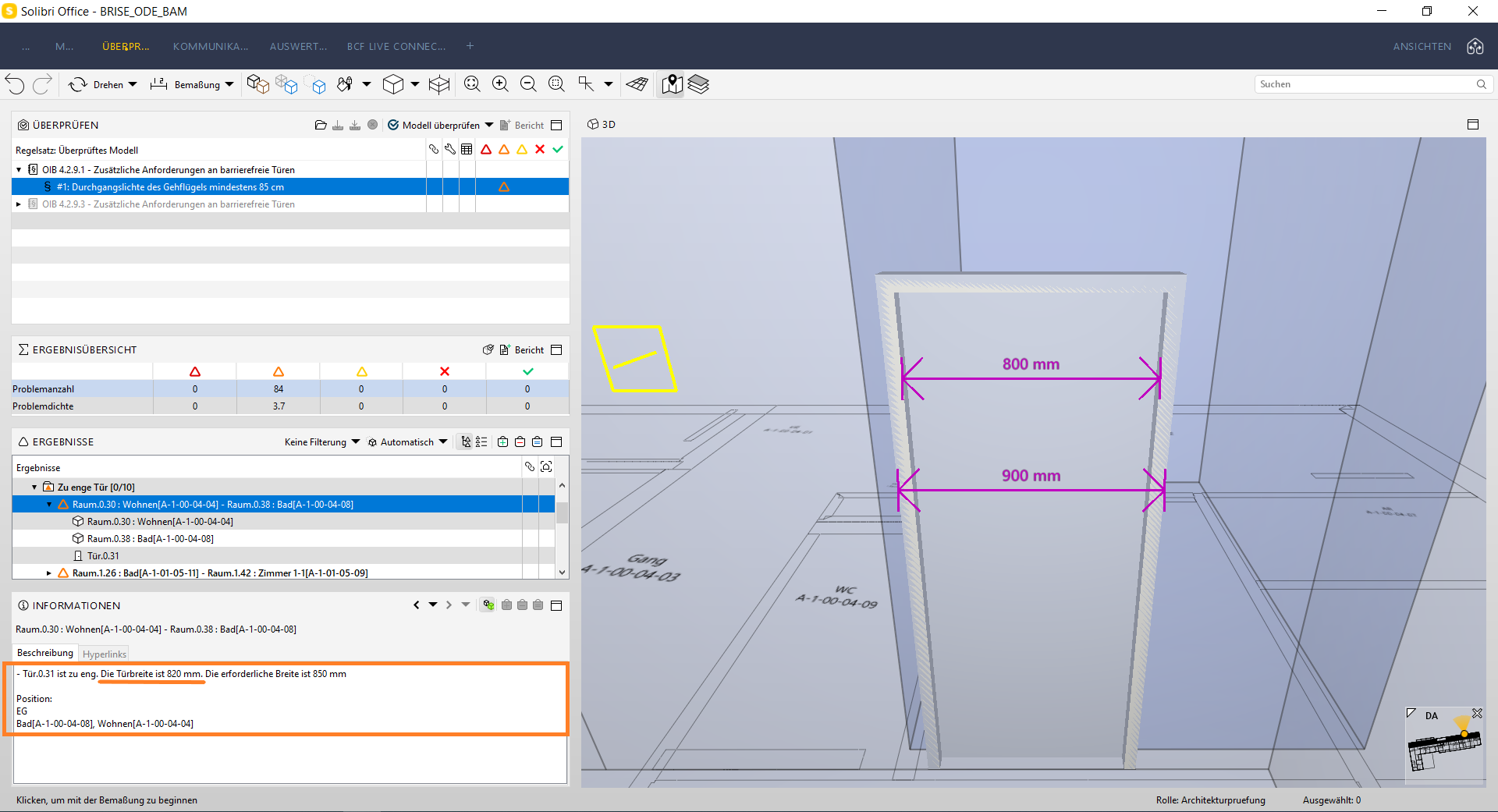
therefore i don´t understand why the results assume that the clear width in this case is said to be 820mm, while you can also see in the other screenshots that the
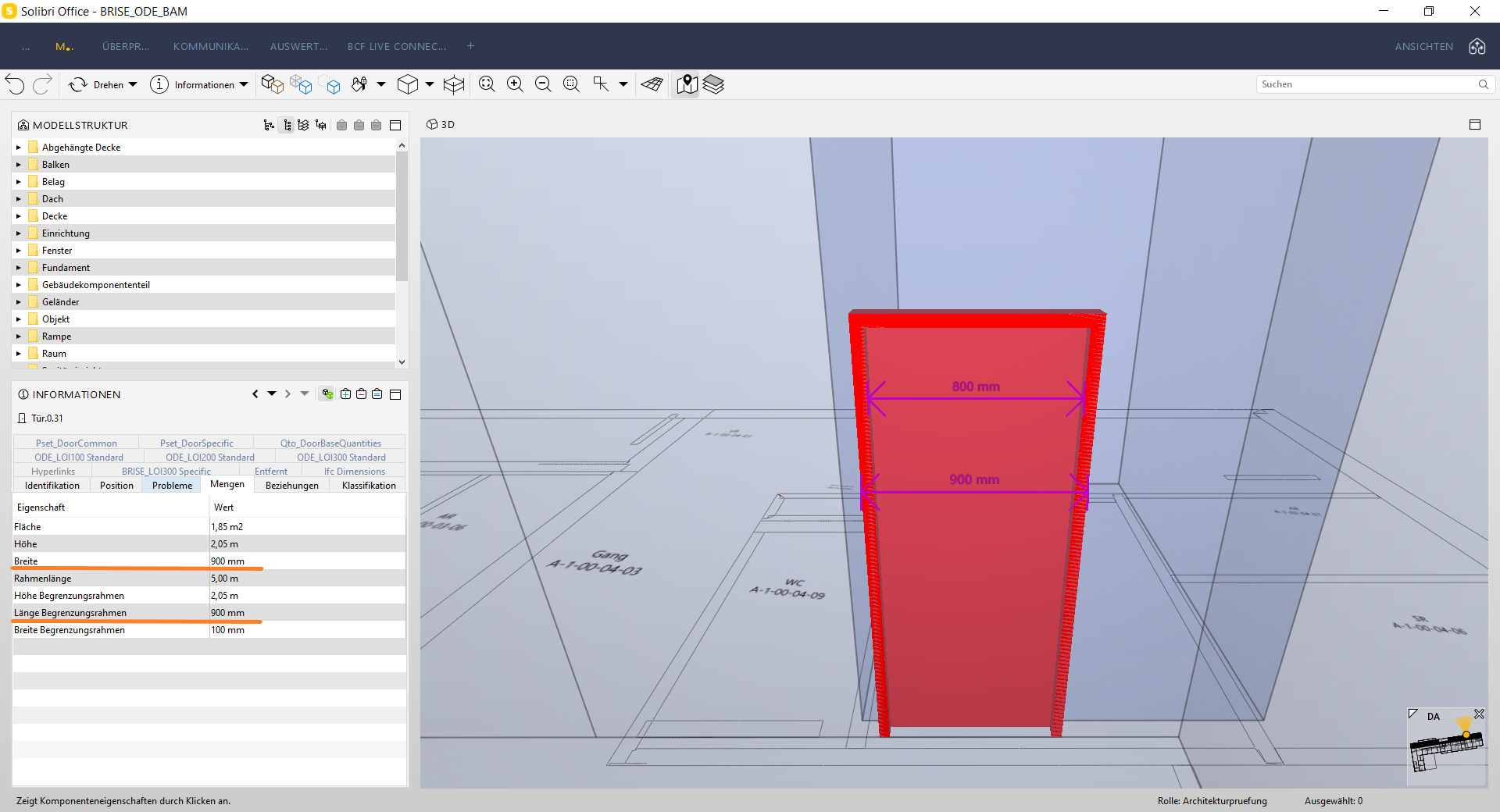
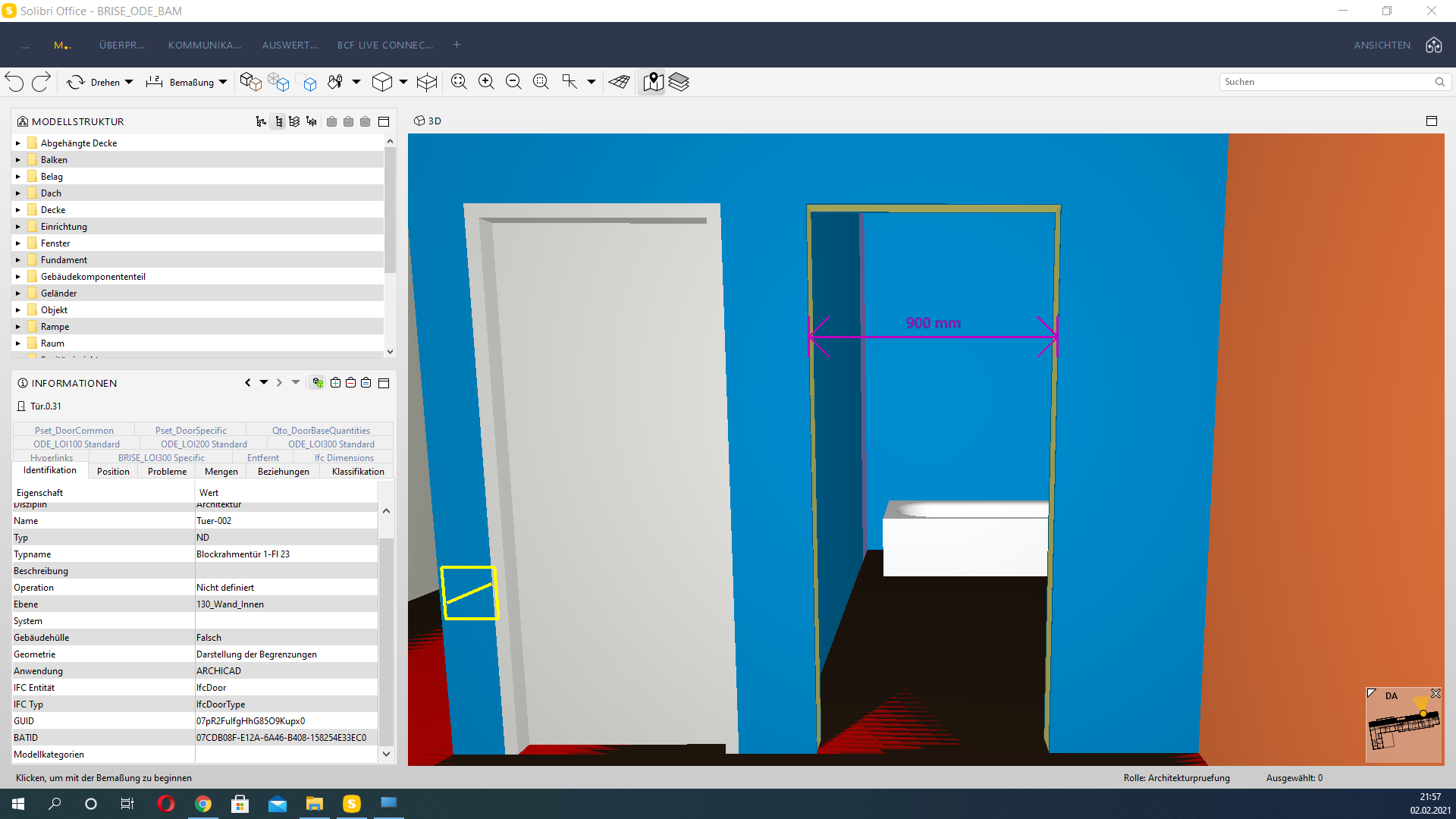
measured clear width is clearly 800mm and the “Qto_DoorBaseQuantities.Width” of the door-component, aswell as the hole in the wall measures 900mm… does anyone has
an idea where the 820mm come from? thanks in advance!Sebastian
-
AD: … okay i may have posted too fast, because i have overseen the reason for the 820 mm coming from the settings within the “third priority”, where the standard door-frame was set at
40 mm -> so the width of the door-component (900 mm) - 2x 40 mm resulted in 820 mm…
anyway… therefore i adapt my question onto the right settings within the “first priority”…
is there a Quantity for the door/frame i can select so it automatically subtracts the
geometrical frame-width which should be 100mm in this example?

once again… thanks for help in advance!
-
Hi there,
I was looking into this rule and if I understand it correctly, the base width is taken from the quantity tab of the door minus the framing x 2 and panel.
I saw that depending on the door that was modelled in Archicad a different quantity would come out even if it the same element.
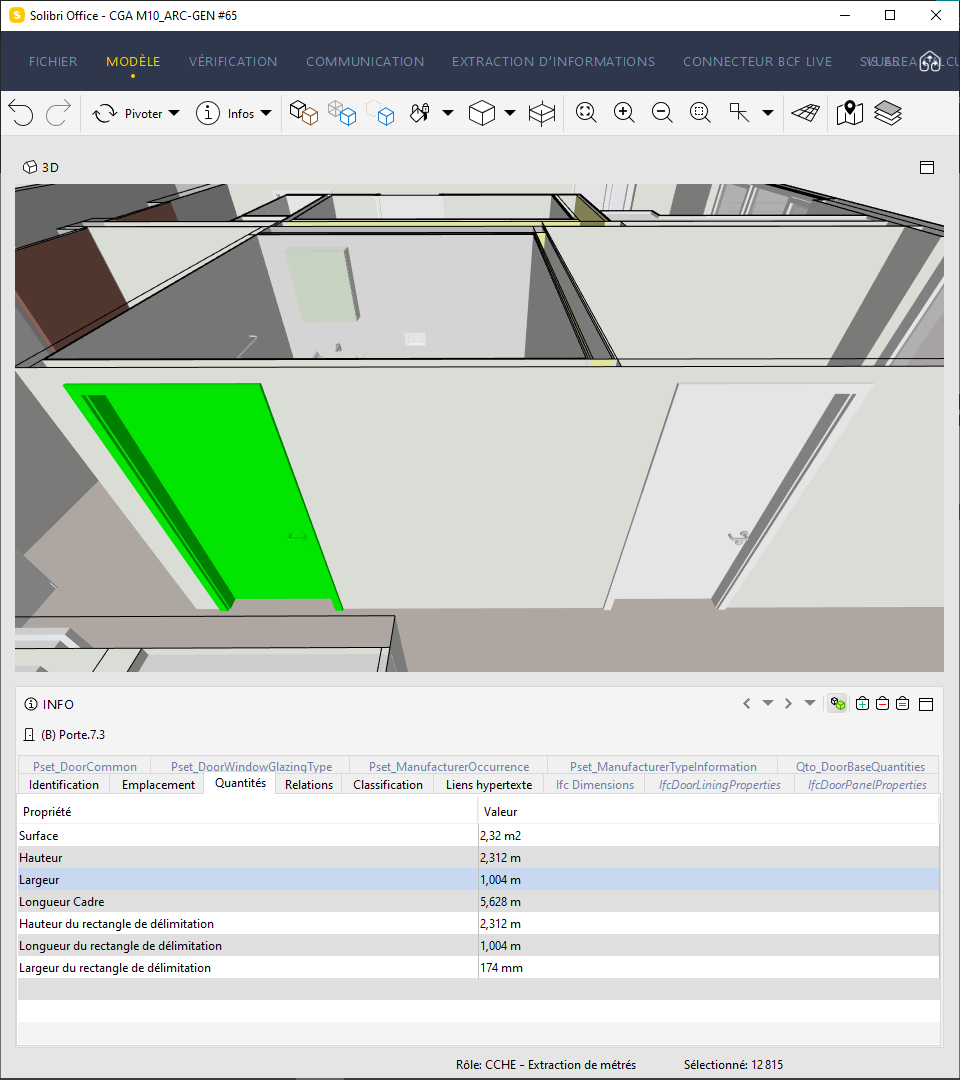
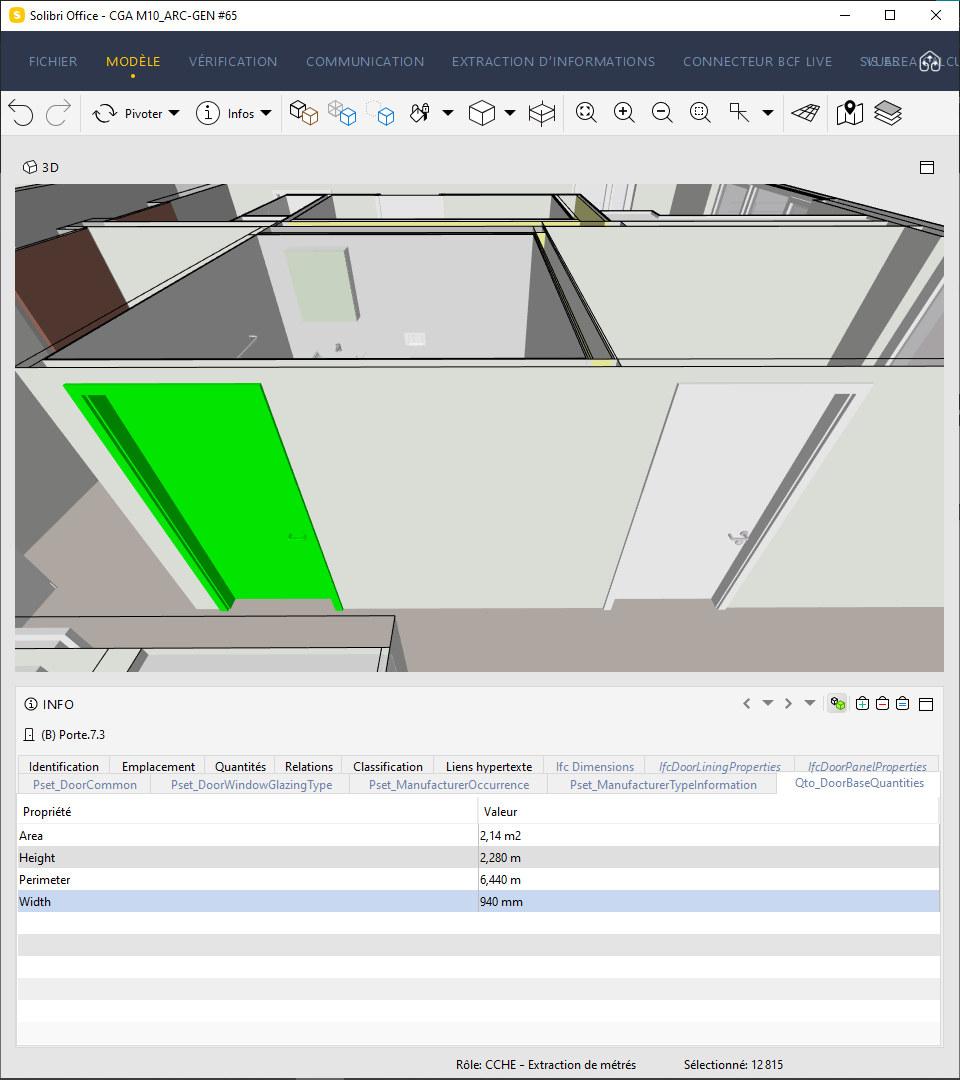
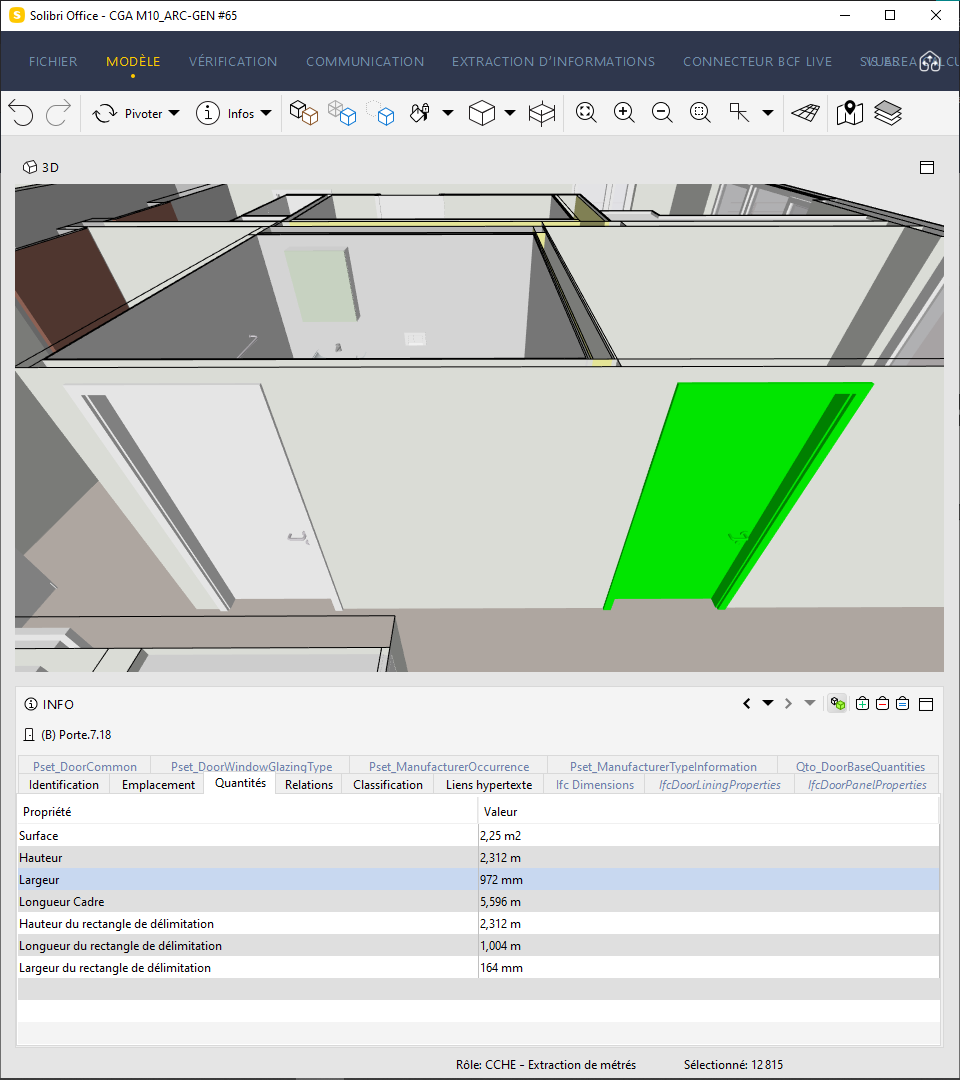
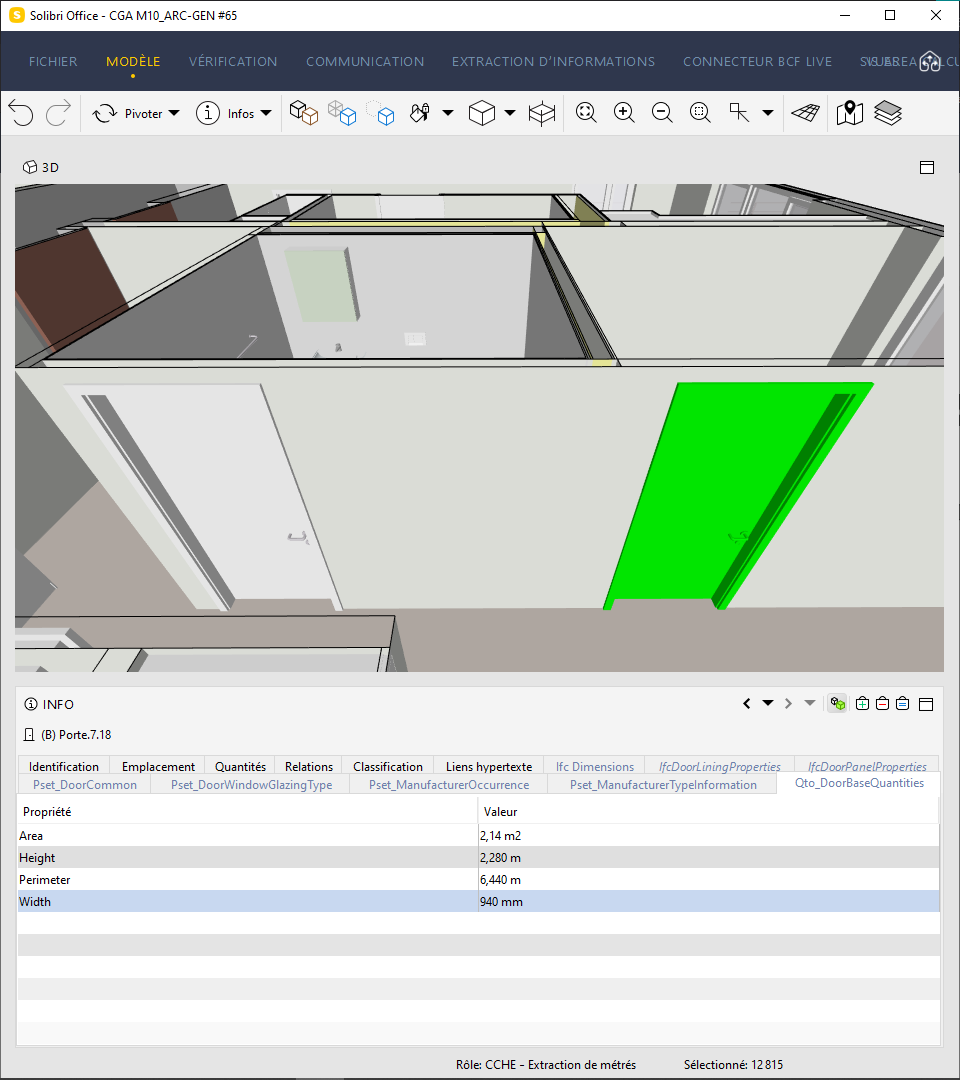
Sometimes I even get a quantity that doesn’t add up at all…
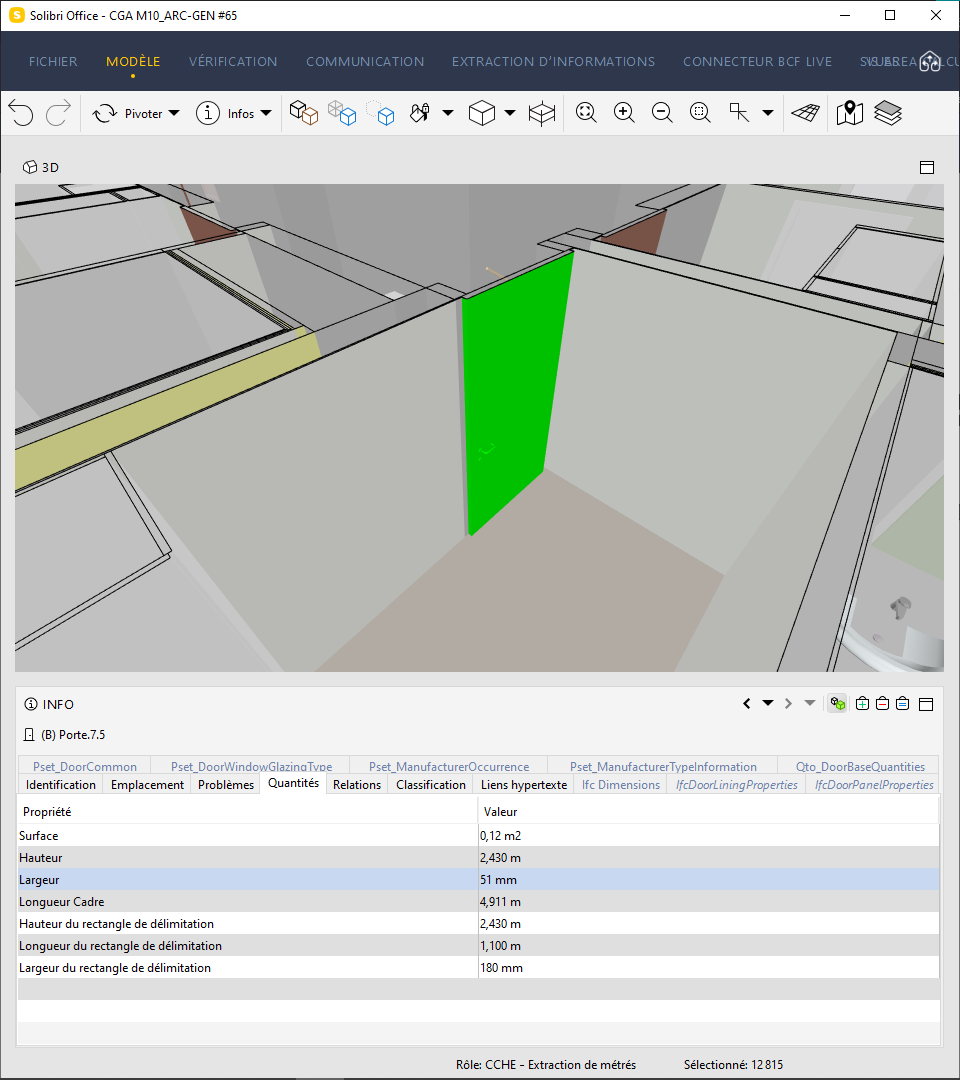
How does Solibri calculate the width of the door?
Would it be possible to be able to choose the base width parameter of the door to take?
Thanks a lot and best regards,
Copyright © 2025 Solibri Inc. | Powered by NodeBB