Skip to content
  • Categories
Collapse
Solibri Society Forum
  1. Home
  2. General Discussion
  3. Strange object showing in Solibri only

Strange object showing in Solibri only

Scheduled Pinned Locked Moved General Discussion
9 Posts 5 Posters 1.7k Views
  • Oldest to Newest
  • Newest to Oldest
  • Most Votes
Log in to reply
This topic has been deleted. Only users with topic management privileges can see it.
  • G Offline
    G Offline
    Gerco
    wrote on last edited by
    #1

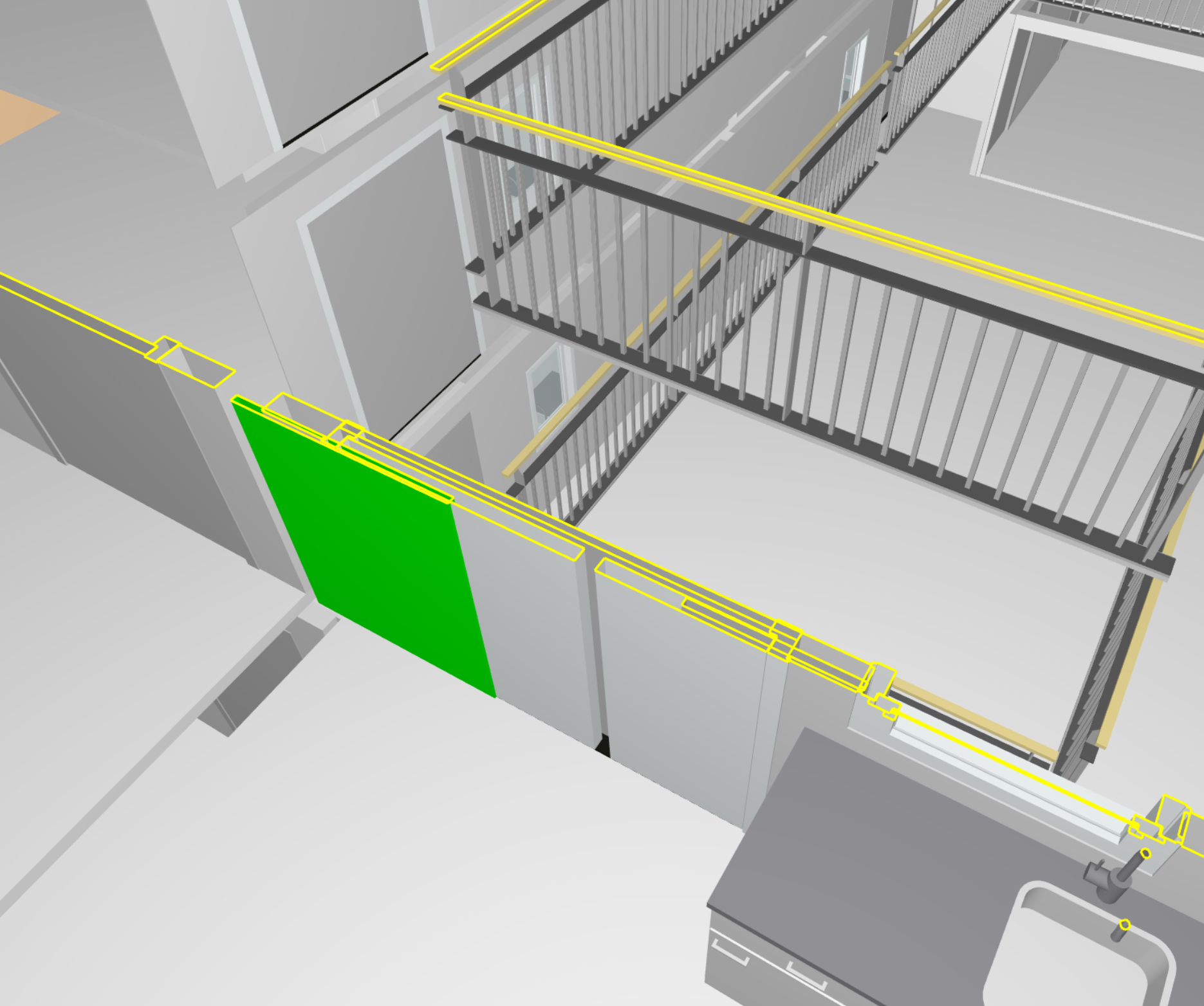
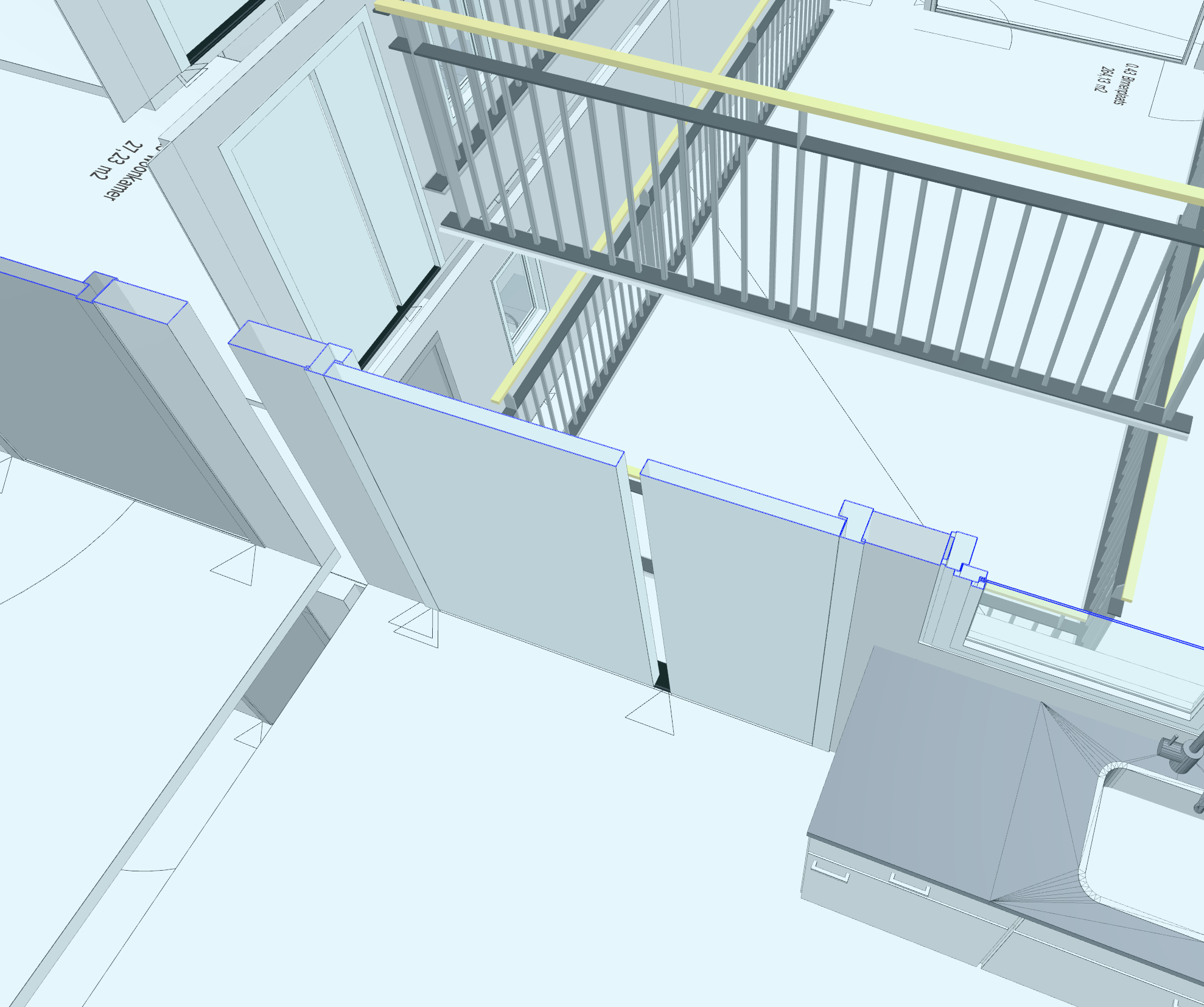
    Is this a bug in Solibri? (using 9.12.1.9)

    Solibri:
    solibri.PNG

    Bimcollab ZOOM:
    bimcollab.PNG

    1 Reply Last reply
    0
    • ? Offline
      ? Offline
      A Former User
      wrote on last edited by
      #2

      Hi,

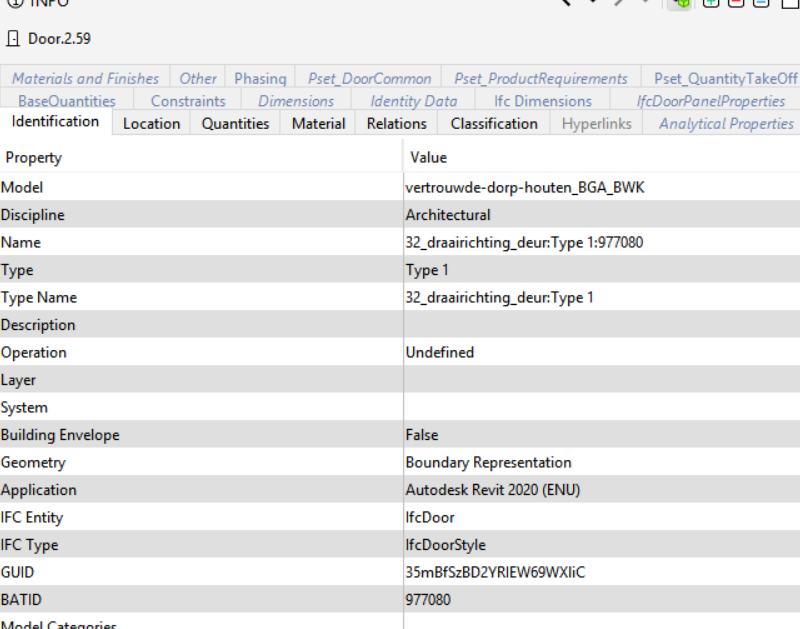
      Is there something on the info window?

      br,
      Mathieu

      1 Reply Last reply
      0
      • G Offline
        G Offline
        Gerco
        wrote on last edited by
        #3

        Knipsel.PNG

        1 Reply Last reply
        0
        • JSNJ Offline
          JSNJ Offline
          JSN
          wrote on last edited by
          #4

          Is it IFC4?

          1 Reply Last reply
          0
          • RicardoR Offline
            RicardoR Offline
            Ricardo
            wrote on last edited by
            #5

            Is this modeled in Revit? Because I had a similar situation once, with windows/doors and (what looks like) the same kind of elements that appear.

            I thought that it had to do with the Revit family that was used, but this maybe needs some more investigation.

            1 Reply Last reply
            0
            • ? Offline
              ? Offline
              A Former User
              wrote on last edited by
              #6

              It seems like it is Revit 2020 and IFC2x3 (reading from the screenshot).

              But I don’t have any clue about how it could happen…

              1 Reply Last reply
              0
              • G Offline
                G Offline
                Gerco
                wrote on last edited by
                #7

                I’ve done some more testing. It’s IFC2x3 Revit 2020 and 2021. When I uncheck “Export 2D plan view elements” it works fine. Not sure I it’s a Solibri problem (it’s not in BIMcollab) or a Revit exporter problem.
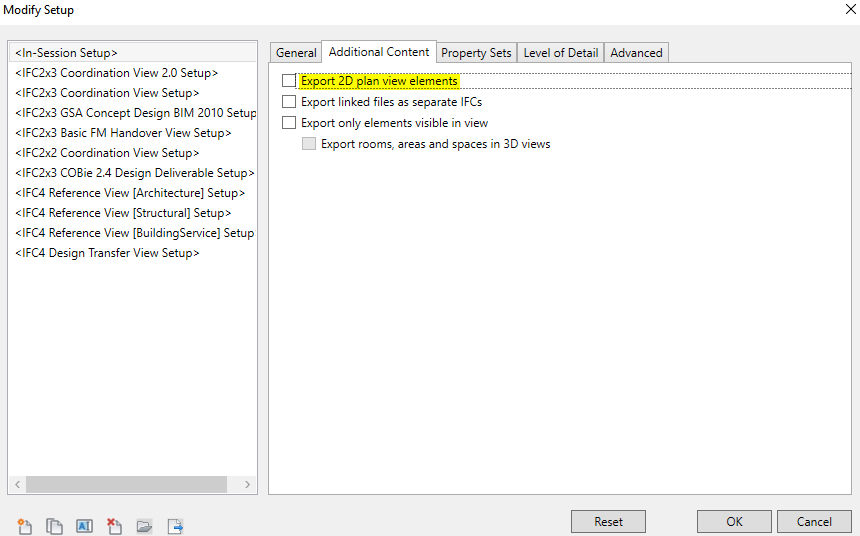
                Knipsel.PNG

                Revit family:
                Solibri.zip

                T 1 Reply Last reply
                0
                • T Offline
                  T Offline
                  TazJohn
                  replied to Gerco on last edited by
                  #8

                  @gerco

                  I notice that the Export only elements visible in view is unchecked. Have you got an other view where the element is included in the Revit model but hidden by a visibility setting/filter or phase?

                  1 Reply Last reply
                  0
                  • G Offline
                    G Offline
                    Gerco
                    wrote on last edited by
                    #9

                    In Revit it’s nog visible, I don’t have any filter enabled in Revit. When I use BIMcollab or any other IFC viewer it’s not visible.

                    1 Reply Last reply
                    0

                    Copyright © 2025 Solibri Inc. | Powered by NodeBB

                    • Login

                    • Don't have an account? Register

                    • Login or register to search.
                    • First post
                      Last post
                    0
                    • Categories