Skip to content
  • Categories
Collapse
Solibri Society Forum
  1. Home
  2. General Discussion
  3. Titles crop unexpectedly

Titles crop unexpectedly

Scheduled Pinned Locked Moved General Discussion
3 Posts 2 Posters 608 Views
  • Oldest to Newest
  • Newest to Oldest
  • Most Votes
Log in to reply
This topic has been deleted. Only users with topic management privileges can see it.
  • _c__ Offline
    _c__ Offline
    _c_
    wrote on last edited by
    #1

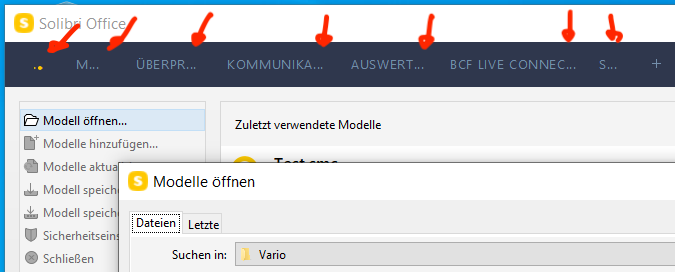
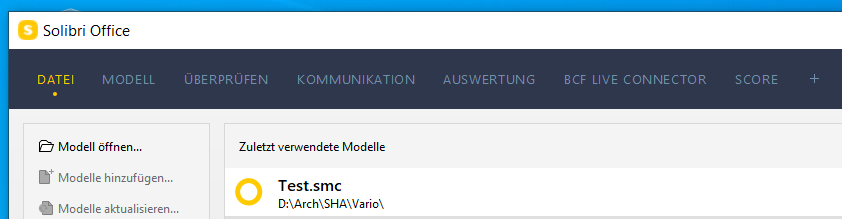
    We all (Win10) have display issues on the blue menu bar. Solibri starts normal, but as soon as we click on something, for example “Open model…” the titles in the blue menu bar crop unexpectedly.

    This in the screenshots below is Solibri Office 9.12.6, but we see the issue since before:
    Capture1.PNG

    Capture2.PNG

    c

    JSNJ 1 Reply Last reply
    0
    • JSNJ Offline
      JSNJ Offline
      JSN
      replied to _c_ on last edited by
      #2

      @_c_ check the High DPI Settings of the Solibri Shortcut on Windows. Afaik there is a setting where you can correct this behaviour.

      1 Reply Last reply
      0
      • _c__ Offline
        _c__ Offline
        _c_
        wrote on last edited by
        #3

        I apologise for the delay. Thank you! That was it.

        c

        1 Reply Last reply
        0

        Copyright © 2025 Solibri Inc. | Powered by NodeBB

        • Login

        • Don't have an account? Register

        • Login or register to search.
        • First post
          Last post
        0
        • Categories