
User Input Tasks questions
-
Hi everyone!
I ask for help!
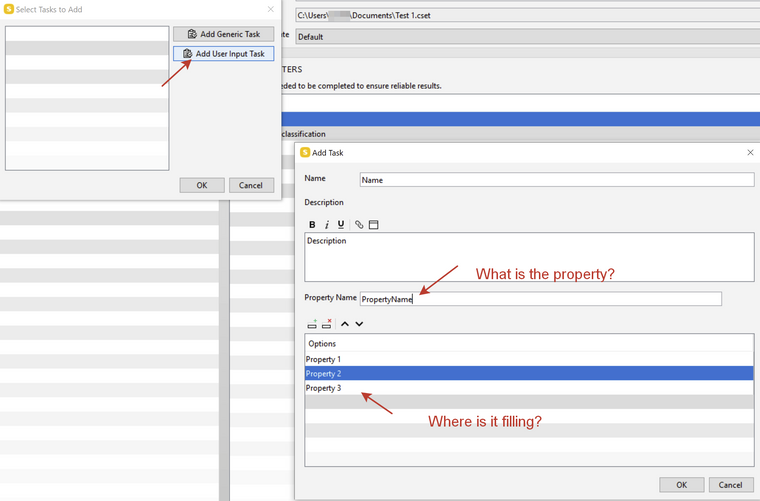
Who can explain how exactly the ADD User Input Tasks feature works?
The help section it is written that this feature allows you to enter properties from the list listed. But I do not understand where it is filled! Can anyone show an example? Or deserve to explain?Thank you!
-
User input task is used to enable checking a model using ‘user input’ info that is originally do not exist in the model such as ‘Building type’, ‘Phase of design’, etc…the info added by the user.
When creating a ‘User Input Task’ the ‘Property Name’ is the info the user adds -> Options is the alternatives of the Property name (also to be added by the user).
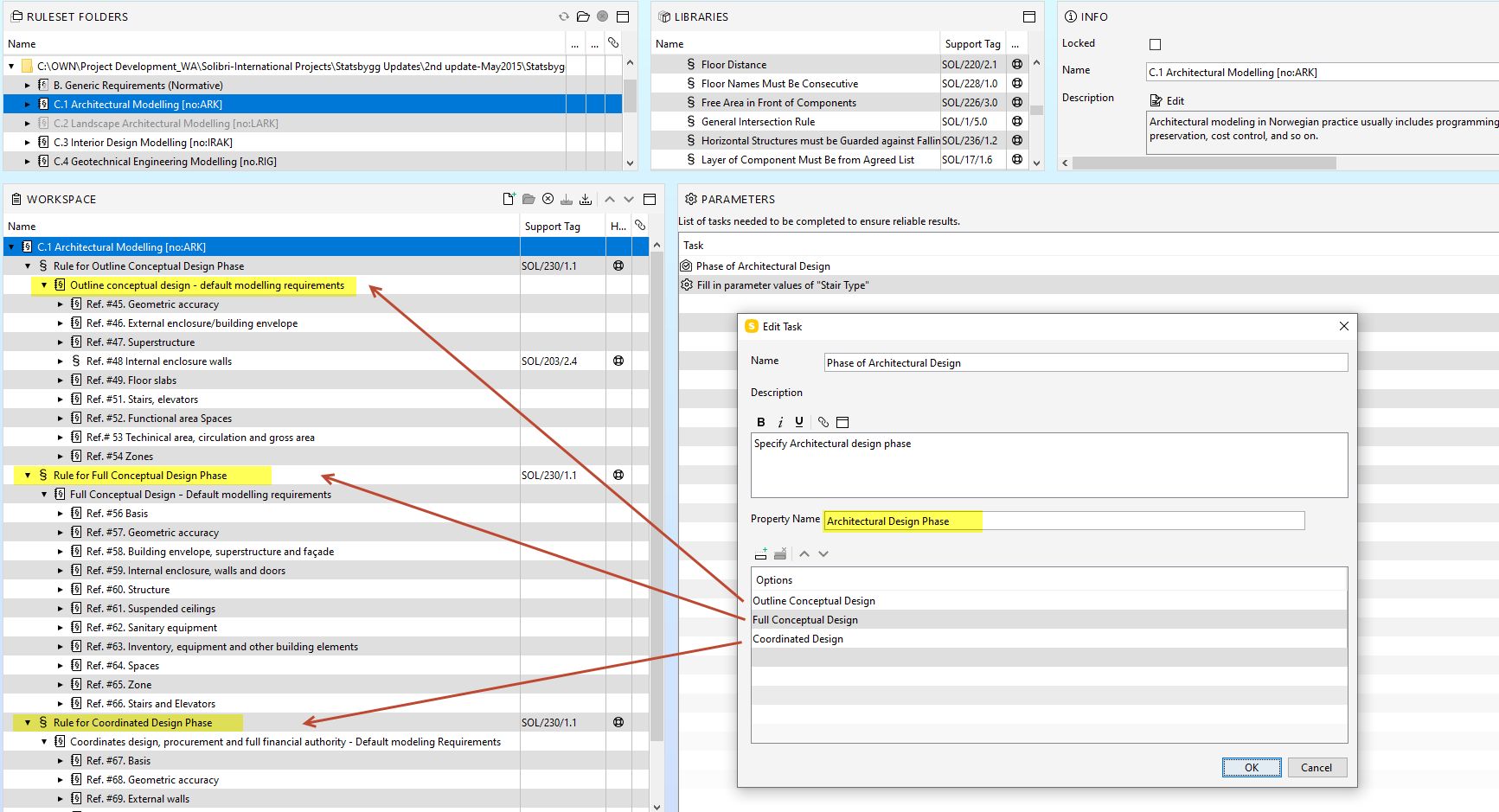
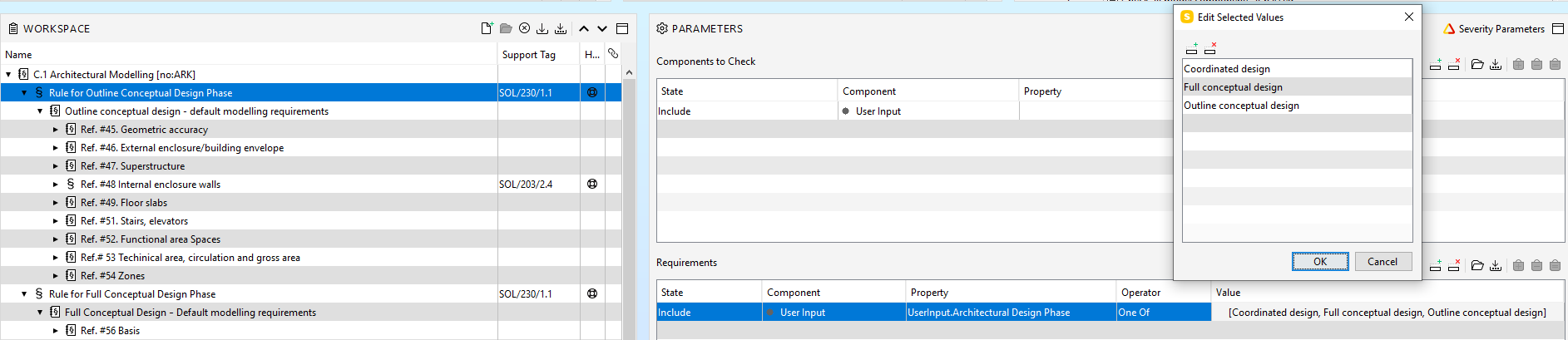
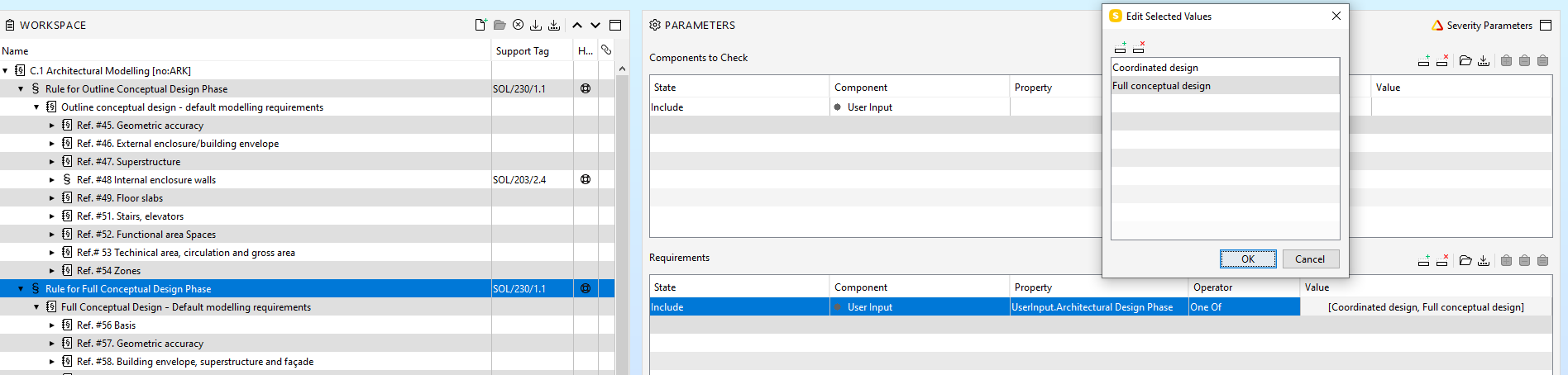
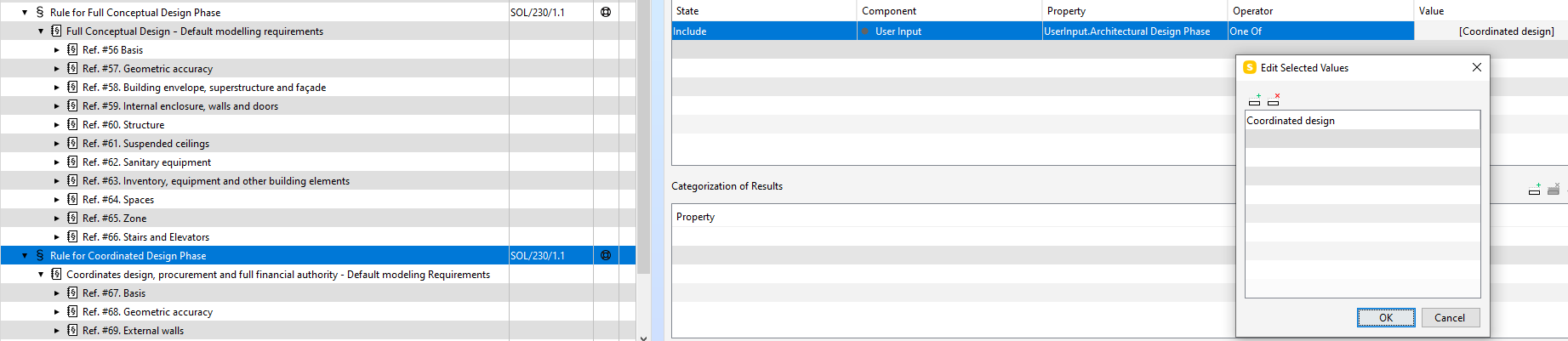
The same ‘PropertyName’ and their options are used in parametrizing rule #230 that is used as a GKR - Gate Keeper rule’ for activating the ‘Sub rule options’ when checking.
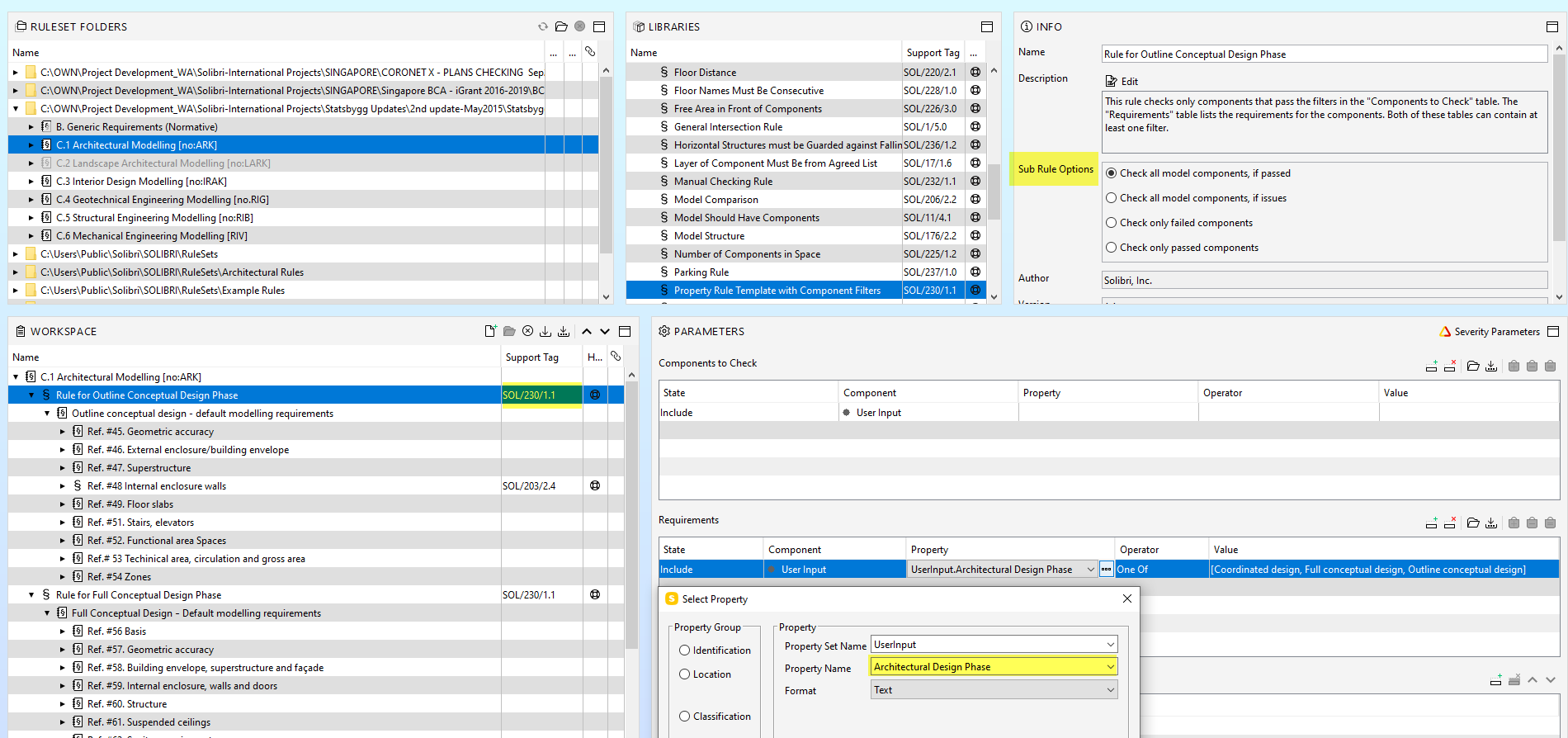
Once your ruleset is ready, the ‘User input task’ will appear in the checking Layout when you load your ruleset, the task will ask you to ‘Verify user input’.
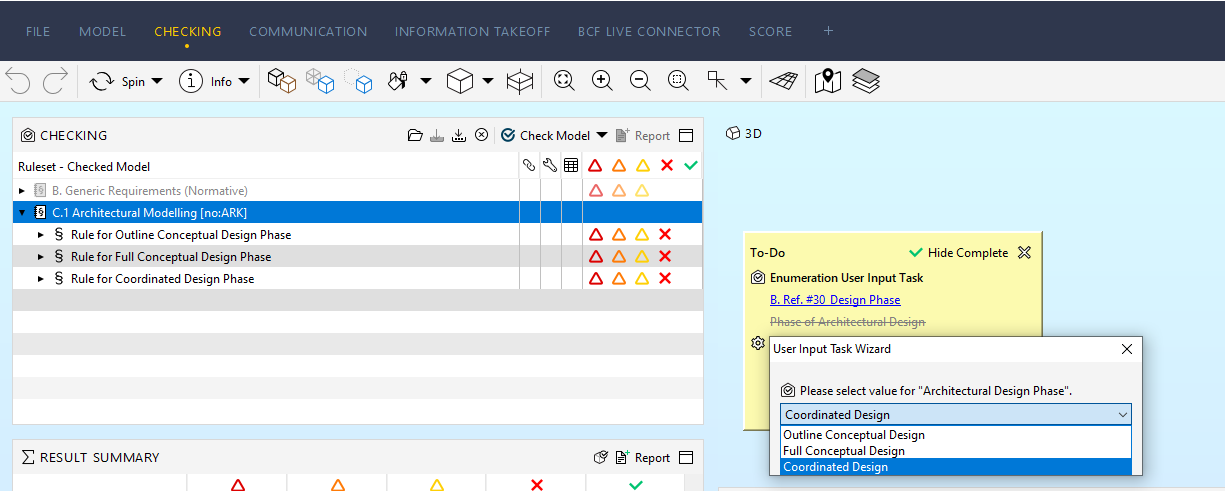
Below are snapshots from ‘Statsbygg’ rulesets which uses user input tasks to choose between ‘design stages’. these design stages are property names that the user added and do not exist in the model, also you can see how the different parametrization of rule #230 (with different property values) will activate different checking stages’ options.



Copyright © 2025 Solibri Inc. | Powered by NodeBB