Skip to content
  • Categories
Collapse
Solibri Society Forum
  1. Home
  2. General Discussion
  3. Rule: Allowed Property Values from list

Rule: Allowed Property Values from list

Scheduled Pinned Locked Moved General Discussion
5 Posts 2 Posters 638 Views
  • Oldest to Newest
  • Newest to Oldest
  • Most Votes
Log in to reply
This topic has been deleted. Only users with topic management privileges can see it.
  • T Offline
    T Offline
    tuekappel_
    wrote on last edited by
    #1

    Hi everybody

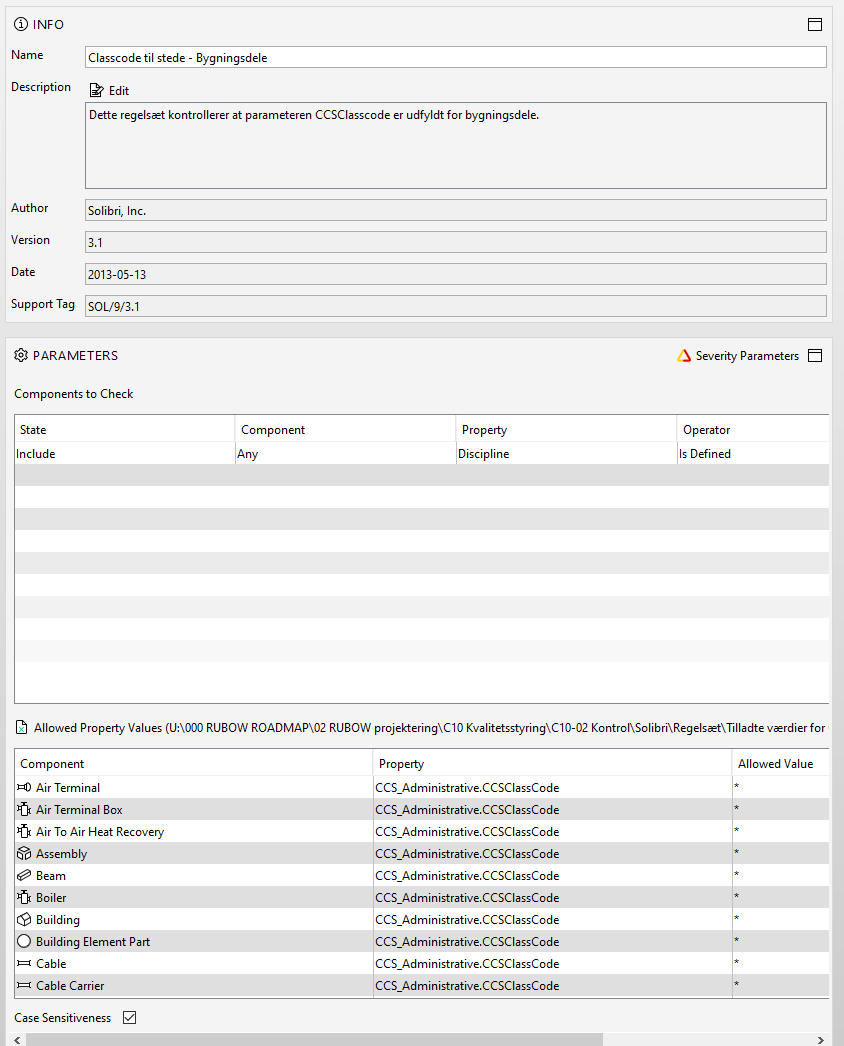
    I have this situation: I would like to check if a certain property has a value. Problem solved with the * operand, see below.
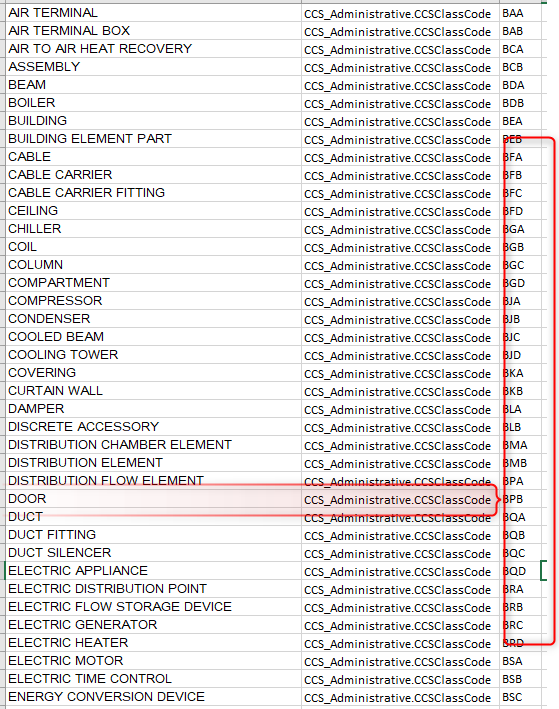
    I would also like to check if that property has any of the allowed values from my Excel list.
    It seems i have to check by component, i’d much rather just check all component types in one go?

    It seems silly that i should make and load an excel list with all cross-combinations of components and values, just to do that check.

    Any ideas for this?

    I really hope i expressed myself clearly, otherwise don’t hesitate to ask.

    Cheers,
    Tue
    2021-10-04_09h49_35.png

    2021-10-04_09h35_18.png

    1 Reply Last reply
    0
    • MarioM Offline
      MarioM Offline
      Mario
      wrote on last edited by Mario
      #2

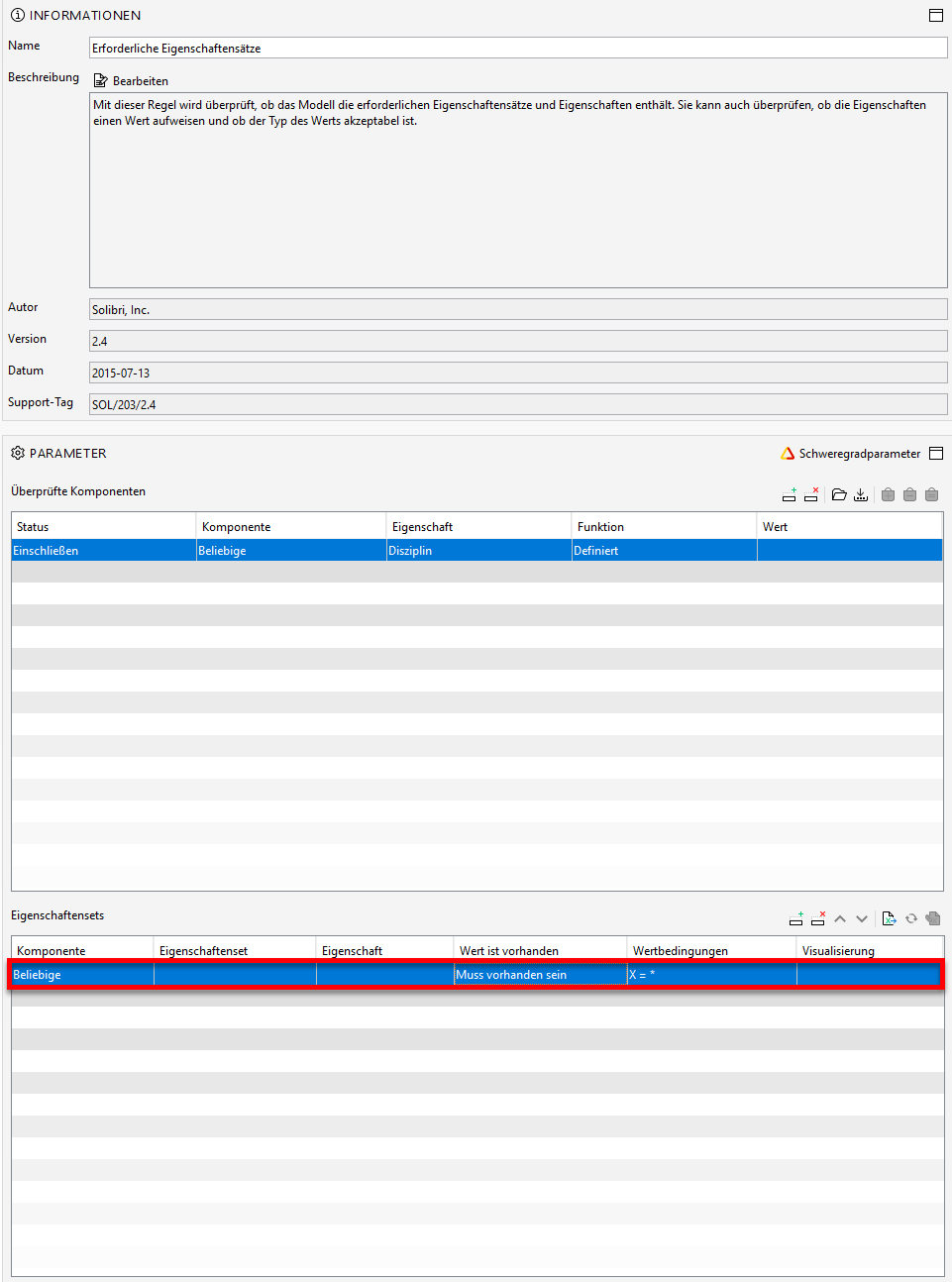
      What if You use the rule 203? Is that the function you are searching for? Or do you need a defined value for each property?
      If yes, there’s no option in my opinion. when you not define a list, from where should solibri know, which value should get together with which property? Or am I wrong?
      8c6e1037-72ce-4155-8137-3452dfba9529-grafik.png

      1 Reply Last reply
      0
      • MarioM Offline
        MarioM Offline
        Mario
        wrote on last edited by
        #3

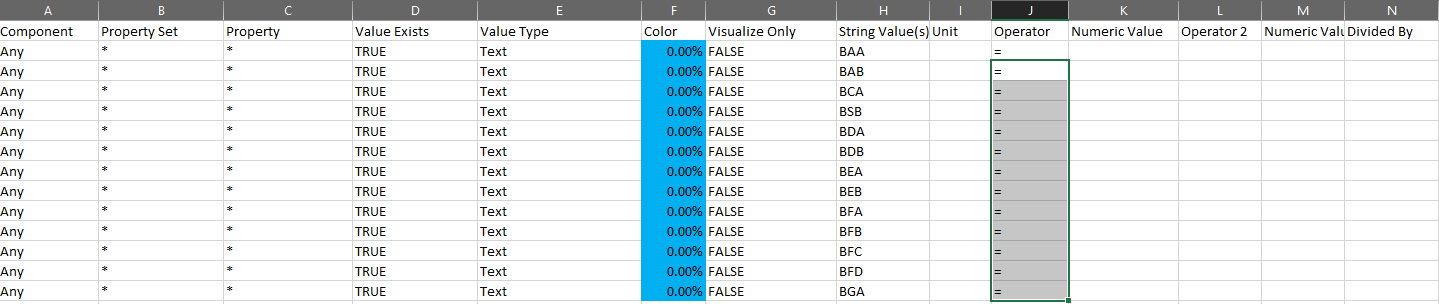
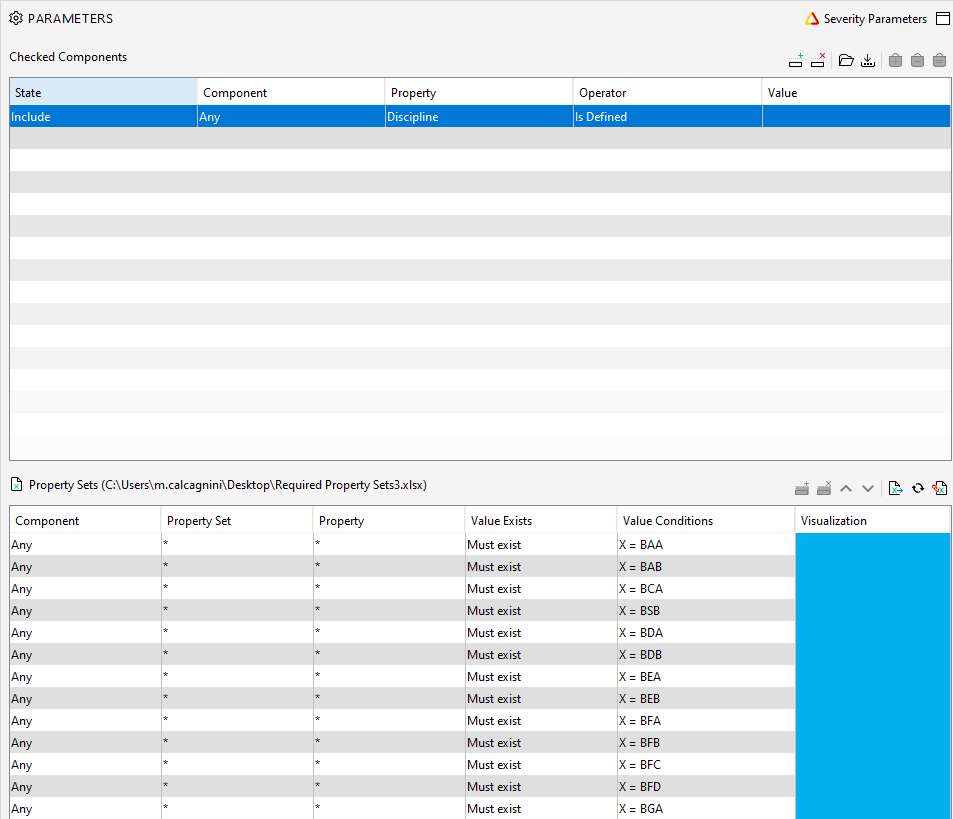
        Otherwise there’s the option with the rule 203 who checks if any component has a defined value. You have to make an excel-list where all the values are included:
        eba16a64-7665-4384-b7fa-10d1263179f7-grafik.png

        when you import that list in solibri it should be look like these. The property you wish to have checked can be defined in that list too.
        b82600cc-af10-4094-9a39-d33ffd6e48da-grafik.png

        T 2 Replies Last reply
        0
        • T Offline
          T Offline
          tuekappel_
          replied to Mario on last edited by
          #4

          @mario-calcagnini Hey, Mario, thanks a bunch! the “any” operand was exactly what i needed, i wasn’t aware that i was allowed to use that as a component type. I’ll get to testing right away.
          Again, thanks for your time!
          regards
          Tue

          1 Reply Last reply
          0
          • T Offline
            T Offline
            tuekappel_
            replied to Mario on last edited by
            #5

            @mario-calcagnini
            -And to clarify for everybody else; i had to pick Rule 203 to be allowed to declare the “any” operand from my Excel list. Just like mario said.

            1 Reply Last reply
            0

            Copyright © 2025 Solibri Inc. | Powered by NodeBB

            • Login

            • Don't have an account? Register

            • Login or register to search.
            • First post
              Last post
            0
            • Categories