
Checking the length of Attribute Names
-
Dear all,
Hello! Our Prefabricator uses Allplan and needs to import my IFC to prepare the building elements contained for prefabrication.
Problem: Allplan does not accept Attribute Names which are longer than 32 characters.
Is there any way to check in Solibri that no Attribute names are longer than 32 characters?
Thanks in advance,
Nathan
Nathan Ashton
BIM Coordinator
Nokera Planning, Leipzig, Germany -
Interesting question. Unfortunately, out-of-the-box there isn’t a very elegant way to check the number of characters a property name has. It is easy to do for a property value, but for the name of a property, you’ll have to search for the violating property sets of a components that are returned.
You can use wildcard characters ? and * in the component filters for the property set name and property name:
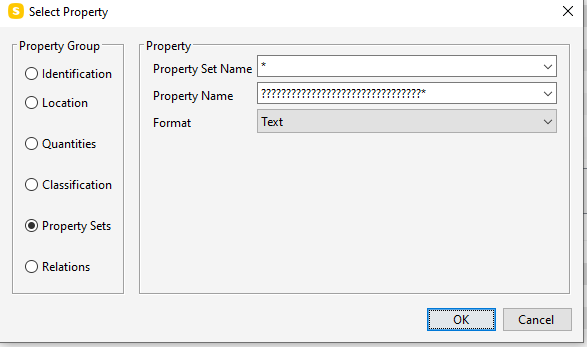
So for example, this will match any component that has any property set (using the * for the property set name) that has a property name that has 33 characters or more (using ???*)
You can use the Property Rule Template with Component Filters in this manner as a gatekeeper rule and pass the components that pass to a Manual Checking Rule to then look over the properties of the returned failed components. Unfortunately, it doesn’t state what property matched ???*.
Alternatively, you could use Comparison Between Property Values to check that no components are contained in the project:
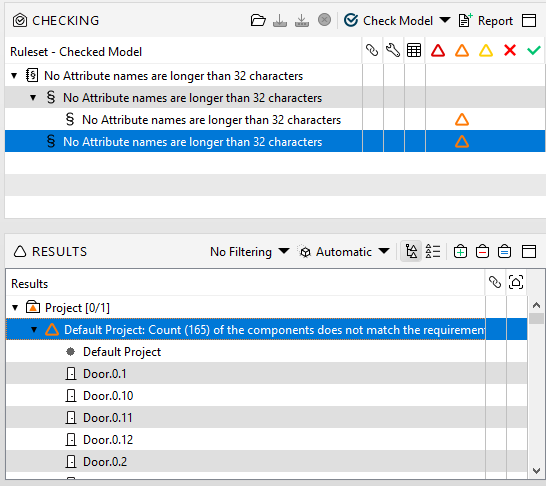
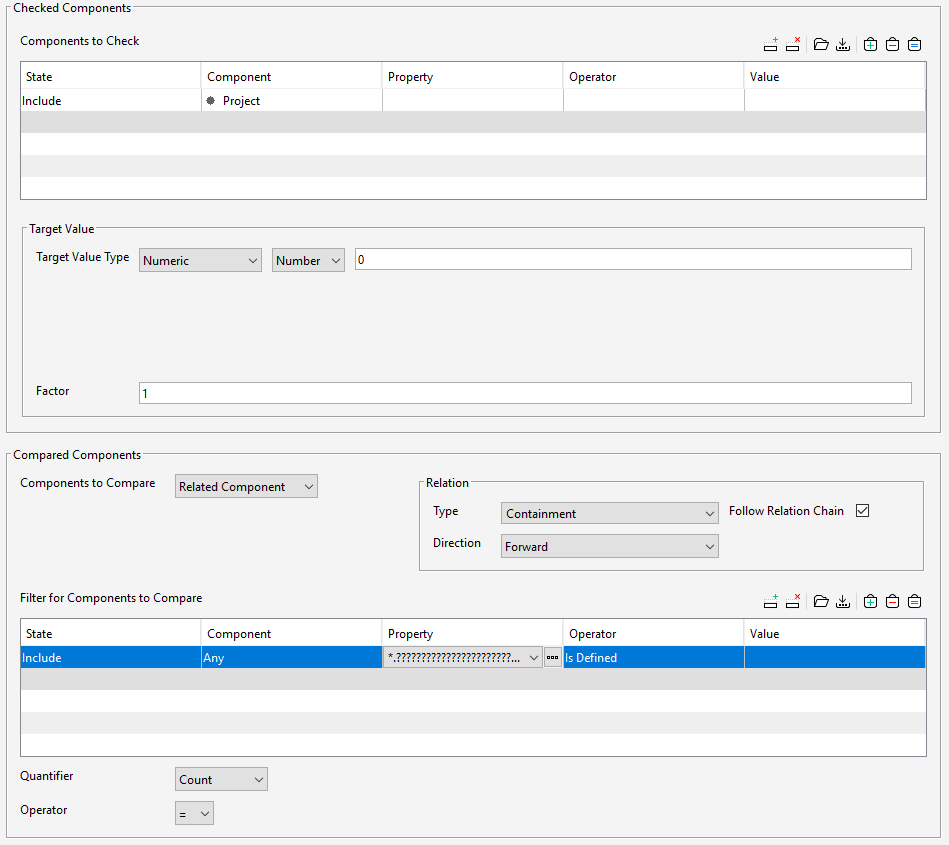
The best method would be to use the API to create a rule that counts the length of properties itself.
More information on this can be found here:
https://society.solibri.com/category/7/solibri-developer-platformIf you don’t have access but would like to view these pages, please email [email protected].
I created a simpler example of using the API to return the properties that have names that are greater than 32 characters in a Javascripted ITO:
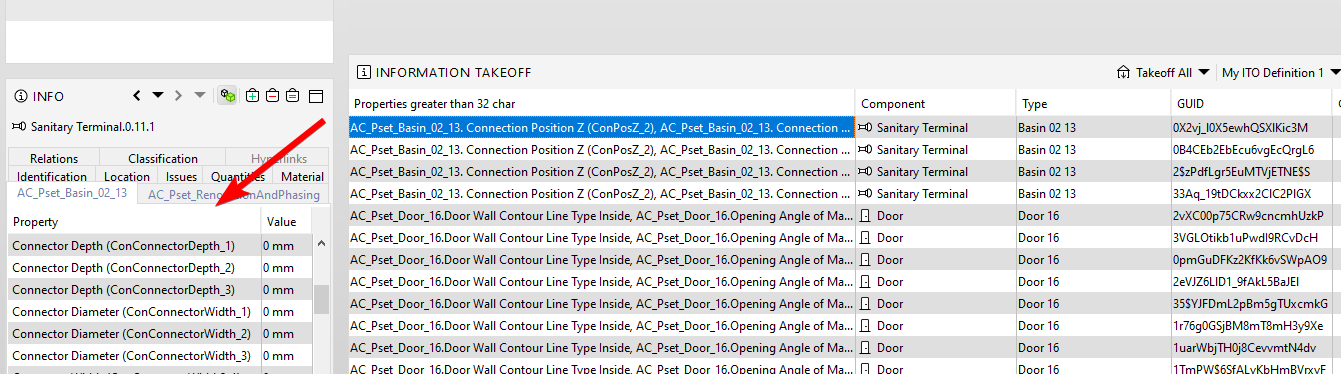
It lists in a comma separated list any property names along with their Pset they reside in that are 33 or greater chars.
Hopefully you can find this of some use. It is included in the example .smc here:Solibri Building_MAX_32_Char.smc
-
Hi @john-lipp,
Thanks so much for your suggestions, I tried them out and found the Property Rule Template with Component Filters as a Gatekeeper tricky, as it woudl disappear from my checked Rules view as soon as the check was done (after I adapted it to my own parameters), and the Comparison Between Property Values didn’t quite react to my Project parameters as expected.
However you brought me to a new idea of how to use the Manual Checking Rule :
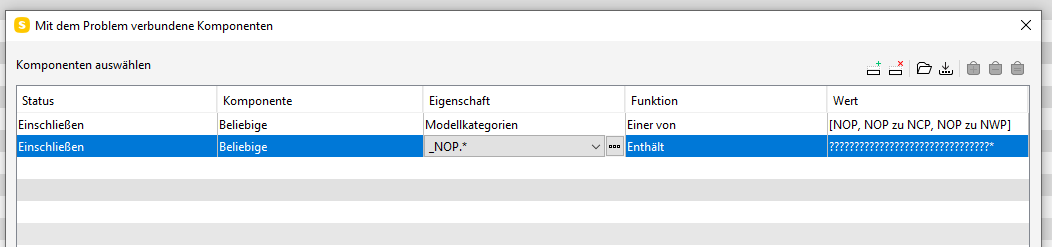
I include all of my own models according to their category, and search the company PSet for Attribute values with more than 32 characters.Best Regards, Nathan

Copyright © 2025 Solibri Inc. | Powered by NodeBB