
Can't add components to issue after it has synchronized (build 9.12.7.24)
-
I think there is a bug in 9.12.7.24 (at least, I hope it’s not a feature…). When you make an issue, it is possible to add components to the issue.
However, after I press the ‘Mark as Ready’ button (Live sync is off), the add components button will turn grey and you can’t add components. This stays the same after you disconnect/connect again with the server.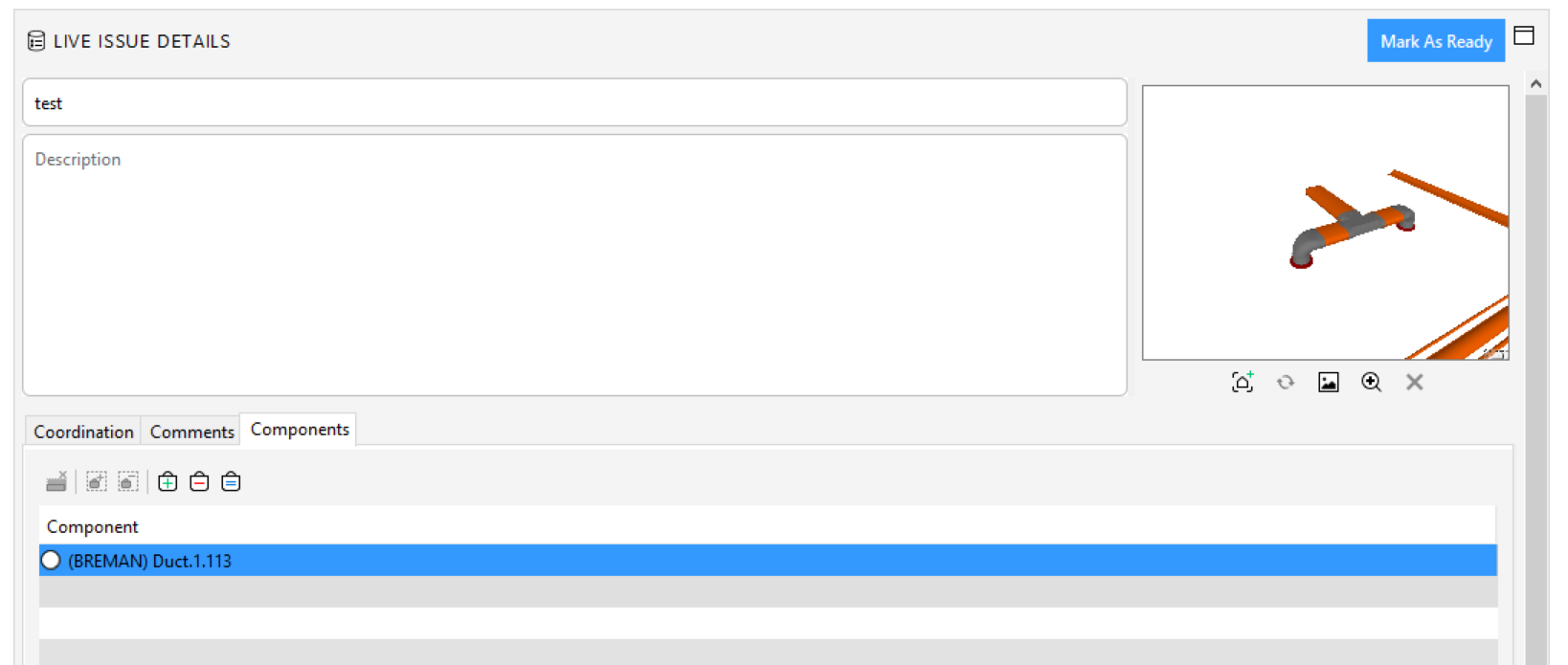
-
@ricardo @Solibrians
Also you can’t chance the the picture stand or update the picture! -
-
@ilona-c-t
It was in 9.10 ther you can add new component and update the picture
Not sure in de previous versions of 9.12 -
Hi. I think not being able to add components to a slide that is marked as ready is intentional.
This happens because in BCF API viewpoints are immutable (https://github.com/buildingSMART/BCF-API#35-viewpoint-services), once the data is sent to the server, the viewpoint cannot be modified anymore. And the component listing lives under the viewpoint.In theory it would be possible to work around this by deleting old viewpoint and adding a new one in its place, but this could cause problems elsewhere if the unique identifiers of the objects changed.
One alternative workflow is to add another viewpoint under the same slide with updated picture and component listing.
-
@lasse-lindqvist said in Can't add components to issue after it has synchronized (build 9.12.7.24):
Hi. I think not being able to add components to a slide that is marked as ready is intentional.
This happens because in BCF API viewpoints are immutable (https://github.com/buildingSMART/BCF-API#35-viewpoint-services), once the data is sent to the server, the viewpoint cannot be modified anymore. And the component listing lives under the viewpoint.In theory it would be possible to work around this by deleting old viewpoint and adding a new one in its place, but this could cause problems elsewhere if the unique identifiers of the objects changed.
One alternative workflow is to add another viewpoint under the same slide with updated picture and component listing.
Hi Lasse,
it was possible to change the viewpoint of the issue, add elements to an existing issue and/or remove them. The only thing I don’t know is when this has changed.
To my opinion, this is basic functionality and should not be removed… However I know this is probably not something that you are involved with.BIMcollab does not have a function to delete or archive issues. So in the case of adding a component or when you need to change/delete a viewpoint, the only solution is to duplicate your issue. This just makes a mess of BIMcollab.
SIGH…
-
It is possible it was possible to modify them in 9.10 with BIMCollab, but in 9.12 BCF Live Connector supports only standard BCF API connections and that is the limitation there. I believe BIMCollab also dropped support for the old-style connections recently?
https://github.com/buildingSMART/BCF-API can be used to discuss if the viewpoints should be made mutable in future BCF versions.
And one possibility of course is to contact BIMCollab and see if they could make it possible to delete viewpoints.
-
 R Ricardo referenced this topic on

Copyright © 2025 Solibri Inc. | Powered by NodeBB