
Corrupted Rules?
-
Hi, it seems like that some rules in the ruleset are causing troubles … they don’t have any status and it seems like they prevent the checking process from being initiated as no progress is visible and it takes forever.
Only solution seems to be to copy and past the rule to bring it back to live and at the same time delete old one as otherwise the above described unwanted effect is occuring.

Why and how is this happening?!
-
Since the latest update we are having this issue for all users in various projects and files.
Seems like it can be reproduced by the following steps- Check Model the first time
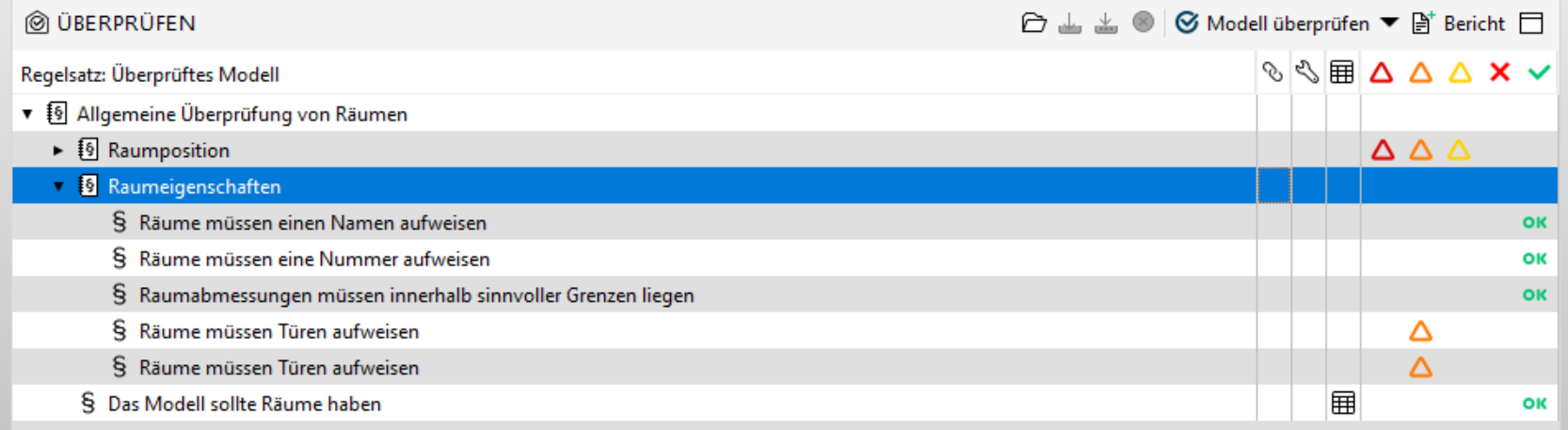
- Deactivate some rules … results are lost
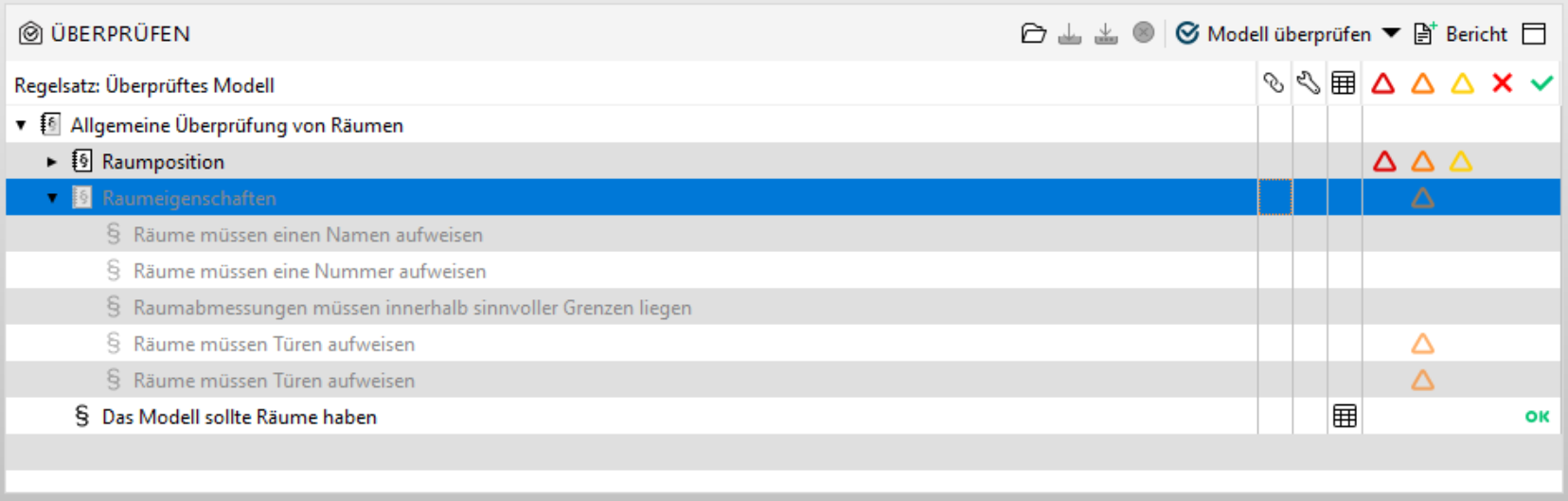
- Check Model again … basically no change here
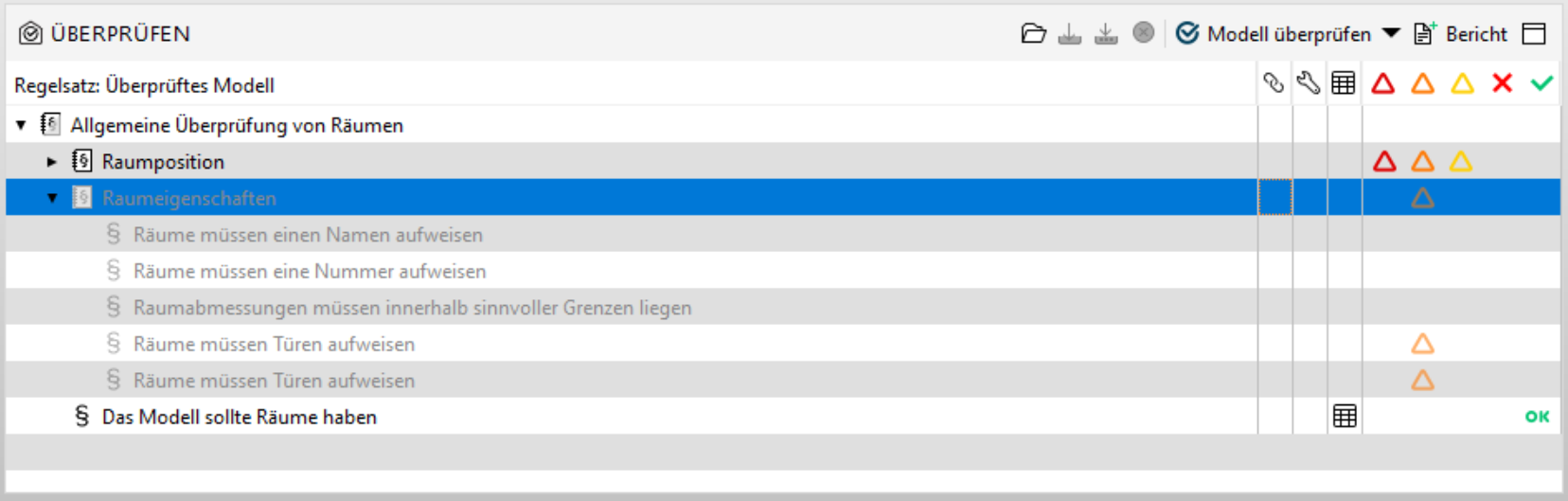
- Activate Rules from #2 and Check again …
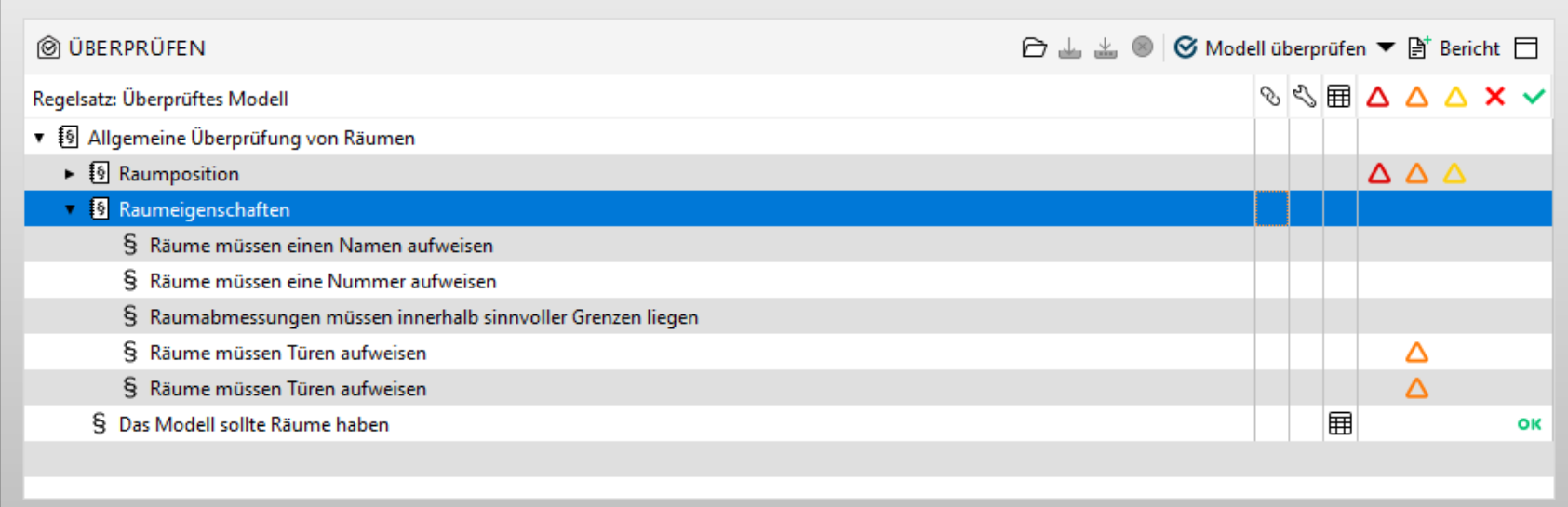
And that’s it … no way to get here results again. The only way is to load the ruleset again or copy and paste the rules - which is obviously not acceptable.
This should be fixed asap imho and I am surprised that no one else struggles with this. Or is it just us?
-
Do you lose the results (triangles)?
I’m loosing the OK icon when the rule is disabled and not coming back when the rule is enabled.
The OK icon is only coming back when the re-check is really happening (the model is modified or the rule parameters are edited).
The same is happening with “-” icon. -
We have the same problem… The only solution is to ‘wake the ruleset up’ by changing something in the ruleset and then it wakes up.
I’ve tested this with small model when updating a model, the results update aswell (so new one’s will be added) but the ‘ok’ or ‘-’ is not thereIs there a fix?
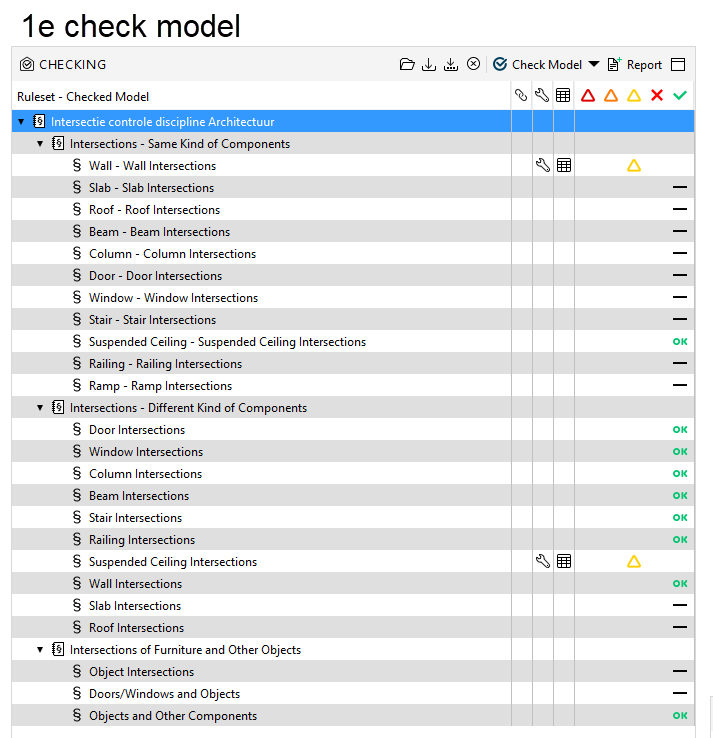
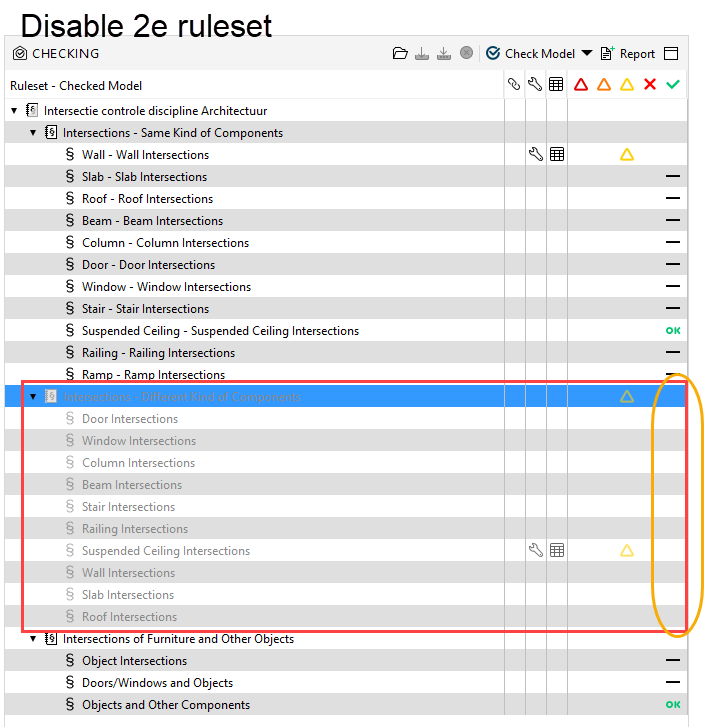
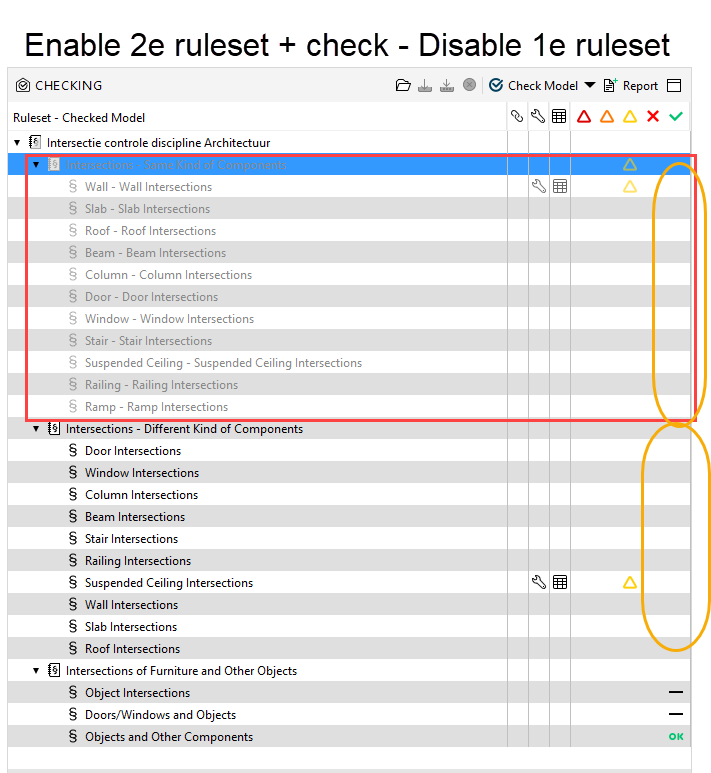
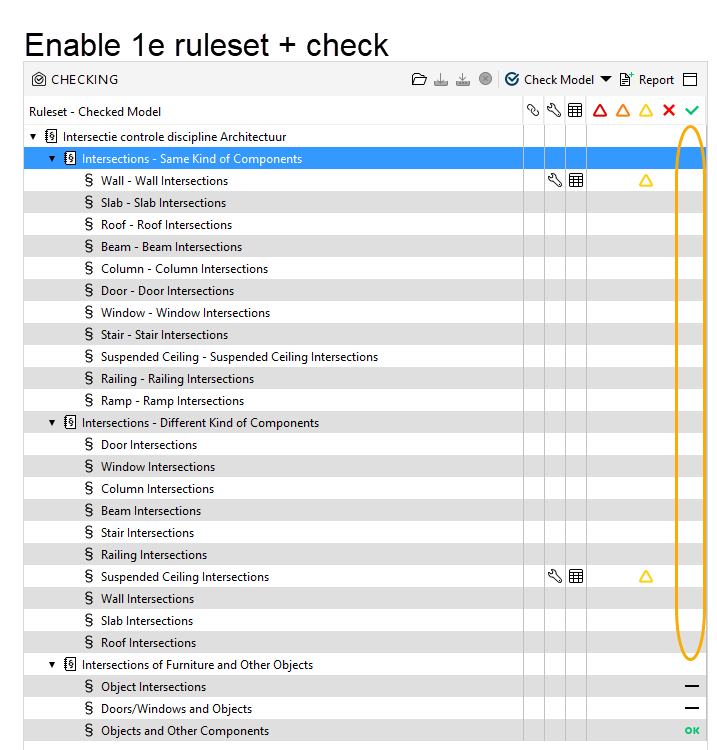
-
Do you lose the results (triangles)?
@Matti-Kannala we are loosing just the OK results. The ones with the triangles are still there
It seems like that which is somehow good, but on the other side the final summary report is obviously showing a line of zeros due to that cirumstance (e.g. for checked components) which is ultimately not so good again.


Copyright © 2025 Solibri Inc. | Powered by NodeBB