
Rule SOL/226/3.1 and Spaces
-
You can use rule #231 Comparison Between Property Values.
Setting the first filter to Doors, and setting the Target Type = Text = Corridor (for example) - This is the value in the door you will be looking for later. Then in the compared properties choose Related component and in the relation set the type to referencing with a backward direction. Set the filter for components to compare to the spaces, then set the quantifier to “at least one” set the compared component property to Name and then the operator to Matches.See image below, this will produce passed items for doors with the matched value. You can then use these elements in a subrule with the gatekeeper functionality.
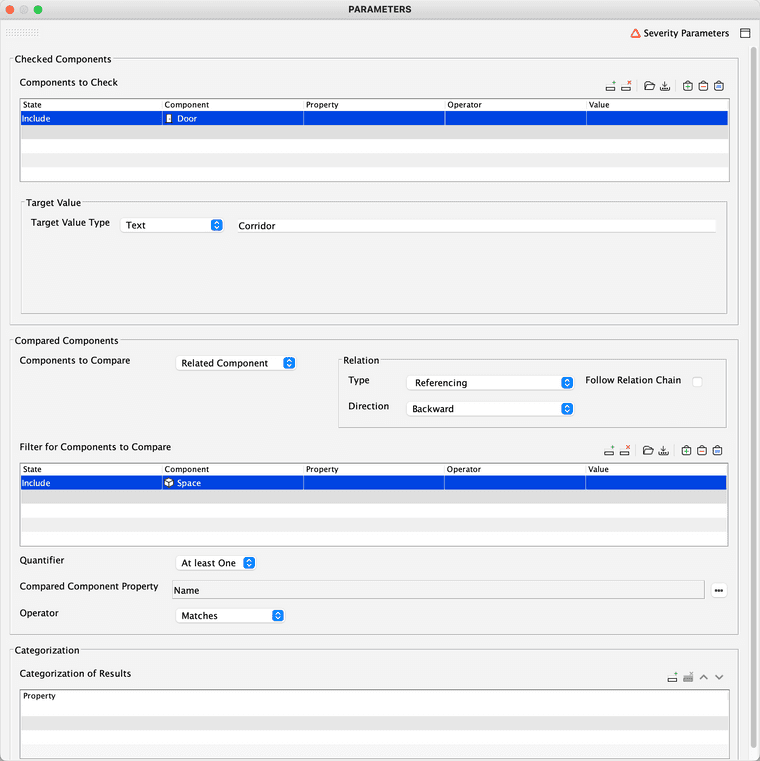
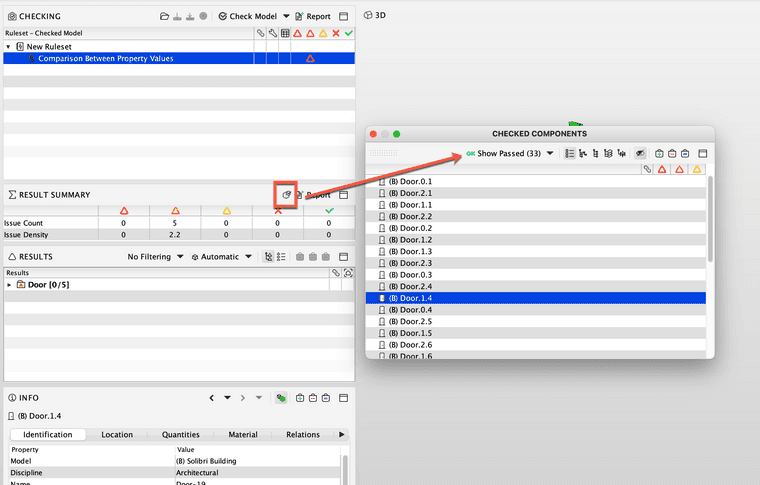
Image showing the checked components.
Hope this helps.
-
@simon-gilbert said in Rule SOL/226/3.1 and Spaces:
You can use rule #231 Comparison Between Property Values.
Setting the first filter to Doors, and setting the Target Type = Text = Corridor (for example) - This is the value in the door you will be looking for later. Then in the compared properties choose Related component and in the relation set the type to referencing with a backward direction. Set the filter for components to compare to the spaces, then set the quantifier to “at least one” set the compared component property to Name and then the operator to Matches.See image below, this will produce passed items for doors with the matched value. You can then use these elements in a subrule with the gatekeeper functionality.
Image showing the checked components.
Hope this helps.
Thanks but I’m getting:
Evaluation of checked and compared component property values is not possible, because the types don't match.Also in your checked components I’m only seeing Doors? I’d also want the spaces on each side of the door.
Edit: nvm, I didn’t set Compared Components Property to Name.
I’ve just set a Target Value that doesn’t have any matching Text in order to get all the Doors with the Spaces included.
The thing is I’m not getting the correct Space on every door, I want the spaces in front and in back, but some are giving a Space next to it.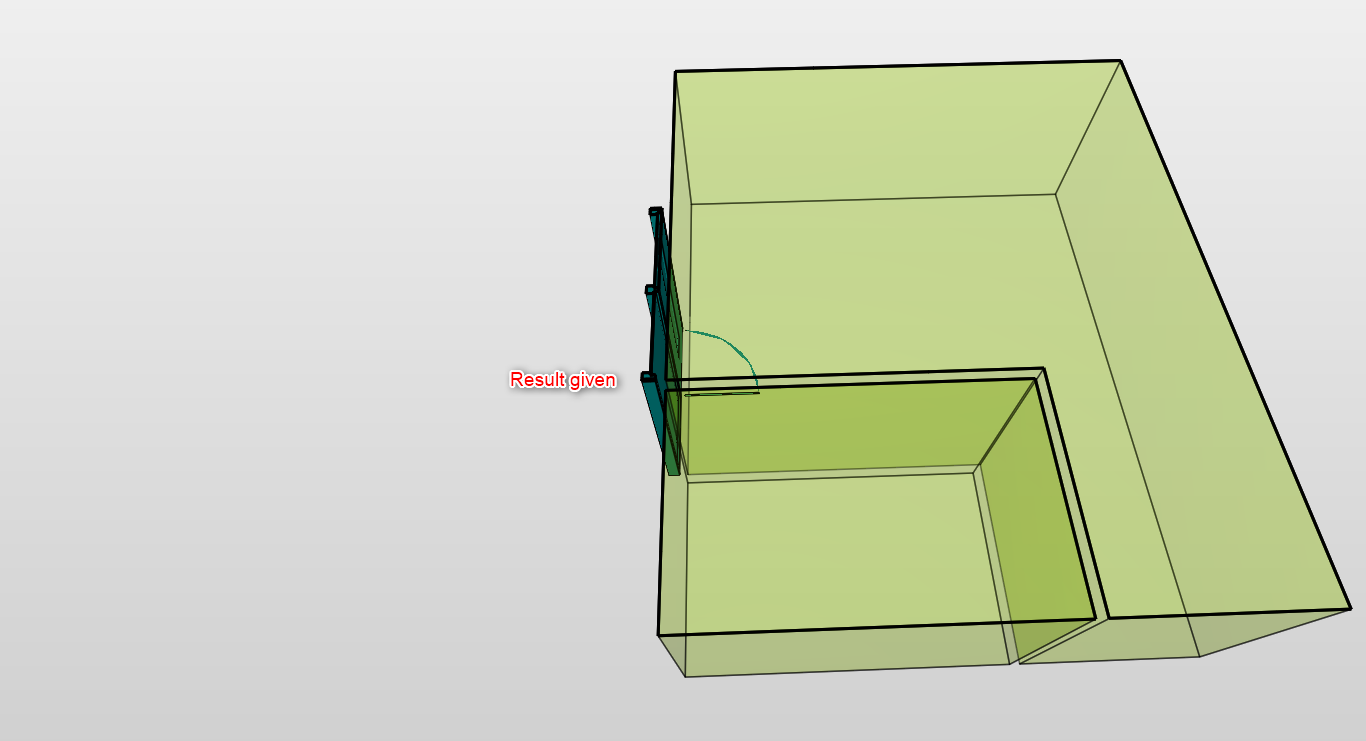
I’ve been using the Component Distance Rule to try this out and I’m getting the same situation where it will also produce results with spaces on the side of the door.
Which is why I want to use rule SOL/226/3.1, to produce a clash result with the spaces on both sides of a door. Because the rule will produce a bounding box on both sides of the door. Yet it doesn’t detect a clash with spaces, if it would detect the spaces I would achieve the desired result. Perhaps there is a different rule to achieve this?
-
I noticed changing Relation to Nearest Spaces Direction Forward produces different results. But it would seem not the desired output for all the doors, which is why I want SOL 226 to detect spaces to still achieve the result I’m looking for. I need the spaces on both sides of the doors.
-
Rule 231, compares properties of components within the same component or ones in related components. In this case we are setting the value that we are looking for with the doors and comparing this to the name value in the related space. This rule expects the comparison to be based on properties of the same type i.e. numerical, strings etc Your error is because it will be trying to compare one property type against another that is different. The example above would allow you to identify all doors that have a relationship to a particular space, then for these doors you can then subsequently check the space the other side of the door with the sub-rule.
Can you let us know what is your main requirement i.e. end goal. Rule 226 doesn’t take spaces into consideration. But we may be able to advise you better based on what your requirement.
-
The Example rules folder, has another example of rule 231 which can be used to check that doors are connected to 2 spaces etc.
Please indicate the outcome so that we can suggest the best rule definition.
-
@simon-gilbert said in Rule SOL/226/3.1 and Spaces:
The Example rules folder, has another example of rule 231 which can be used to check that doors are connected to 2 spaces etc.
Please indicate the outcome so that we can suggest the best rule definition.

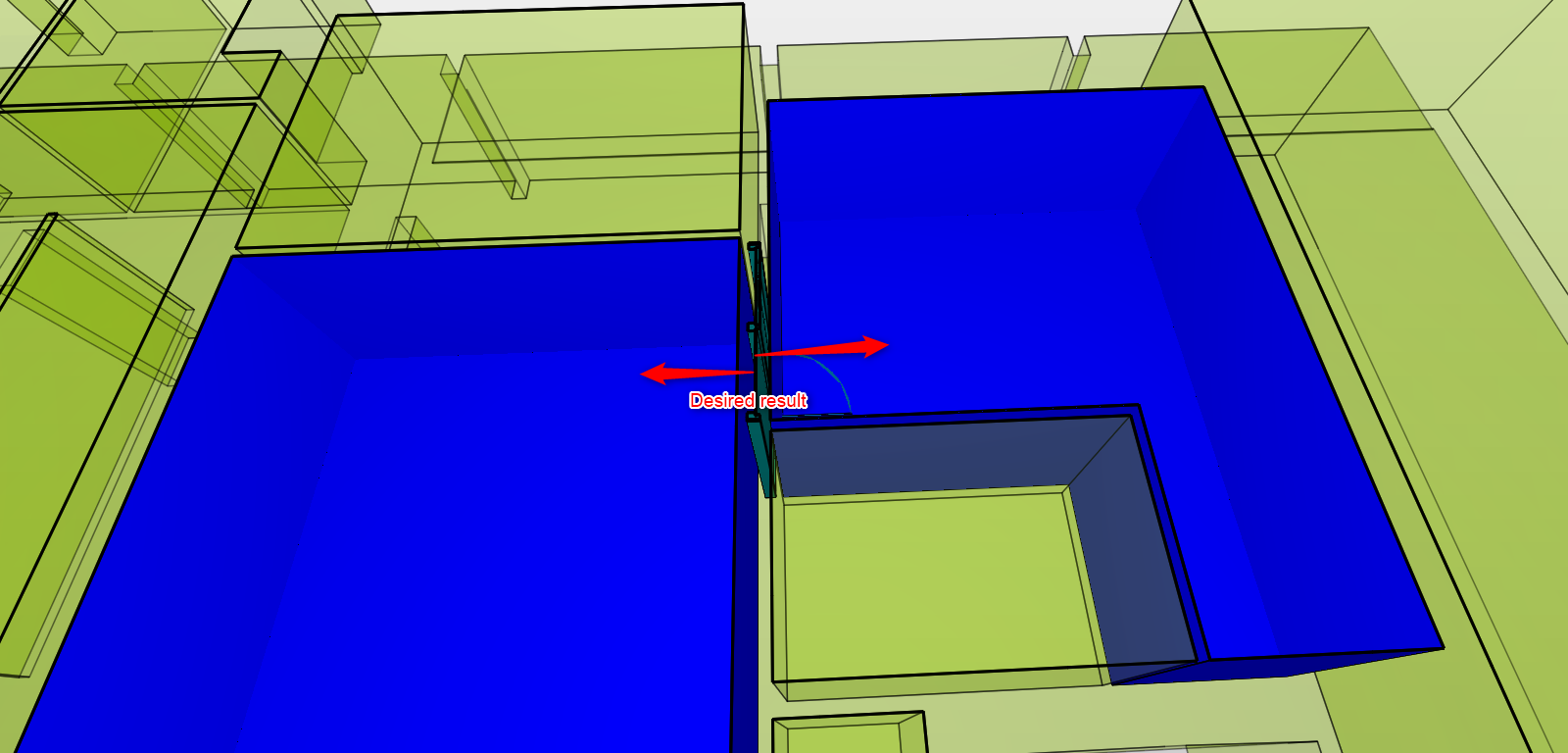
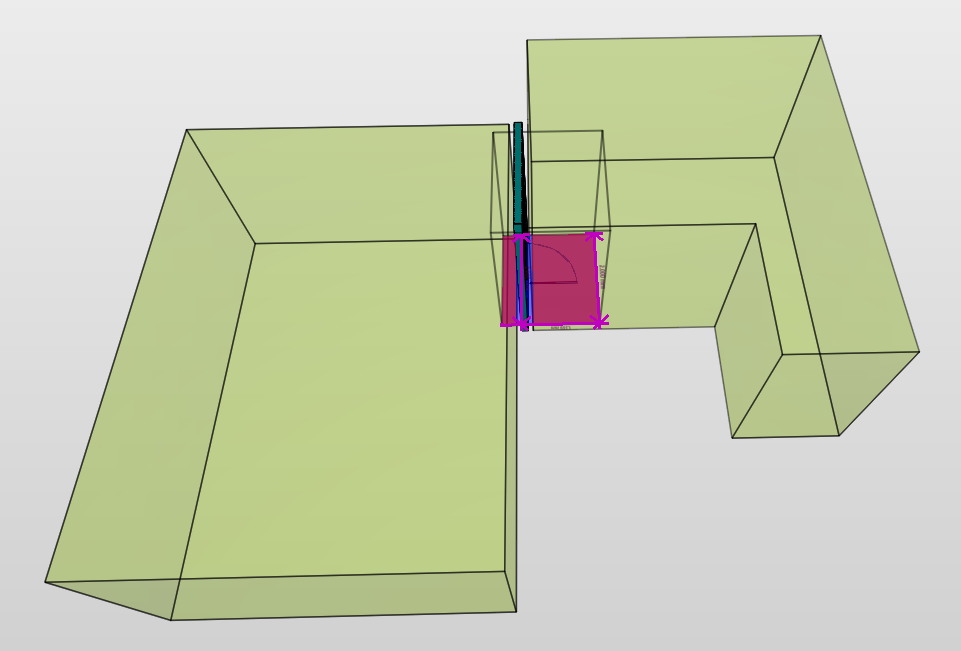
This is basically the outcome I’m looking for. A clash result containing the door and the blue spaces on both sides of the door.Using rule 231 it will sometimes give a result that contains one space that is correct, but the other space will be the one next to the door, instead of the space pointed at by the arrows in my screenshot. Like in the below image.

I noticed changing Relation to Nearest Spaces Direction Forward produces different results in rule 231, but still not the output I want for all the doors.
This is why I want to use rule 226 and just need it to detect the spaces as an object that isn’t allowed in the area near the door, then I will have my desired outcome, kind of like this:
-
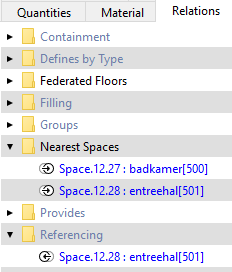
For rule 231 when using Referencing or Nearest Spaces, I’m not getting consistent results. Because for one door both spaces are in Nearest Spaces but for another they’re in Referencing.That’s why in my opinion Rule 226 will just detect the Spaces on the sides I’m looking for, if it would detect spaces.
-
 J john.lipp referenced this topic on
-
@john-lipp said in Rule SOL/226/3.1 and Spaces:
Does Component Distance work to check a door within 1mm of a Space? This will allow you to control the allowed distance to be considered (rather than relying on the nearest space algorithm).
Already tried this, it’s like I said in the earlier post. It’ll also give results with spaces next to it if that’s closer than the space in front or behind the door.
So that’s not giving the desired results.
Copyright © 2025 Solibri Inc. | Powered by NodeBB