Skip to content
  • Categories
Collapse
Solibri Society Forum
  1. Home
  2. General Discussion
  3. Documents API - BIMsync

Documents API - BIMsync

Scheduled Pinned Locked Moved General Discussion
5 Posts 3 Posters 759 Views
  • Oldest to Newest
  • Newest to Oldest
  • Most Votes
Log in to reply
This topic has been deleted. Only users with topic management privileges can see it.
  • M Offline
    M Offline
    marcus
    wrote on last edited by
    #1

    Hi Solibrians,

    after upgrading to 9.13.0.23 i’ve tried to load models to/ from BIMsync.
    The connection seems to be established i guess. I got no error message.
    But nothing happens when i click the open button.
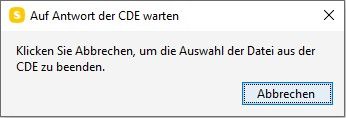
    Upload doesn’t work either. Here i see a popup that Solibri is waiting for the CDE.
    Any known issues?

    Best Regards!
    Marcus

    MattiM 1 Reply Last reply
    0
    • MattiM Offline
      MattiM Offline
      Matti Solibrians
      replied to marcus on last edited by
      #2

      @marcus

      Could you send some pictures of the popups?
      Could you also check if the log file is having an error?

      C:\Program Files\Solibri\SOLIBRI\log\error.log
      

      See the process documented in Help:
      https://help.solibri.com/hc/en-us/articles/10233885447447-Using-the-Documents-API-Integration

      M 1 Reply Last reply
      0
      • M Offline
        M Offline
        marcus
        replied to Matti on last edited by marcus
        #3

        @Matti-Kannala
        open_model_msg_box.jpg
        This is the message after clicking the upload button.
        I could send you the error and output log. As far as i see the output.log has also relevant informations.
        I’ve created new logfiles so they contain less infos for this specific problem.
        Opened Solibri, opened a SMC file, connected to bimsync, press buttons open, then upload.
        Can i send the logs via mail/ private msg? --> Found private chat and sent you the logiles.

        1 Reply Last reply
        2
        • P Offline
          P Offline
          Pasi Paasiala Solibrians
          wrote on last edited by
          #4

          @marcus
          According to the logs, you don’t have write access to this folder: C:\Users\nillma.solibri\bcf

          1 Reply Last reply
          0
          • M Offline
            M Offline
            marcus
            wrote on last edited by
            #5

            @Pasi-Paasiala
            True. Modified that and now i have access to BIMsync. Thank you!

            1 Reply Last reply
            0

            Copyright © 2025 Solibri Inc. | Powered by NodeBB

            • Login

            • Don't have an account? Register

            • Login or register to search.
            • First post
              Last post
            0
            • Categories