
Component Comparison Rule - Geometry is changed?
-
Hi,
After I run the Model Revisions Comparison - Architecture -> Component Comparison, some objects show up with the following results:
(A) Object.-1.10 has following modifications compared to (B) Object.-1.53: - Geometry is changed Location: (B) DATUM, (A) DATUM
Is there a way to see what has changed? From visual inspection, the geometry has not changed and Quantities and Location are the same for the original and the revised object:
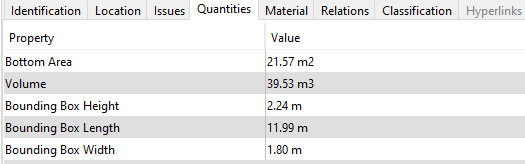


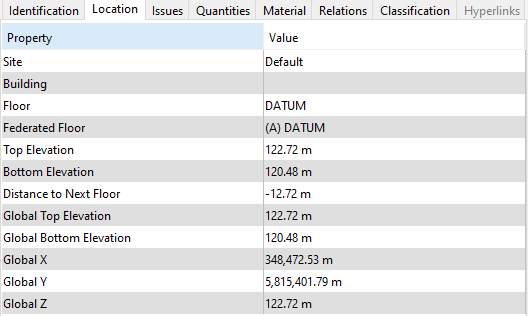
Thank you
Giovanni -
@gbrogiolo Most likely the change is so small that it is not visible in the numbers. If you’re able to share small examples of the IFC files, we can take a look at it. Also, if you color the components with different solid colors, like one red and one green and you rotate the model with only these components visible, you might see the possible differences more clearly.
Hope this helps.
-
Hi Pasi,
Thank you for your reply to my post. I cannot upload the files on the forum but I can send an extract via email.
I have found a small difference in the Project Base Point between the old and the new IFC files. Would this be taken into account when running the checks?
#113=IFCCARTESIANPOINT((348400000.,5815300001.,-2.4567640817928363E-09));
#111=IFCCARTESIANPOINT((348400000.,5815300001.,0.));Is there a way to set the tolerance when running the check?
Thank you
Copyright © 2025 Solibri Inc. | Powered by NodeBB