
SOL/203/2.4 - Required property sets - Checking spesific values up against model
-
Hi,
I am currently working on a ruleset that checks if our model has specific values from our PBS(Project Breakdown Structure).
I tried using SOL/9/3.1 but this did not work as intended since it doesn’t give feedback when a value is missing. I did however import the values correctly and it also excluded all empty rows.
I am trying on SOL/203/2.4 - here I can check that a value must exist and import an excel sheet. My issue is the import itself, it does not exclude empty rows and all imports come in as enumerations, no matter how I change the import.
I have an excel-sheet with a bunch of values, see picture below: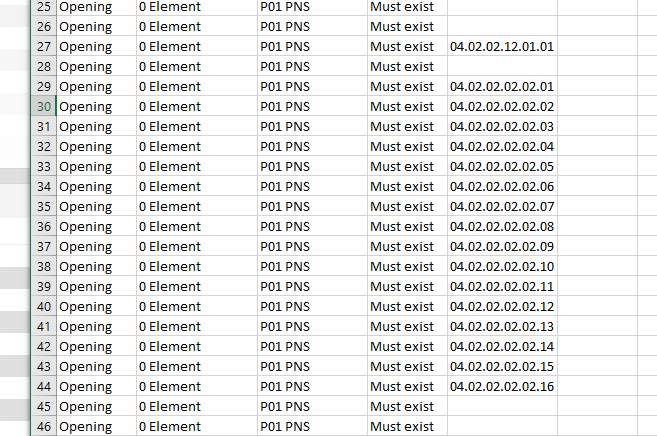
This is just a screenshot, the list is far bigger. Anyways, the values all the way to the right from this list, are the only ones allowed in the model. When I import them, however I try to, I get this:
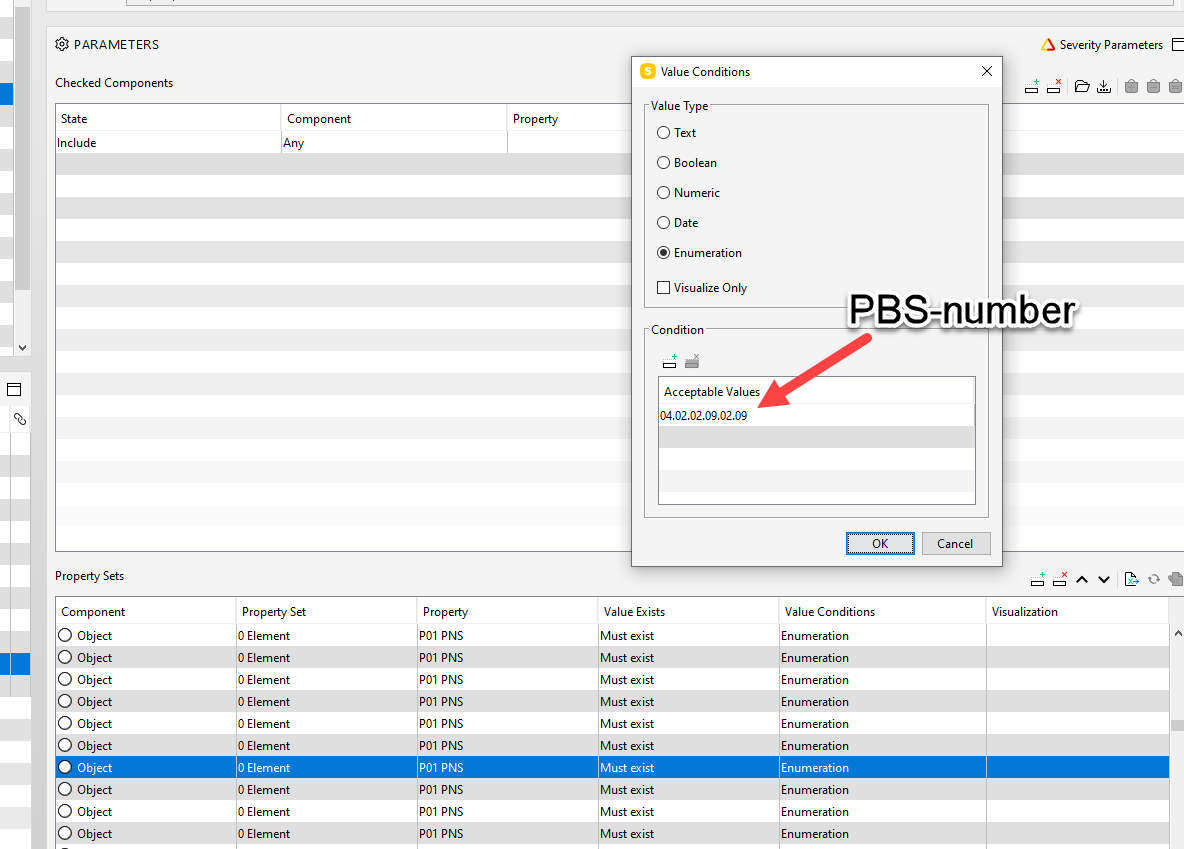
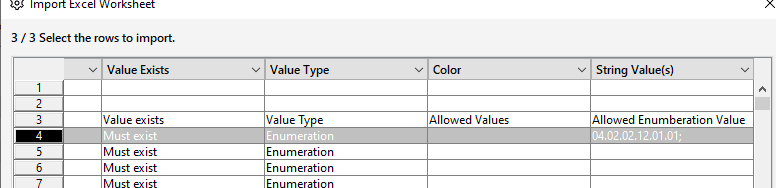
They all come up as Enumeration and as such, when I run the ruleset, it fails to recognize all values that actually are correct.
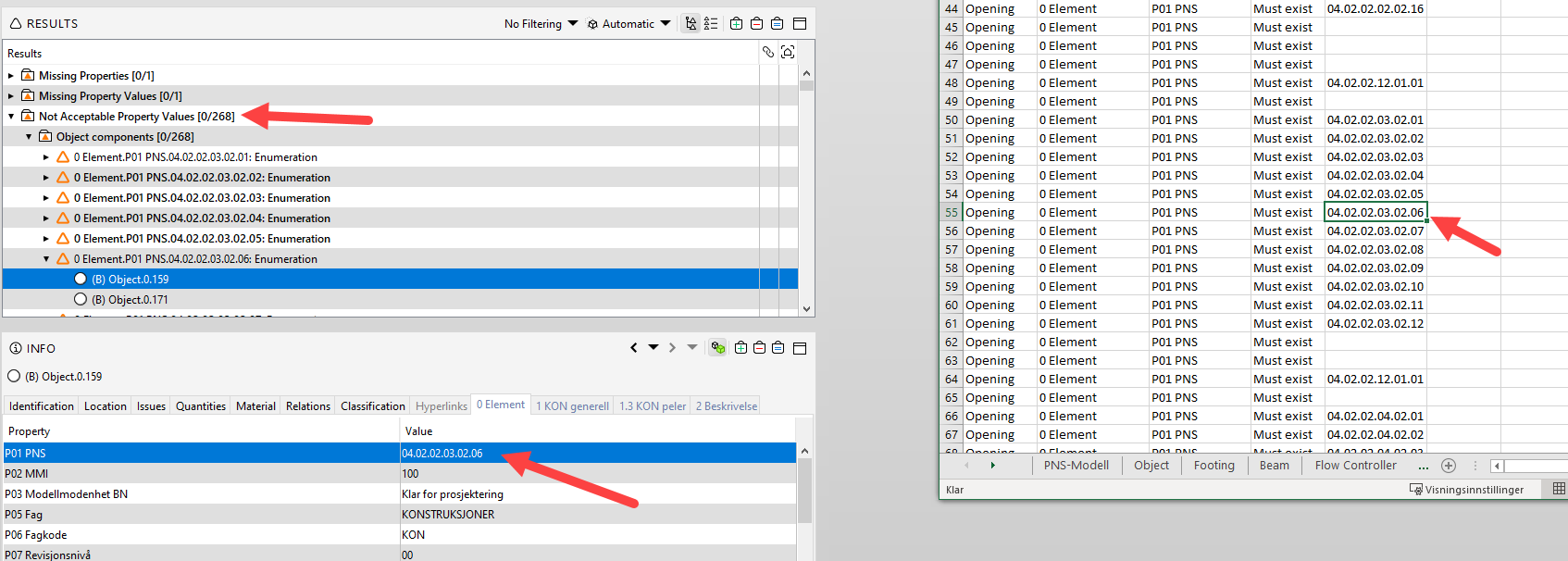
To put it short:
I want to import a bunch of numbers from an excel-sheet and run them against the model. Any numbers that differ from the list, are missing or otherwise, will fail the control.I may have missed something or another rule, but as of now, I’m mentally stuck right here. Any comments on this would be greatly appreciated
-
@SimeonRH Would it be possible for you to give the Excel file that you are trying to import?
-
@Pasi-Paasiala HI Pasi, yes I can share the file.PNS Modell_final.xlsx
Any help would be greatly appreciated!
-
If I understand correctly, any listing in the Allowed Value column of these rows is allowed. Therefore, you need to a semicolon delimited list in a single cell for the Allowed Value. Please see:
https://society.solibri.com/topic/1116/import-excel-worksheet-rule-203/17First, you’ll need to add the Value Type column with Enumeration listed.
Another problem I see is that the rows values in the openings sheet are being pulled from the PNS-Model sheet, so you need to somehow concatenate those rows into a single cell for Solibri.
In the formula, I see that it places a " " space if a value doesn’t exist. However, the TEXTJOIN function in excel that you can use to concatenate these ignores a cell only if it is blank, so you would need to change the formula as such:
example: =IF(‘PNS-Modell’!F8=0,“”,‘PNS-Modell’!F8)
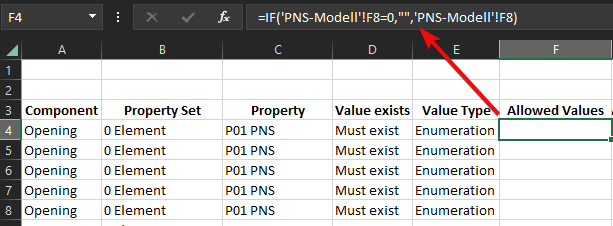
Then at the top you can add =TEXTJOIN("; ",TRUE,F4:F690) to the next column to concatinate those rows with a semicolon delimiter.
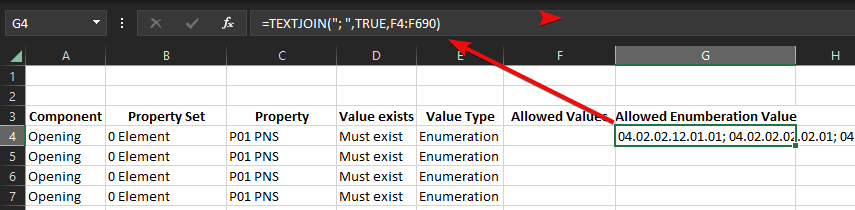
That will then allow you to import that single row into the rule using the exel:
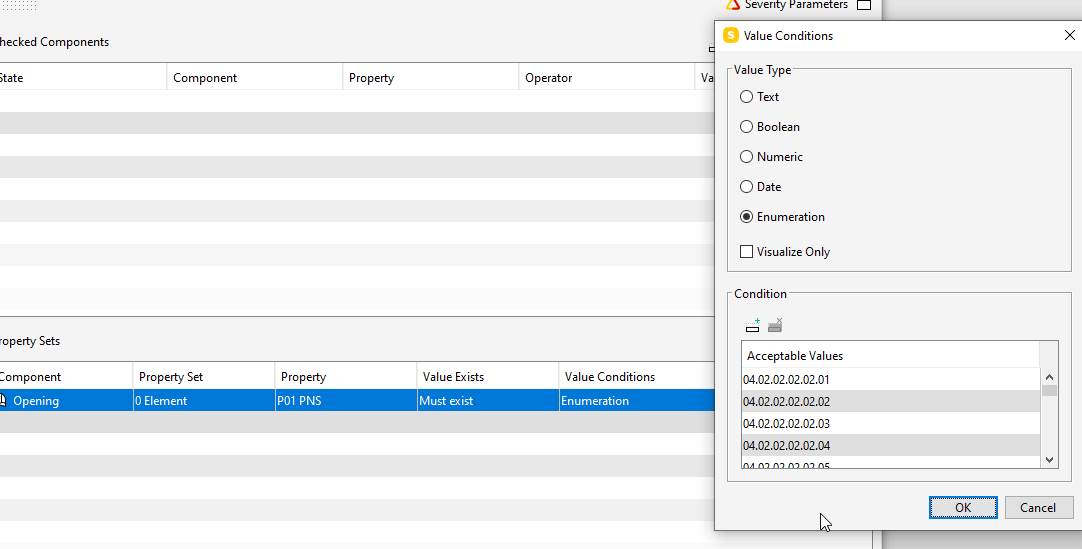
You’ll then have them all listed in the value condition:
Here is the excel that worked for me: pns-modell_final_support.xlsx
-
This appears to work, I cannot thank you enough for this @john-lipp ! Makes my job alot easier


Copyright © 2025 Solibri Inc. | Powered by NodeBB